WhatsApp has announced a new set of features aimed at improving how users manage chats, storage, and accounts across devices. The update includes seven additions that focus on usability rather than visual changes. Among them, the ability to use multiple accounts on a single iPhone stands out as the most practical update for everyday users.
The company is also bringing improvements to storage management, chat transfer, and adding new AI-powered tools backed by Meta.
What Is WhatsApp's Multiple Accounts Feature?
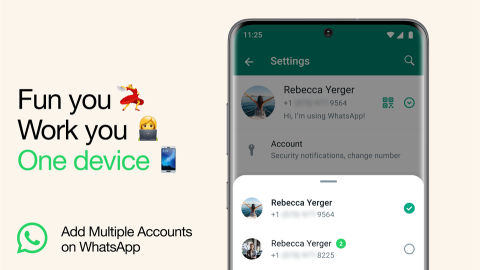
The new feature allows users to run two WhatsApp accounts on the same iPhone without needing separate apps or devices. Each account is linked to a different phone number, but both remain active within the same app.
Earlier, iPhone users had to depend on workarounds such as using WhatsApp Business alongside the main app or logging in and out frequently. This update removes that limitation and makes account management more straightforward.
The feature is particularly useful for users who want to keep personal and work conversations separate while using a single device.
How Multiple Accounts Work on iPhone?
WhatsApp has kept the implementation simple and built it directly into the app interface. Users can add a second account from the settings section and verify it using a different phone number.
Once the second account is added, switching between accounts does not require logging out. The app shows the profile picture in the tab bar, which indicates the currently active account. Tapping on it allows users to move between accounts instantly.
This approach ensures that both accounts remain accessible at all times, without interrupting ongoing conversations.
Storage Tools Get More Granular Control
WhatsApp is also improving how users manage storage within the app. Instead of clearing entire chats, users can now find large files inside individual conversations and remove only what they do not need.
There is also an option to delete media files while keeping text messages intact. This gives users more control over storage, especially on devices with limited space, and avoids the need to delete important conversations just to free up memory.
Chat Transfer Now Works Across iOS and Android
The chat transfer feature has been expanded to support direct transfers between iOS and Android devices. Users can now move their chat history, including messages, photos, and videos, without relying on cloud backups.
The process works locally between devices, which makes it faster and reduces dependency on services like iCloud or Google Drive. It also gives users more control over how their data is handled during migration.
AI Features Enter Everyday Chats
WhatsApp is also introducing AI-based tools that are integrated directly into chats. These features are designed to make conversations more interactive and reduce the effort required for common actions.
The app can now suggest stickers in real time when users type emojis, making it easier to switch from basic emojis to more expressive visuals. There is also a new photo editing tool powered by Meta AI, which allows users to remove objects, change backgrounds, and apply styles before sending images.
Another addition is the Writing Help feature, which suggests responses based on the context of the conversation. WhatsApp says this feature is built with privacy in mind, ensuring that user messages are not exposed unnecessarily.
Rollout Timeline
WhatsApp has confirmed that these features are rolling out globally in phases. This means not all users will receive them at the same time, but availability is expected to expand gradually over the coming weeks.