Tablets have had an interesting journey. In the beginning, people thought of them mostly as an oversized smartphones for watching OTT content, browsing the web and occasionally taking notes. But over time, they are packing increasingly powerful processors, desktop-style software and accessories that can turn a tablet into a laptop, the category has become a lot more interesting.
Samsung Galaxy Tab S12 Plus
Rs 1,29,999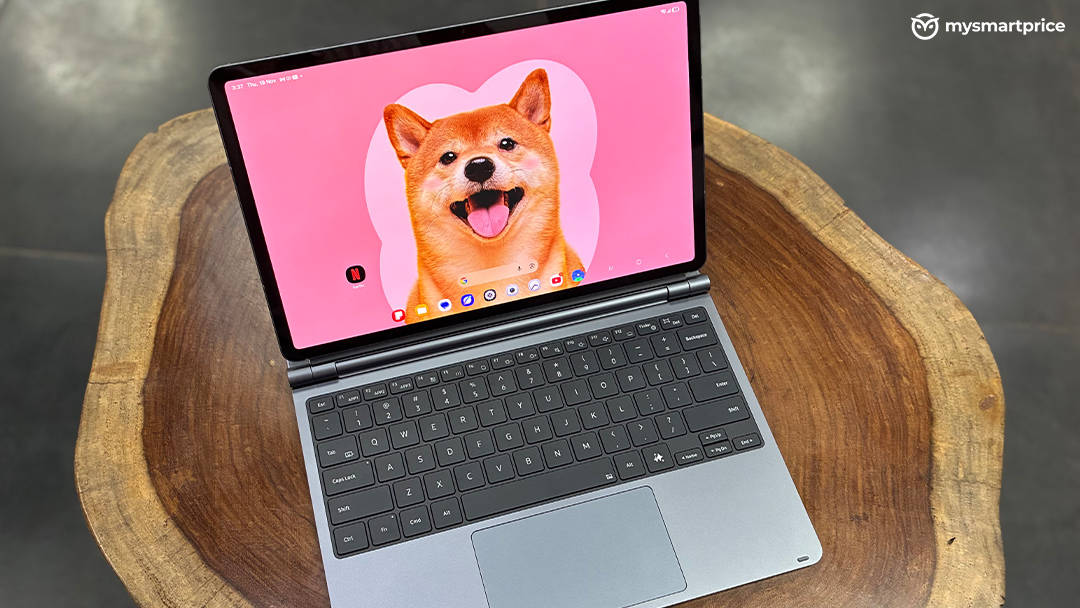
What Is Good?
- Excellent 12.6-inch Dynamic AMOLED 2X display with 120Hz refresh rate
- S Pen included in the box
- Impressive four-speaker audio system
- Seven years of software support
- Powerful Dimensity 9500 chipset and smooth everyday performance
What Is Bad?
- Noticeable performance throttling under sustained workloads
- Poor sustained gaming performance
- Tablet feels bulky to carry around on its own
- Glossy display can be reflective
The bigger question is whether you actually need one. The Samsung Galaxy Tab S12+ can be Samsung’s answer to that question. It is a flagship Android tablet with a 12.6-inch Dynamic AMOLED 2X display, MediaTek’s flagship Dimensity 9500 chipset, a 10,600mAh battery, an S Pen in the box and Samsung DeX for a more desktop-like experience. Samsung has also added Galaxy AI features and a long seven-year software support promise. On paper, it looks like Samsung has tried to put almost everything you could want from a premium tablet into one device. After spending considerable time using it as a work machine, entertainment device and gaming tablet, I can say that the Galaxy Tab S12+ is genuinely good, but it isn’t perfect, and its flagship chipset actually makes some of its limitations more noticeable.
Design: Slim, Premium and Surprisingly Practical
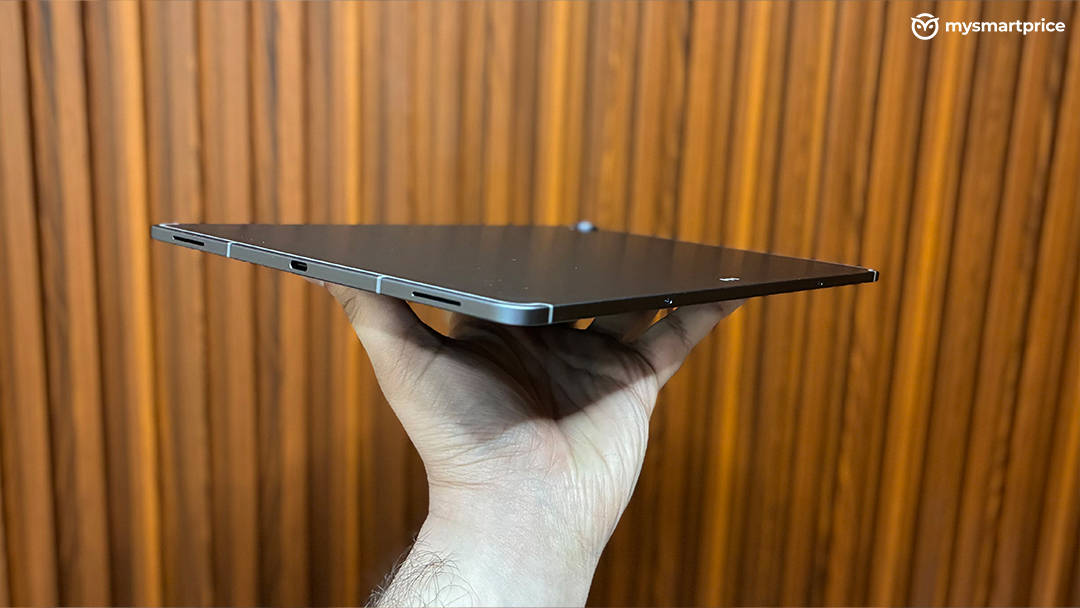
The Galaxy Tab S12+ has a premium metal construction and measures just 5.3mm in thickness. The Wi-Fi model weighs 553 grams, while the 5G version comes in at 555 grams. For something with a 12.6-inch display and a 10,600mAh battery, those numbers are impressive.
In the hand, the tablet feels exactly like the kind of device you expect at this price. It is thin, rigid and well-finished, and the flat edges make it comfortable to hold in landscape orientation. Samsung has also given it an IP68 rating, which is a useful addition for a device that is likely to spend a lot of time on desks, beds, coffee tables and in bags.
However, there is one thing you notice fairly quickly. The Tab S12+ is still a large tablet. While 553 grams doesn’t sound particularly heavy on paper, the 12.6-inch footprint makes the tablet somewhat awkward to carry around by itself. It isn’t something I would casually hold in one hand while walking around. It is much more comfortable when you use both hands or place it on a surface.
This is where the optional keyboard folio changes the experience considerably. Samsung’s Pro Keyboard Cover is an additional purchase, priced at Rs 24,999 in India. That is a significant amount of money on top of a tablet that already starts at Rs 1,29,999, but after using it, I can understand why someone buying the Tab S12+ for productivity would want it. The keyboard itself feels premium, with good key travel and a typing experience that is surprisingly close to what I would expect from a proper laptop keyboard. I ended up using the Tab S12+ much more like a laptop whenever the keyboard was attached. The combination of the keyboard, touchpad and Samsung DeX makes the tablet far more useful for work. You can open multiple applications, resize windows and move between them without constantly feeling like you’re using a stretched-out phone interface.
There is also a dedicated Galaxy AI button on the keyboard which can be used with Samsung’s AI ecosystem and supported assistants Bixby, Gemini or Perplexity. The keyboard’s touchpad gestures can also be customized, which makes navigating the desktop-style interface more natural. One small annoyance is the lid. Opening the keyboard folio one-handed isn’t particularly easy because there isn’t a very obvious indentation to get your fingers under the cover. It is a minor design issue, but adding a small grip area would have made the experience better.
Interestingly, once the keyboard is attached, the whole setup becomes easier to carry around because it behaves more like a compact laptop rather than a large tablet. In fact, the closed setup can feel surprisingly manageable compared with a conventional work laptop.
Display: One of the Best Things About the Tab S12+
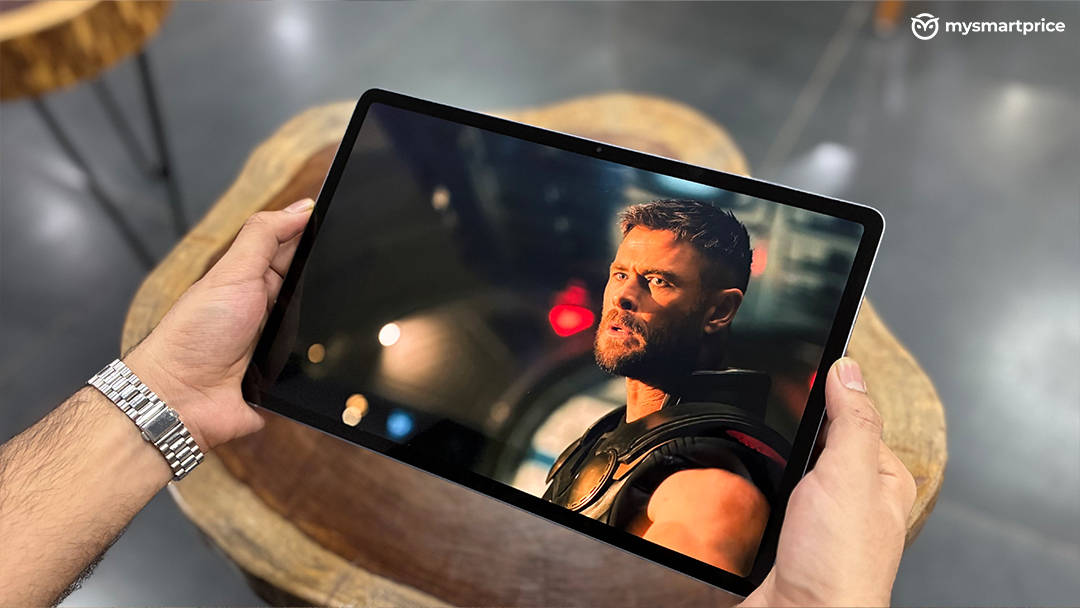
The Galaxy Tab S12+ comes with a 12.6-inch Dynamic AMOLED 2X panel with a 2800 x 1752 resolution and a 120Hz refresh rate. This is easily one of my favourite parts of the tablet. The large AMOLED panel produces the kind of viewing experience that makes you want to consume content on it. Blacks are properly deep, colours are punchy without looking unpleasantly oversaturated, and the sharpness is excellent for a display of this size. Netflix, YouTube and other video content look fantastic. The 12.6-inch size is also a sweet spot for me. The Ultra’s 14.6-inch screen is larger, but the S12+ feels considerably easier to manage while still giving you enough screen real estate for multitasking and entertainment. Samsung rates it for up to 1,600 nits peak brightness, with up to 1,000 nits in high-brightness mode. I recorded around 1265 nits brightness in my brightness test and the outdoor visibility is excellent.
The 120Hz refresh rate makes everything feel fluid too. Scrolling through websites, switching between apps and navigating One UI all feel noticeably smoother. There is, however, one limitation. The glossy surface can be reflective, particularly outdoors or under strong lighting. An anti-reflective treatment would have made this otherwise excellent display even better.
Still, if you are buying this tablet primarily for watching movies, browsing, editing photos or simply enjoying a large high-quality screen, the display alone makes a very strong case for the Tab S12+.
Performance: Flagship Hardware With One Important Catch
The Galaxy Tab S12+ is powered by MediaTek’s Dimensity 9500, paired with 12GB RAM and upto 512GB storage. Samsung also supports microSD expansion up to 2TB. This is flagship hardware, and the benchmark numbers certainly reflect that.
In my testing, the Galaxy Tab S12+ scored 3,506,883 points in AnTuTu, including a CPU score of 1,096,446 and a GPU score of 1,310,028. Geekbench 7 returned 2,671 points in single-core and 9,135 points in multi-core.
These are excellent numbers and translate into a very fast everyday experience. Apps open quickly, multitasking is smooth and the tablet doesn’t feel like it is struggling when you have several things running at the same time. Samsung’s software optimization also helps here. I could comfortably switch between browser tabs, productivity apps, notes and media without experiencing the kind of stutters you sometimes see on large Android tablets.
But there is an interesting problem. The Galaxy Tab S12+ scored 71 percent in the CPU throttling test. That is where my experience with the tablet became more complicated. The Dimensity 9500 is powerful enough that I expected the Tab S12+ to behave like an uncompromising performance machine. Instead, sustained workloads can make the tablet warm, and performance doesn’t remain at its peak indefinitely. This isn’t something that ruins the everyday experience. For normal productivity, browsing, video editing and multitasking, the tablet is extremely capable, but when you buy a tablet with a flagship chipset, you naturally expect it to make full use of that hardware consistently. That is where I think Samsung could have done better with thermal management.
Gaming is where the difference between peak and sustained performance becomes even more obvious. I tested BGMI and Genshin Impact under demanding settings.
In BGMI, using the lowest graphics settings for a 45-minute session, the tablet delivered an average of 61.6 FPS, with a 5% low of 58 FPS.
These results are not respectable and this chip is capable for 120FPS at least in BGMI. Then there is Genshin Impact, at High graphics with the frame-rate setting at 60 FPS, over a 45-minute session, the Tab S12+ managed just 17.2 FPS on average, with a 5% low of 6.6 FPS.
That is a significant drop. Considering this is a flagship Dimensity chipset, I expected better sustained gaming performance. The result also reinforces the CPU throttling score and my observation that the tablet gets noticeably warm under sustained workloads. So, yes, the Galaxy Tab S12+ is a decent gaming tablet. But I wouldn’t call it a gaming-first tablet.
One UI 9 and DeX: The Real Reason to Buy This Tablet
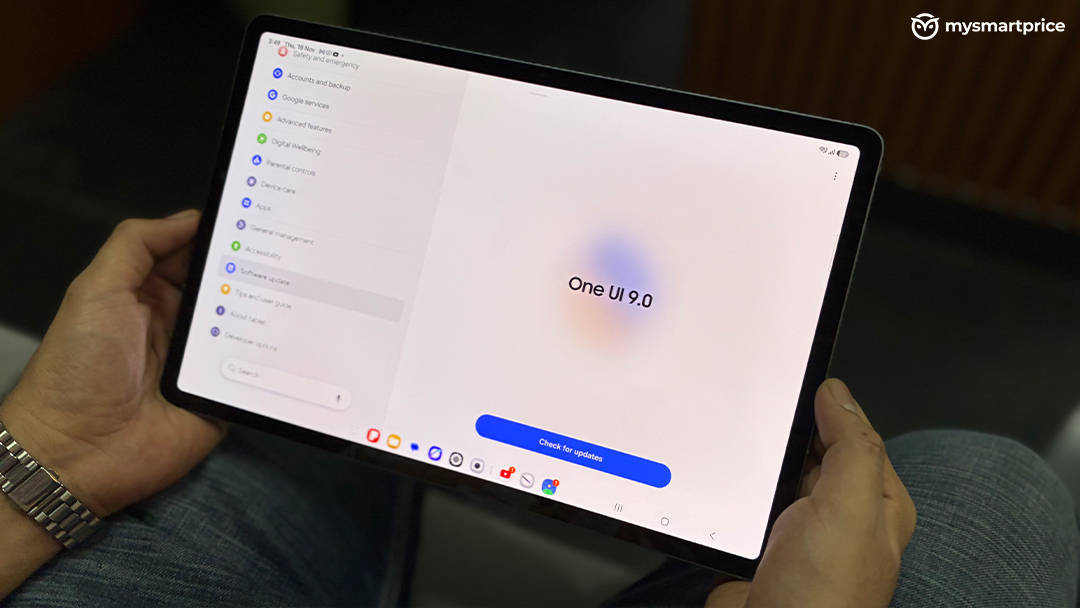
The Galaxy Tab S12+ runs Android 17 with Samsung’s One UI 9 out of the box, and Samsung promises up to seven OS upgrades and security updates. I’ve always liked Samsung’s approach to Android on larger screens, and the Tab S12+ is a good example of why. One UI feels mature on a tablet. Multitasking is one of its biggest strengths, with support for running up to four apps simultaneously. I could have a browser open alongside a notes app, a document and another application without the interface feeling chaotic.
Then there is Samsung DeX. DeX is what takes the Tab S12+ from being a very good tablet to something that can actually replace a laptop for certain users. With the keyboard attached, the desktop-style interface makes working with documents, browsing, emails and multiple windows much more natural. I wouldn’t say it completely replaces Windows or macOS because there are still situations where full desktop software is necessary, but for web-based work, writing, research, communication and general productivity, it gets surprisingly close. Samsung also preloads or provides access to apps such as Photoshop, LumaFusion and Notion, which gives the tablet a much stronger productivity and creative ecosystem.
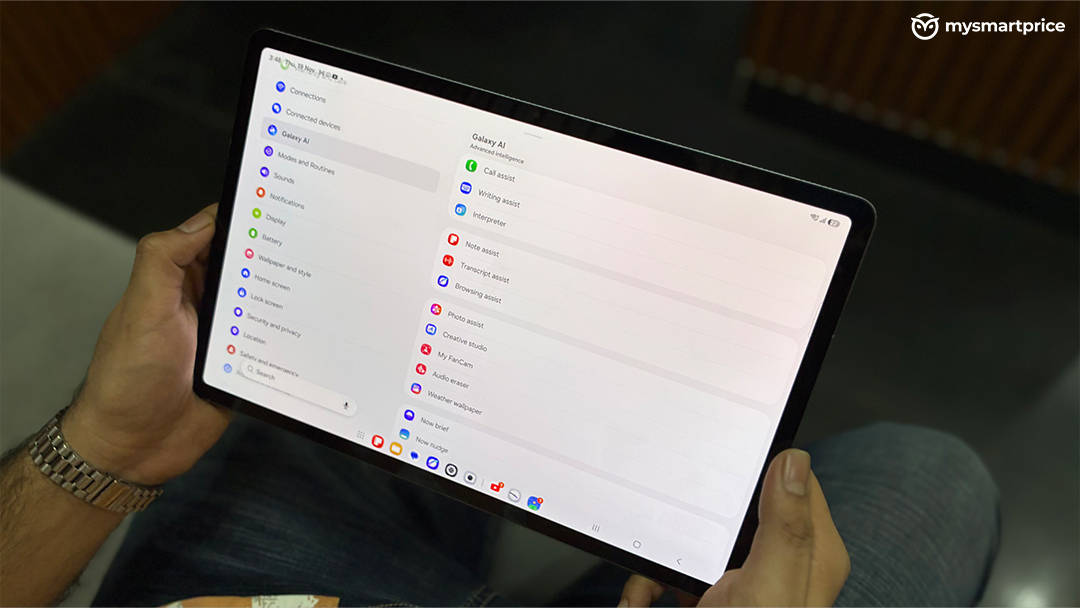
Samsung has also pushed Galaxy AI heavily with the Tab S12+. Features such as Audio Eraser and Creative Studio add useful functionality, while the dedicated AI button on the keyboard makes these tools easier to access. I like that Samsung hasn’t made the entire tablet experience dependent on AI. The AI features are there when you need them, but the tablet remains useful without them. For me, the combination of DeX, multitasking, the keyboard and S Pen is considerably more important than the AI features themselves.
S Pen: One of the Best Things Samsung Includes
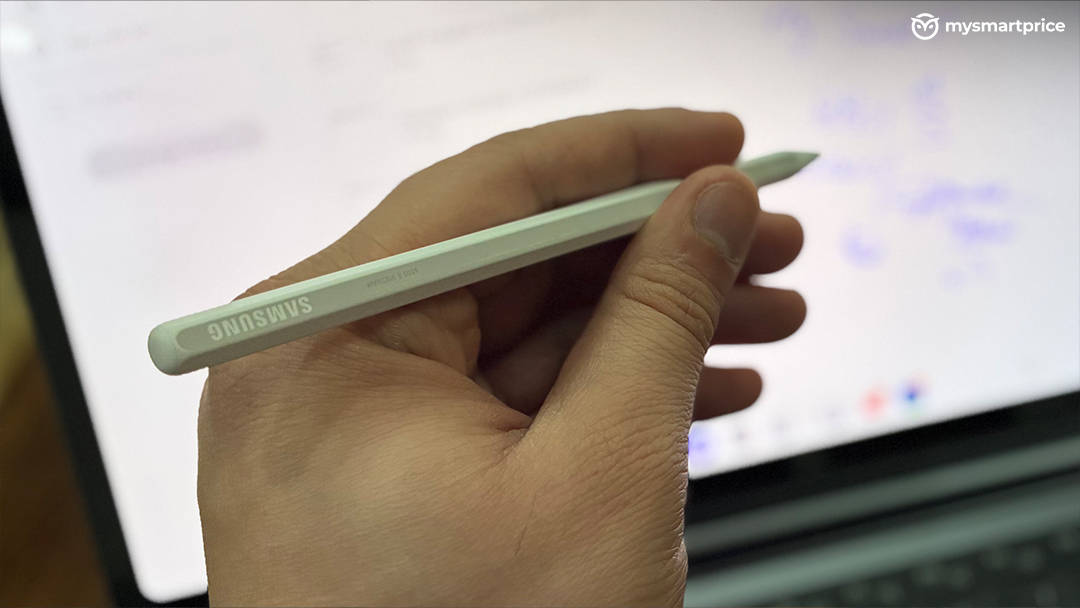
The S Pen comes included with the tablet, which is worth highlighting because several competing premium tablets charge separately for their stylus. The pen itself has a hexagonal design, which means it is less likely to roll away when you put it down. It feels well-built and attaches magnetically to the tablet securely. The S Pen makes the Tab S12+ much more useful for handwritten notes, annotations, sketches and navigating certain applications. It is one of those accessories that doesn’t feel like an optional gimmick. Once you start using the tablet for work or study, having the pen available becomes genuinely useful.
Cameras: Good Enough for What a Tablet Needs
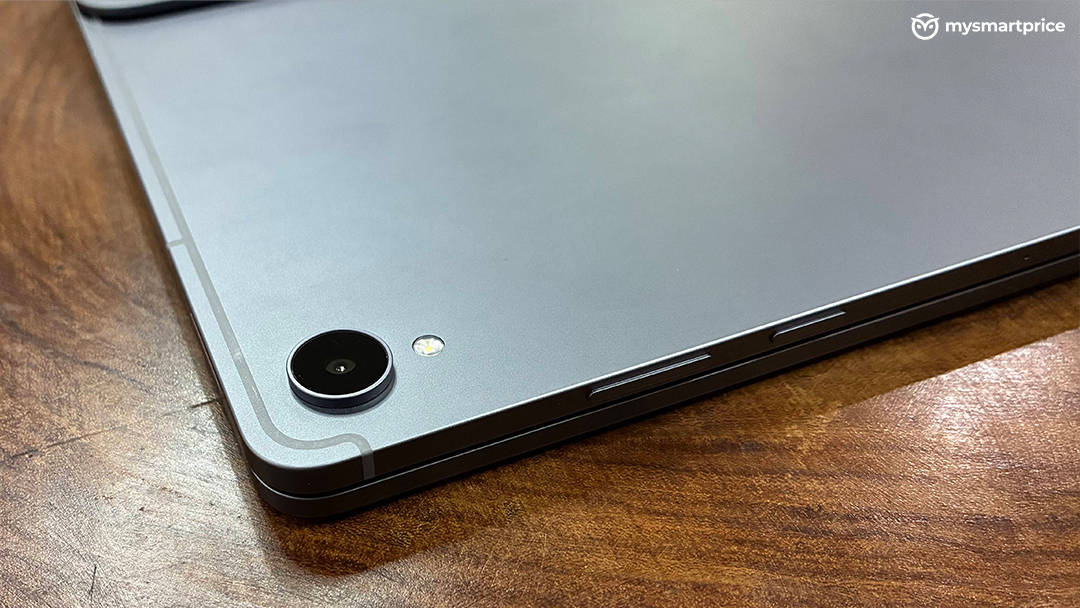
The Galaxy Tab S12+ has a 13MP rear camera and a 12MP front camera. Tablet cameras are rarely a major selling point, and that remains true here. The rear camera can capture decent photographs in good lighting and is perfectly usable for scanning documents or taking quick reference shots. The front camera is more important, and it works well for video calls and online meetings.
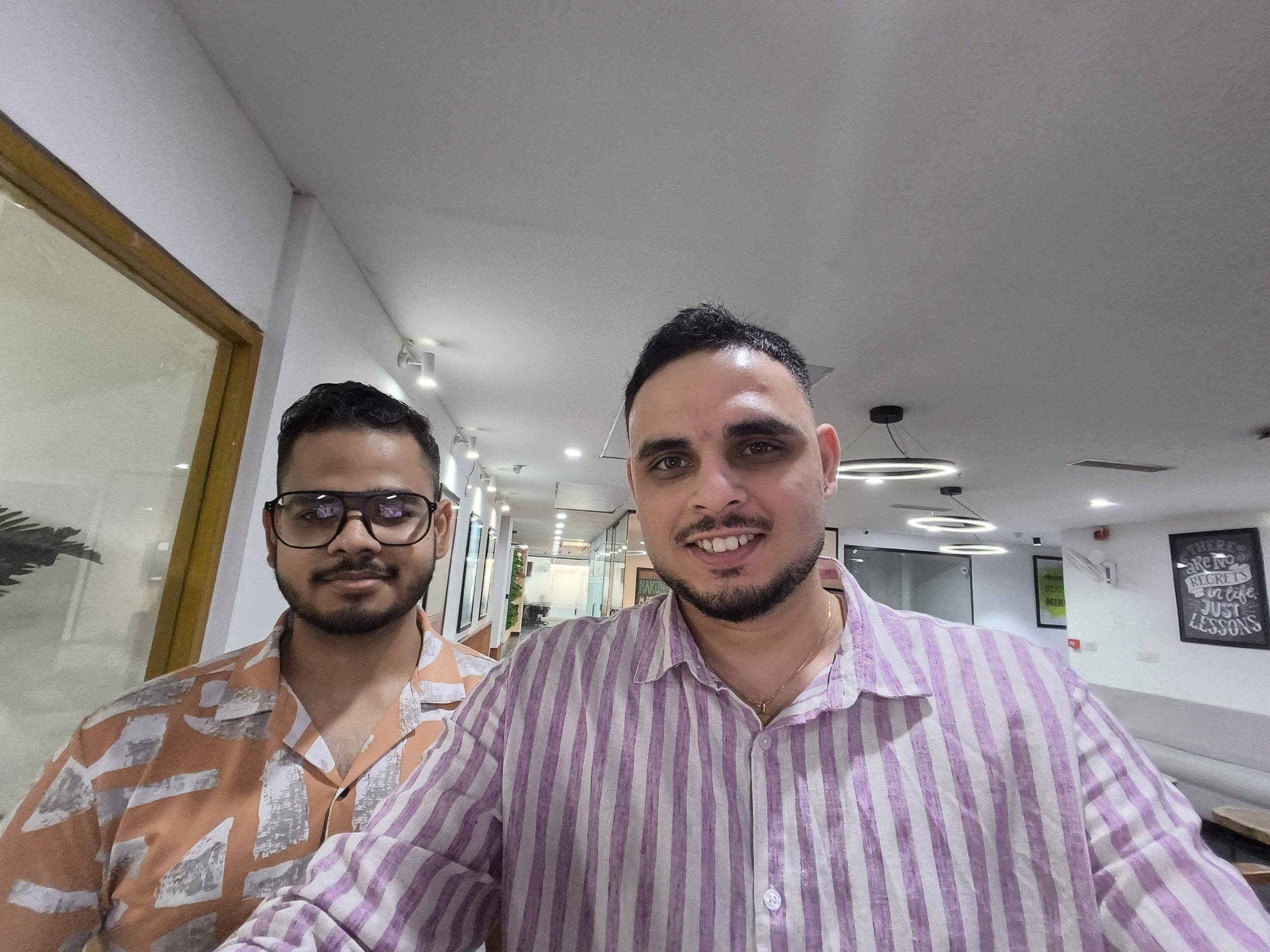
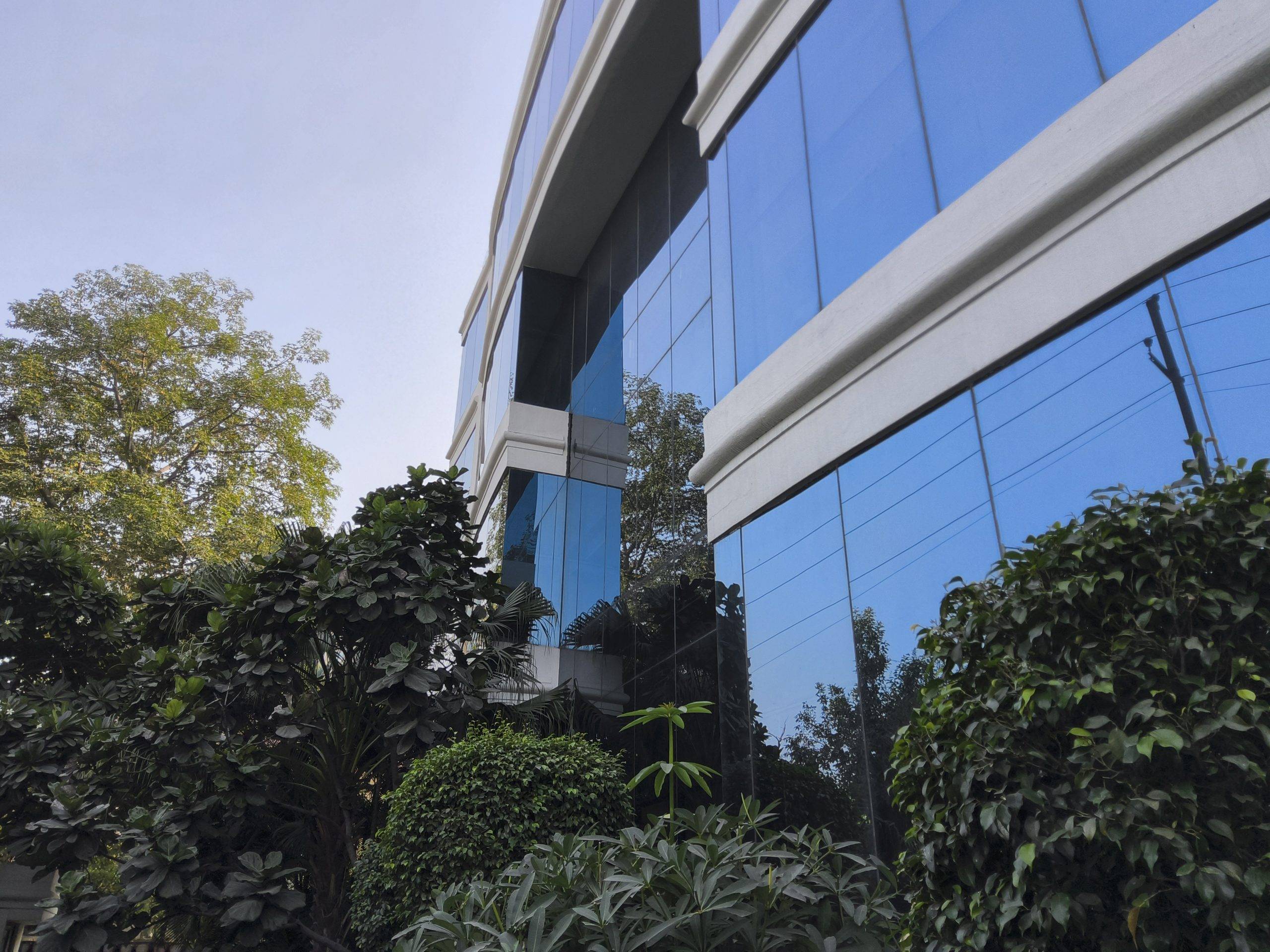


I wouldn’t buy the Tab S12+ for its cameras, but I also don’t think the cameras are a weakness for the type of device this is.
Four Speakers Make This a Great Entertainment Device
Samsung has equipped the tablet with a four-channel speaker system with spatial audio support. The speaker setup is genuinely impressive. There is good separation between the highs, mids, and lows, and the sound has enough width to make movies and games feel immersive. In games, I could distinguish footsteps and directional sounds without much trouble.
For a device this thin, the audio performance is particularly impressive. When you combine that with the 12.6-inch AMOLED display and you get one of the best portable entertainment experiences you can have without carrying a laptop.
Battery Life: Enough for a Full Day
The Galaxy Tab S12+ packs a 10,600mAh battery and supports 45W charging. The charger is sold separately. In my usage, battery life was not something I had to worry about during a normal day. I spent an entire day using the tablet for work, browsing, entertainment and general usage without constantly looking for a charger.
In the PCMark battery test, the Tab S12+ managed around 9 hours and in my opinion, it is enough to make the tablet reliable as a daily work and entertainment device.
The bigger issue is charging. At this price, I would have liked Samsung to offer faster charging, especially considering the large battery. The 45W charging support doesn’t feel particularly impressive on a premium flagship tablet, and having to purchase the charger separately makes the overall package a little more expensive.
Galaxy Tab S12+ vs iPad Pro M5: Which One Makes More Sense?
This is probably the comparison most buyers will have in mind. While we have not tested or reviewed the iPad Pro M5 but based on the specs alone, this is what we feel about this comparison. The current iPad Pro uses Apple’s M5 chip and is available in 11-inch and 13-inch versions. The 13-inch model weighs 579 grams, while the Tab S12+ weighs 553 grams for the Wi-Fi model. The iPad Pro also uses a Tandem OLED display with ProMotion up to 120Hz.
In pure processing power, the iPad Pro has the advantage. Apple’s M5 is a laptop-class chip, and the iPad Pro is designed around that performance. If your priority is maximum CPU/GPU performance, professional creative workloads and access to iPadOS apps built specifically around Apple’s hardware, the iPad Pro remains the stronger performance machine.
But the Tab S12+ has a different argument. Samsung gives you the S Pen in the box, whereas the Apple Pencil is an additional purchase. Samsung’s DeX interface also makes the tablet feel much closer to a conventional computer when paired with the keyboard. The Galaxy Tab also gives you microSD expansion, something the iPad Pro doesn’t offer.
And then there is the software experience. If you’re already invested in the Apple ecosystem, the iPad Pro makes a lot of sense. The M5 gives it incredible performance and iPadOS has a mature tablet app ecosystem, but if you want a tablet that behaves more like an Android tablet when you want it to and a laptop when you need it to, Samsung’s approach is more convincing.
Both of them come at almost same price point of under Rs 1.5 Lacs, but then you add the cost of Apple Pencil and Keyboard folio in comparison to S12+’s overall cost. This is where Samsung is quite cheaper.
For raw performance, I’d pick the iPad Pro. For a more laptop-like Android experience, multitasking, S Pen functionality and flexibility, I’d pick the Tab S12+.
Verdict: Is the Galaxy Tab S12+ a Laptop Replacement?
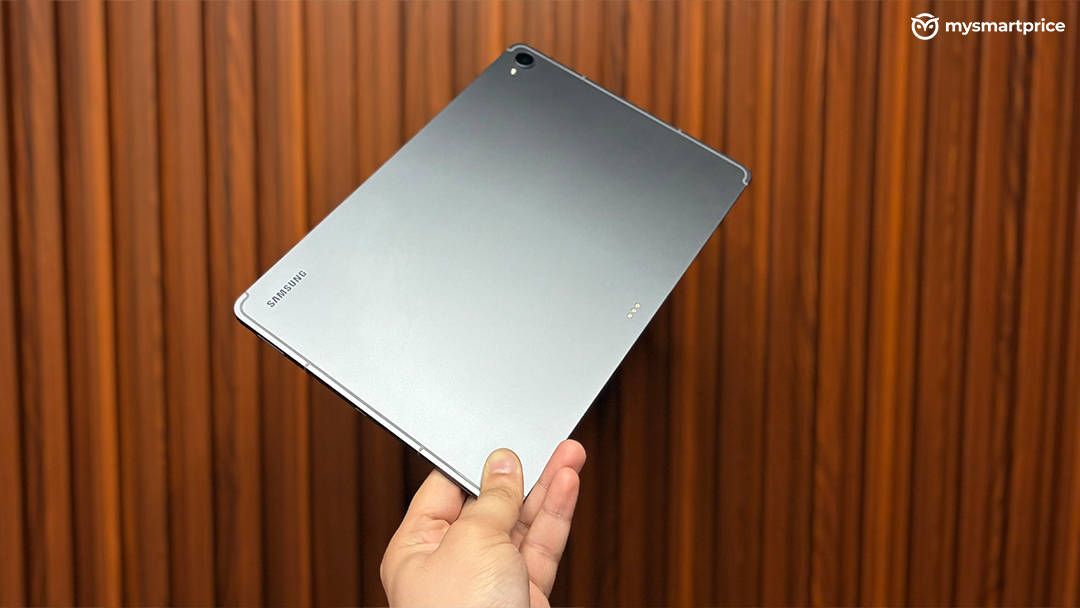
The Samsung Galaxy Tab S12+ is a very good flagship tablet, and I think Samsung has found a sensible balance between the gigantic Tab S12 Ultra and the more conventional tablet experience.
The 12.6-inch Dynamic AMOLED 2X display is excellent, the 5.3mm body feels premium, the S Pen is genuinely useful, the four-speaker setup makes it fantastic for entertainment and One UI 9 with DeX gives it some of the best productivity features I’ve used on an Android tablet. The Dimensity 9500 is also unquestionably powerful. My 3.5-million-plus AnTuTu score and strong Geekbench results prove that, but this is also where I expected more. The 71 percent CPU throttling result and the poor sustained gaming performance show that Samsung isn’t extracting the maximum potential from the chipset under prolonged loads. The tablet is also somewhat difficult to carry around on its own because of its large footprint. The keyboard folio changes that experience considerably, making it feel more like a compact laptop and easier to carry as a complete setup. But the keyboard also adds another Rs 24,999 to an already expensive purchase.
At Rs 1,29,999 for the base Wi-Fi model, the Galaxy Tab S12+ isn’t an impulse purchase. It is a premium device aimed at people who know why they want a large Android tablet and are willing to spend on the ecosystem around it. After using it as a tablet, gaming device, entertainment machine and laptop-like work device, I think Samsung has succeeded at the most important thing: the Tab S12+ doesn’t feel like an oversized phone. It feels like a proper computer that just happens to have a touchscreen, a stylus and the ability to transform into a tablet whenever you want.