Robot vacuum cleaners isn’t a small convenience purchase anymore. At the price they come, you expect it to do more than just run around your house with a powerful motor. You expect it to clean properly, handle the everyday mess without getting stuck, take care of its own mop and dustbin, and most importantly, make your life genuinely easier and, once you’re spending around ₹50,000 on one, cleaning performance isn’t the only thing that matters. The robot needs to feel premium, the dock needs to fit naturally into your home, and the entire experience should genuinely reduce the amount of work you have to do. The Milagrow iMap Max W300 ECO is built around exactly that idea. It comes with 24,000Pa of claimed suction, dual rotating mops, LiDAR navigation, automatic dust collection, automatic water refilling, mop washing and hot-air drying. It also has a 5,200mAh battery, multi-floor mapping and SmartLife app integration.
Milagrow iMap Max W300 ECO
Rs 50,990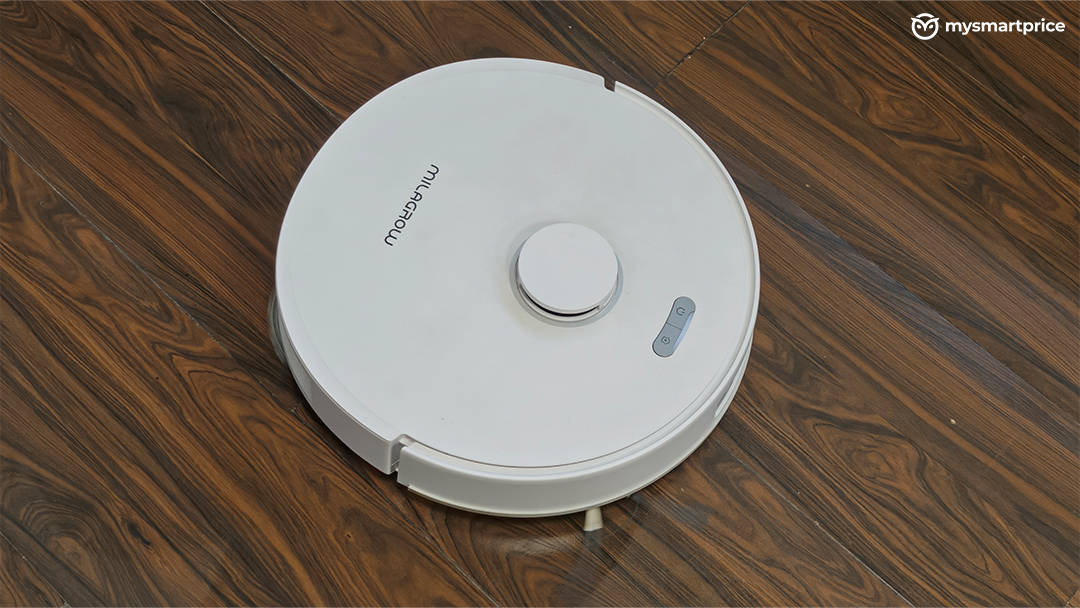
What Is Good?
- Excellent everyday vacuuming performance
- 24,000Pa claimed suction power
- Automatic dust collection, water refilling and mop washing
What Is Bad?
- Dock design and exposed water tanks don't feel premium
- Mopping leaves floors wet and can leave visible footmarks
- SmartLife app feels cluttered and includes unrelated features and advertisements
On paper, it has almost everything you’d expect from a premium robot vacuum. After using it, though, I found that the vacuuming performance is genuinely good, while some of the other parts of the experience don’t quite live up to the price. The robot itself looks fairly premium, but the dock doesn’t, the mopping leaves room for improvement, and obstacle avoidance around wires can still be a problem.
Design and Build
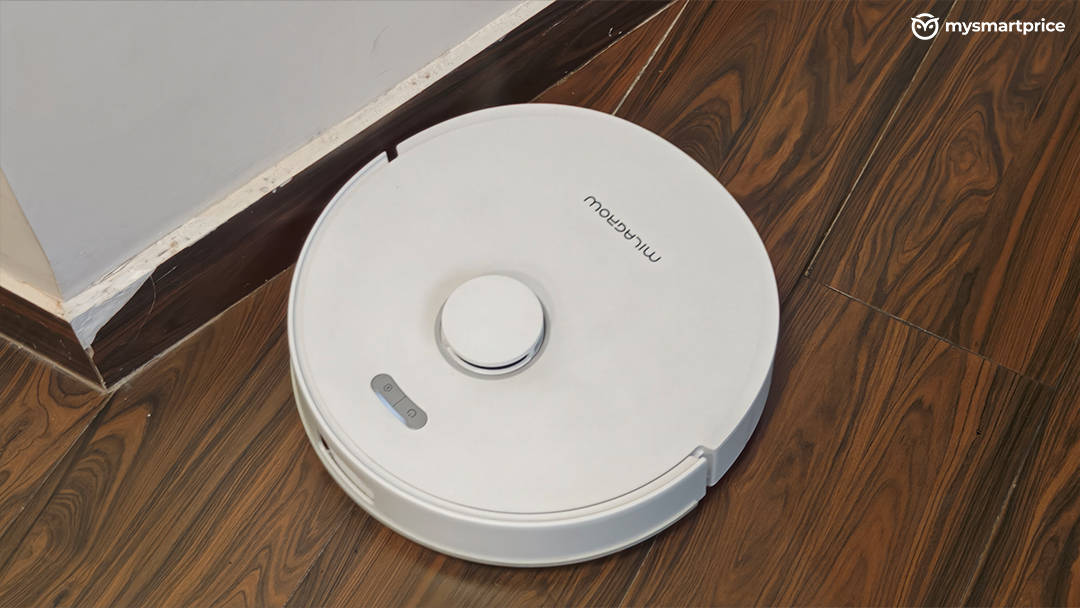
The Milagrow iMap Max W300 ECO has a fairly conventional circular robot vacuum design, measuring 350 x 350 x 98mm. The robot itself looks good and, at first glance, gives you the impression that you’re dealing with a premium product. The white finish and relatively clean design help it blend into the room rather than looking like another bulky appliance.
The dock, however, is a completely different story. This is probably my biggest issue with the design of the W300 ECO. The clean and dirty water tanks are exposed and visible, and I don’t think that looks particularly premium. It makes the entire setup look more functional than refined. When you spend this much on a robot vacuum, the dock is just as much a part of the product as the robot itself, especially because it sits in your home permanently.
The build quality also doesn’t quite match the price. There is noticeable flex in the plastic body, and the materials don’t give me the feeling that this is a ₹50,000-plus product.
That’s not to say the W300 ECO looks bad. The robot itself actually looks quite nice. It’s the dock and the overall construction that make the system feel less premium than it should.
And that’s a problem because this is a product where you’re paying for the complete experience, not just the robot that moves around your floor.
The Dock and Maintenance
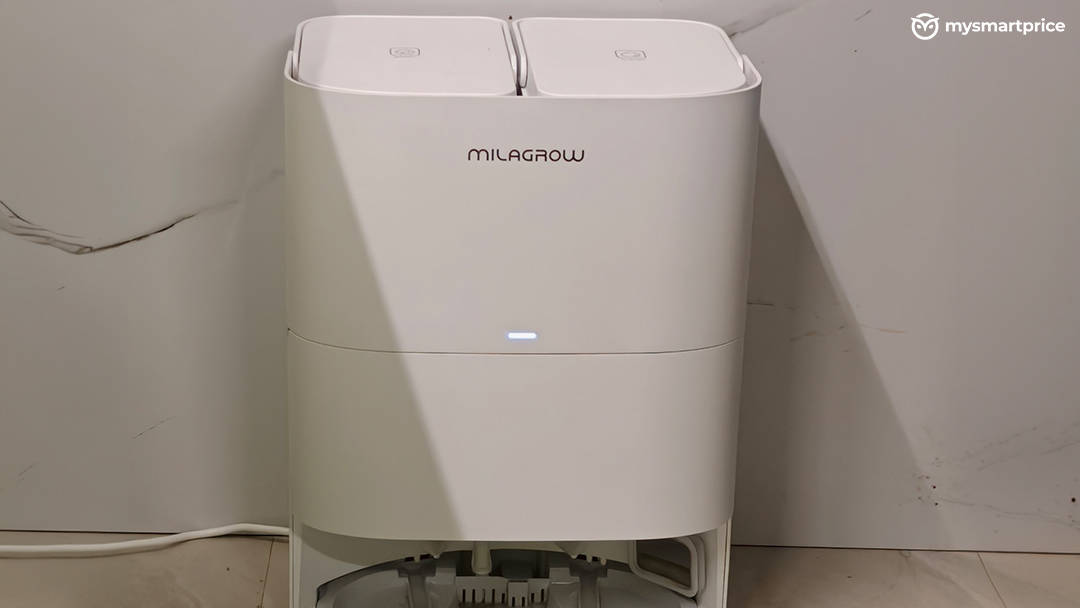
The biggest selling point of a premium robot vacuum isn’t necessarily the robot itself. It’s the dock. The W300 ECO’s dock can automatically empty the dustbin, wash the mop pads, dry them with hot air, and refill the robot’s water tank. It has a 3.5L dust bag, a 4L clean-water tank and a 3.5L dirty-water tank. Milagrow also claims hot-air drying at 68°C.
So, technically, this is a very automated system. But it isn’t completely maintenance-free.
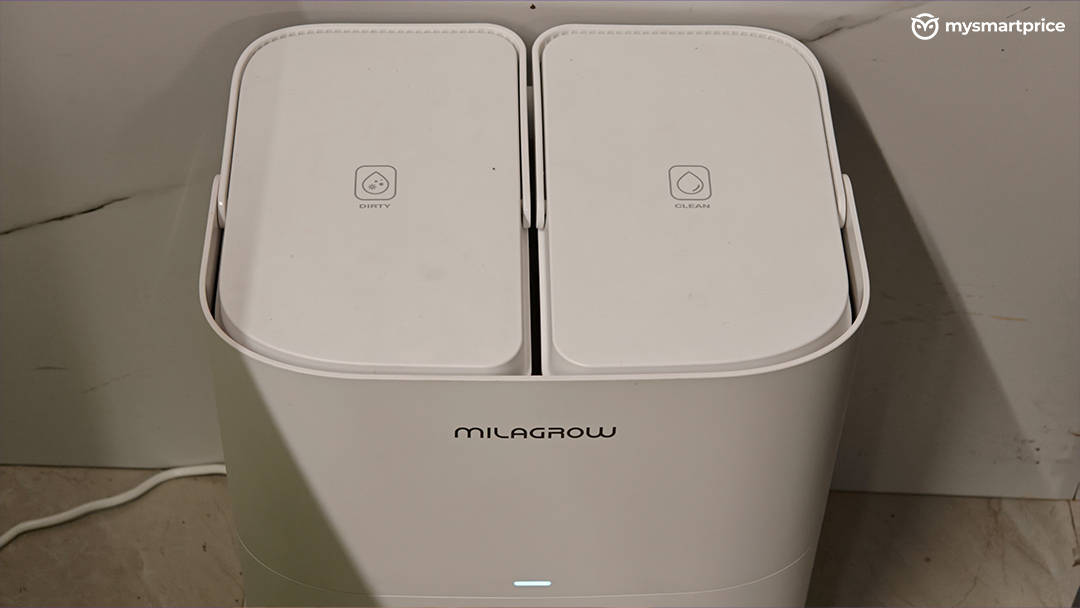
In my usage, the water tank needs to be cleaned roughly every three days. That’s something you have to account for if you’re buying this specifically to minimise manual intervention. The dock also brings us back to the design issue I mentioned earlier. The exposed water tanks make the whole setup feel more utilitarian than premium. The functionality is there, but the presentation doesn’t quite match the price. And that’s important because this dock is going to be sitting somewhere in your home all the time. It isn’t something you put away after every cleaning cycle.
Vacuuming Performance
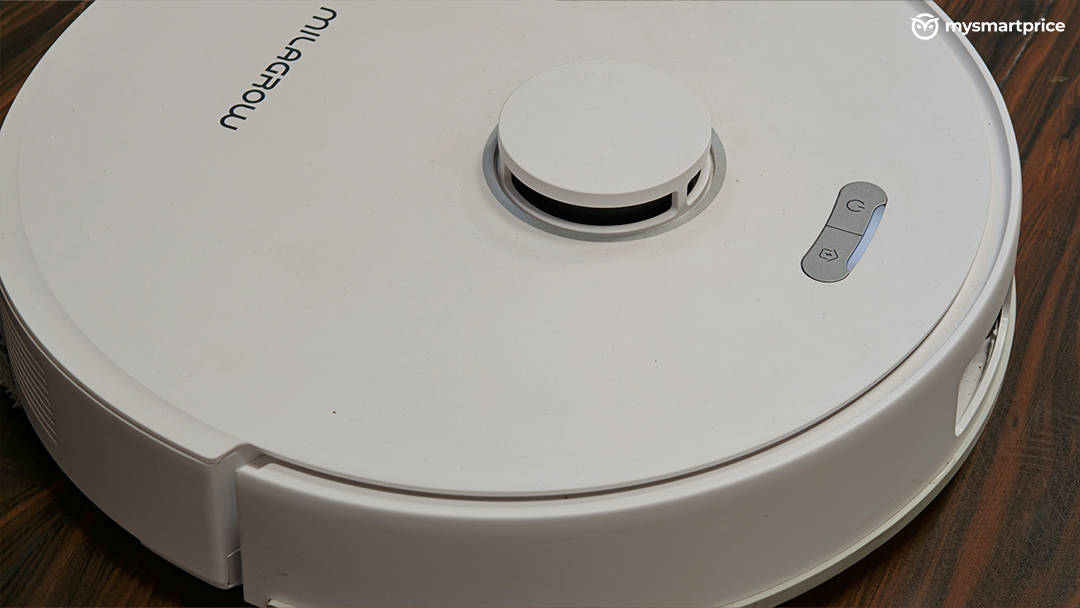
This is where the Milagrow iMap Max W300 ECO gets things right. The robot comes with a claimed 24,000Pa maximum suction power, powered by a BLDC motor, along with a rolling brush and side brush system. It can also automatically increase suction when it detects carpets.
In my usage, the vacuuming performance was good. The W300 ECO does a solid job of picking up everyday dust, dirt, and debris, and this is easily one of the strongest aspects of the robot. Of course, 24,000Pa doesn’t automatically mean better cleaning. The actual performance depends on the brush design, airflow, navigation, and how effectively the robot covers the floor. But in real-world use, I was happy with how the Milagrow handled regular vacuuming. It also supports simultaneous sweeping and mopping, while its carpet detection allows the robot to lift the mop when moving onto carpet. Milagrow claims up to 17mm of mop lift, which should help keep carpets away from the wet mop pads. So if your primary requirement from a robot vacuum is simple: keep the floor free of everyday dust and dirt without having to vacuum manually, the W300 ECO does a good job.
Mopping Performance
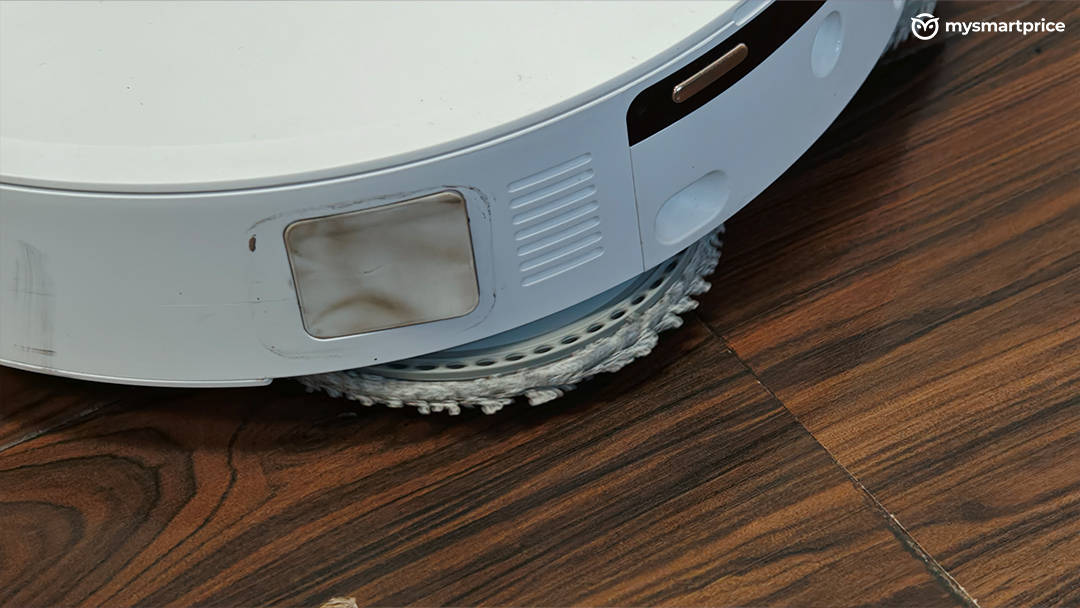
The mopping performance is something that genuinely made me have double thoughts about the W300 ECO. It uses two rotating mop pads and supports automatic water refilling from the dock. Milagrow claims the dual mops apply up to 20N of pressure while cleaning, and the system can automatically lift the mops by up to 17mm when it detects carpet.
On paper, that sounds impressive. In practice, however, I found the floor remained quite wet after mopping. More importantly, it could leave visible footmarks on the freshly cleaned floor. That somewhat defeats the purpose of having an automated mopping system. If the robot has finished cleaning and I still need to be careful about walking across the floor because it hasn’t dried properly, the experience doesn’t feel completely hands-free. This isn’t necessarily a deal-breaker if you mostly want light everyday mopping, but I expected better from a robot in this price segment.
The system does have automatic mop washing and hot-air drying, so the hardware is clearly designed to handle regular mopping without requiring you to manually wash the pads after every run, but the actual cleaning result matters more than the feature list, and that’s where the W300 ECO doesn’t quite convince me.
Navigation and Obstacle Avoidance
The W300 ECO uses LDS-based LiDAR navigation along with a line-laser obstacle avoidance system. It has 38 sensors in total, supports multi-floor mapping, and can save up to four maps. It can also create virtual walls, no-go zones, and mopping-restricted areas through the app.
For general navigation, the robot does a good enough job of understanding the layout of the home and moving between rooms. The LiDAR system gives it a proper sense of where it is rather than relying on random movement.
However, there is one area where I found it struggling: wires. The Milagrow can get stuck while cleaning around wires on the floor. This is exactly the kind of real-world situation where obstacle avoidance matters more than the number of sensors or the navigation technology mentioned on the specification sheet. It means that while the W300 ECO can handle the overall layout of your home, you still need to be somewhat careful about leaving cables lying around before starting a cleaning cycle.
This isn’t unique to robot vacuums, but at this price, I expected the obstacle avoidance to be more reliable with these smaller obstacles.
Battery Life
The W300 ECO uses a 5,200mAh EV-grade lithium-ion battery, with Milagrow claiming up to five hours of runtime depending on the cleaning mode. The company also claims coverage of around 3,500 to 4,000 square feet per charge under its specified conditions.
My real-world experience was quite different from that headline number. During one test, the battery dropped from 100% to 50% in around 1.5 hours while cleaning an area of approximately 250 square feet. In another run, I saw a 20% battery drop within 42 minutes.
Battery consumption will obviously vary depending on the suction level, mopping, floor type, and navigation, so these numbers shouldn’t be treated as a fixed runtime figure. Although they do give an idea of what I experienced during actual use and for a smaller home, this may not be a major issue, especially if the robot can return to the dock and resume cleaning. So, if you’re buying a robot specifically because you want it to cover a large home efficiently in one cycle, battery consumption is something worth keeping in mind.
SmartLife App
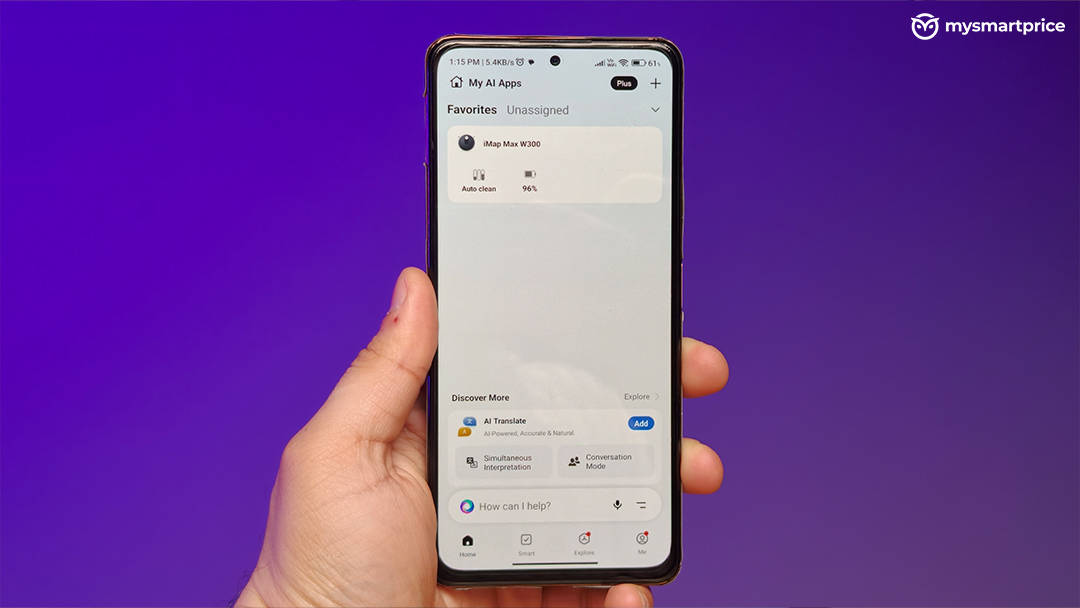
The W300 ECO uses SmartLife for app-based control. The app supports features such as map creation, room selection, no-go zones, scheduling, different cleaning modes, and multi-floor maps. The robot can store up to four maps, and it also supports Alexa and Google Assistant. The bigger question for me is the fact that SmartLife is a third-party smart-home platform rather than a dedicated Milagrow application.

One unusual thing I noticed while using the SmartLife app was the amount of unrelated content it pushes alongside the robot controls. The app includes features such as AI Notes and AI Translate, which have nothing to do with operating a robot vacuum, and I also came across advertisements within the app. For a product that costs around ₹50,000, this feels unnecessarily cluttered. I would much rather have a clean, focused interface dedicated to controlling the robot, managing maps, and monitoring its cleaning performance. The presence of unrelated tools and ads makes the software experience feel less premium than the hardware positioning suggests.
That doesn’t automatically mean there is a data privacy problem, and I wouldn’t make that claim without evidence. However, a robot vacuum is a connected device that maps your home, so the software ecosystem and how that data is handled are worth considering. Milagrow’s own specifications identify SmartLife as the app client and mention an India-based server. I would have preferred a dedicated Milagrow app for a product in this price range. It would make the experience feel more integrated and give the company greater control over the software side of the product.
Verdict
The Milagrow iMap Max W300 ECO gets a lot of the fundamentals right. Its vacuuming performance is genuinely good, the robot itself looks premium, and the feature list is impressive. You get 24,000Pa suction, dual rotating mops, LiDAR navigation, automatic dust collection, water refilling, mop washing and hot-air drying. On paper, this is exactly the kind of feature set you’d expect from a premium robot vacuum.
But after using it, I don’t think the experience feels as premium as the price suggests.
The biggest issue is that some of the features sound better on paper than they work in everyday use. The mopping leaves the floor quite wet and can leave visible footmarks, while the robot can get stuck when it encounters wires on the floor. The battery also dropped by around 50% in roughly 1.5 hours while cleaning a 250-square-foot area in one of my tests, while another run showed a 20% drop in 42 minutes. The water tank also needs to be cleaned roughly every three days, so this isn’t quite the completely hands-free experience the category promises.
Then there’s the dock. While the robot itself looks premium, the dock doesn’t give me the same impression. The exposed clean- and dirty-water tanks, along with the plastic construction and noticeable flex, make it feel cheaper than it should for a product in this price segment.
The SmartLife app adds another layer to this. It gives you the necessary controls, maps, scheduling and cleaning options, but I found the experience unusually cluttered for a robot vacuum. Features such as AI Notes and AI Translate have little to do with controlling a robot, and the presence of advertisements inside the app feels particularly unnecessary on a product that costs around ₹50,000. I would have much preferred a clean, dedicated Milagrow app focused entirely on the robot, and this is where the Dreame D30 Ultra comes into the picture. The Milagrow is a good vacuum and has a very competitive feature set, but the D30 Ultra feels like a more polished product overall. Its robot-and-dock design feels more cohesive, the software experience is more purpose-built, and the overall cleaning system feels better refined. The Milagrow isn’t necessarily a bad alternative, but when the prices are in the same ballpark, those small differences start to matter.
If your priority is simply good vacuuming with plenty of automation, the Milagrow iMap Max W300 ECO is a capable option. It can take a lot of the daily floor-cleaning work off your hands, and its vacuuming performance is one of its strongest points.
But if you’re spending around ₹50,000 and want a robot vacuum that feels premium not just on the specification sheet but also in everyday use, I’d pick the Dreame D30 Ultra over the Milagrow iMap Max W300 ECO.
The Milagrow has the hardware and features to compete in this segment. What holds it back is the execution. For me, it’s a good robot vacuum that falls short of delivering the premium experience its price promises.