Windows on ARM has taken a wild turn with the outset of Snapdragon X chipsets. It’s quite an interesting time to be in the market for a laptop as you’ll be flooded with different choices. The main aim of these chipsets is to provide longer battery life, which is something you demand from a portable laptop. A good example of this is the newly introduced Dell Inspiron 14 Plus. It’s said to be an entry-level laptop from the company, powered by a Snapdragon X Plus chipset. It has all the bells and whistles, with up to 1TB storage option and 16GB of RAM packed in 14-inch chassis. But, with a price tag of Rs 1,10,578 — the Inspiron 14 Plus looks to take the fight directly to the MacBooks. How well does it perform? Let’s find out in my review.
Dell Inspiron 14 Plus (7441)
Rs 1,10,578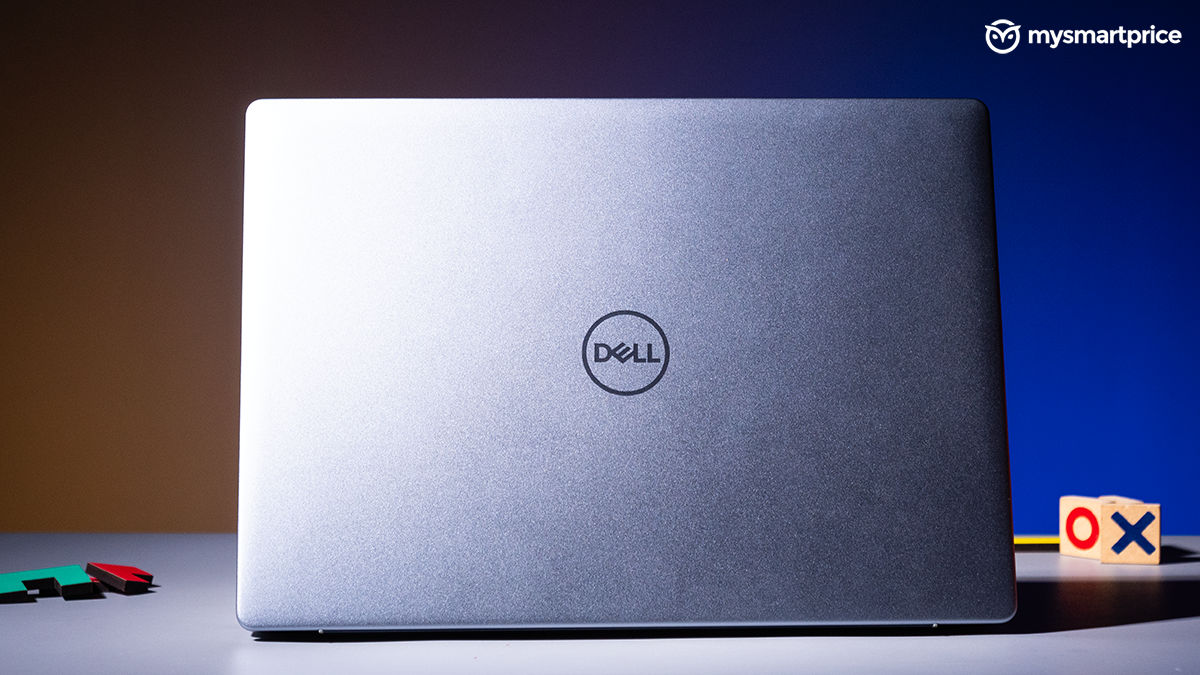
What Is Good?
- Sturdy build, compact
- Good 14-inch IPS panel
- Reliable battery life
- Nice choice for productivity tasks
- Great performance
- No app compatibility issues
What Is Bad?
- Not the most attractive design
- 60Hz refresh rate
- Trackpad needs to be better
- Costly
Dell Inspiron 14 Plus 7441 Review: Pricing and Availability in India
The Dell Inspiron 14 Plus is available in two different storage variants. Rest everything remains constant. The laptop can be bought from official Dell stores and Amazon India. Since the only upgrade between the two SKUs is the storage, the price difference is also not very vast.
| Storage variant | Price in India |
| 16GB RAM and 512GB | Rs 1,10,578 |
| 16GB RAM and 1TB | Rs 1,14,479 |
Dell Inspiron 14 Plus 7441 Review: Design and Build Quality
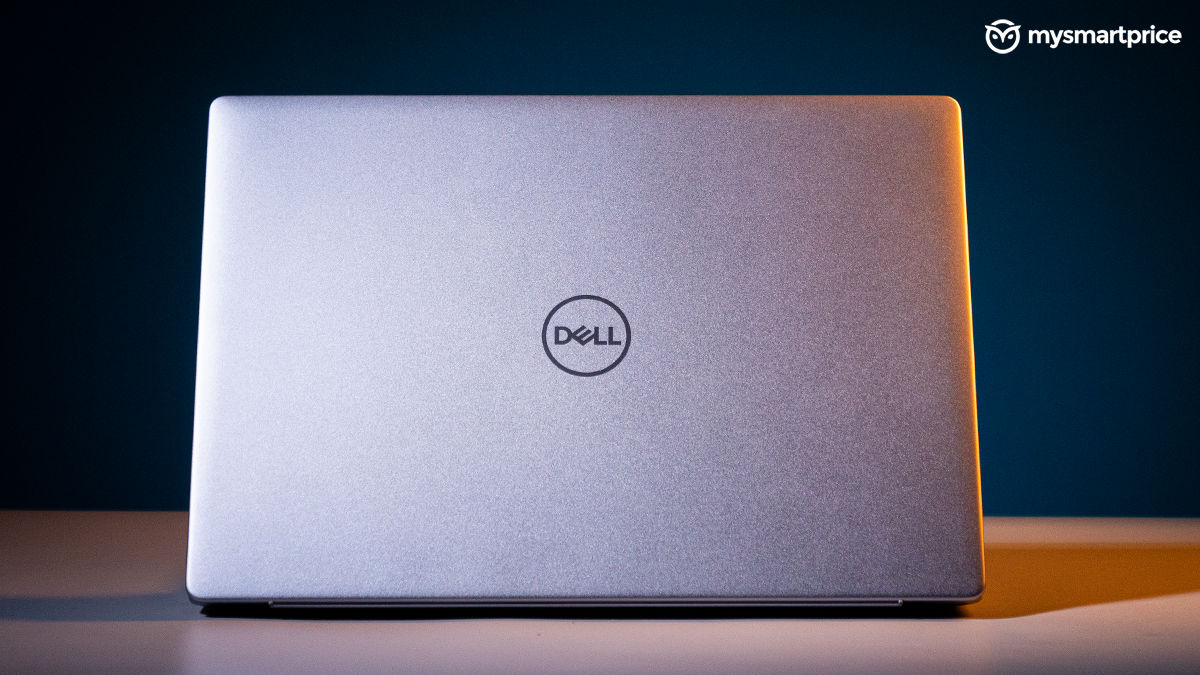
While the internals have received an overall refresh, the external body of the laptop remains largely the same as its Intel counterpart. Honestly, the new era of ARM chips would have been a nice excuse to opt for a new design language, but I guess if it ain’t broke why fix it? While the Inspiron 14 Plus may not be as premium as its elder and pricier sibling, it’s surely to allure people who prefer a subtle and muted look.
| Design | Specification |
| Dimensions | 16.9 x 314 x 223.75 (HxWxD in mm) |
| Weight | 1.4kg |
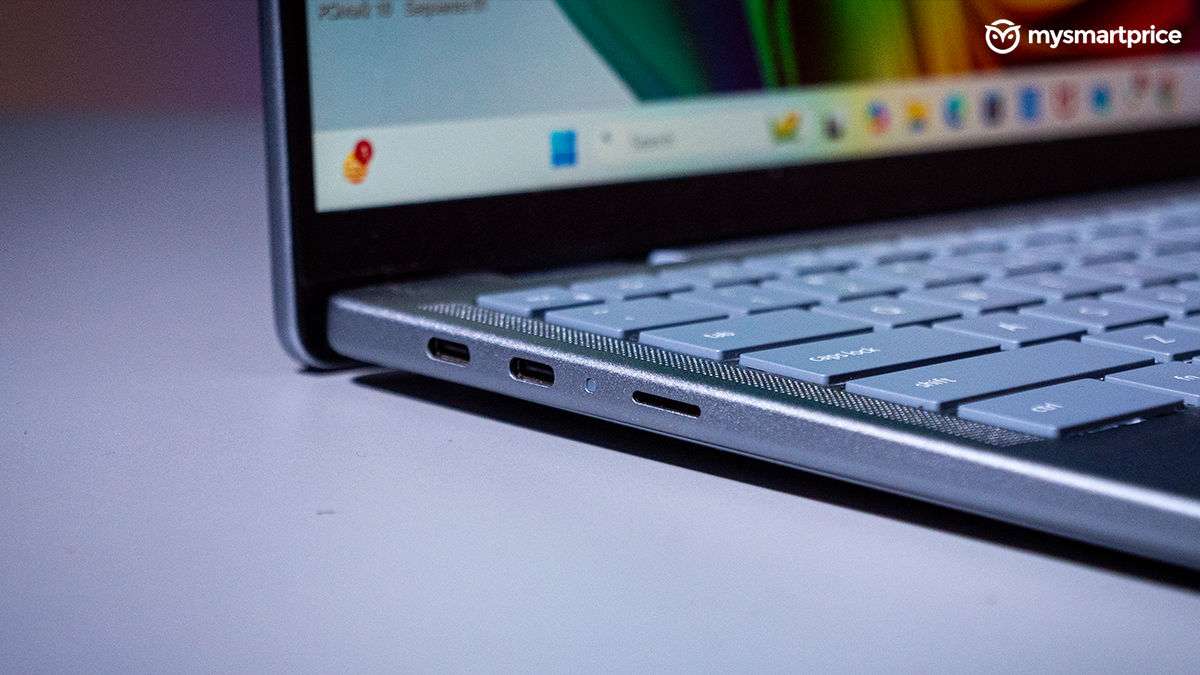
| Ports (Right side) | USB 3.2 Gen 1 Type-A, 3.5mm audio jack |
| Ports (Left side) | 2x USB Type-C (PD and Display port support), MicroSD card |
| Connectivity Options | Wi-Fi 7 2×2, Bluetooth 5.4 |
The laptop still justifies its price tag by using an aluminium body, which keeps it sturdy. The best part about this finish is that it does not accumulate any kind of thumbprints or dust, a great choice for cleaning maniacs.
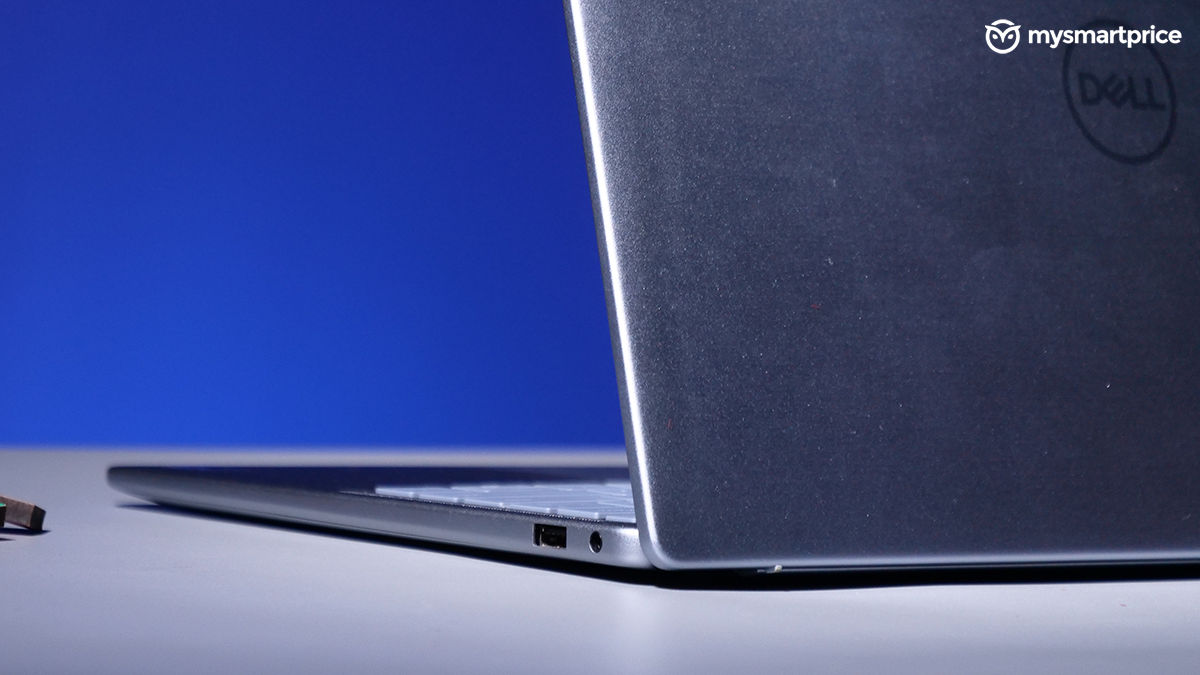
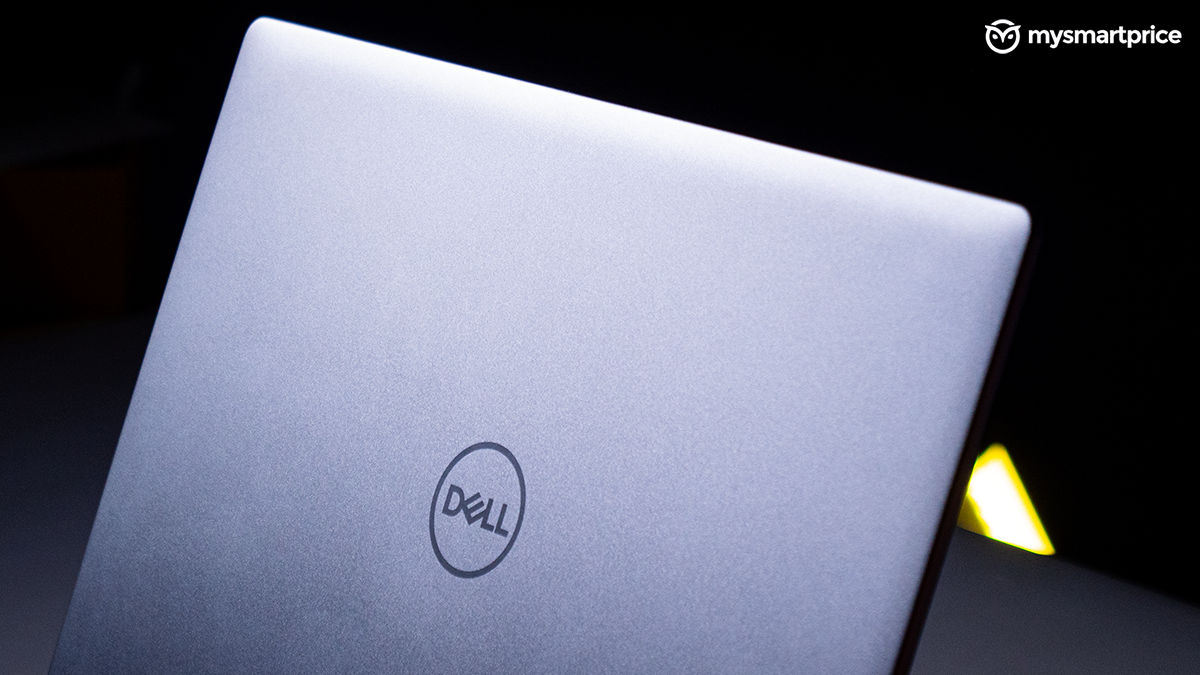
With a bit of struggle, the lid can be opened up with a single thumb. The hinge has the right amount of resistance, and the lid has absolutely no wobble, which is good.
Dell Inspiron 14 Plus 7441 Review: Display and Audio
The 14-inch display on the Inspiron 14 Plus fits my use case perfectly. More importantly, because of its compact form factor, it does not take up much space in my backpack. With a resolution of up to 2560 x 1600, stuff on the panel looks sharp and detailed. It’s a touch panel, and this has been very convenient when reading long articles, because of the poor touchpad. I’ll get to that shortly.
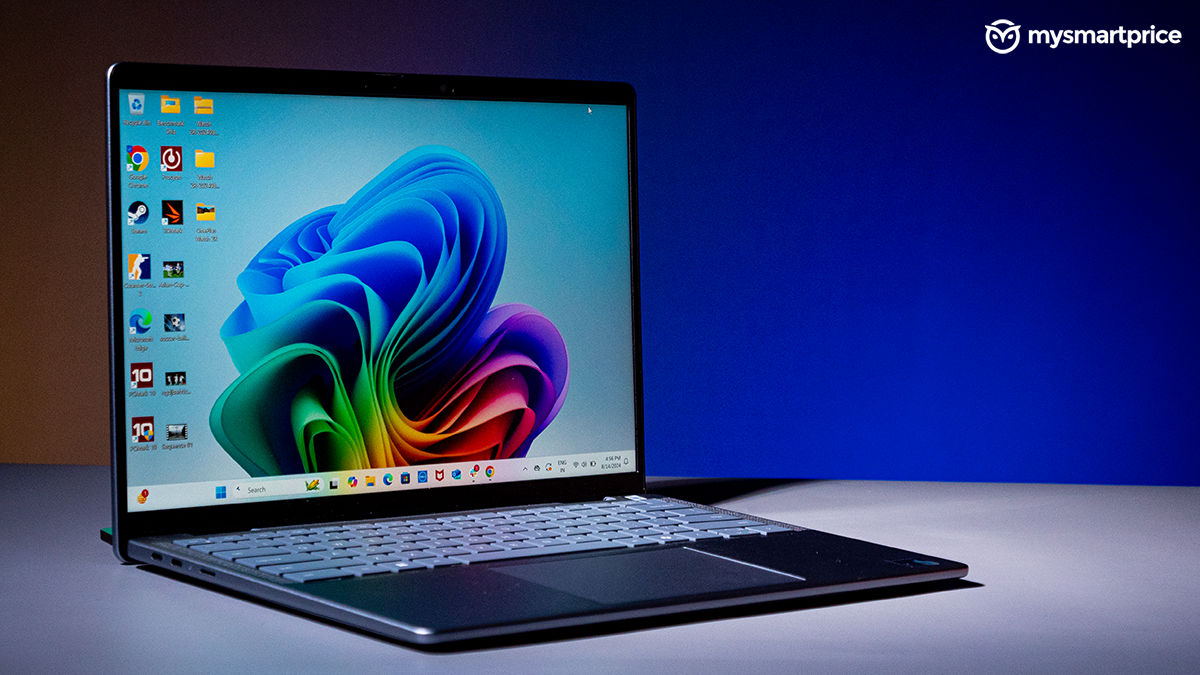
| Display | Specifications |
| Type | IPS display |
| Size | 14-inch |
| Aspect ratio | 16:10 |
| Resolution | 2560 x 1600 pixels |
| Refresh rate | 60Hz |
| Screen brightness | 400 nits |
The thin bezels on the left and right side of the panel do not feel limited when watching movies. What’s limited is the 60Hz refresh rate. Now, this might vary with your use case. I am accustomed to a 180Hz monitor, so switching to this took some time. That said, this price range warrants at least a 120Hz refresh rate for a more smoother experience. While the 400 nits of screen brightness feels less on paper, the display performed adequately under daylight too.
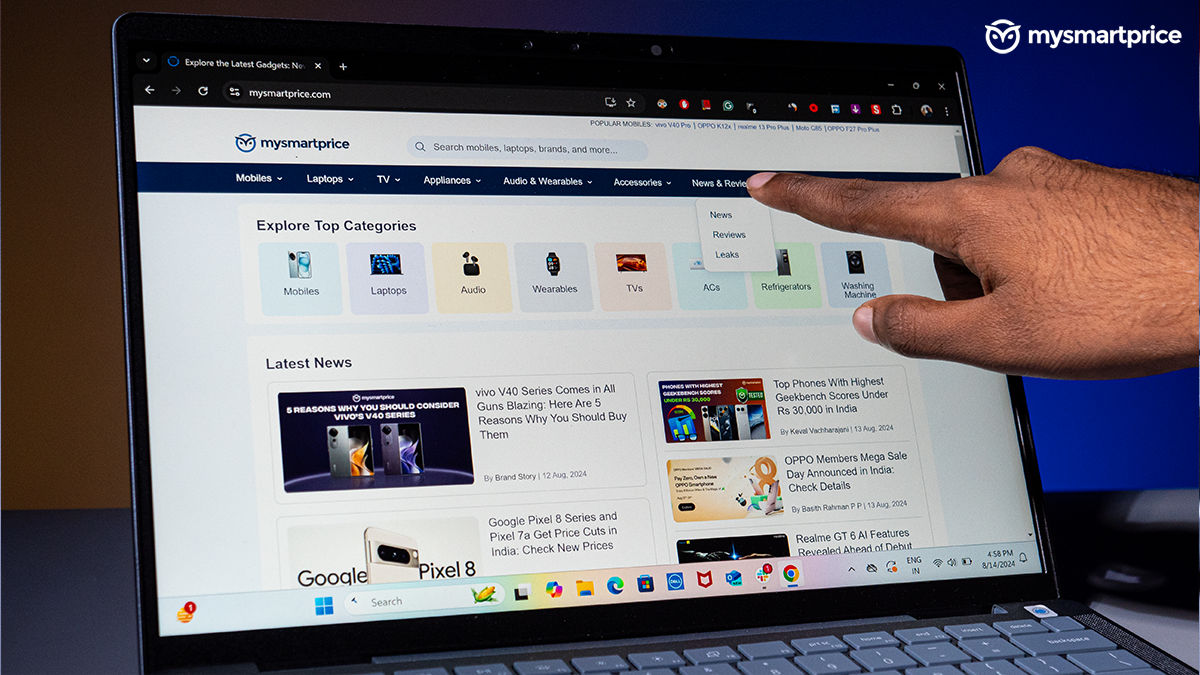
It’s not an OLED display like some of the other options in this price range, but the IPS panel in itself is quite good. It has great viewing angles and a good amount of vibrancy. Watching TV shows such as Presumed Innoncent was a nice experience. It managed to portray the darker scenes well. The front-firing speakers get quite loud and add to the whole experience.
The webcam upfront produces more than serviceable quality for video calls and other meetings. Windows Hello also works fine using this. Another biometric option is the fingerprint sensor on the power button, which also works flawlessly.
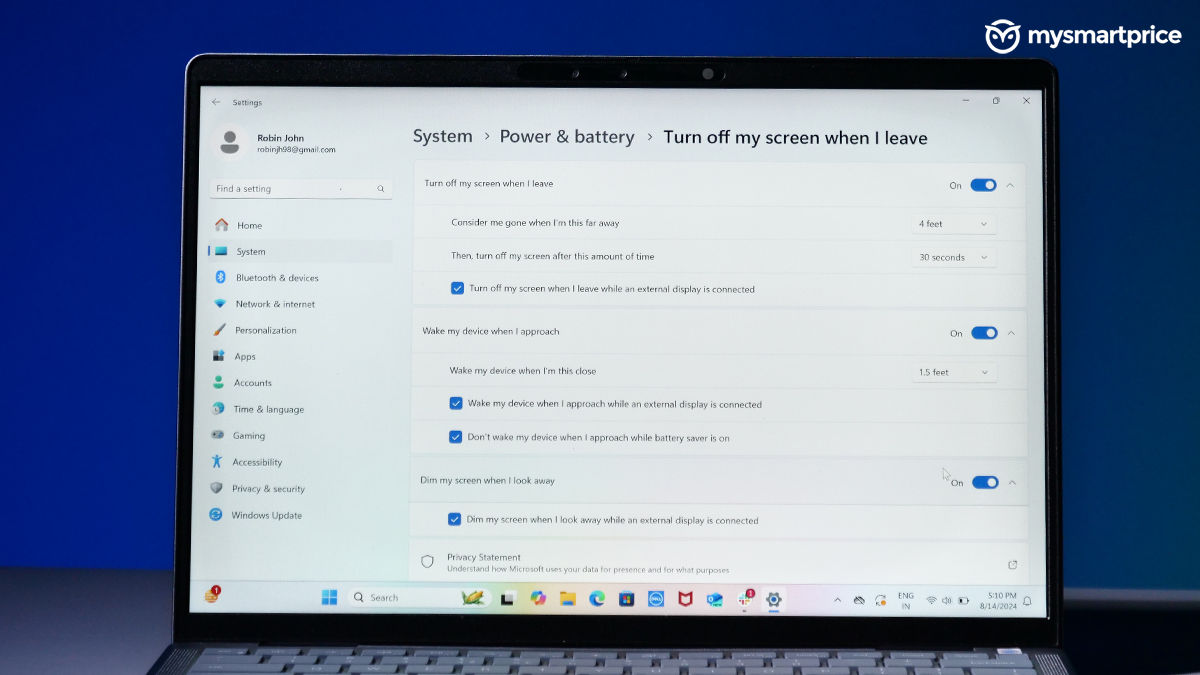
To help you save battery, the Inspiron 14 Plus comes fitted with an always-sensing presence sensor. It works well but is a bit inconsistent in the current stage.
Dell Inspiron 14 Plus 7441 Review: Keyboard and Trackpad
The keyboard on the Inspiron 14 Plus has a decent amount of travel with good feedback. It’s not as snappy as the keys on the MacBook, but does not cause any kind of trouble even after furiously typing on it for hours. In fact, this review is also being written on the Inspiron 14 Plus. The backlit keys are always a plus. It helps you use the laptop to complete different projects even late at night. Among the usual set of keys, you’ll now also find the Microsoft CoPilot key instead of the secondary Windows button.

The spacing between each key is sufficient, so you won’t have a lot of mistypes. I can’t say the same for the arrow keys, which are a bit crammed. But, that’s because Dell wanted to create more space for the trackpad. And, they have managed to make it wide and big.
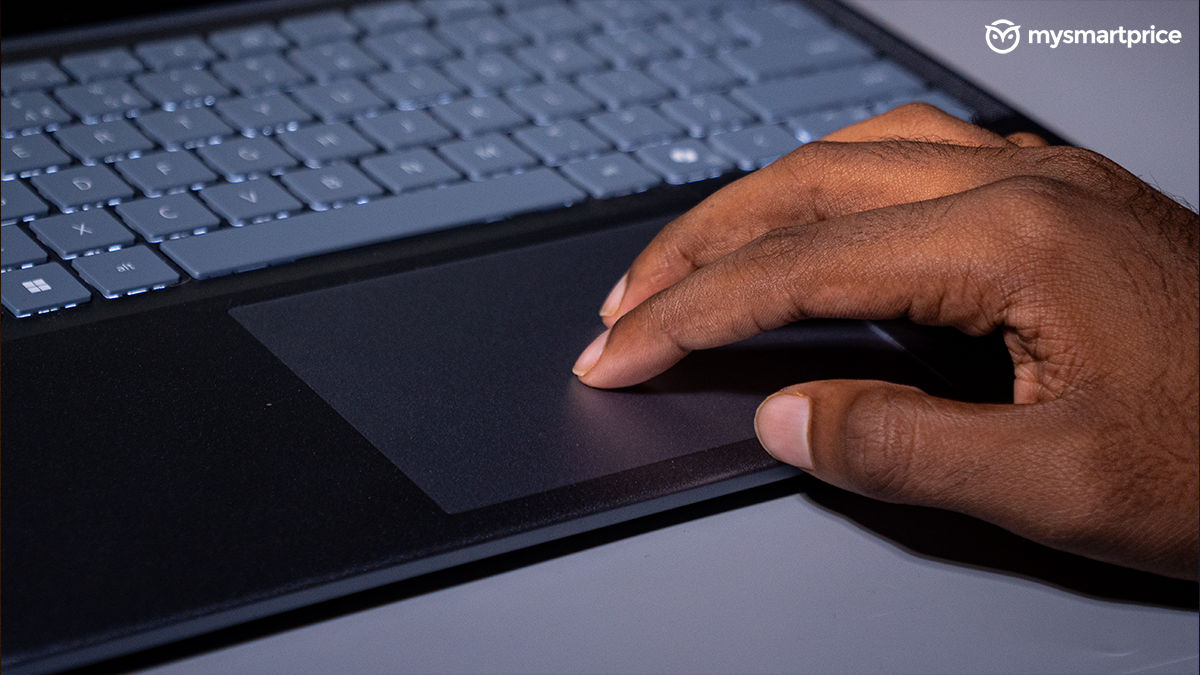
That’s great, but it’s one of the most irritating touchpads I have dealt with in a while. We said the same thing in our review of the Intel variant, and things haven’t changed much here. The trackpad demands more work from you when clicking something or when copying some text. The two-finger scrolling mechanism also does not work as intended most of the time — luckily, I could scroll using touch, but that’s just an added task.
Dell Inspiron 14 Plus 7441 Review: Performance
The Inspiron 14 Plus comes with the new and shiny Snapdragon X Plus chipset which runs on the ARM architecture. If you think you’ve heard this term before, that’s because Apple’s MacBook runs on the same process. As for Windows, we are mostly used to seeing them run on the x86-64 architecture, led by the folks at AMD and Intel.
While most of the apps are made for the latter architecture, this time around, Windows has partnered with ARM to rebuild the Windows compiler. It’s also brought in an emulation layer dubbed as ‘Prism’. This serves the same purpose as Rosetta 2 does on the Macbooks. Put in simple terms, apps that are not natively supported on ARM can be translated using the Prism layer.
| Hardware | Specification |
| CPU | Qualcomm Snapdragon X Plus X1P-64-100 up to 3.4GHz |
| GPU | Qualcomm Adreno GPU (3.6 TFLOPS) |
| NPU | Qualcomm Hexagon NPU (45TOPS) |
| RAM | 16 GB LPDDR5X, 8448 MT/s |
| Storage | Up to 1TB, M.2, PCIe NVMe SSD |
The Snapdragon X Plus in the Inspiron 14 Plus comes with 10 cores running at up to 3.4GHz speeds. It uses the Qualcomm Adreno-integrated GPU and Qualcomm Hexagon NPU. The latter can go up to 45 TOPS, exceeding Microsoft CoPilot+ PC’s pre-requisite of 40 TOPS. With all the technical details out of the way, let’s understand the performance of the Inspiron 14 Plus.
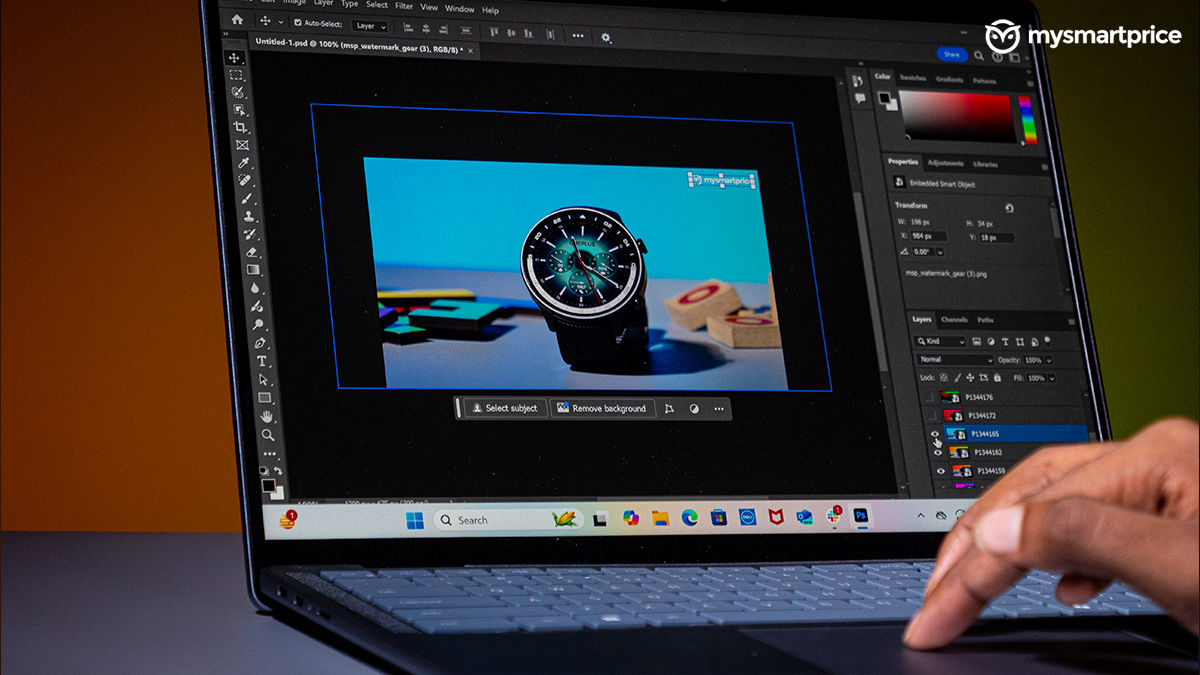
The laptop performed solidly in my day-to-day usage. It handled all the tasks thrown at it with absolute ease. It never felt like I was using the base chipset from the Snapdragon chipset family, that’s because the performance was snappy. The laptop handles multitasking and dealing with 20+ tabs with ease. More importantly, it does it while staying quiet and cool.
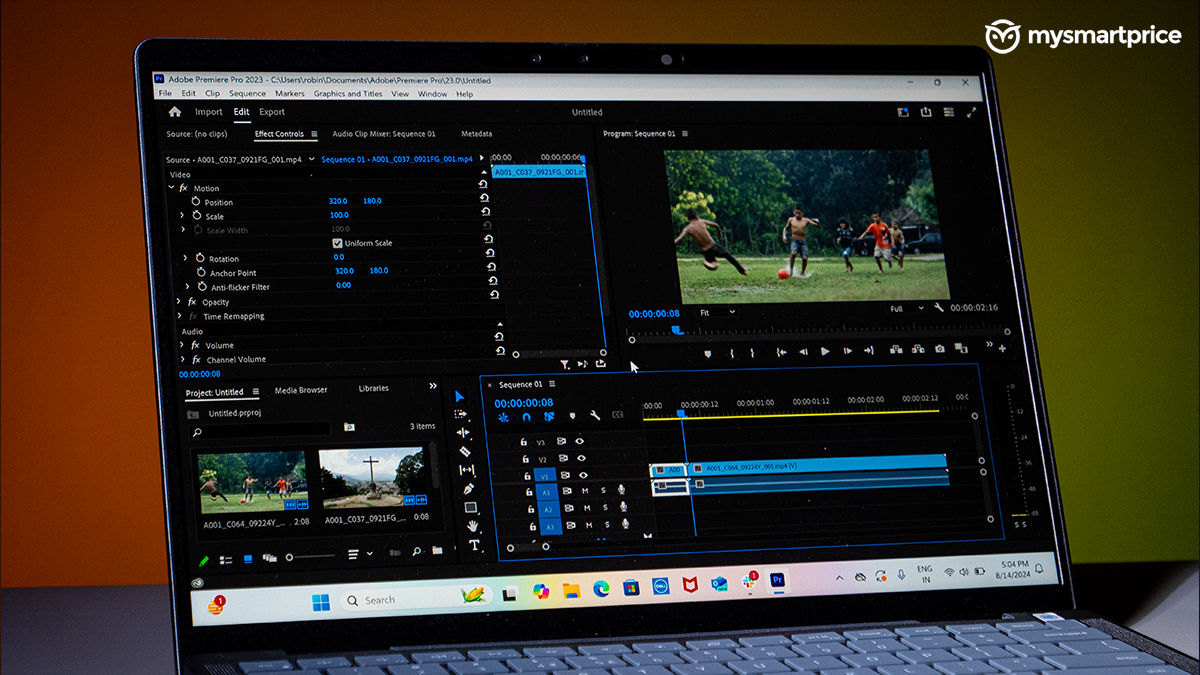
If app compatibility was a doubt in your mind, do not worry, the Inspiron 14 Plus manages everything well. Initially, I faced an issue where Adobe Premiere Pro was not showing up in the Creative Cloud app, but after an update, it showed up. However, it’s not native to the Arm architecture, but something that was translated using the Prism layer. Adobe also showed me a pop-up stating the same. Rest, every application that I use daily ran well. While it ran the ARM version of synthetic benchmarks well, it performed properly in translated benchmarks too.
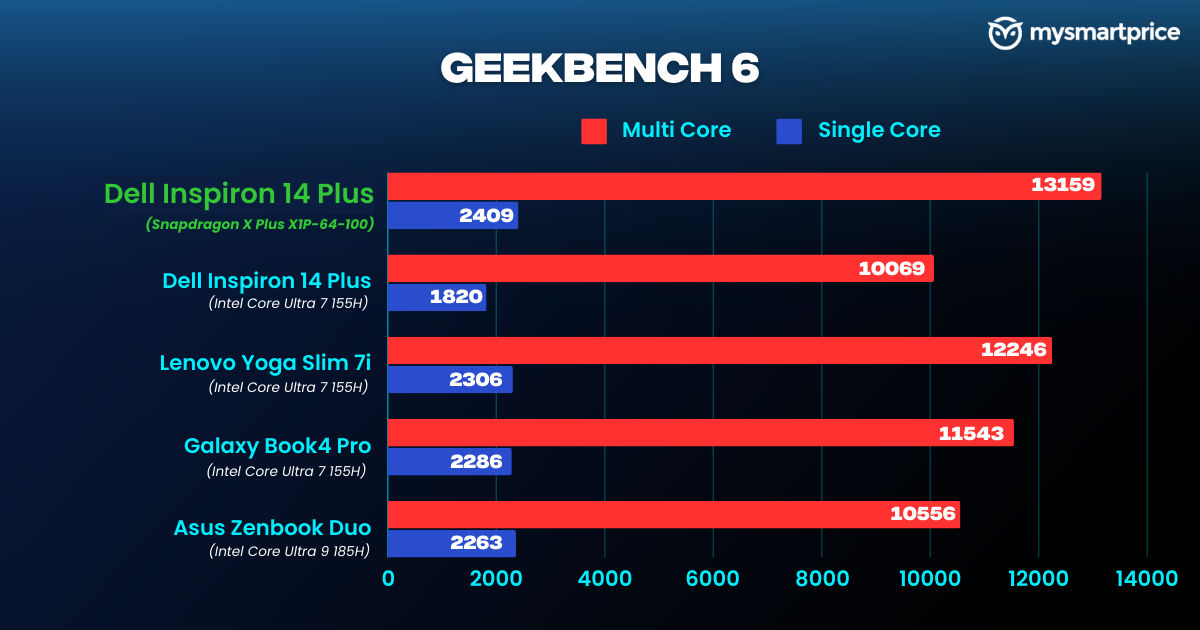
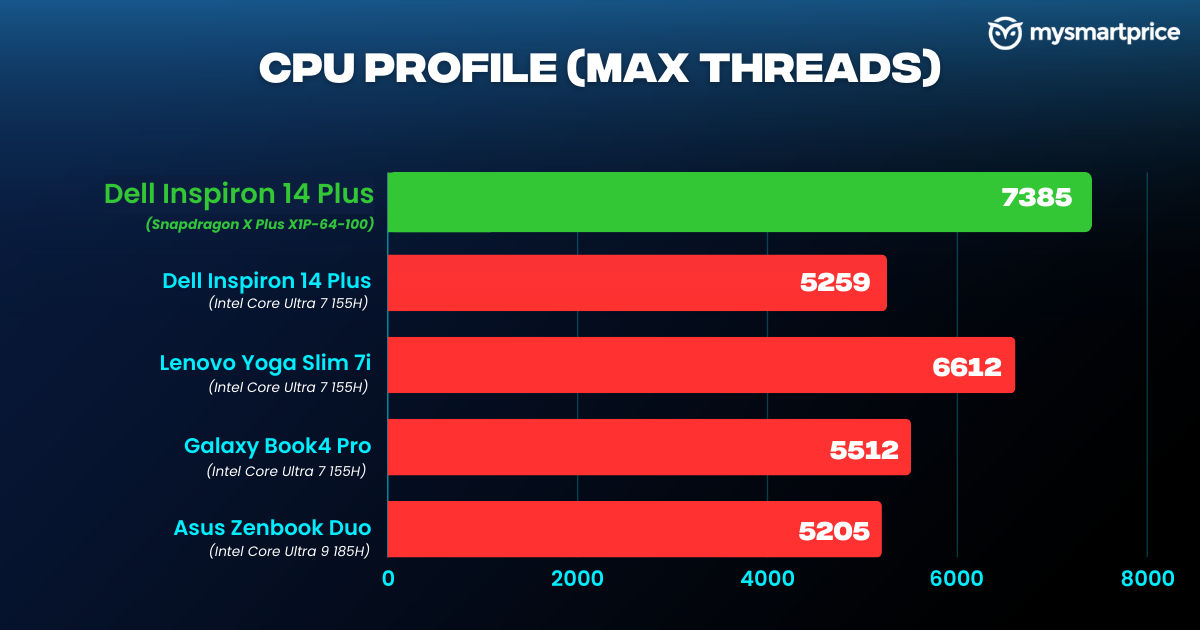
Speaking of which, it scored better numbers in the CPU Profile test when compared to its own Intel variant. It also outscored the Galaxy Book4 Pro, Asus Vivobook S16 OLED, and the Yoga Slim 7i. The Geekbench 6 benchmark runs natively on Arm computers, so this should give you an exact idea of the type of performance you can expect from the chip when applications are run in-house. It continues the streak with impressive scores here too, leading the pack.
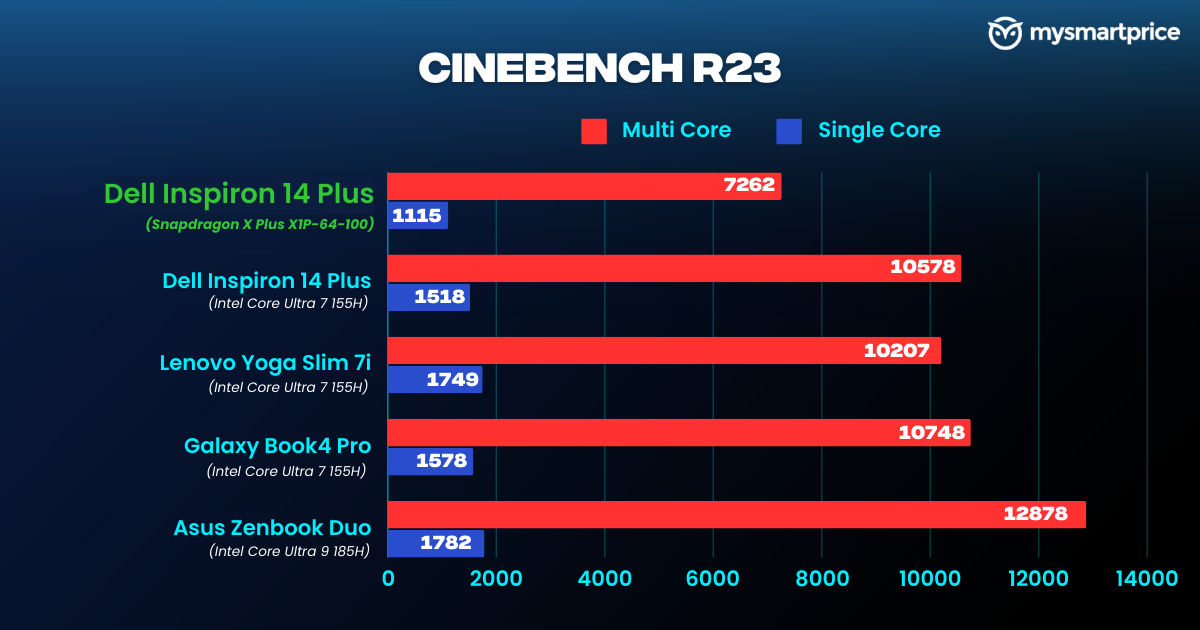
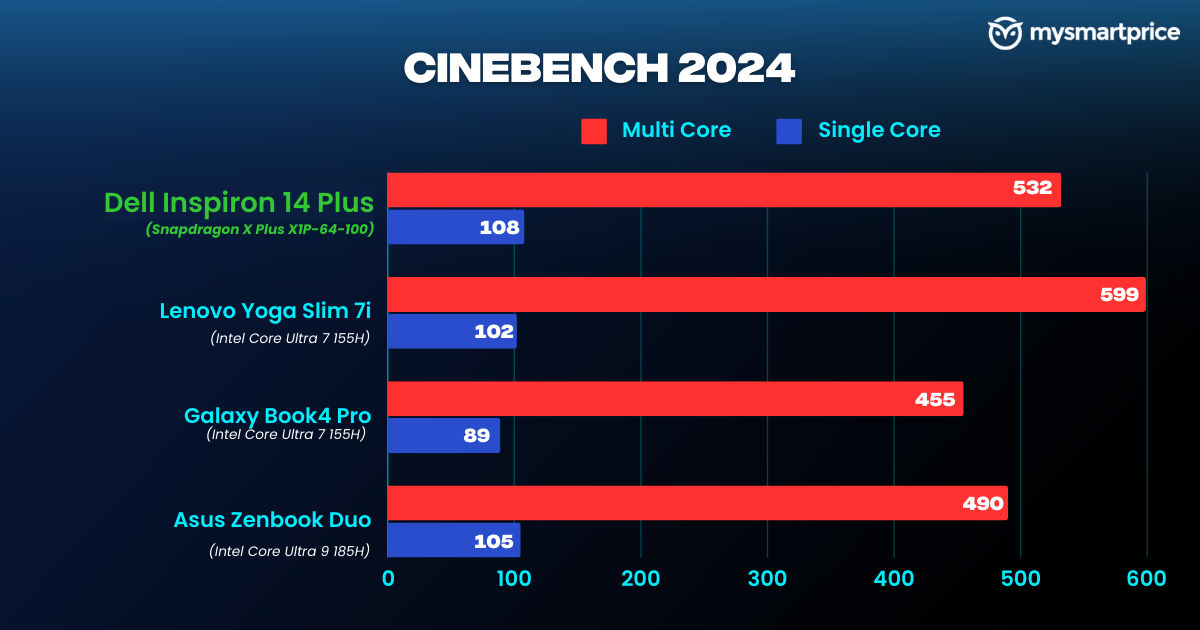
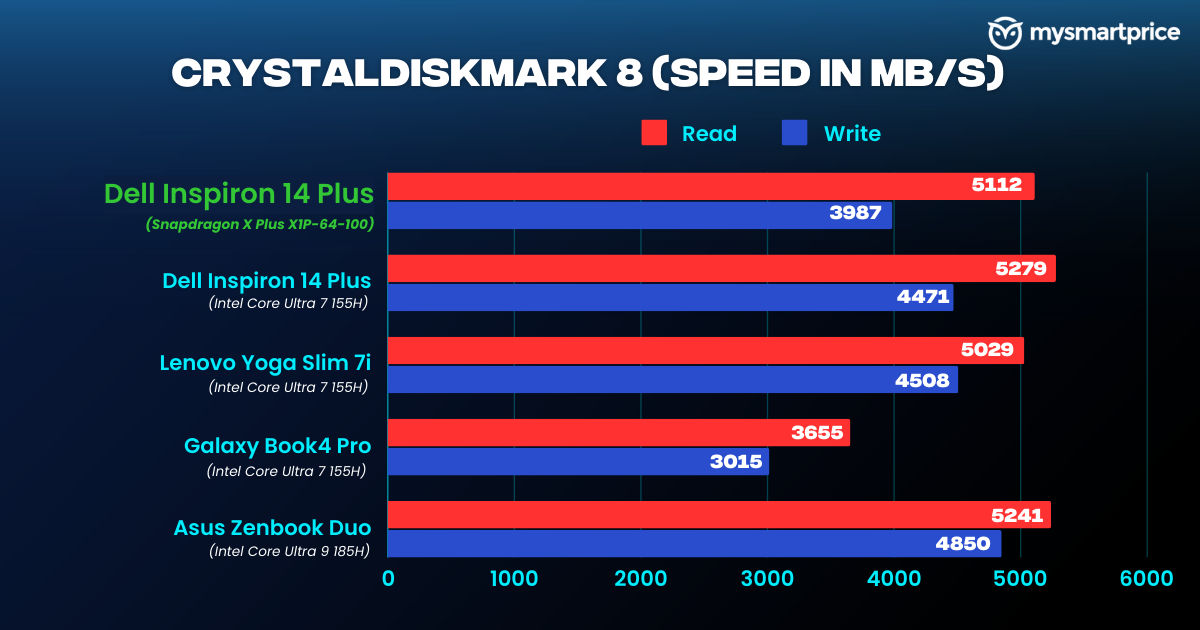
However, Cinebench R23 is where it falters the most, falling behind the rest of the pack. Cinebench 2024 also runs natively on the laptop and delivers decent scores. While we do not have data for the Snapdragon X Elite laptops as of now, it falls behind Intel Core Ultra 7 155H laptops in the multi-core tests. It gets the upper hand again in single-core tests. The laptop also has a fairly fast SSD with good read speeds, but the write speeds do not match those of its competitors.
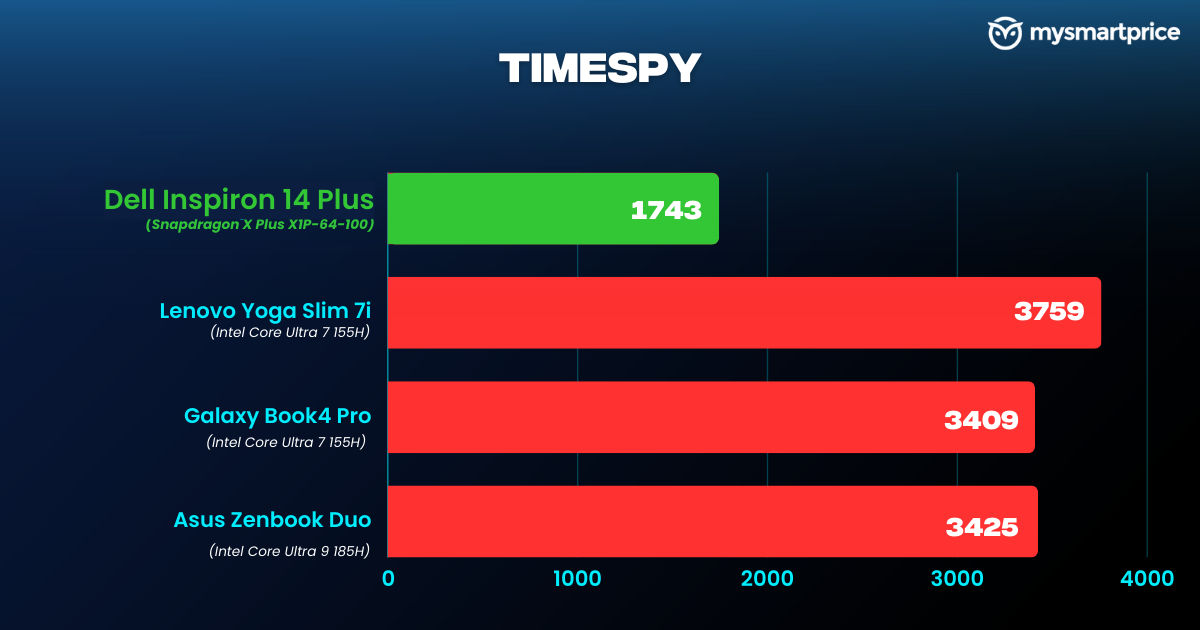
The Snapdragon X Plus inside the Inspiron does not live up to the benchmarks set by the Intel Core Ultra 7 155H chipsets in the TimeSpy test. Similar to the entry-level Snapdragon X Elite chipsets, the X Plus also comes with the Adreno GPU which runs at 3.8 TFLOPS.
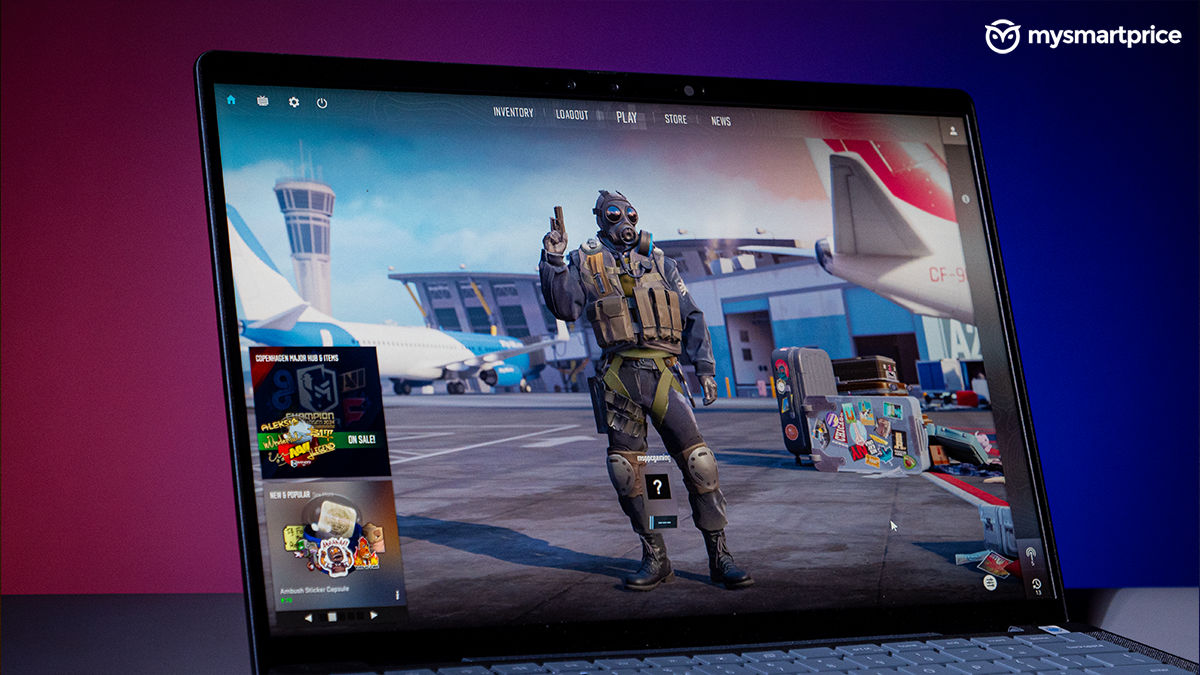
The top variant of these chips can attain up to 4.6 TFLOPS. That said, the Inspiron 14 Plus is not a gaming laptop. Counter-Strike 2 on the it was a mixed bag. With the graphics set to low, you can achieve a maximum of 60 fps, but the gameplay was not consistent with random frame drops throughout. Editing on the Inspiron 14 Plus was smooth with lag-free timeline scrolling and quick render speeds when dealing with 1080p footage.
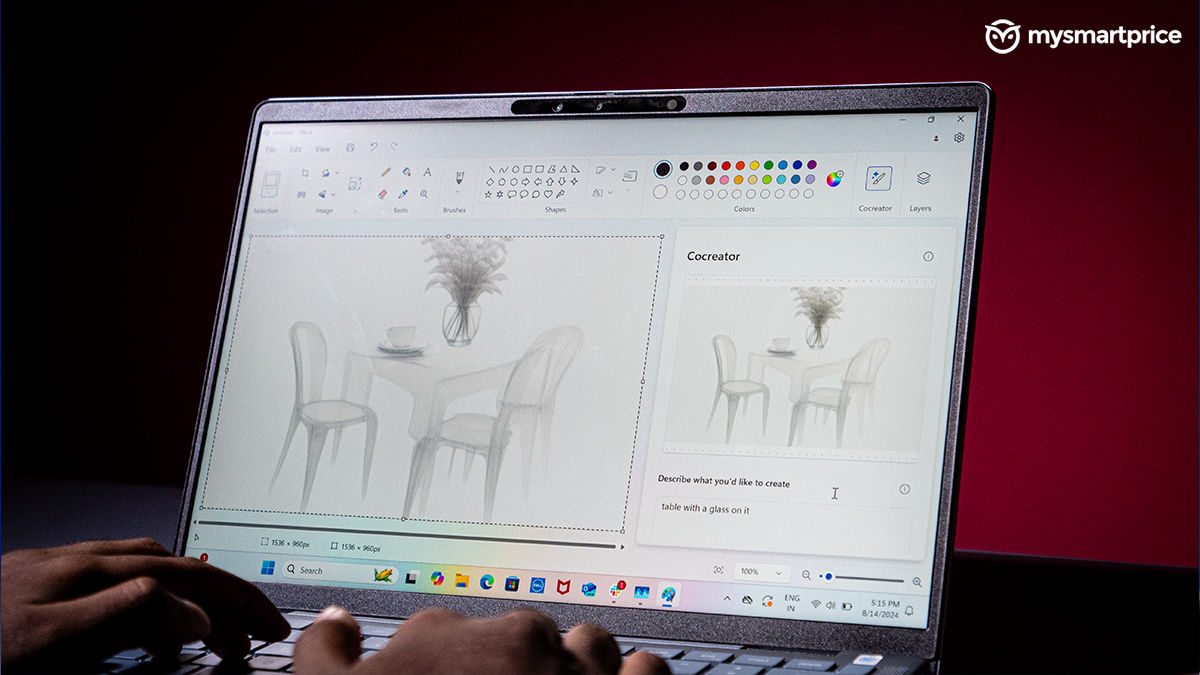
The Hexagon NPU was also tested for its artistic capabilities on Cocreator. It successfully handles simple prompts within about 15 seconds. However, complex prompts often result in errors or significantly longer processing times.
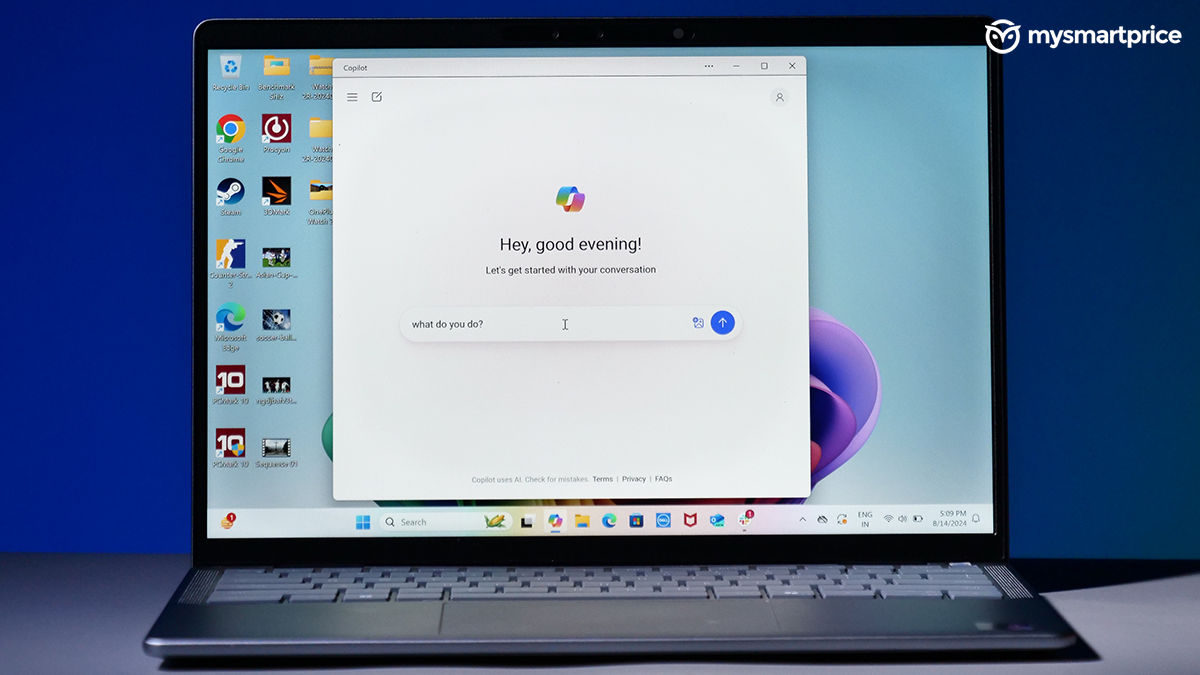
After a month of use, I rarely found myself turning to CoPilot for assistance. When I did, the results fell short of my expectations. The tool is clearly in its early stages and requires significant improvement.
Dell Inspiron 14 Plus 7441 Review: Battery and Charging
This is pretty much the biggest selling point of the current wave of CoPilot+ PCs paired with the Snapdragon chips. And, I’m happy to report it performs as expected. The 54Wh battery inside the Inspiron 14 Plus easily lasted about two days of usage which mostly included sifting through multiple articles and watching content.
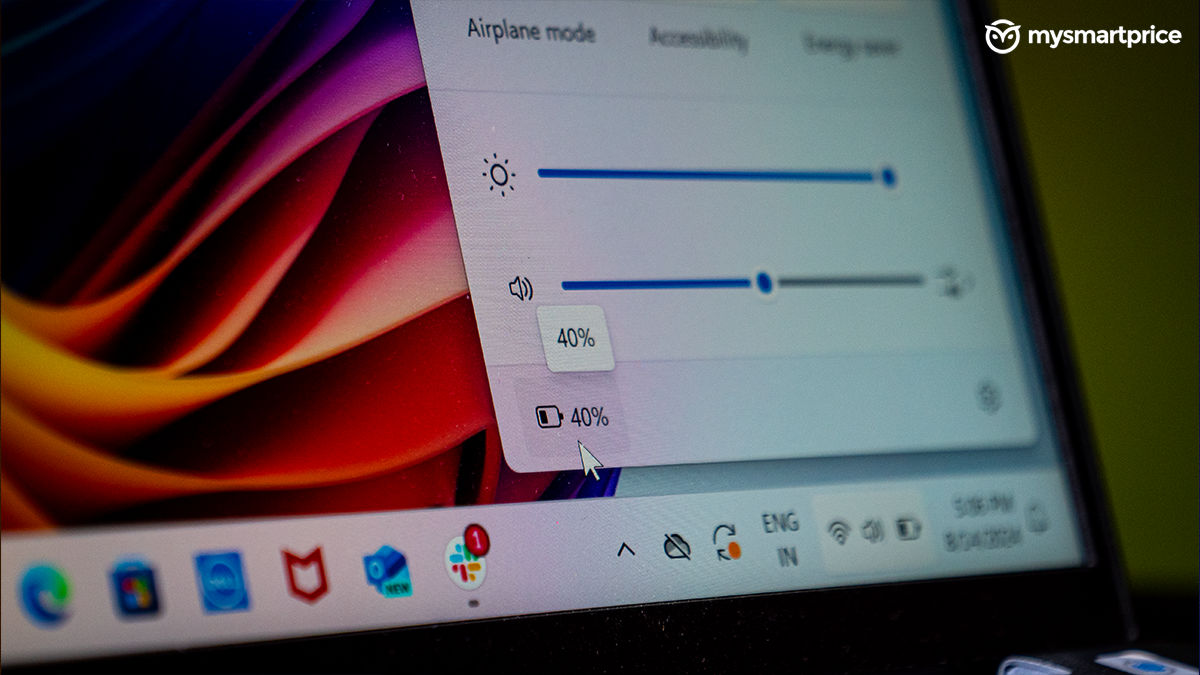
Moreover, the laptop provides consistent battery life which I believe is more important. The Inspiron 14 Plus manages to last a little more than two hours after hitting the 20 per cent battery mark with the battery save enabled. This allowed me to get my work done swiftly. As of now, the Inspiron 14 Plus with the Snapdragon X Plus leads our list of laptops with good numbers in the PCMark’s Video Battery test.
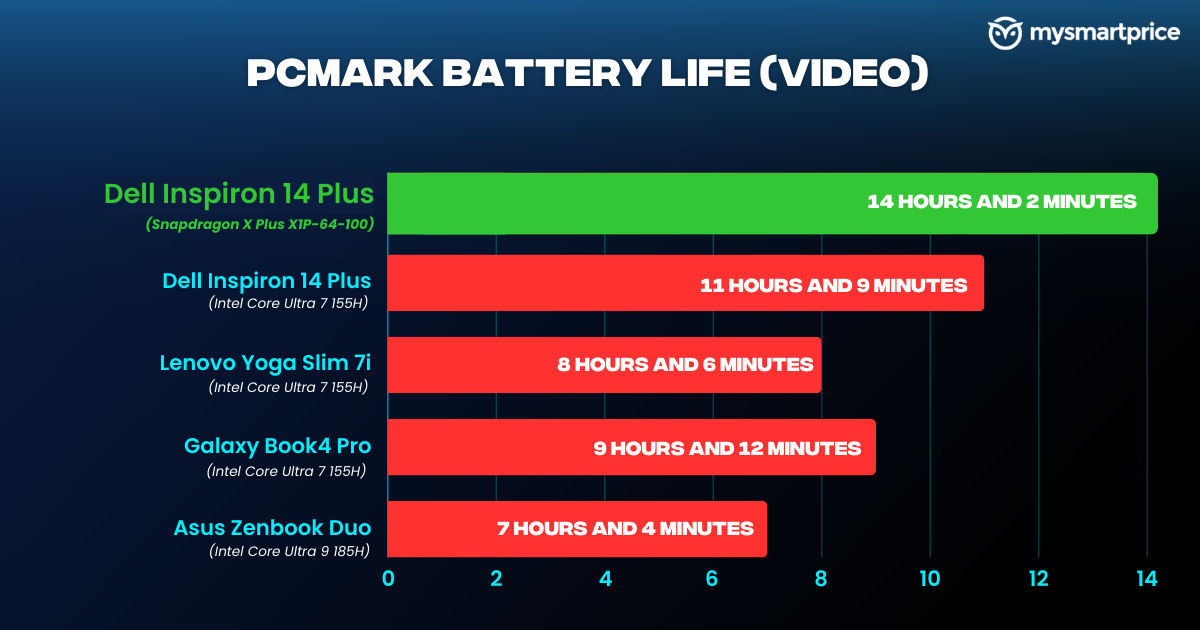
It lasted 14 hours with the brightness set to 50 per cent, while the other laptops could barely reach the 12-hour range. Dell includes a 65W USB-C charger in the box, which takes about an hour and 30 minutes to fully charge.
Dell Inspiron 14 Plus 7441 Review: Verdict
The new era of Windows laptops looks promising, both in the performance and efficiency departments. The Inspiron 14 Plus is a great choice for office and college-going folks, who want a compact laptop with reliable battery life and good performance. Its sturdy build quality and compact form factor make it easy to carry in backpacks. The 14-inch display is perfectly suited for handling Excel sheet tasks and enjoying Netflix during downtime. What’s more important is the battery life, the Inspiron 14 Plus delivers on that front with reliable numbers in daily usage.
It’s also a laptop that is clearly not designed for gaming. I’m also not fond of the 60Hz refresh rate and frustrating trackpad issues. These shortcomings are particularly noticeable given the laptop’s price point.
That said, the Inspiron 14 Plus is still an excellent choice if you want a compact laptop with reliable battery life and good performance.