If you’ve ever had to plug in an SSD, connect dual 4K monitors, charge your laptop, and still needed a spare USB-C port for your phone — all on a modern Windows machine — you already know why docks like the Baseus SpaceMate exist.
Baseus SpaceMate 11-in-1 Docking Station:
Rs 18,500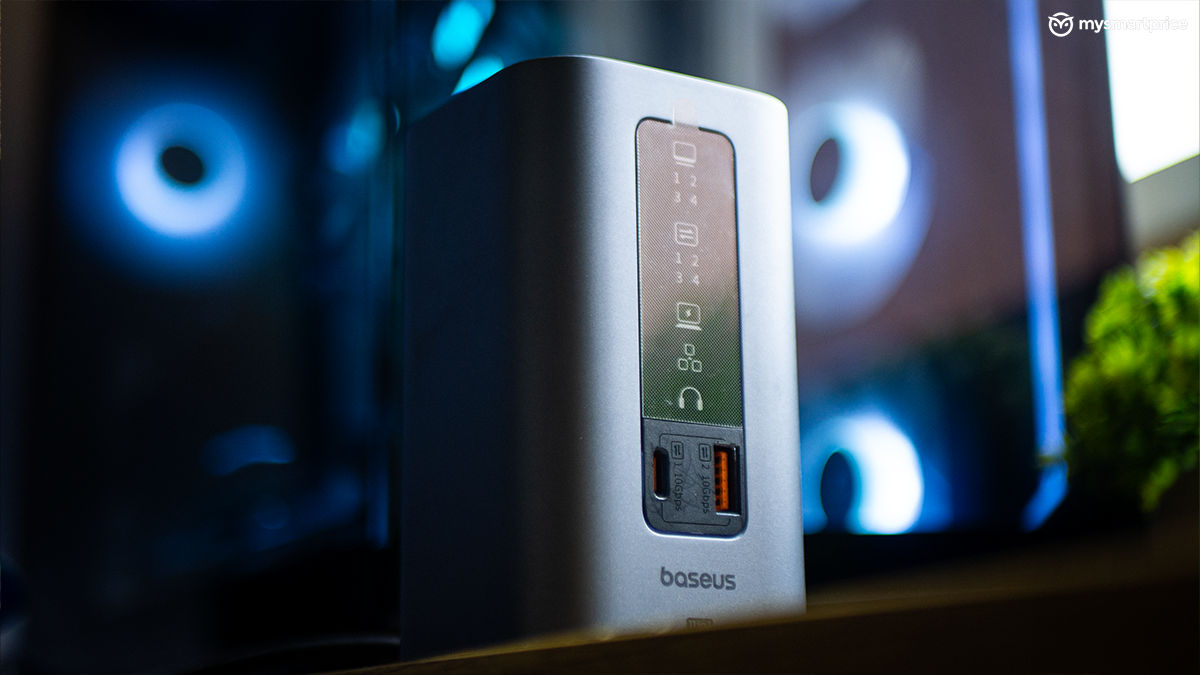
What Is Good?
- Dual 4K@60Hz display support
- Fast front-facing USB-A and USB-C (10Gbps)
- Solid build with magnetic base
- Handy one-touch screen lock button
- Plug-and-play with no driver setup on Windows
- Real-time digital display for active port indicators
What Is Bad?
- Triple 4K output limited to 30Hz
- No SD or microSD card slot
It’s a device that gives you quick access to ports you would naturally need when involved in heavy multitasking projects. The device mentioned here, the Baseus SpaceMate, ticks most of the checkboxes with a couple of 10Gbps USB ports up front, dual HDMI and DP for external displays, Ethernet, audio, and more.. In my setup, it played nicely with both a work laptop and a gaming PC, made file transfers easier, and sat subtly on the desk.
But it’s not without trade-offs. There’s no SD card slot, no power passthrough for charging phones, and triple-display output comes with a drop to 30Hz across the board. I’ve been using the Baseus SpaceMate 11-in-1 docking station for more than two months. Here’s what I liked and what I disliked.
Port Options
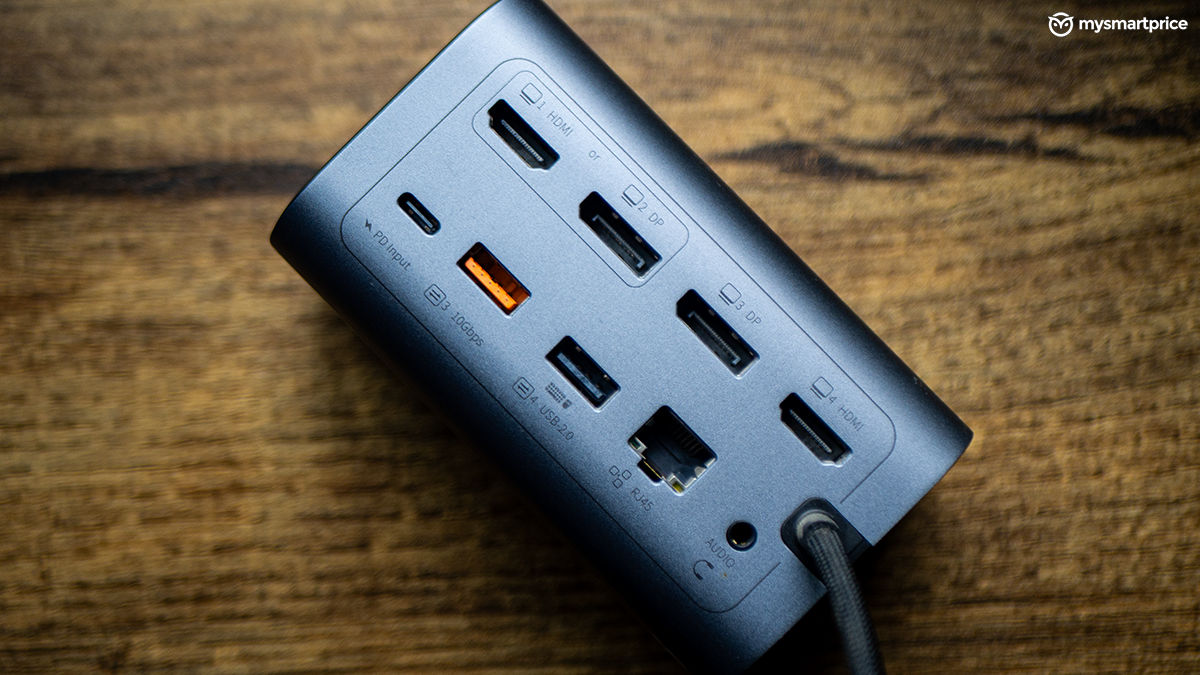
Here’s what you get in terms of the ports on the Baseus SpaceMate 11‑in‑1 Docking Station:
- 2 × HDMI (4K@60Hz)
- 2 × DisplayPort (One DP shares bandwidth with one HDMI, so triple display support is capped at 30Hz)
- 1 × USB-C (10Gbps, front-facing)
- 1 × USB-A (10Gbps, front-facing)
- 2 × USB-A (10Gbps, back)
- 2 × USB-A (480Mbps)
- 1 × USB-C PD input (100W input)
- 1 × Gigabit Ethernet
- 1 × 3.5mm combo audio jack
What I Liked
Let’s start with the build. It’s surprisingly premium and subtle. The metal chassis feels sturdy, and its compact footprint (just under 5 inches) means it blends in nicely, especially if you like keeping your setup clean. I’ve tucked it behind my monitor where it’s mostly out of sight, yet always within reach.
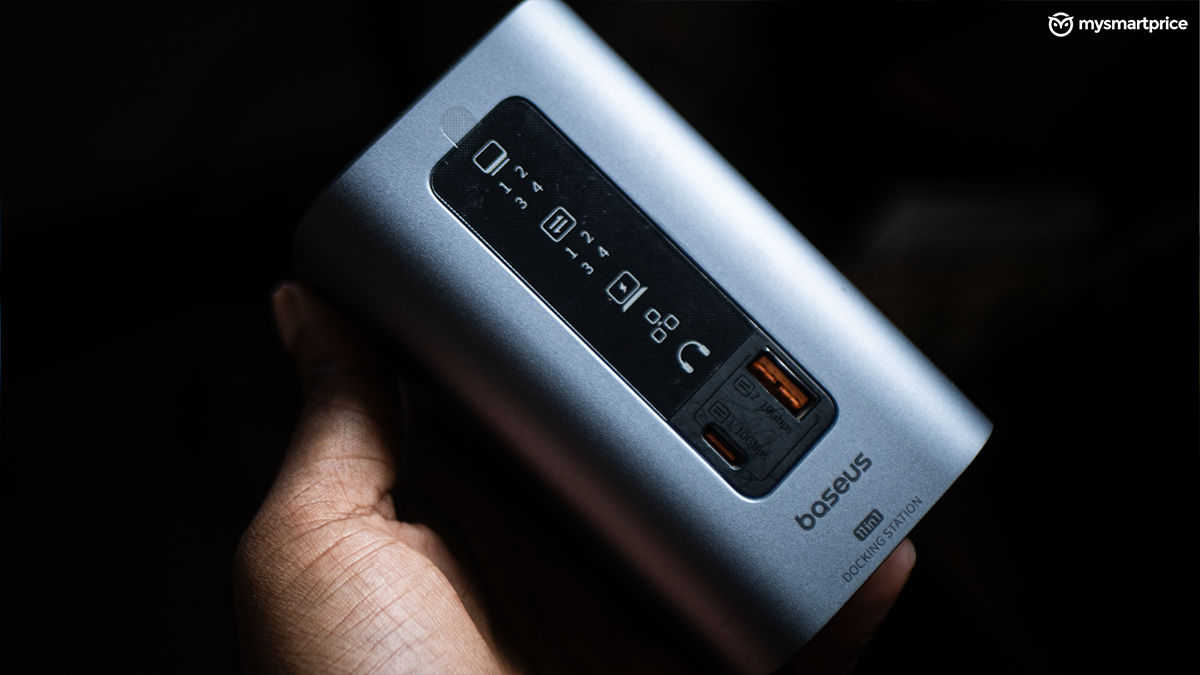
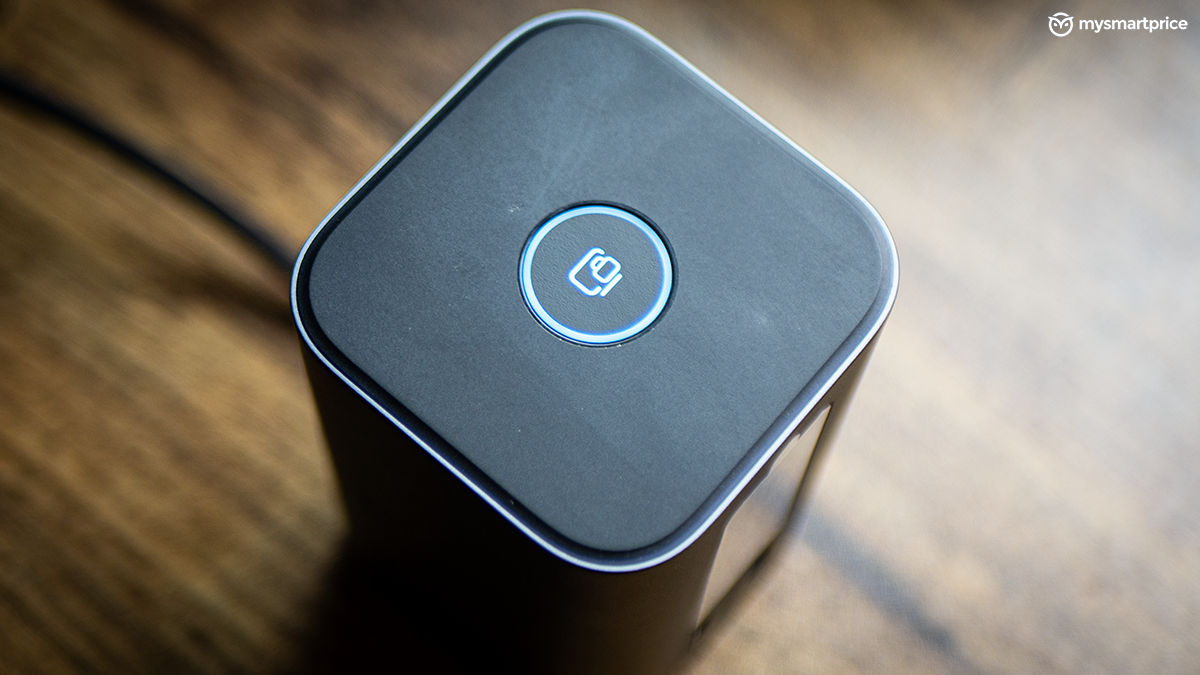
The front-facing digital display is low-key brilliant. It shows real-time status for the ports currently in use, which is a tiny but super handy touch. The top portion of the dock is also decorated with a physical power switch, which lights up when the dock is connected to a laptop/PC. What I particularly like is the inclusion of a physical screen lock button — essentially a shortcut for the Windows + L command. It’s not a particularly groundbreaking feature, but it’s a thoughtful one, especially for anyone working in shared spaces or office environments. If you’re stepping away from your desk, a quick tap is all it takes to lock your system.
One thing I didn’t expect to appreciate as much: the magnetic base. It’s made of the same solid material as the dock itself and does a surprisingly good job of keeping it anchored. The magnets are pretty strong, and I’ll admit, they’ve turned into a bit of a fiddle toy for me during idle moments. But be careful — it’s way too easy to get your fingers caught between them, and trust me, that’s not a fun time. But, the magnets also have an upside. Even when you’re tugging at thick cables or plugging something in with one hand, the dock stays put and doesn’t slide around the desk.
Performance-wise, it’s been rock solid. I’ve used the front USB-C and USB-A ports to transfer game files from my SSD to both a laptop and desktop, and I was consistently hitting impressive speeds without any bottlenecks. The braided USB-C cable included in the box is also long enough and feels durable, another nice touch. I also had no trouble hooking up two 4K monitors at 60Hz using the HDMI and DisplayPort outputs — everything ran smoothly without flickering or handshake issues. You can technically go up to three 4K displays, but that drops the refresh rate down to 30Hz, which is extremely jarring to deal with.
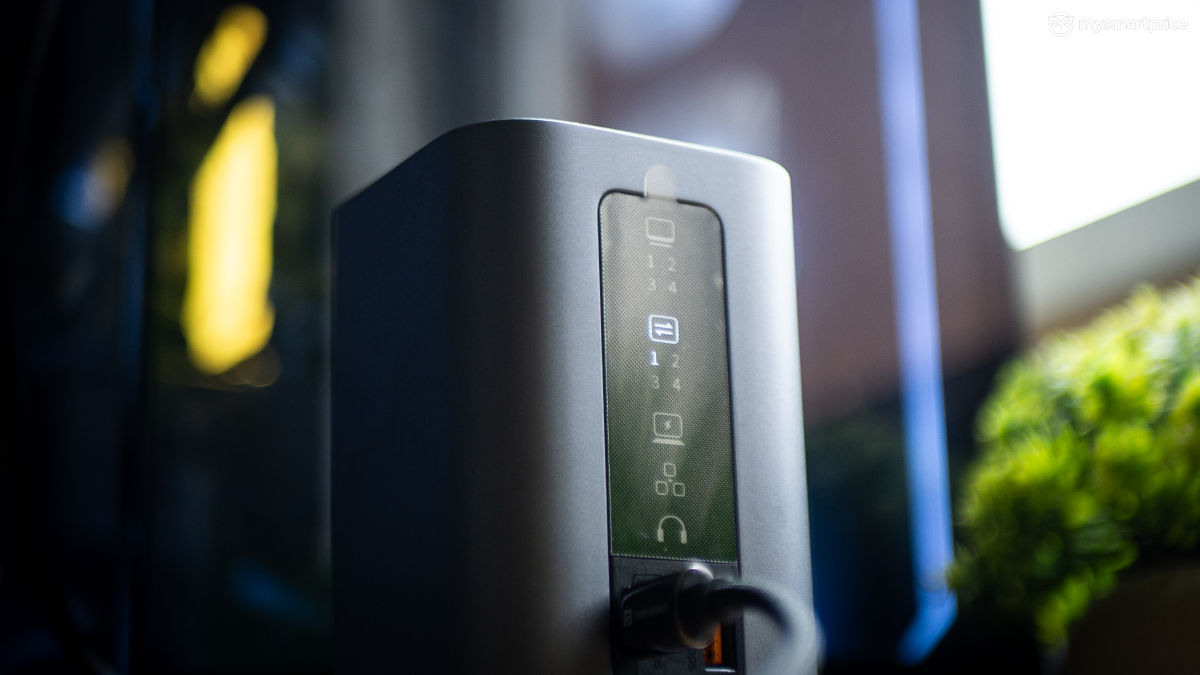
I also found the SpaceMate to be a perfect companion for my gaming PC, which is set up a bit away from my main desk space. Instead of awkwardly reaching behind the case, I now plug in USB drives straight from the dock. It’s made things a bit more convenient.
What I Didn’t Like
Let’s get the obvious out of the way — no SD slots. This feels like a big miss, especially considering how many laptops skip card readers altogether. If you’re dealing with footage or photos, you’ll still need to keep a dongle handy, which beats the purpose of having a docking station in the first place.
Another limitation is charging support — or rather, the lack of it for anything other than your laptop. If you’re hoping to charge your phone or tablet using the front USB-C or any of the USB-A ports, that’s not happening. The ports are meant strictly for data transfer.
Also, while triple 4K monitor support is impressive in theory, all three outputs max out at 30Hz when used simultaneously. It’s fine for static productivity work, but too choppy for content creation or motion-heavy workflows. To avoid this, you’re better off sticking to a dual-monitor setup, where the dock comfortably pushes 4K at 60Hz on both outputs.
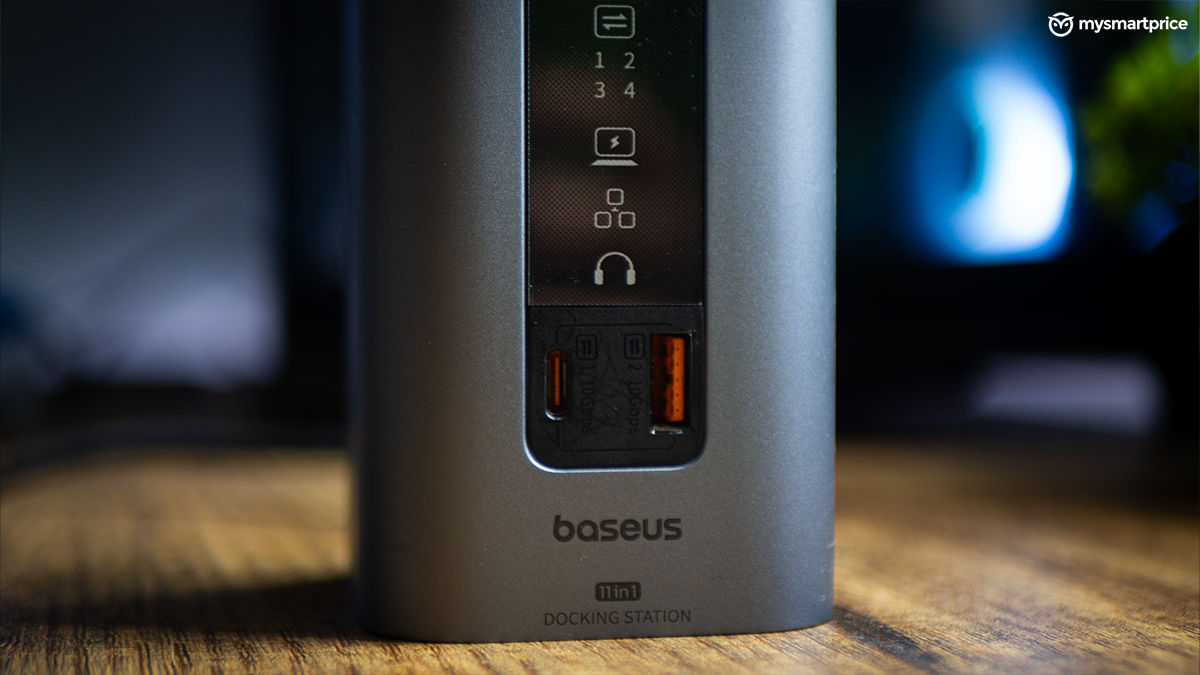
Lastly, I would’ve loved a second USB-C port on the front — if you’re someone who moves files around between multiple devices regularly, that one extra port would have made the flow even smoother.
Verdict
The Baseus SpaceMate doesn’t try too hard — and that’s what makes it easy to recommend. It nails the basics: high-speed front ports, 4K output, and a compact design that blends into your setup without demanding desk space or attention. It’s not without trade-offs — there’s no SD card slot, no device charging, and triple-display support comes at the cost of a lower refresh rate.
But if you’re on Windows and just want a dock that keeps up with your everyday needs — file transfers, monitor expansion, and cleaner cable management — this one does the job without overcomplicating things. For Mac users, this dock will still function as needed, but you won’t be able to enjoy display outputs as advertised. For that, you would need a Mac-compatible variant, which Baseus currently sells.