Searching for a reasonably priced monitor that complements a clutter-free workspace has become challenging lately. Lenovo seems to have taken note of this and unveiled the Lenovo L27i-4A monitor a few months ago. Minimum bezels around the screen and a clean design are some qualities it wears with pride. But, despite its elegant appearance, it mostly sticks to the basics. For instance, it doesn’t have 4K resolution or a DisplayPort, a few things that are slowly and steadily becoming the norm for monitors at this price. So, does it make the cut? Read my review to find out.
Lenovo L27i-4A Monitor
Rs 12,798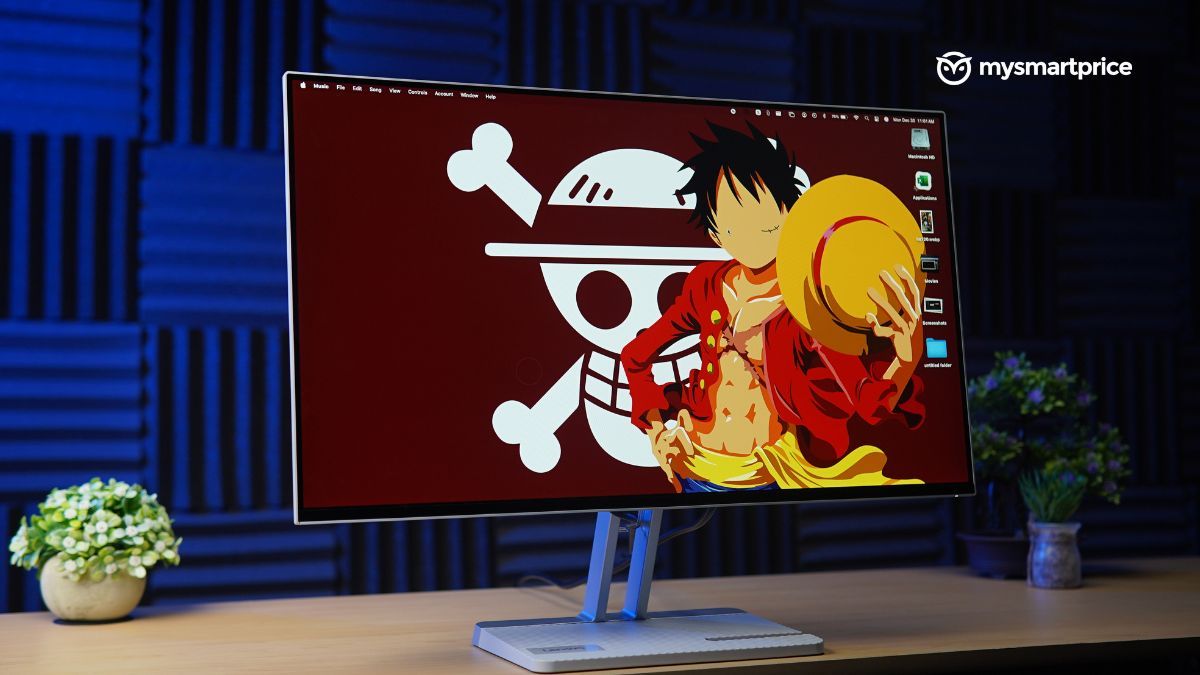
What Is Good?
- Easy setup process
- Great viewing angles
- Attractive minimalist design
- Good selection of ports
- 100Hz refresh rate, 1ms response rate
What Is Bad?
- Mediocre inbuilt speaker
- Height isn’t adjustable
- Can’t play HDR videos
Pricing and Availability in India
The Lenovo L27i-4A monitor is available to purchase from leading online retailers and the brand’s online store. You can grab it under the price range of Rs 13,000 from any major retailer. Here is the list of pricing at the time of writing this review:
| Platform | Price |
| Amazon India | Rs 12,349 |
| Lenovo.com | Rs 12,798 |
| Croma | Rs 12,299 |
Setup Process
Setting up the Lenovo L27i-4A is a breeze for first-timers. The brand has barely left room for inexperienced people to mess up while putting together this monitor. Rummaging inside the box will yield an HDMI cable, a power connector, and some paperwork.
Design, Build and Ports
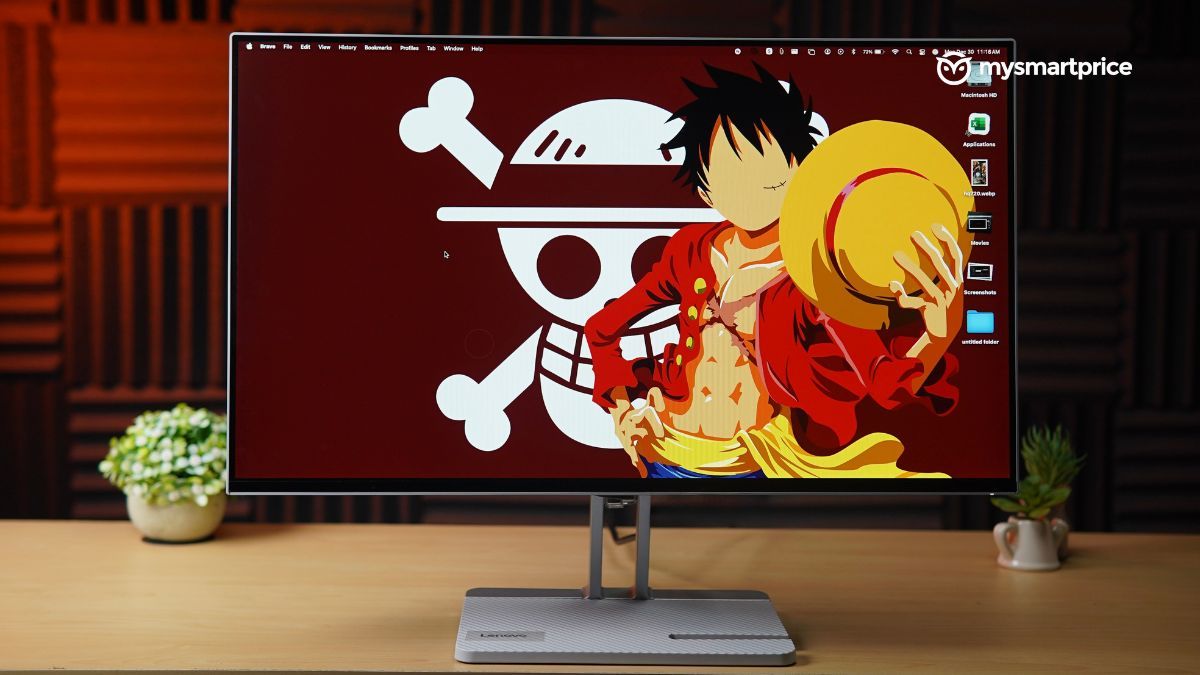
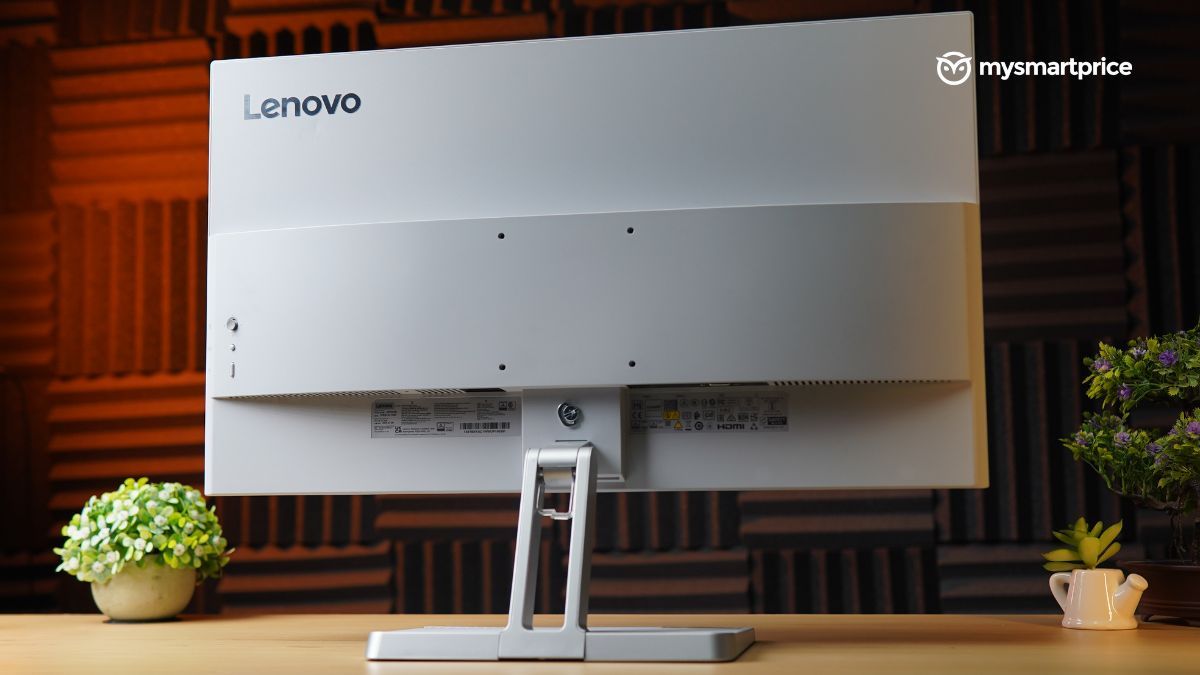
The Lenovo L27i-4A monitor has a utilitarian look, which I was impressed with when I first saw it. The 27-inch screen occupies almost two-thirds of the monitor’s front, and the remaining is a bottom chin. The rear has a white shroud, with a Lenovo logo on the top left. With a no-frills design, it automatically becomes a perfect option for folks who want their workstation to be minimalistic yet comforting.
| Design | Specifications |
| Dimensions | 611.5 x 181.5 x 474.6 mm |
| Weight | 3.88 kg; without stand: 2.91kg |
| VESA mount | 100 x 100 mm |
| Tilt adjustment | -5° to +22° |
| Ports | HDMI (x2): 1920 x 1080 (Up to 100Hz),
VGA, DC port and Headphone jack (Audio out) |
The robust stand excels at keeping the screen secured. You can tilt the screen as you prefer, but the height can’t be adjusted, which is unfortunate. This basic feature should’ve been included, given that tall folks could use the monitor without inviting the risk of neck pain.

But it has a few hidden tricks up its sleeve that are pretty nifty: the first one is that you can manage cables well with its inbuilt structure. Another one is the inclusion of a space for you to place your mobile phone on the base meaning you can work while indulging in brainrot reels on social media apps.
Speaking of the base, it also lends its hand to prevent the screen from tumbling due to accidental knocks. However, I faced a weird issue with the base during my usage. When I was typing aggressively on my keyboard as the deadline approached, I noticed the monitor wobbling excessively from my intense typing. While I’d like to believe my table’s surface wasn’t level, I have a gut feeling that the monitor’s base was a bit too small for its size.
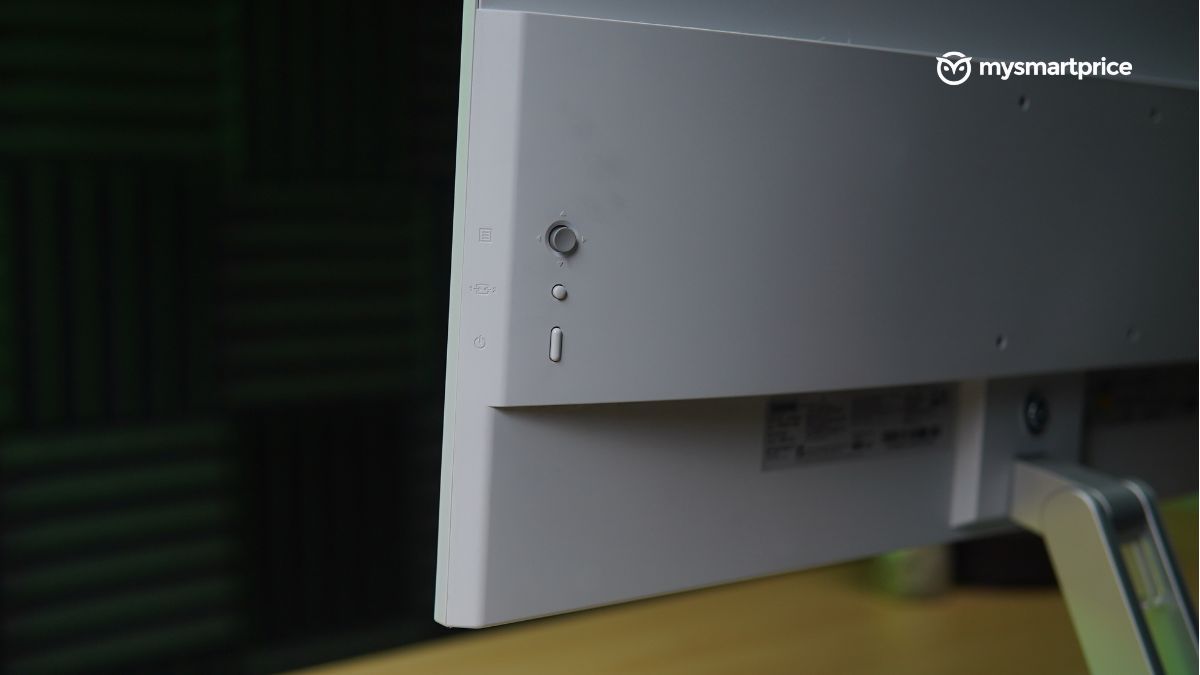
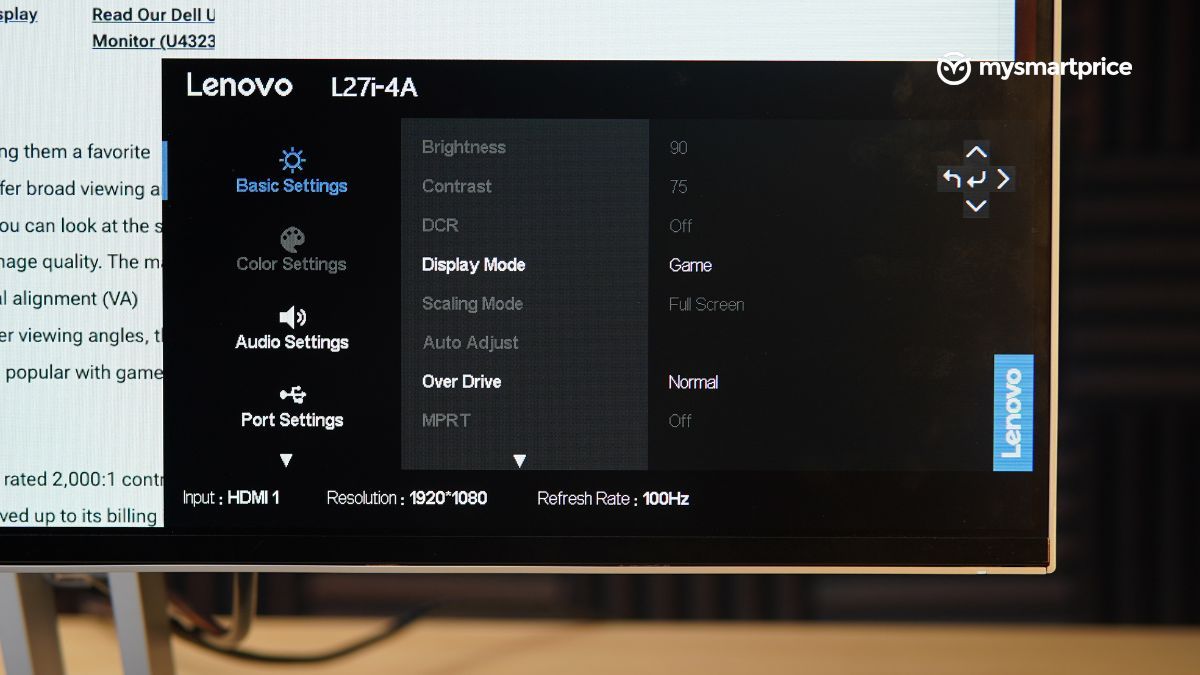
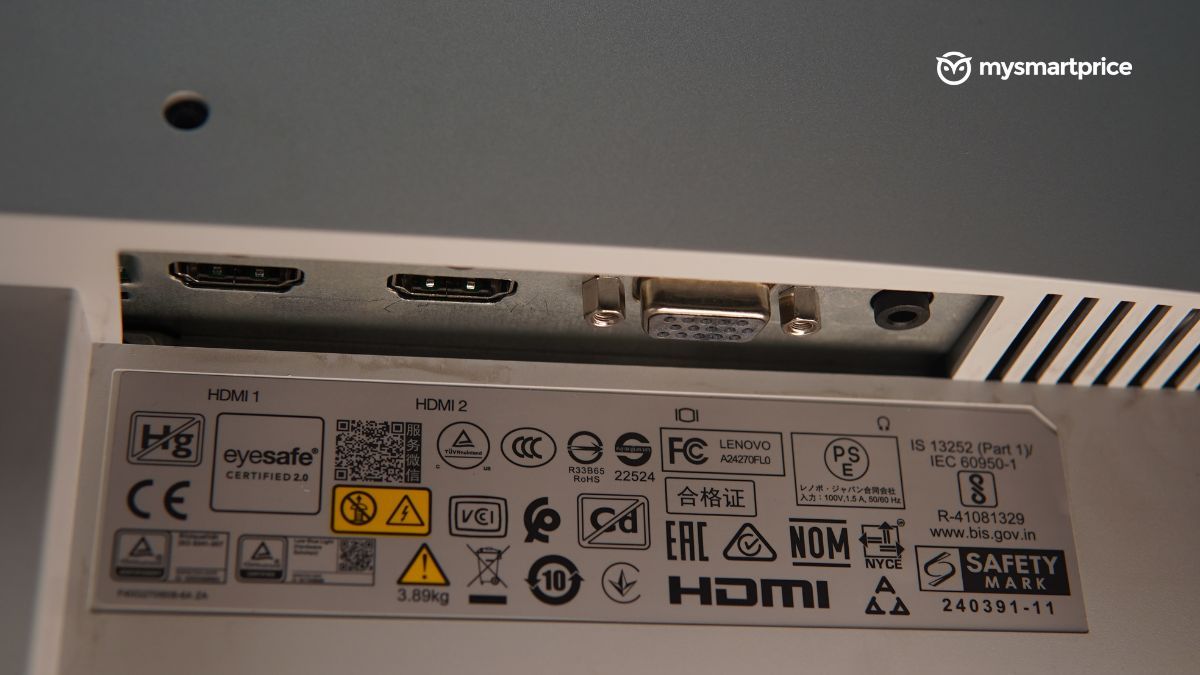
All the necessary ports are present at the rear. It’s not the widest spread, but again, this monitor focuses on the basics. However, you’ll need Daredevil’s radar sense to find them when the monitor’s upright. The OSD joystick at the back is quite handy, though.
Display and Audio
The Lenovo L27i-4A monitor features a 27-inch screen on the front with 1080p resolution. The brand has worked out the perfect screen size for this monitor, allowing me to watch content or skim through documents up close without any neck gymnastics.

| Display | Specifications |
| Size | 27-inch (69cm) |
| Resolution | 1920 x 1080 |
| Refresh rate | 100Hz |
| Brightness | Claimed: 300 nits |
| Aspect ratio | 16:9 |
| Response rate | 1ms (MPRT), 4ms (Extreme Mode), 6ms (Normal Mode), and 14ms (Off Mode) |
| Viewing angles | 178° (H) / 178° (V) |
| Colour gamut | sRGB |
| Colour bit | 8 bits (6 bits + FRC) |
Moreover, with thin bezels on three sides, the 27-inch display delivered an immersive experience. To try the monitor out, I watched trailers of every game announced at the Game Awards 2024. The panel’s large size made the experience more engaging, but I do feel it sometimes makes human skin tones appear reddish. I confirmed this by watching content side-by-side against my MacBook Pro’s display. The 99% sRGB colour gamut claim is also a nod to its obsession with sticking to basics. Due to this, it doesn’t support HDR either.
You can access a bunch of presets in the monitor’s OSD panel. They don’t really influence the panel’s colour temperature, they only tweak the brightness. I avoided using the Movie picture mode, mainly because it reduces the brightness and colour temperature. I do not recommend this profile for writing, as it caused tremendous strain on my eyes.
The refresh rate of 100Hz and 1ms Moving Picture Response Time (MPRT) is what defends the silver lining. The anti-glare screen is another great addition, so even if there is a tube light right behind your workstation, you won’t be annoyed by its existence.
The monitor also comes with an inbuilt speaker, though I would advise you to use your laptop’s speaker if you have connected to it or invest some money in a better speaker. What compels me to say this is that the audio quality was pretty underwhelming and failed to serve its purpose.
Verdict
Under Rs 13,000, the Lenovo L27i-4A is a smart choice for white-collar folks who generally deal with writing, data entry, software development and similar activities. Its no-frills design perfectly blends with any minimalistic workstation, without sticking out like a sore thumb. It offers a terrific display for the price that benefits you in your office work or casual binge-watching.
Its 27-inch screen delivers a comfortable movie-watching experience up close without requiring you to exercise your neck muscles. The monitor also has great viewing angles, a sorted selection of ports and a 120Hz refresh rate for smooth workflow. The setup process is a walk in the park for almost all folks without relying on others.
While the stand lets you tilt the monitor to your liking, you don’t get the option to adjust its height. The omission of HDR capability isn’t a big deal, but its biggest kryptonite is the audio from its inbuilt speakers, which fail to serve their purpose.