When I first unboxed the Razer Pro Click V2 Vertical, my first thought was: this mouse doesn’t look like anything I usually see on a desk. It’s bulky, stands tall like a mini mountain, and honestly, looks a bit out of place…until I actually used it.
Razer Pro Click v2 Vertical Edition
Rs 13,071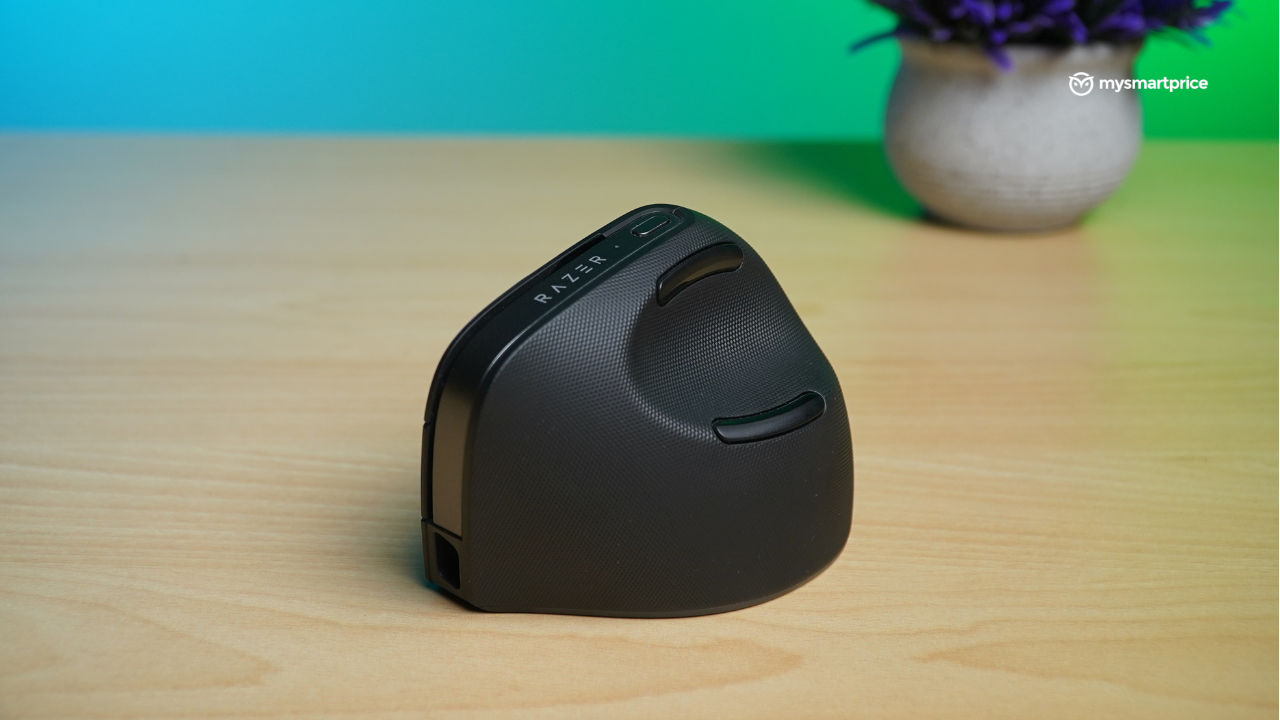
What Is Good?
- Excellent ergonomic design that reduces wrist strain
- Comfortable grip with well-placed thumb and pinky support
- Premium build quality with smooth gliding on most surfaces
- Doubles up well for productivity tasks and light gaming
- USB-C fast charging and wired mode support
- Precise and responsive tracking
- Supports multi-device connectivity
What Is Bad?
- Steep learning curve if you're new to vertical mice
- Not suitable for left-handed users
- Slightly bulky
Despite its unconventional form, it fits very nicely in the hand. It’s clear that Razer was chasing aesthetics as well as comfort, and they nailed both.
While this brand is usually synonymous with gaming gear, I didn’t dive into the gaming area. My daily routine involved emails, edits, and endless scrolling—and the Click V2 handled it all without breaking a sweat. On the other hand, our Reviews Editor, Robin John, did test its gaming chops, and trust me, his experience was an entirely different ride. We’ll get to that in the latter part of the review.
So, is this vertical beast just a niche novelty or genuinely useful? After weeks of using it side by side, we have plenty to say. Here’s our combined take on the Razer Pro Click V2 Vertical.
Design and Build Quality
At first glance, this mouse doesn’t look like anything I’ve used before.
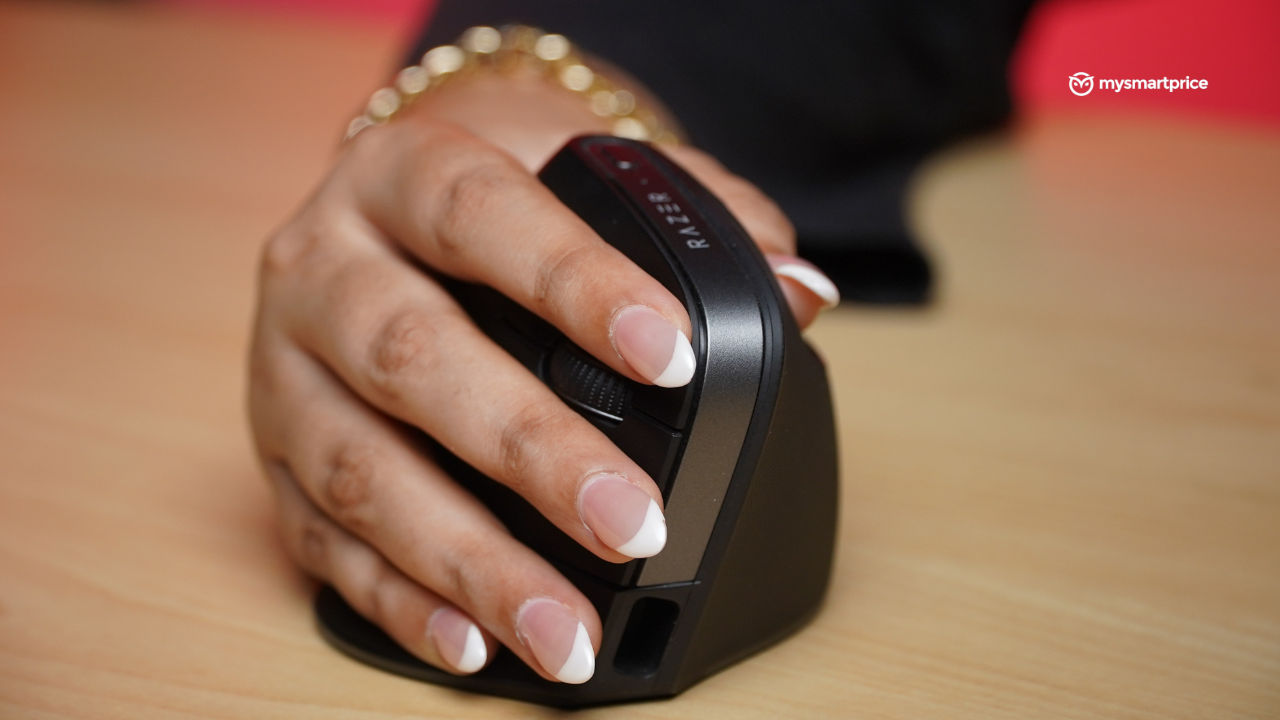
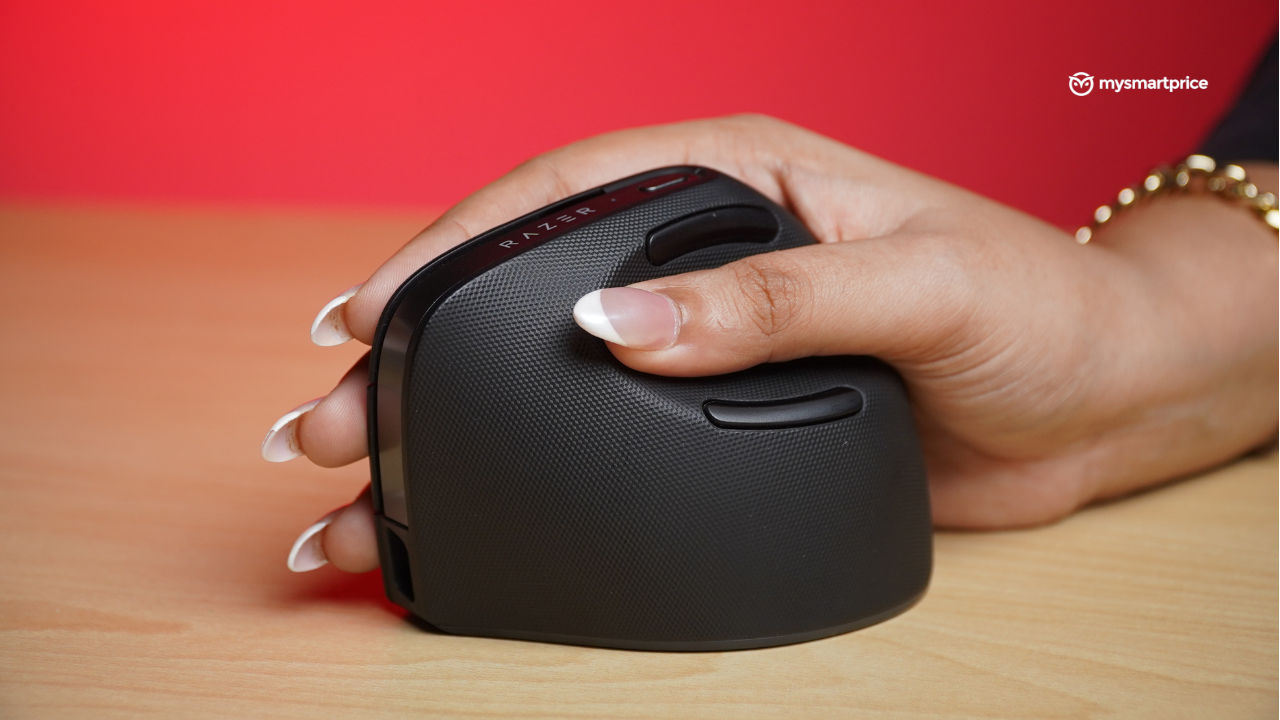
It’s bulky, it’s on the heavier side, and definitely stands out on the desk. But once I started using it, I was genuinely surprised by how comfortable it felt. Instead of resting your hand flat, it lets your palm settle in a handshake-like posture, which felt odd initially but quickly grew on me. It’s also slightly angled to 71.7 degrees, to maintain ergonomics without causing wrist strain.
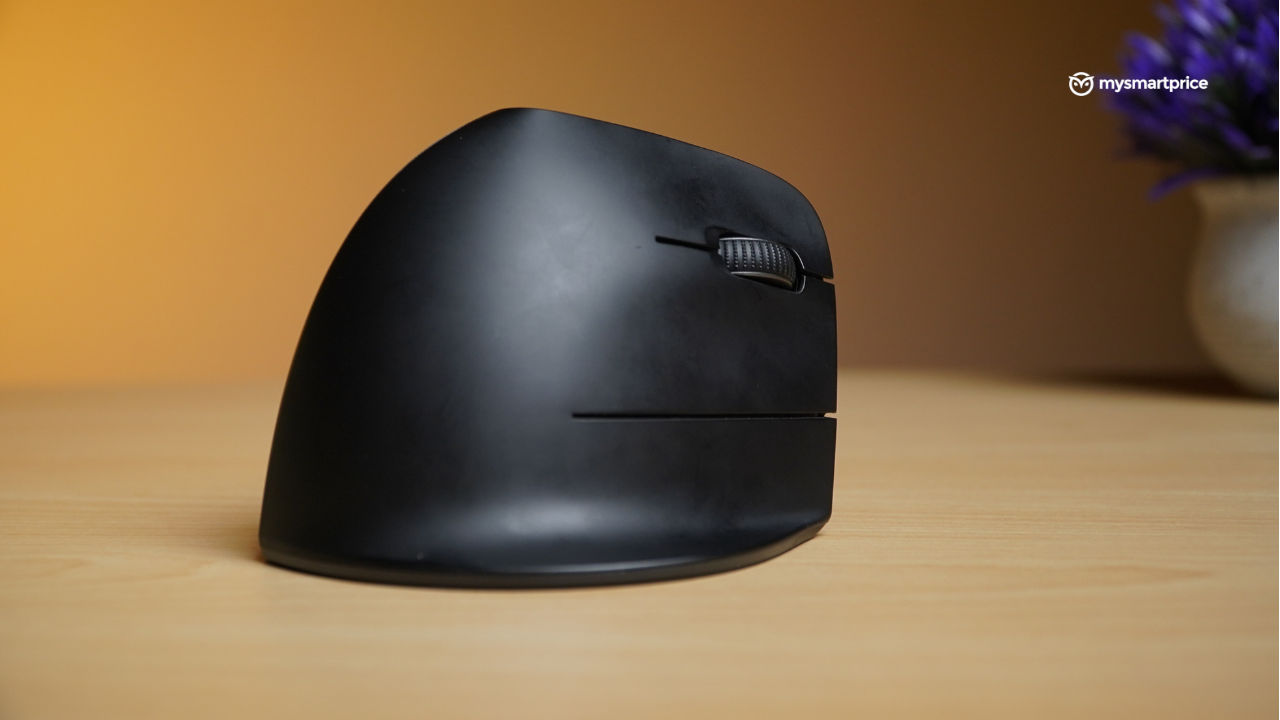
The thumb groove is nicely shaped and offers solid support. It’s also surrounded by two buttons that can be customised in the software. The centre portion of the mouse has the Razer branding, followed by a small LED light and a DPI toggle button. The right side also has an extended portion of the mouse that lets your pinky finger sit comfortably without having it dragged on the table. This is a nice touch that takes the Pro Click V2 Vertical’s ergonomic design to another level.
The buttons are all on the right side, which made me shuffle between left and right more than usual. But after some time, that movement became part of my workflow. The clicking sound is sharp and distinct, and even when there was background noise, I could still hear that satisfying click every time I pressed a button.
Build-wise, this mouse feels rock solid. Nothing rattled or felt cheap. I used it entirely without a mouse pad, on plain hard surfaces, and the skates underneath helped it glide effortlessly. That’s something I genuinely love about it: smooth performance without needing extra accessories, such as a mousepad.
Additionally, to attract more gamers, Razer has incorporated RGB lighting on the circular base, and I must say, this has been executed brilliantly. The light spills over to the desk, rather than poking your eye, and adds a bit more pizazz to your setup. The RGB lighting can be controlled using Razer Synapse.
The Pro Click V2 Vertical has a nice dual-tone finish. The right side, where the buttons are, comes with a smooth matte coating that almost looks like fondant—it’s sleek, but it does pick up fingerprints pretty easily. On the left, you get a textured surface that adds some much-needed grip, making it feel more secure in your hand. Overall, the mouse has six programmable buttons, but considering its size, Razer could have included a couple more, especially around the thumb area. If you are someone who doesn’t map a lot of macros to your mouse, this might not be a big deal for you.
Comfort
I’m not going to lie, the first few sessions with the mouse were not just awkward but quite annoying at times. I kept wondering if I’d made a mistake. But after more than a month’s use, I stopped noticing the shape altogether. In fact, switching back to a regular mouse started to feel uncomfortable and unfamiliar. But, one thing that I noticed was the stark difference in your arm placement when compared to a traditional mouse. The Pro Click V2 Vertical Edition demands that you keep your arm straight without putting too much pressure on the wrist. This needs a couple of tries before actually getting used to it.
If I had to point out one downside, it would be portability. However, this won’t necessarily apply to everyone, as most of the target audience for the Pro Click V2 Vertical Edition will likely be gamers with a fully equipped PC. But, since I use it with my laptop, carrying it around wasn’t the easiest of tasks. When I toss it into my handbag along with my laptop and daily gear, it sticks out in an awkward way and makes the bag bulge. This makes me anxious since a hard bump on the mouse might end up wrecking it.
Besides this, the USB-C charging port is buried deep in the front, which means thicker cables won’t fit.
Performance Testing
The Razer Pro Click V2 Vertical utilises Razer’s Focus Pro 30K optical sensor, the same technology found in the Razer DeathAdder V3 Pro, Basilisk V3 Pro, and more. It’s a sensor typically reserved for gaming mice due to its smooth tracking and ability to track super-fast movements when playing FPS games. The DPI stretch also extends to 30,000 with the use of this sensor, but this feature is likely to be underutilised by most people because the Pro Click V2 Vertical is not as lightweight as a traditional mouse.
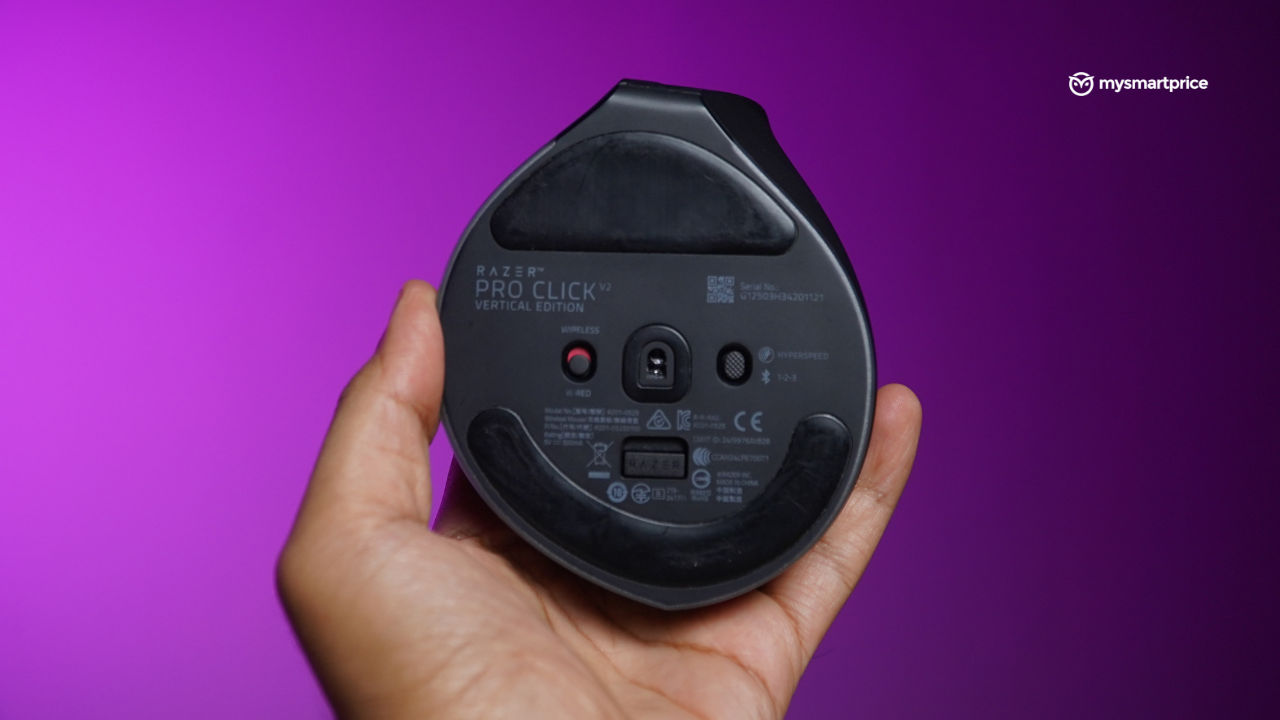
I’ve been using this mouse as part of my daily workflow, and it’s been through everything with me: hunting for story ideas online, writing articles, digging up interesting YouTube videos, scrolling endlessly through our website, and keeping up with news on X. And all of these were mapped at around 1600 DPI throughout my usage. I’ve tried a fair share of mice at work, but this one definitely felt different in the best way. The fact that it performs so well without a mouse pad really won me over since I rarely use one.
The scroll wheel is also decorated with a grip texture, which is a nice touch. Moreover, the wheel has a very subtle feedback when scrolling, and this gives you more control over your aggressive scrolls when reading a long article.
Razer has also bombarded the Pro Click V2 Vertical with a slew of AI features, which can be accessed via the Razer Synapse app. The DPI button on the top doubles up to open AI Prompt Master. It opens up a small pop-up that gives you a quick gateway to ChatGPT or Microsoft CoPilot. You can rephrase, summarise text, create an image or even compose an email. It’s quite useful if you find yourself taking help from these AI engines.
This mouse is also great for video editing for long hours, as the extra two thumb buttons can be mapped in editing software for adding a cut or effect.
When it comes to gaming, though, I’ll pass the mic to Robin. He has that part covered.
Gaming
While the Razer Pro Click V2 Vertical Edition is not majorly targeted towards gamers, it’s surely equipped with the right tech for it. Not surprisng, considering folks at Razer are behind it, and they are all about gaming.
I spent a couple of hours testing the Pro Click V2 Vertical while casually running a few rounds of Counter-Strike 2 with friends. Let’s just say, it wasn’t the smoothest ride. The adjustment curve was steep, and it quickly became clear that I’d need a few solid days of muscle memory work before I could game comfortably with it.
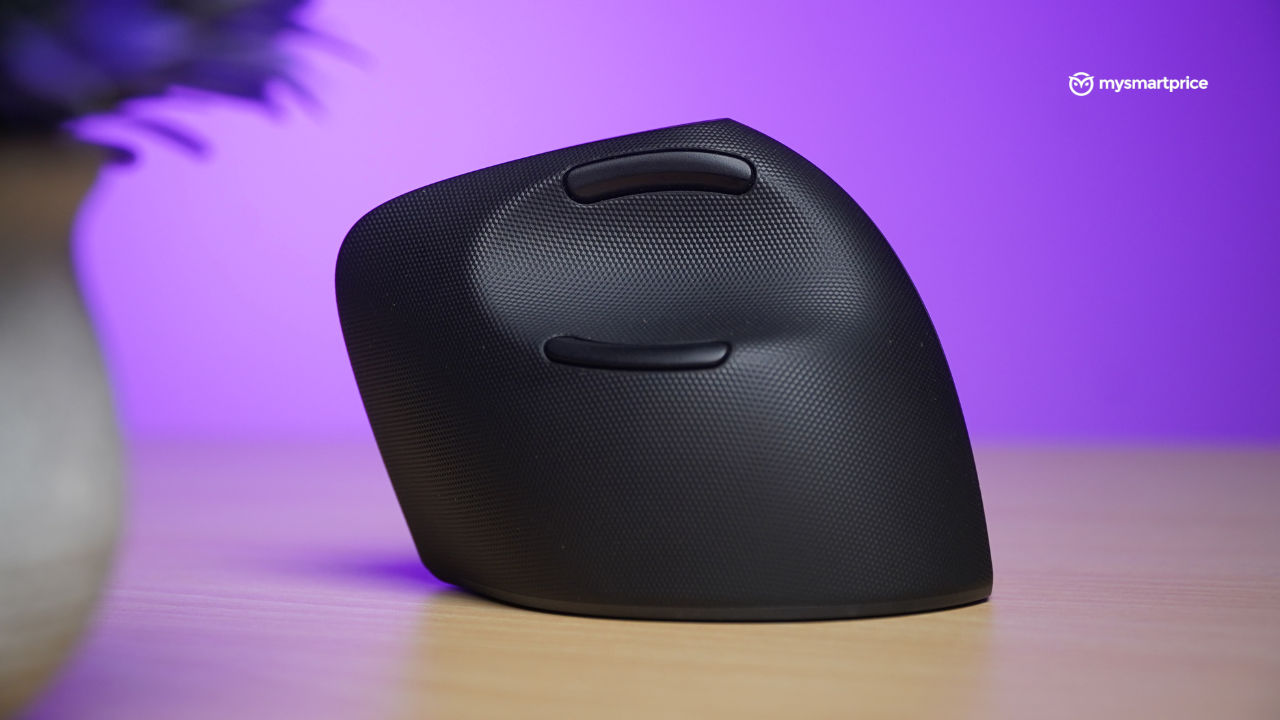
That said, there were some interesting takeaways. On the Mirage map, I had a surprisingly good time using the AWP. Scoping in with the right-click felt snappier, and flick shots had a certain punch to them; probably because of the upright wrist position giving more leverage through the palm. But the moment I switched to the AK-47, things fell apart. I struggled to manage recoil and line up shots accurately. A few rounds in, I was getting the hang of it, but it was definitely harder than usual.
On the other hand, when I switched to slower-paced, mission-driven games that focus more on exploration than quick reflexes, the Pro Click V2 Vertical did very well. It felt comfortable, responsive, and easy to use over long sessions.
Battery Life
Razer says the Pro Click V2 Vertical can last up to six months on a single charge during everyday use. That might be true for lighter tasks, but in my case, I had to plug it in every three days. I use the mouse for nearly nine hours straight every day, and my workload ranges from writing and researching to video editing and quick design tweaks.
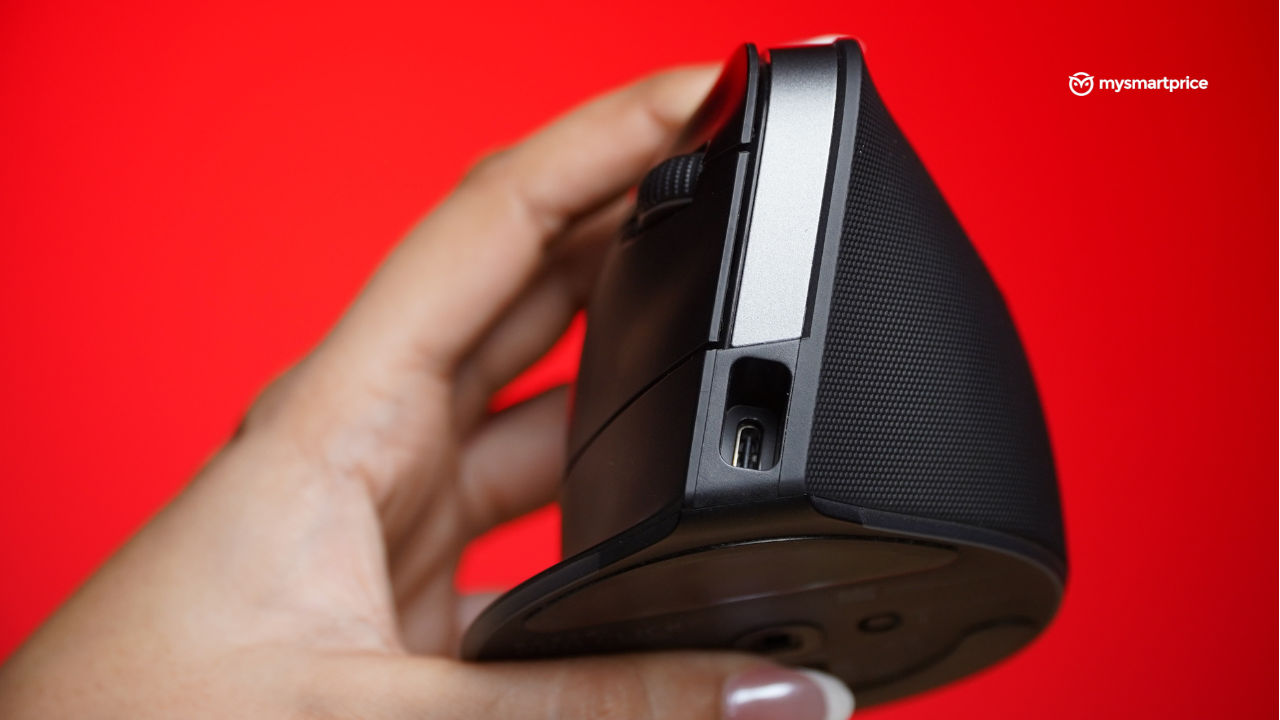
The good news is that it charges via USB-C, so I didn’t need to hunt for a special cable. I just used my phone charger, and it powered up from zero to full in about 35 minutes. The mouse also works in wired mode, so you can just plug and play in case the battery dies out.
Verdict
The Razer Pro Click V2 Vertical isn’t your average mouse, and that’s exactly the point. It takes some getting used to, especially if you’re switching from a traditional flat mouse. But once you get past the learning curve, it offers a level of comfort that’s hard to let go of.
The ergonomic design feels incredibly well thought-out, with details like the contoured thumb groove and dedicated space for your pinky adding real-world comfort during long hours of use. Performance-wise, it’s smooth, precise, and even packs in some gaming-grade tech under the hood, though it’s clearly not built for competitive play.
At ₹13,071, the pricing does feel a bit steep. A more aggressive price tag would have made it more accessible; but if you’re in the market for a vertical mouse, this is still one of the best-designed options out there. It might be worth keeping an eye out for upcoming sales to get a better deal.
While a couple more programmable buttons would’ve been nice and it’s not designed for lefties, the Pro Click V2 Vertical stands tall, literally and figuratively—as a solid pick for professionals and creators who value long-term comfort and smart functionality.