Elon Musk has the highest net worth in the world, and he manages five companies across different genres. Hardik Pandya was the most expensive player transfer in the history of IPL, as he is the best all-rounder in the cricketing world. Tata and Reliance are the biggest conglomerates in the country, and they have a presence in almost every business sector.
HP OmniBook Ultra Flip
Rs 1,89,999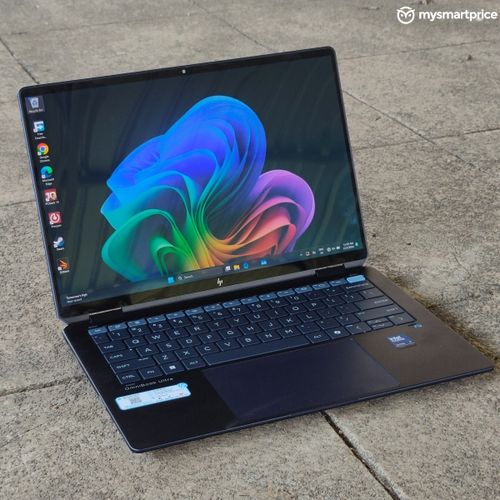
What Is Good?
- Beautiful OLED screen
- Thin and light form factor
- Excellent performance
- Superb battery life
- Tactile keyboard
What Is Bad?
- Runs warm and noisy during heavy usage
- Poor responsiveness of stylus
- Pricey at the moment
What do we learn from this?
If you want to make it big, then you must be versatile and adapt to all situations. The HP OmniBook Ultra Flip is one such laptop that gives you 2-in-1 flexibility without cutting corners. It features the latest Intel Core Ultra 200V Series processors paired with a beautiful OLED touchscreen and a 360-degree hinge. But is this laptop worth its premium price tag of Rs 1.8 lakhs? Let’s find out in our review.
Price and Availability in India
Pricing for the HP OmniBook Ultra Flip starts at Rs 1,81,999 in India. It is available in three variants:
| Laptop | Model | Price |
| HP OmniBook Ultra Flip | 14-fh0026TU | Rs 1,81,999 |
| 14-fh0046TU (Our unit) | Rs 1,89,999 | |
| 14-fh0029TU | Rs 1,91,999 |
The laptop is sold on HP.com, Amazon, Flipkart, and other retail stores.
Build and Design
The HP OmniBook Ultra Flip has an all-metal build which feels sturdy and premium. At the same time, it feels comfortable to carry around as the laptop weighs 1.34kg. The lid has subtle HP branding and the Atmospheric Blue colour looks pleasing and professional. As soon as you open the 360-degree hinge, it sends out an instant message in the room that it’s time for business.
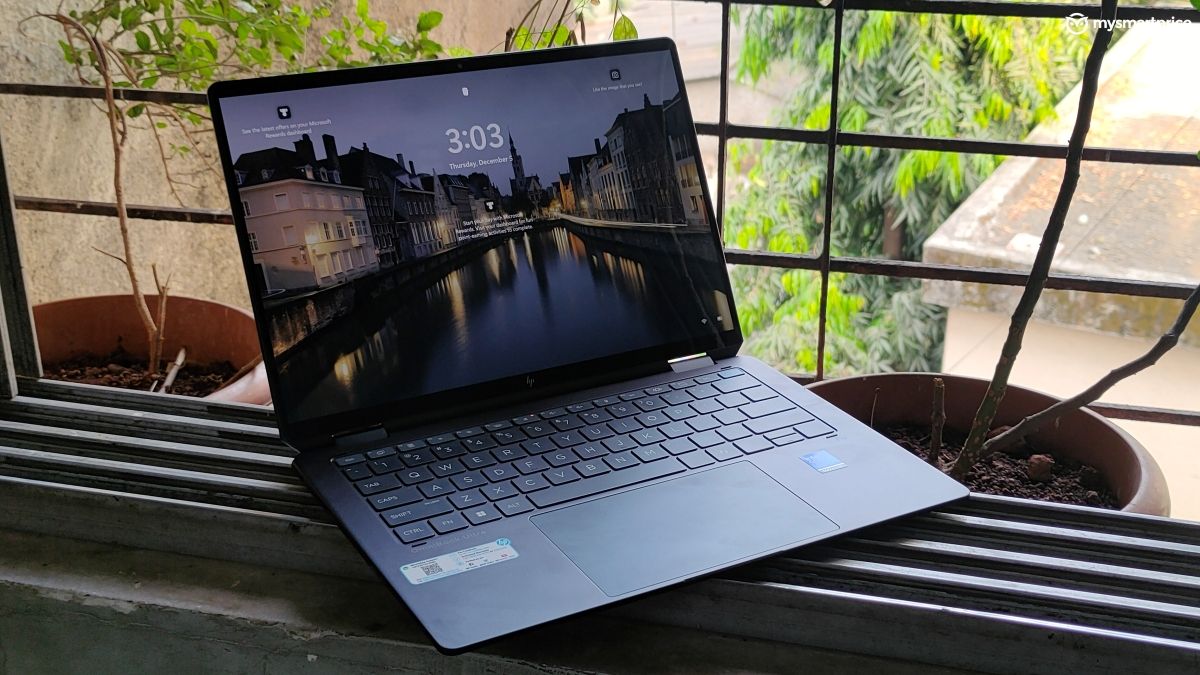
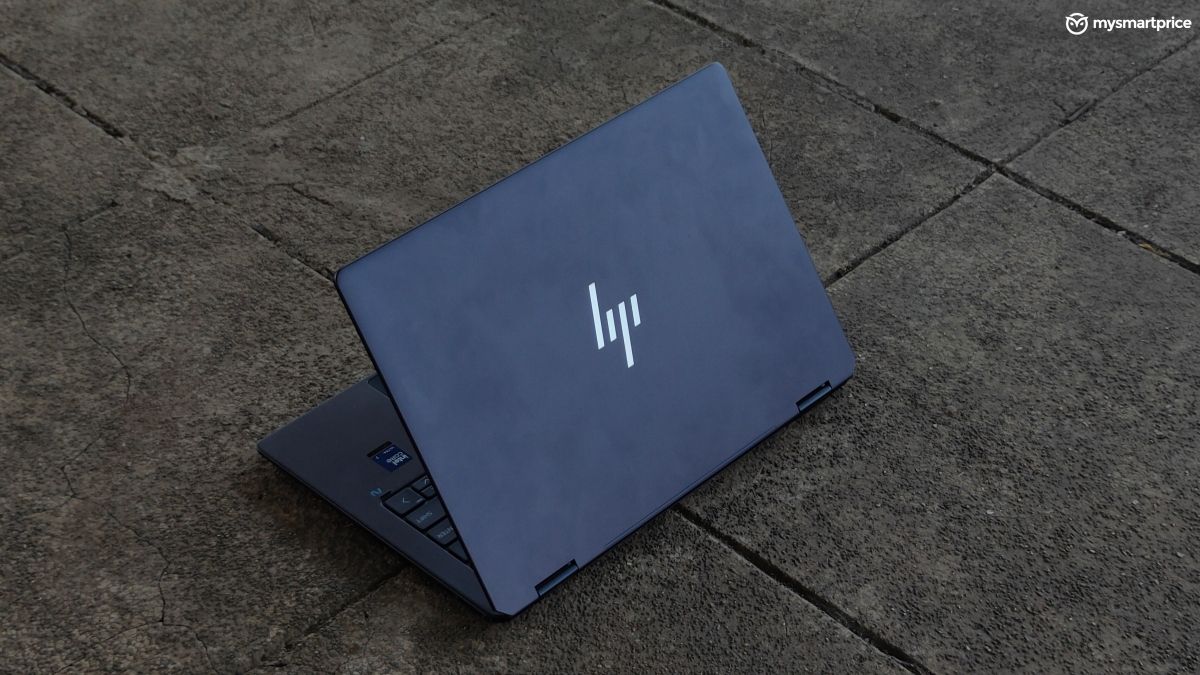
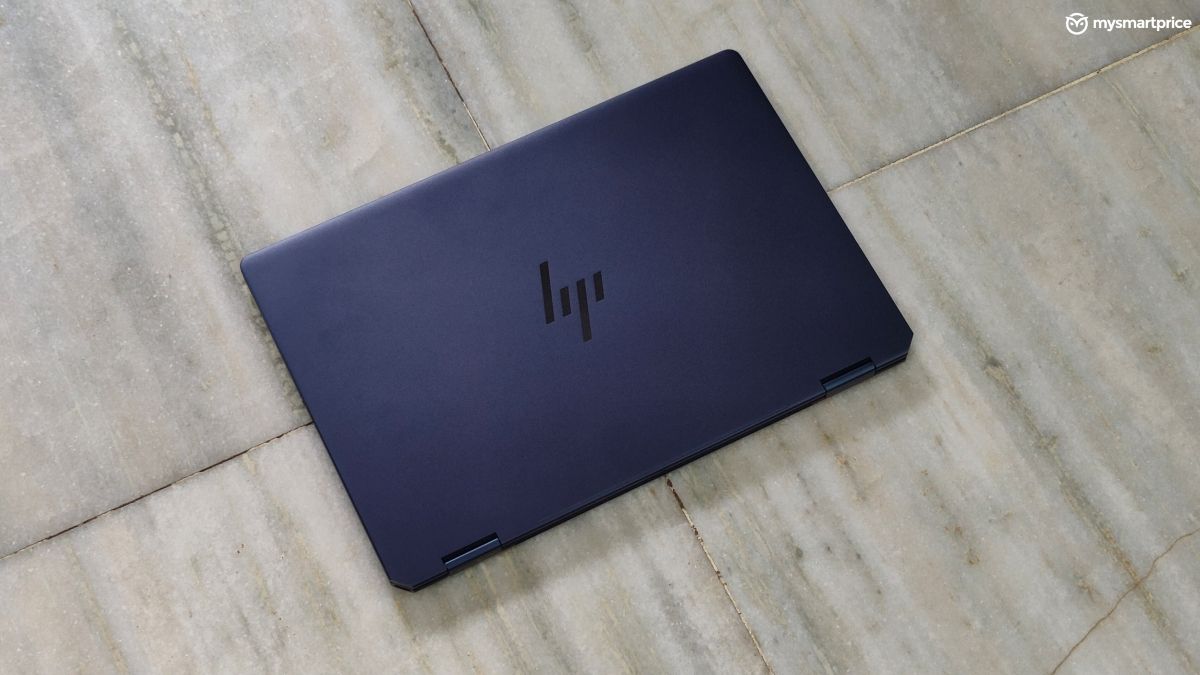
The hinge stays in its position even at steep angles. I did not face any wobbles or shakes while typing. The laptop also has excellent stability while using it as a flip screen. However, there is no rubber padding on the edges of the lid, so your laptop may skid on glass surfaces while using it in the inverted-V position. It’s not a con, but it’s something that you should be careful about.
| Position | Ports |
| Ports (Left) | 1x USB-C 10Gbps, 3.5mm headphone jack |
| Ports (Right) | 2x Thunderbolt 4 Type-C with DisplayPort 2.1 support |
| Connectivity | Intel Fillmore Peak 2 WiFi 7, Bluetooth 5.4 |
The I/O connectivity is decent with two Thunderbolt 4 ports and an additional USB-C port for charging and data transfers. The diagonal position of the ports makes it easier to connect your charger and accessories while using it as a flip screen.
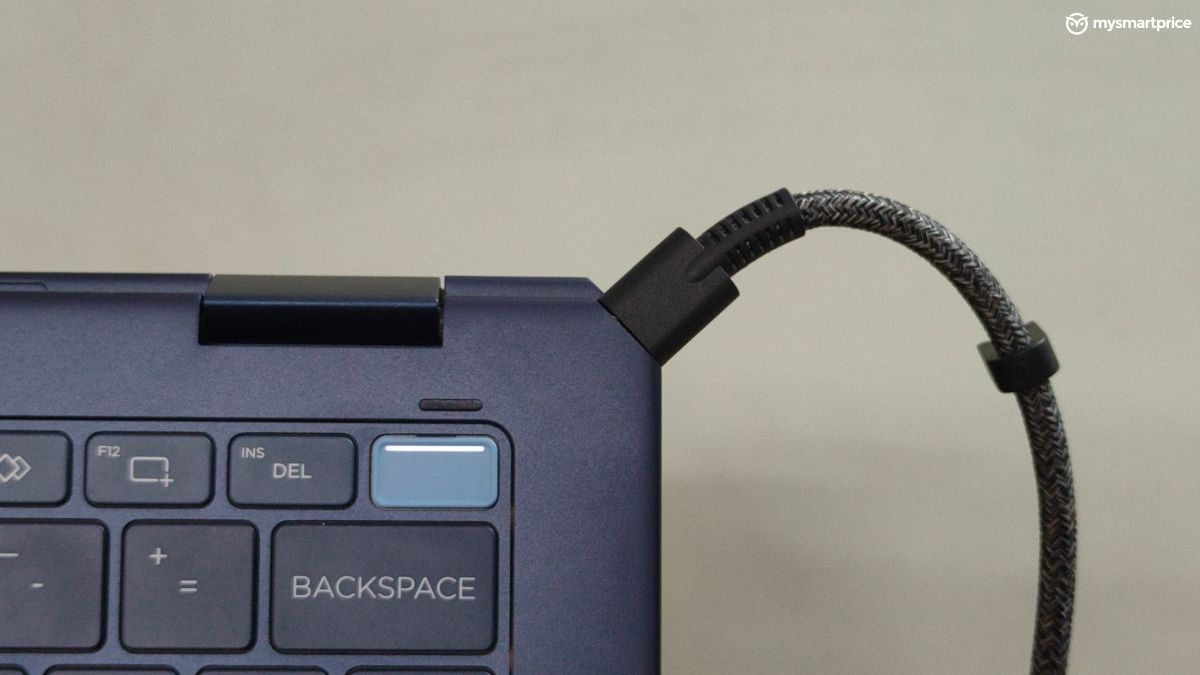
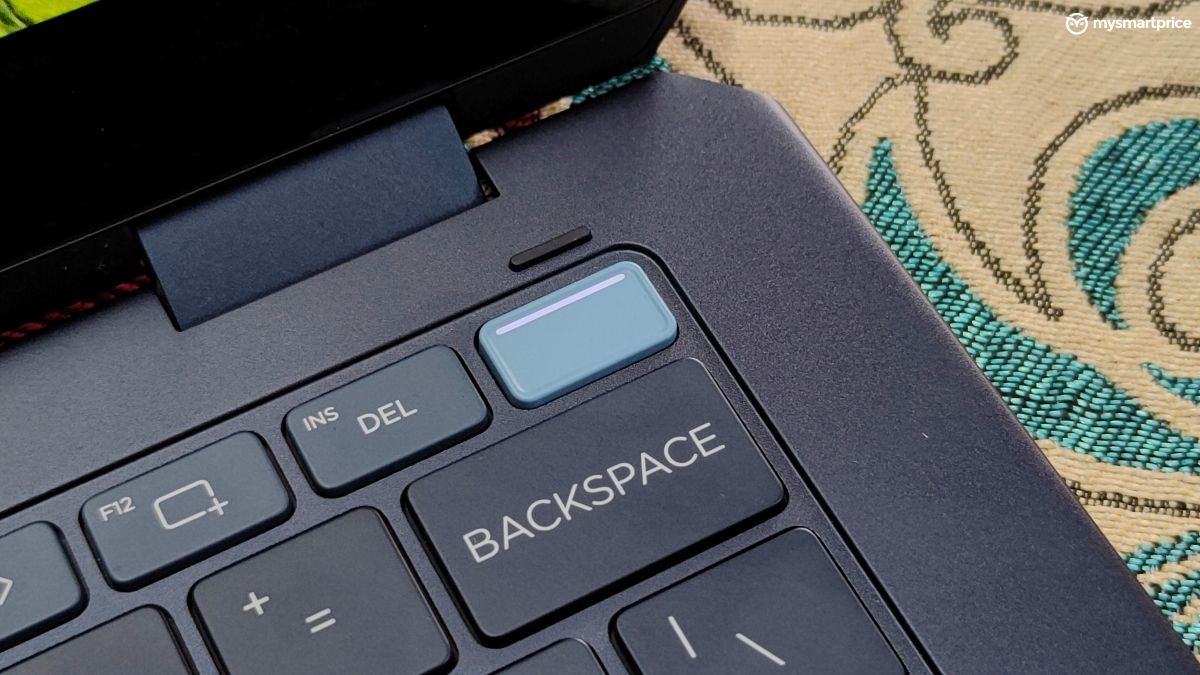
The HP OmniBook Ultra has a 9MP infrared camera. The video quality is good for conferences and meetings, but it is still far from matching the 12MP Centre Stage camera on the latest MacBook Pro models. It is compatible with Windows Hello and face unlock worked seamlessly in my usage with no errors. You also get a fingerprint scanner embedded in the power button on the keyboard which worked flawlessly in my testing.
Display and Audio
The OLED screen of the HP OmniBook Ultra Flip produces rich and natural colours. The blacks are deep and the saturation levels are a little boosted which adds some flair. You can adjust the colour temperature from settings, but I was comfortable with the default settings. I streamed a few movies on Amazon Prime Video and Disney+Hotstar, and the viewing experience was cinematic with the thin bezels and OLED richness. The 120Hz refresh rate adds a smooth scrolling experience.
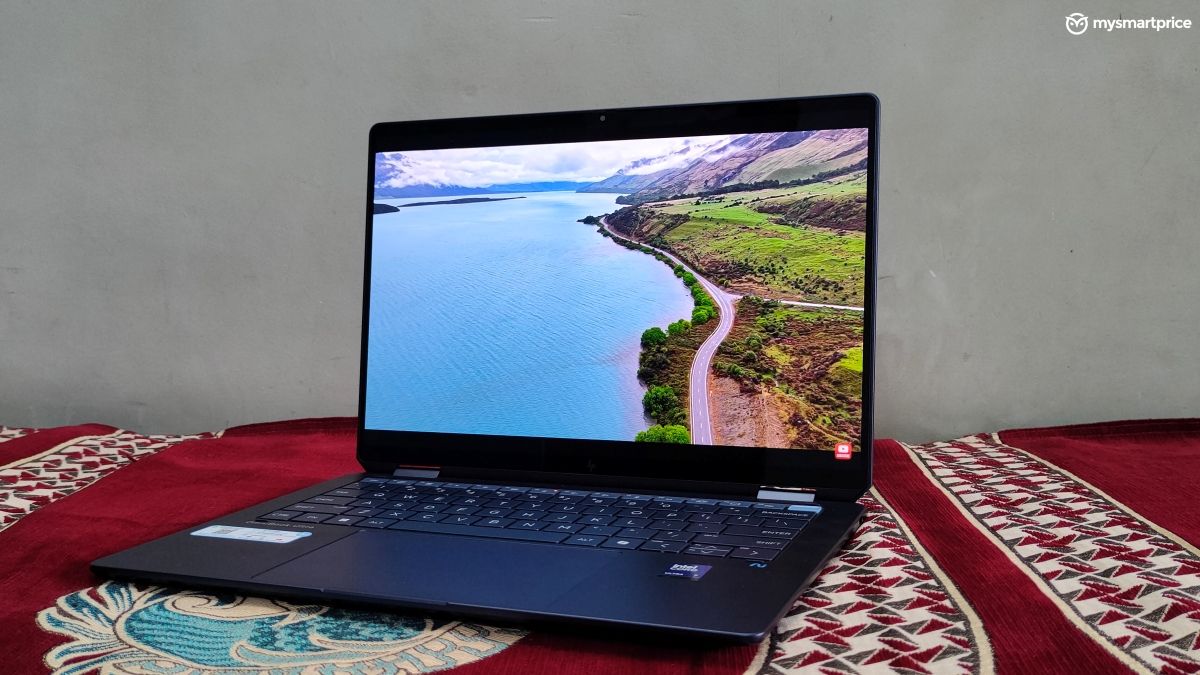
| Display | Specifications |
| Type | OLED |
| Size | 14-inch |
| Resolution | 2.8K resolution, 2880×1800 pixels |
| Refresh rate | 120Hz |
| Peak brightness | 500nits |
| Special Features | Low Blue Light |
| Touchscreen | Yes, with Corning Gorilla Glass 5 protection |
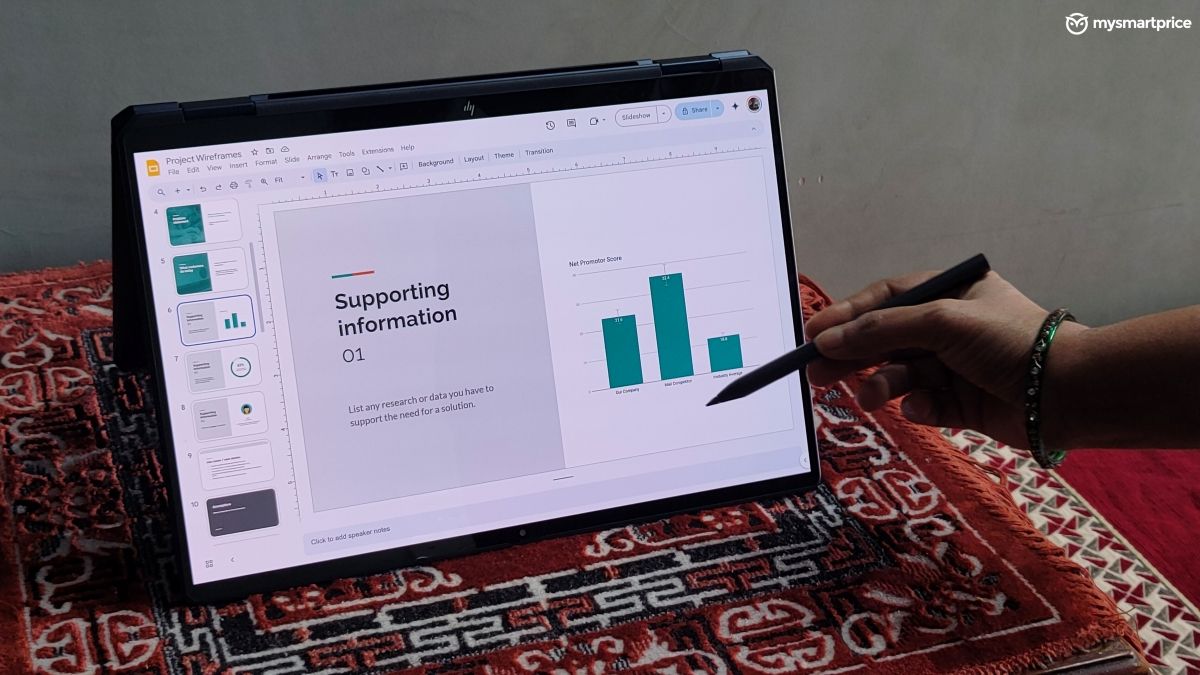
The touch sensitivity of the screen was as good as a normal smartphone. You also get a stylus, but I did not enjoy it much. In my testing, the touch worked better with my fingers. The responsiveness of the stylus could have been better. It’s good for navigating through presentations, but not good enough for tasks like sketching.
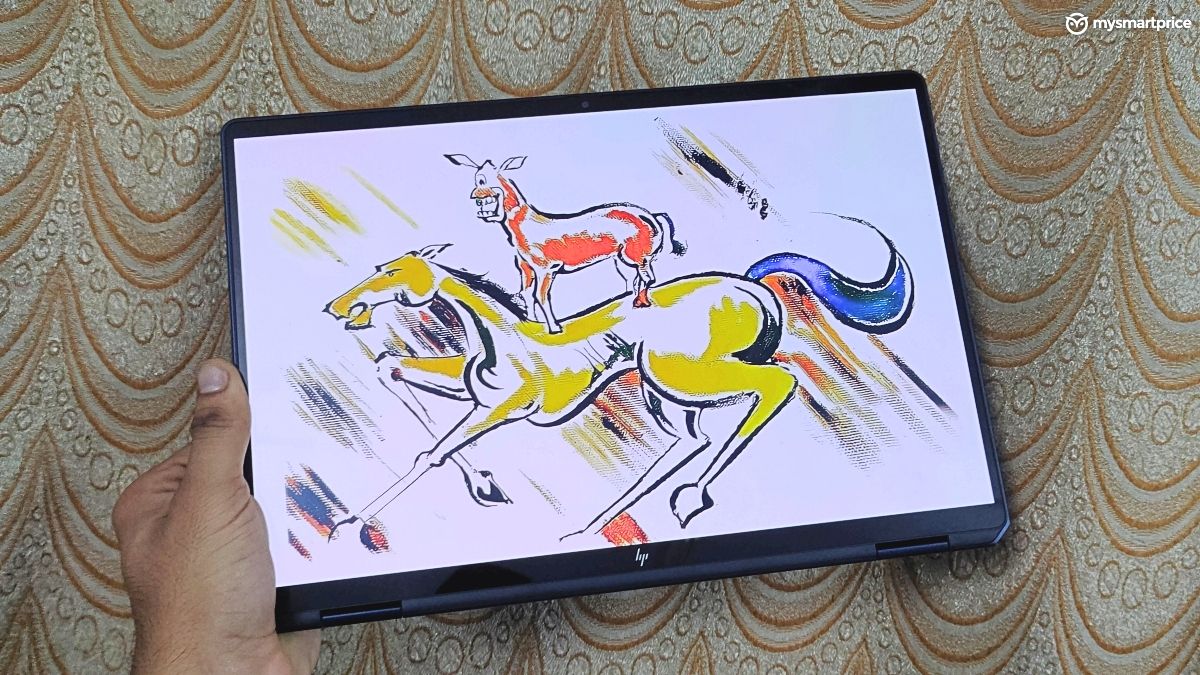
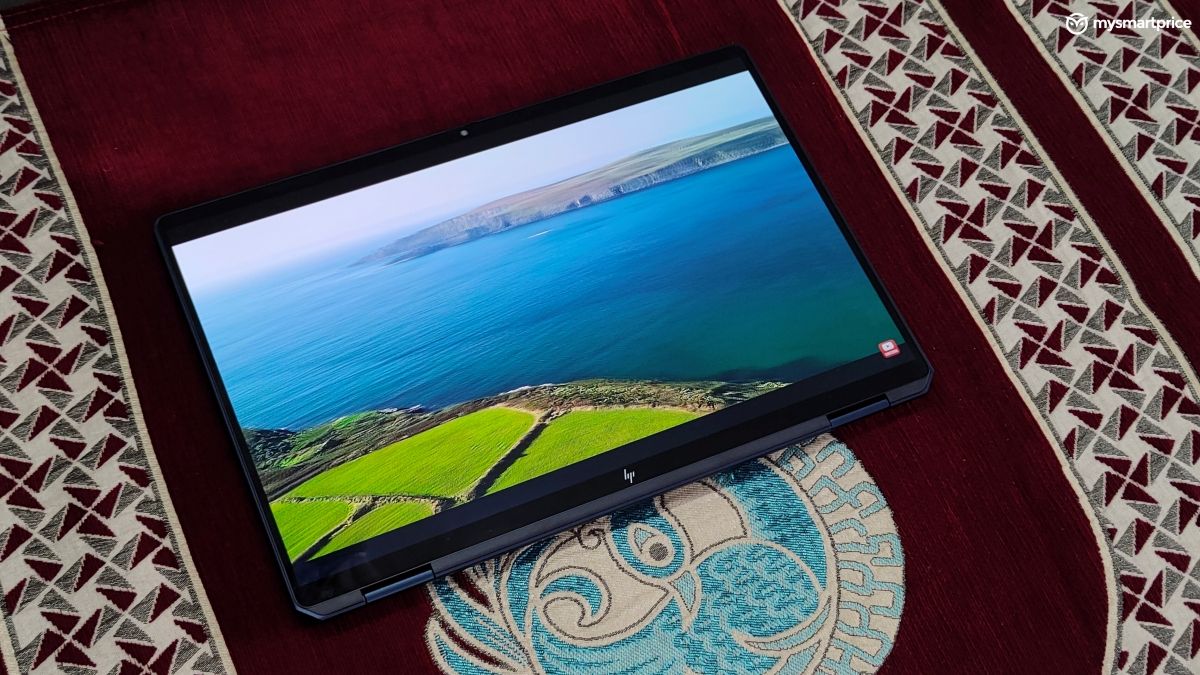
The downward-firing stereo speakers have a clean sound output even at full volumes. I did not hear any distortions or mufflings. These can get really loud, and I found myself using them at around 30% volume.
Keyboard and Trackpad
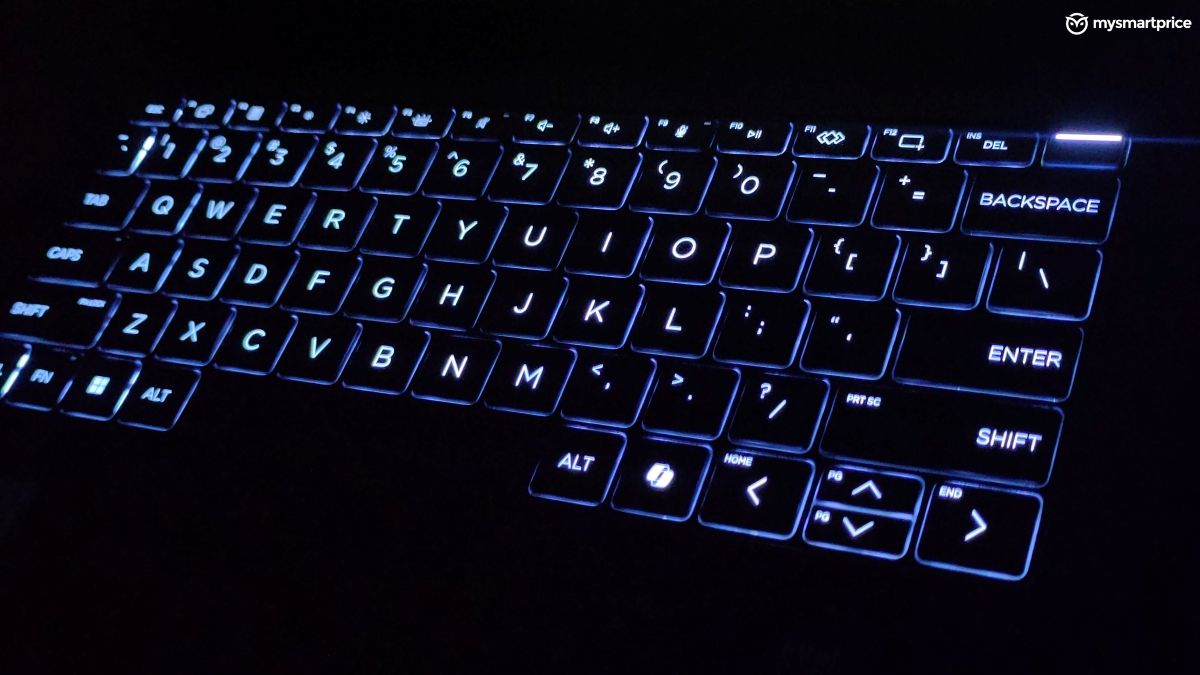
The keyboard of the HP OmniBook Ultra Flip offers excellent feedback. The keys offer a tactile feel and have a white backlight. However, compared to the HP Omen Transcend 16, the keys were a bit noisy. If you type too quickly, then the sound can be a little annoying for people near you.
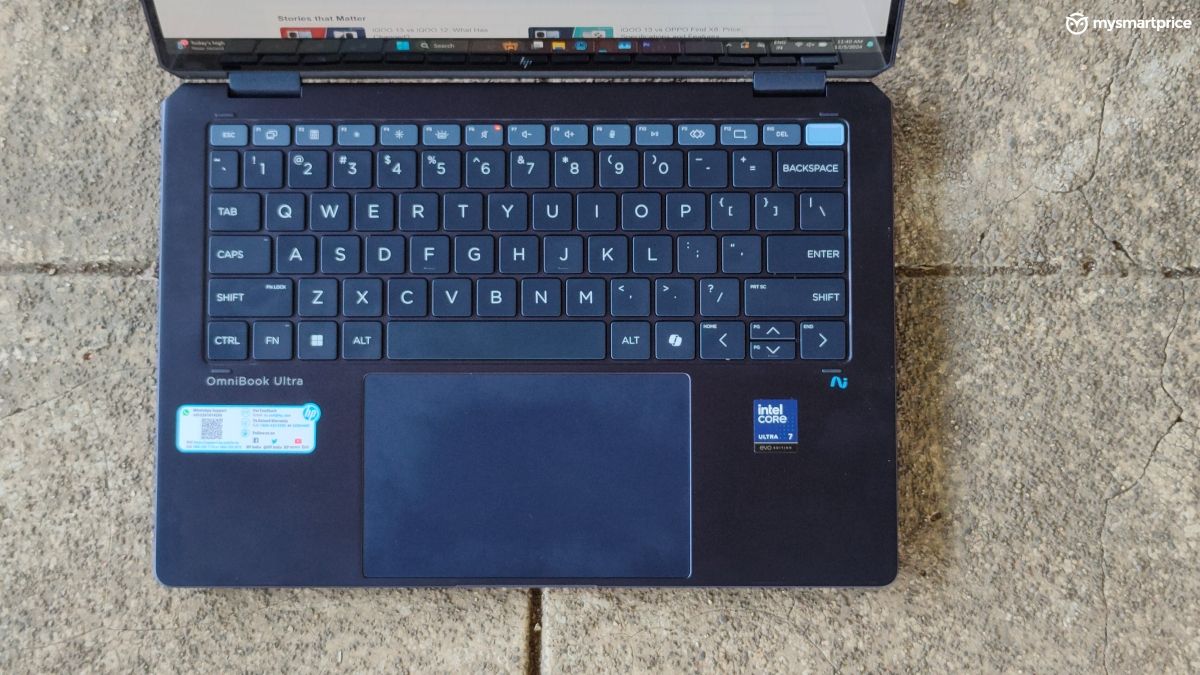
The trackpad has a huge size and I found the accuracy to be great. But it had poor feedback for left and right clicks. Sometimes, I did not even realise that I had clicked it, but the laptop registered it.
Performance
The HP OmniBook Ultra Flip features the latest Intel Core Ultra 200V Series processors based on the Lunar Lake architecture. It is available in up to Core Ultra 9, but our unit has the Core Ultra 7 258V.
| Hardware | Specification |
| CPU | Intel Core Ultra 7 258V, 8 cores (4P + 4E), 8 threads, 4.8GHz Max Turbo |
| GPU | Intel Arc Graphics 140V |
| NPU | Intel AI Boost, 48 TOPS |
| RAM | 32GB LPDDR5X |
| Storage | 1TB PCIe 4.0 NVMe M.2 SSD |
My daily usage of the laptop was truly seamless. My normal tasks include writing a lot of documents, and emails, creating thumbnails, and handling spreadsheets while keeping a lot of tabs open. It aced through this workflow without catching a breath. I was able to keep over 25 tabs active in Google Chrome. I’m pretty sure it can handle more, but then it becomes difficult to manage that many tabs on a 14-inch screen.
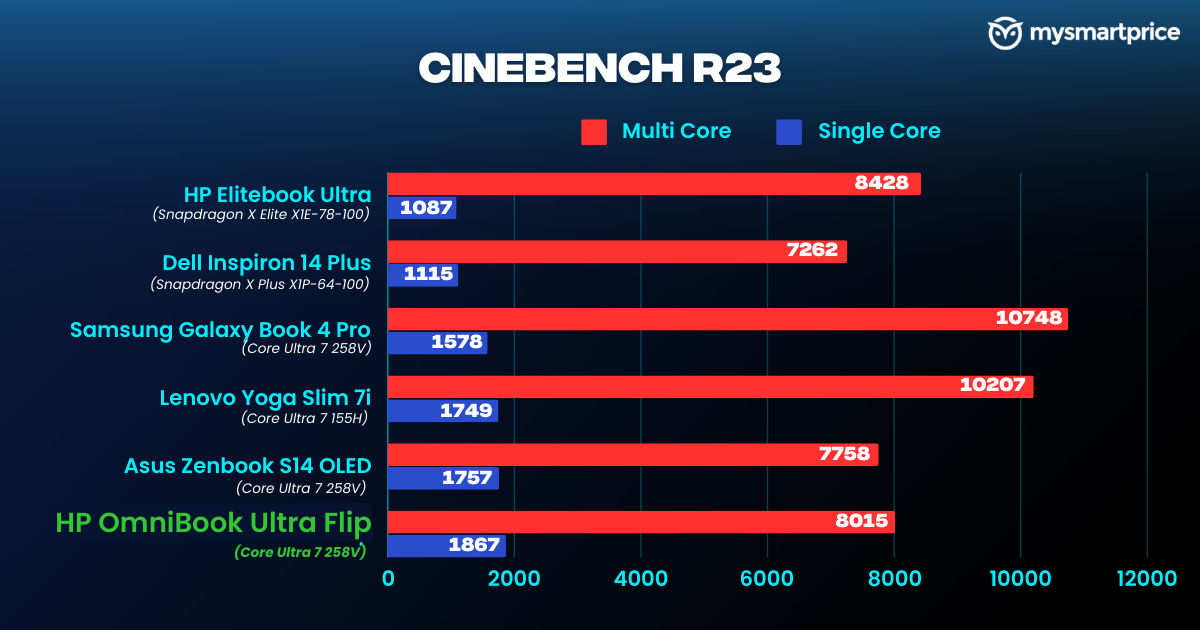
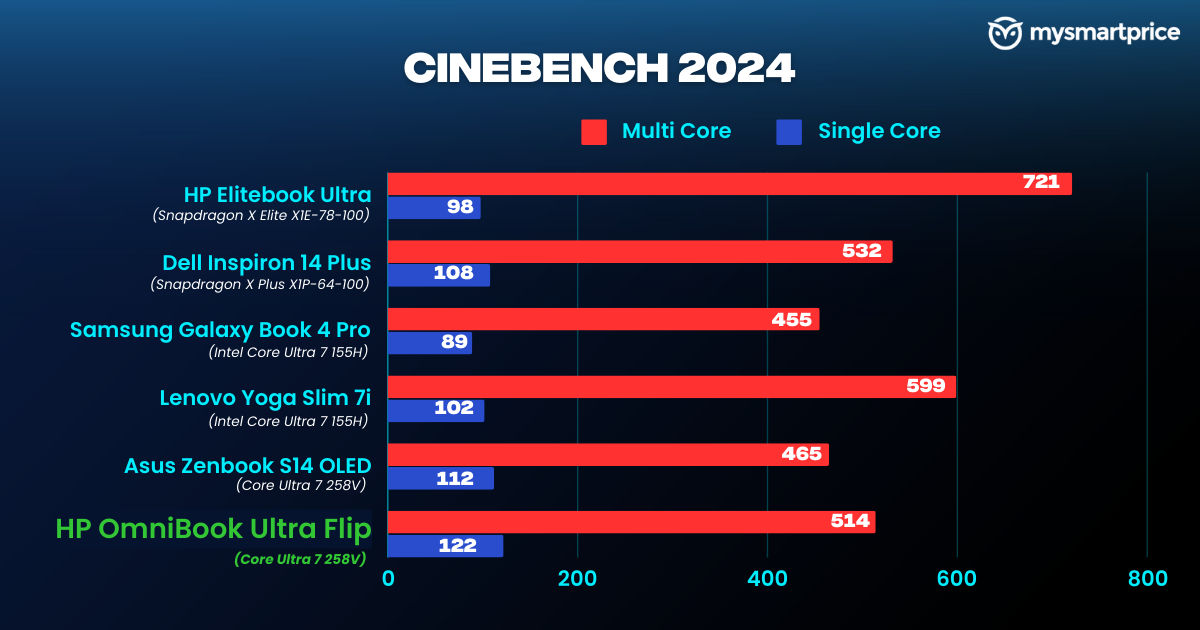
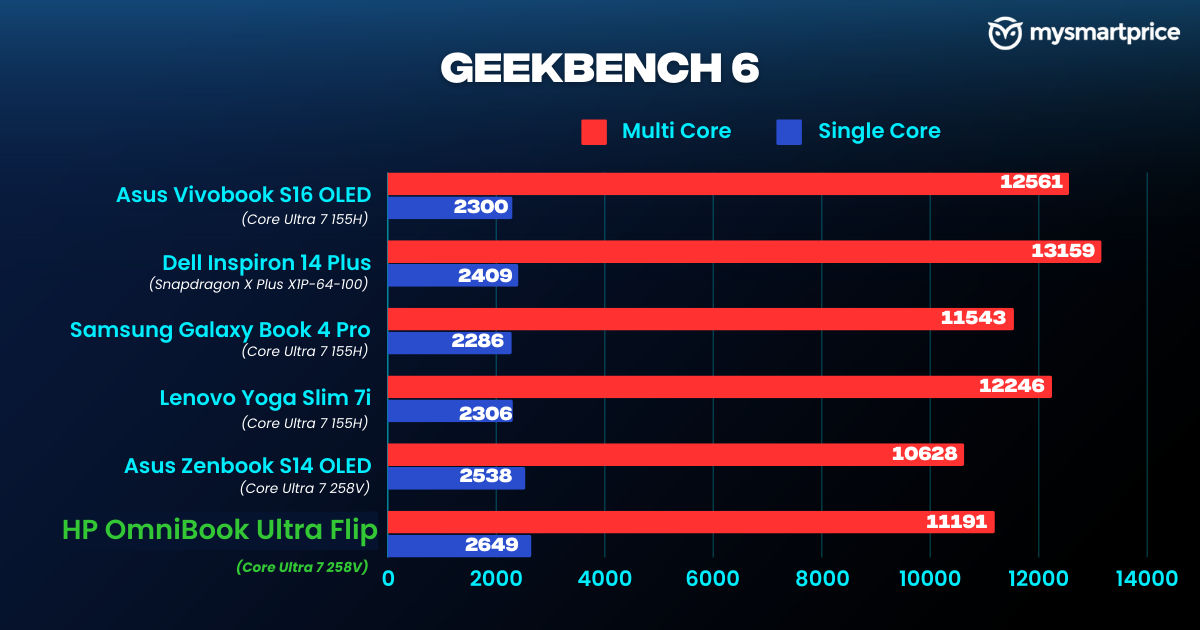
The HP OmniBook Flip Ultra managed to score higher than the Asus Zenbook S14 OLED (Review) in benchmarks, by using the same processor. It also performed better in single-core performance compared to the Core Ultra 7 155H-based laptop models like the Lenovo Yoga Slim 7i (Review), Asus Vivobook S16 OLED, and the Dell Inspiron 14 Plus (Review). However, it still lags in multi-core tasks by a small margin compared to previous-gen Intel chips.
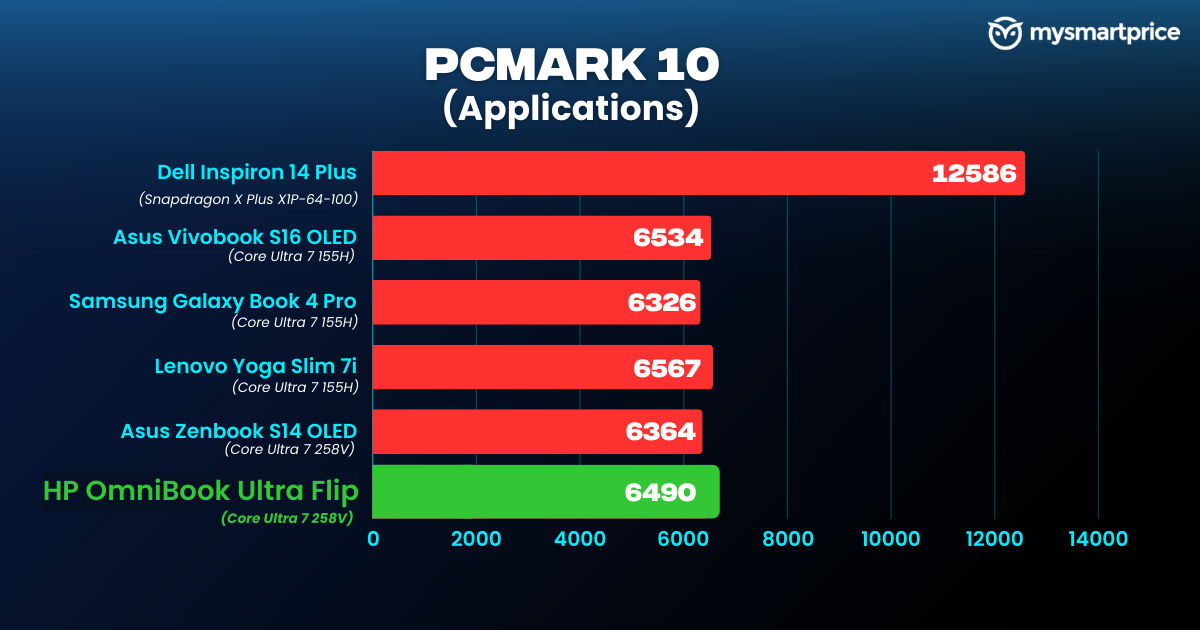
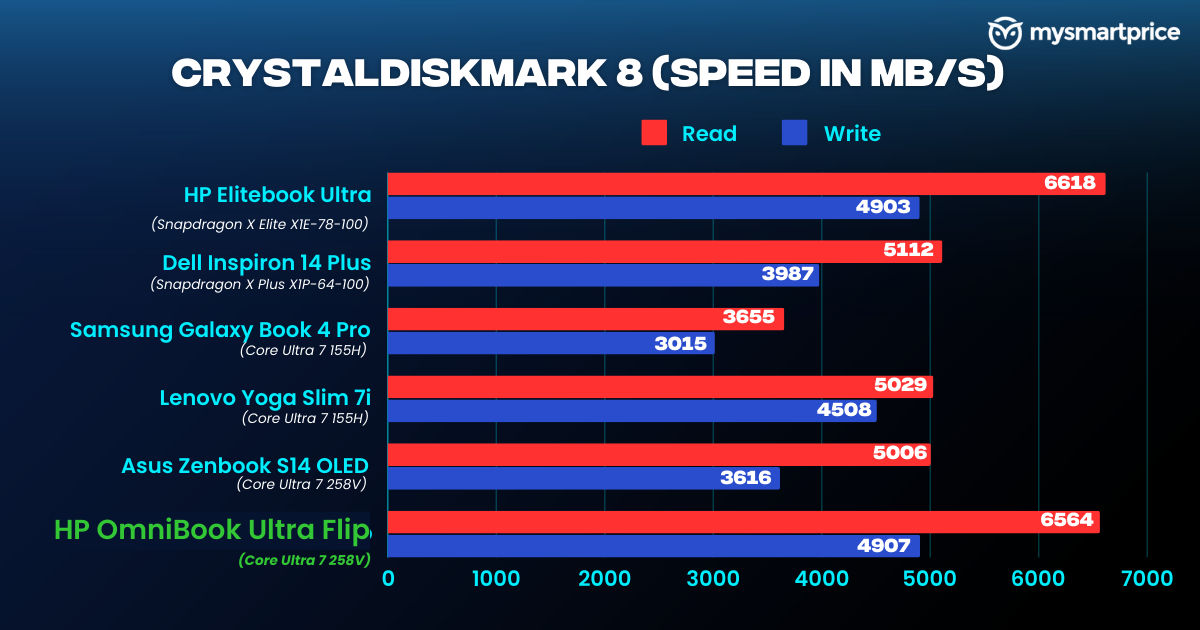
While the performance is top-notch, I noticed that the HP OmniBook Ultra Flip was running comparatively warmer than the Asus Zenbook S14 OLED. After completing benchmarks or an extended session of a basic video edit, the chassis felt warm to the touch and can be uncomfortable for some users. The fans also make a high-pitched hissing noise which I found very annoying.
The latest Intel Ultra 7 258V can match the performance of its predecessor, the Ultra 7 155H while consuming almost half the power. So instead of getting a boost in performance, we are getting more efficiency which helped in better battery life.
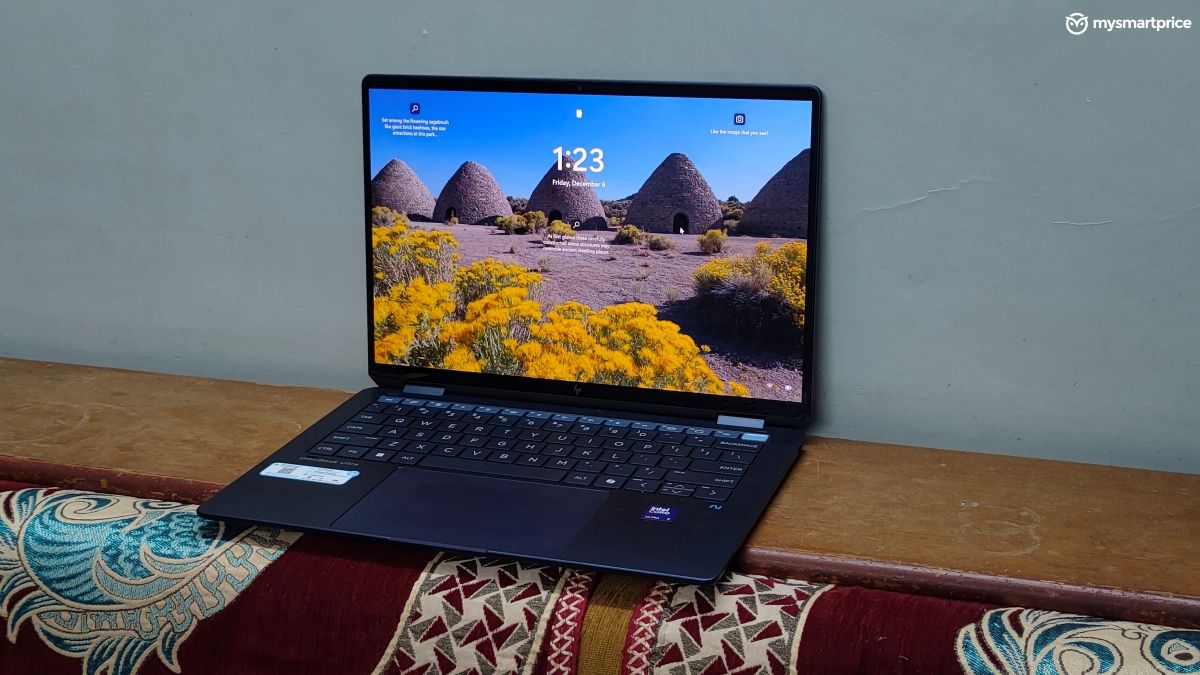
After testing the HP OmniBook Flip Ultra and the Asus Zenbook S14 OLED, I can say that Intel’s Lunar Lake chips have narrowed down the performance and efficiency gap with its Qualcomm Snapdragon X Plus/Elite counterparts. It’s fascinating to witness what Intel has achieved on x86, without switching to ARM.
The HP OmniBook Ultra Flip is also among the most capable AI PCs with 48 TOPS. However, it only has limited applications for specific tasks like generating video transcriptions in Adobe Premiere Pro, using AI-powered edge detection in editing, etc. It is indeed useful for software developers who work with large language models. But if you are a normal user or even a power user who does a lot of video editing, this laptop has more AI capabilities than you can use.
Battery Life and Charging
The laptop is backed by a 64Wh battery. I was easily able to extract a screen on time of up to six hours with my daily usage.
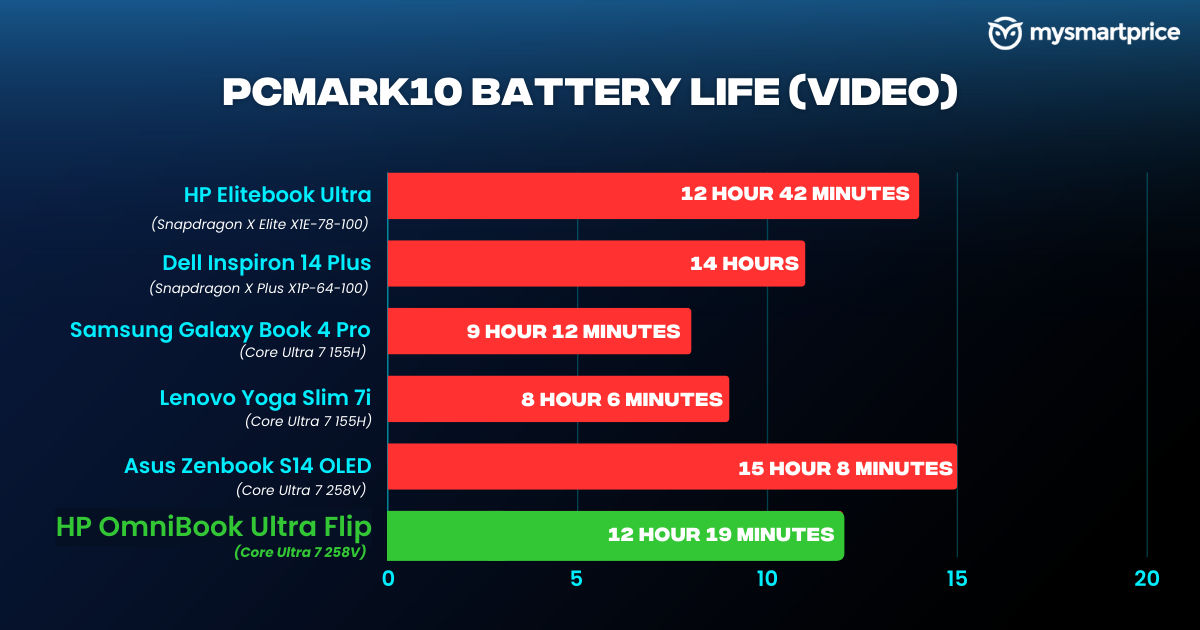
In our PCMark battery test, the HP OmniBook Ultra Flip lasted for 12 hours 19 mins, beating all laptops with the Core Ultra 7 155H. The Asus Zenbook S14 OLED with the same managed to surpass it with its larger capacity battery (72Wh).
It supports 65W charging, and the laptop takes approximately 1 hour 45 minutes to charge from 0-100% using the bundled charger.
Verdict
The HP OmniBook Ultra Flip is a flamboyant machine with its professional design, classy looks, and 2-in-1 nature. It has an impressive OLED touchscreen, a tactile keyboard, excellent battery, and more performance than you probably need. The improved efficiency of the new Intel Lunar Lake chips also brings them closer to the Snapdragon X laptops, marking fierce competition.
However, at a price tag of Rs 1,89,999 for our variant, it starts to compete with the new MacBook Pro models with M4 and M4 Pro chips. Even the Asus Zenbook S14 OLED with a touchscreen and the same Intel chip is priced at Rs 40,000 lower. So you are essentially paying this premium just for the 2-in-1 nature, which becomes hard to justify.
The HP OmniBook Ultra Flip is not a bad laptop at all. I loved using it, and if it was in my control, I would have kept it with me for longer because I liked the flexibility it offers. But will I pay that premium amount just for this experience? Probably not.
Since these are the early days of the new Intel Lunar Lake chips, it is understandable why these laptops are priced higher. But if you can get the HP OmniBook Ultra Flip for around 1.4 lakhs after a few months, then it is one of the best Windows laptops that you can buy.