There is a question I could not stop asking while testing this laptop, and it has nothing to do with Dell. It is this: what does Rs 80,000 actually buy you in August 2026?
Dell XPS 13
Rs 79,990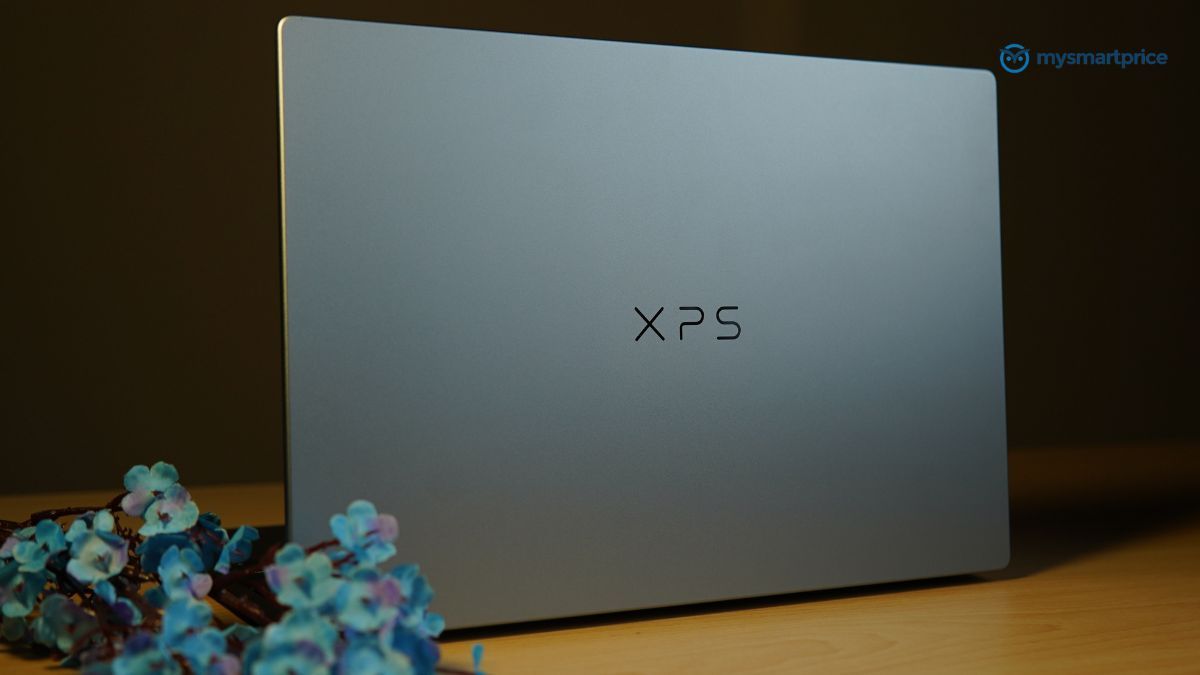
What Is Good?
- Premium 13mm aluminium chassis at just 1kg, lighter than the MacBook Neo and Air.
- Excellent 2.5K 120Hz touchscreen with 500 nits, 98% DCI-P3 coverage and no PWM flicker.
- Over nine hours of real-world battery life from a 52Wh cell.
- Efficient Core 5 320 chip with 98.7% frame rate stability under sustained load.
- Comfortable chiclet keyboard and reliable traditional clickpad.
What Is Bad?
- Only two USB Type-C ports, making a dongle almost essential.
- No 3.5mm audio jack for wired headphones.
- Weak integrated graphics, scoring roughly half the Core Ultra 5 125H.
- Multi-core performance trails cheaper rivals such as the Acer Aspire 5.
- 8GB base model struggles with heavy multitasking, with soldered memory.
The answer, in most cases, is depressing. The component shortage has quietly rewritten the entire mid-range. Machines that sold for around Rs 50,000 in 2025, already running processors and GPUs two or three generations behind, are now asking close to Rs 80,000. Drop to Rs 50,000 today and you are looking at dual-core chips of the sort that were routine half a decade ago, paired with DDR4 memory that first appeared in 2014.
That is the market the Dell XPS 13 (2026) has walked into, and it is the only reason the rest of this review reads the way it does. The configuration I tested pairs an Intel Core 5 320 with 8GB of LPDDR5x memory and a 512GB SSD, and it sells for Rs 79,990, or Rs 73,990 once the current discounts are applied, which will not last indefinitely.
The obvious worry with that configuration is the memory. So that is what I set out to answer first, whether 8GB is still enough for ordinary Windows 11 productivity in 2026. The answer surprised me in one direction and confirmed my suspicions in another. Here is how it went.
Dell XPS 13 (2026) Specifications
- Processor: Intel Core 5-320 (6 cores, up to 4.6 GHz)
- Graphics: Integrated Intel Graphics
- Display: 13.4-inch 2.5K touchscreen (2560 × 1600, 30-120Hz, 500 nits)
- Memory: 8 GB LPDDR5x RAM
- Storage: 512 GB SSD
- Battery: 3-cell lithium-ion battery with up to 10 hours of runtime
- Dimensions: 13 mm thickness
- Weight: 1 Kg
- Ports: 2x USB Type-C with DisplayPort
- Connectivity: Bluetooth 6.0 support
- Keyboard: Backlit keyboard
- Camera: HD webcam with built-in microphone
- Operating System: Windows 11 Home with Microsoft Office Home & Student 2024 and 12-month Microsoft 365 subscription
- Warranty: 1 year
Dell XPS 13 Build Quality, Keyboard and Ports
Start with the number that decides this section. The Dell weighs a kilogram. The MacBook Neo and the 13-inch MacBook Air both weigh 1.27kg, which puts them 270g heavier. That is not a rounding error, it is the difference you feel after an hour with a bag on one shoulder.
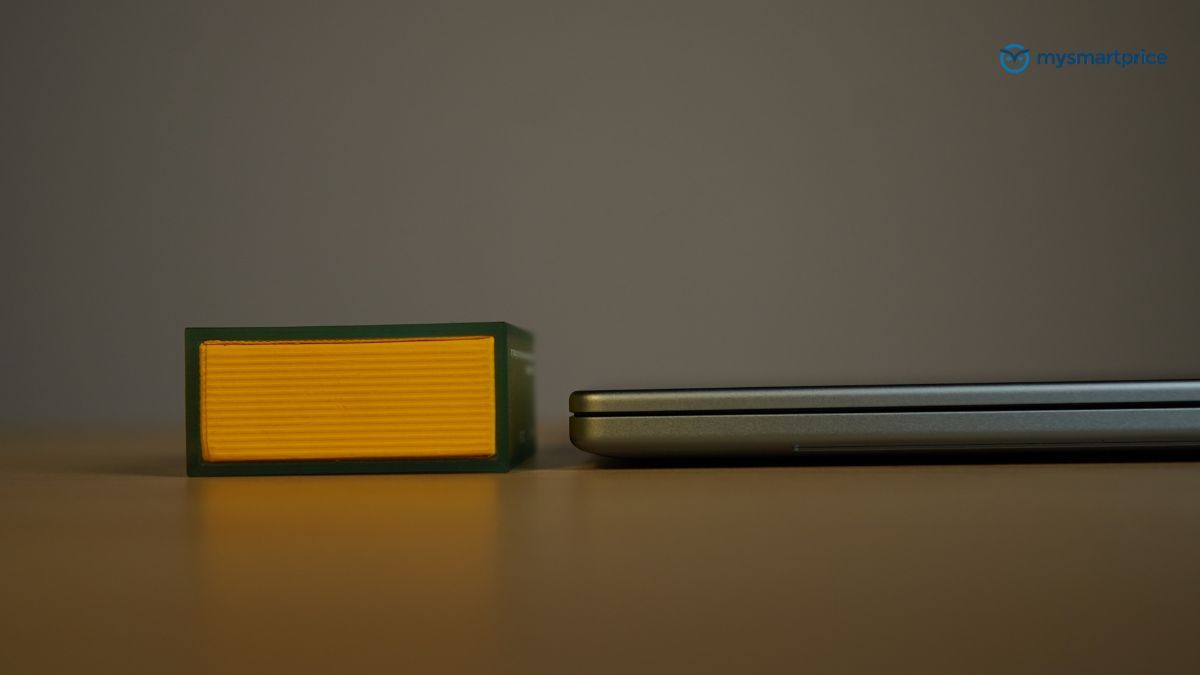
Apple wins on thickness, with the Neo at 12.7mm and the Air at 11.3mm against the Dell’s 13mm, but the extra two millimetres buy something. The XPS 13 has an active cooling system, where both Apple machines cool passively and will throttle once a load runs long enough. Dell is carrying a fan and still coming in lighter.
That kilogram sits inside a chassis built from scratch. Dell has used the XPS 13 name several times before and the temptation is to file this one alongside those, but the aluminium shell is new, and it feels it. Rigidity holds up to the sort of prodding that usually exposes thin laptops, the lid opens with one finger without the base lifting off the desk, and flex in both the display lid and the keyboard deck stays within reasonable limits.
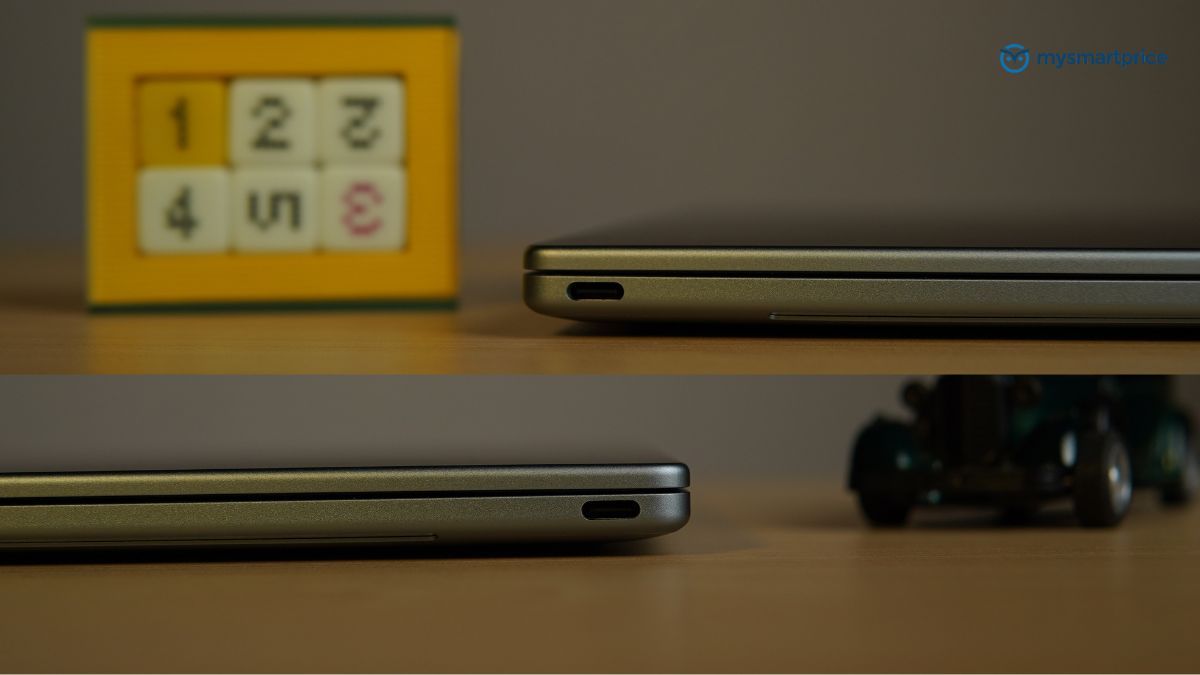
Then there are the ports, and this is where the premium impression breaks. There are two of them, both USB Type-C, both running USB 3.2 Gen 2 at up to 10Gbps with DisplayPort 2.1 over Alt Mode and USB Power Delivery 3.1. On display output the specification is generous, with each port handling 4K at 144Hz uncompressed, or 4K at 240Hz and 8K at 60Hz with DSC, and the laptop driving two external 4K panels at 60Hz apiece.
What it does not have is a 3.5mm jack. Wired headphone users are out of luck, and a multi-port USB dongle should be treated as part of the purchase rather than an accessory you might get round to.
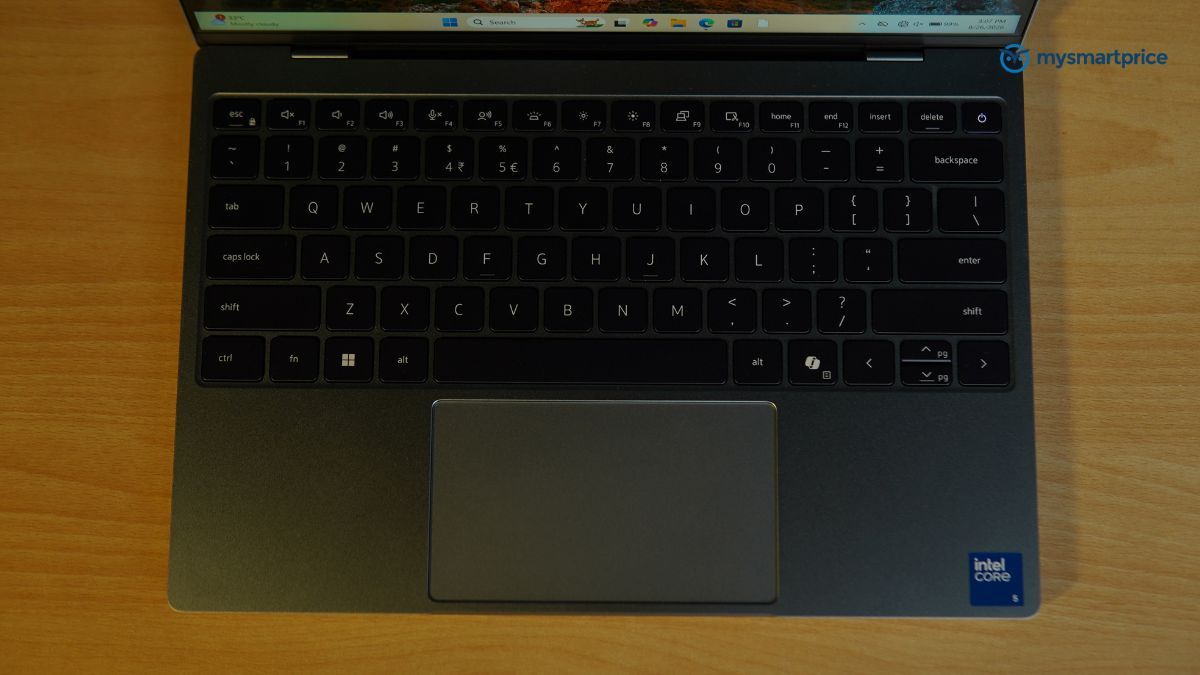
The input surfaces recover the ground the ports lose. The keyboard is a conventional chiclet layout, and I will take it over the zero-lattice arrangement on the Dell XPS 14 I reviewed recently. The reason is spacing. Keys that sit too far apart cost you accuracy and speed, and the XPS 13 avoids that. The bottom row does feel slightly soft, particularly Ctrl, Fn, Alt and the space bar, though I am cherry-picking to find something to complain about here and in practice it never registered.
Dell has also fitted a traditional clickpad rather than a haptic unit, which suits me. The invisible touchpad on the XPS 14 was an odd thing to live with, and I regularly lost track of where the left and right click zones were meant to be. Between the two, this is the machine I would rather type on all day.
Dell XPS 13 Display and Speakers
Against the MacBook Neo, this is not a contest. The Neo covers sRGB only, which rules it out of photo work, video work and anything else where colour accuracy matters. If you were weighing the two, the panel alone settles it, and it settles it in favour of the cheaper machine.
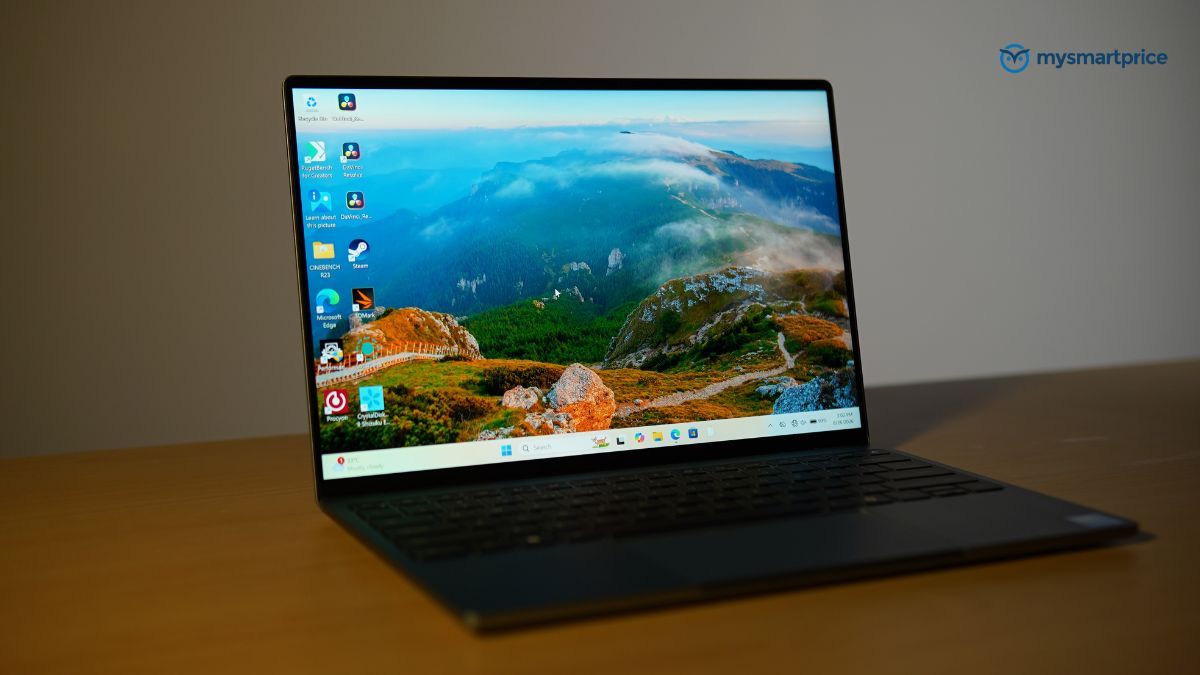
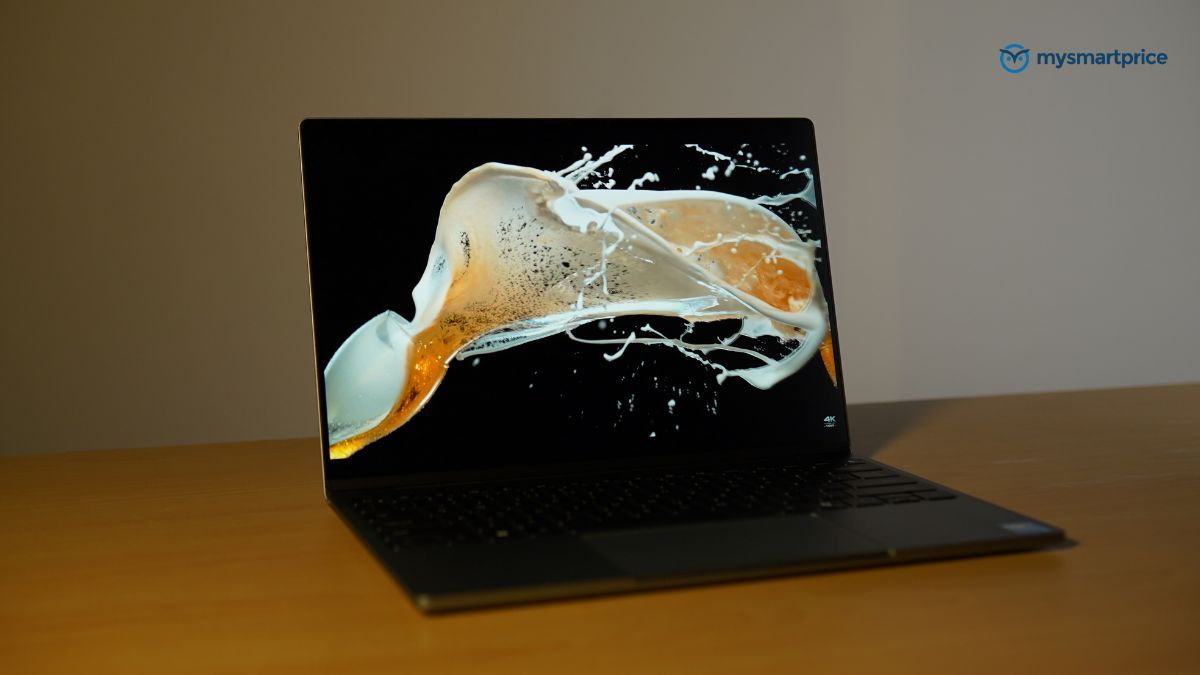
Here is what the Dell is bringing. The display runs to 500 nits with 99.9% sRGB and 98% DCI-P3 coverage, and there is no PWM flicker. That is a specification you would expect to pay considerably more for.
Three of its advantages are ones neither Apple machine can answer. It runs at 120Hz where both are capped at 60Hz, ProMotion still being reserved for the Pro line. It has a matte anti-glare coating. And it takes touch input. Of those, the refresh rate is the one that announces itself, and it does so within about five minutes of scrolling.
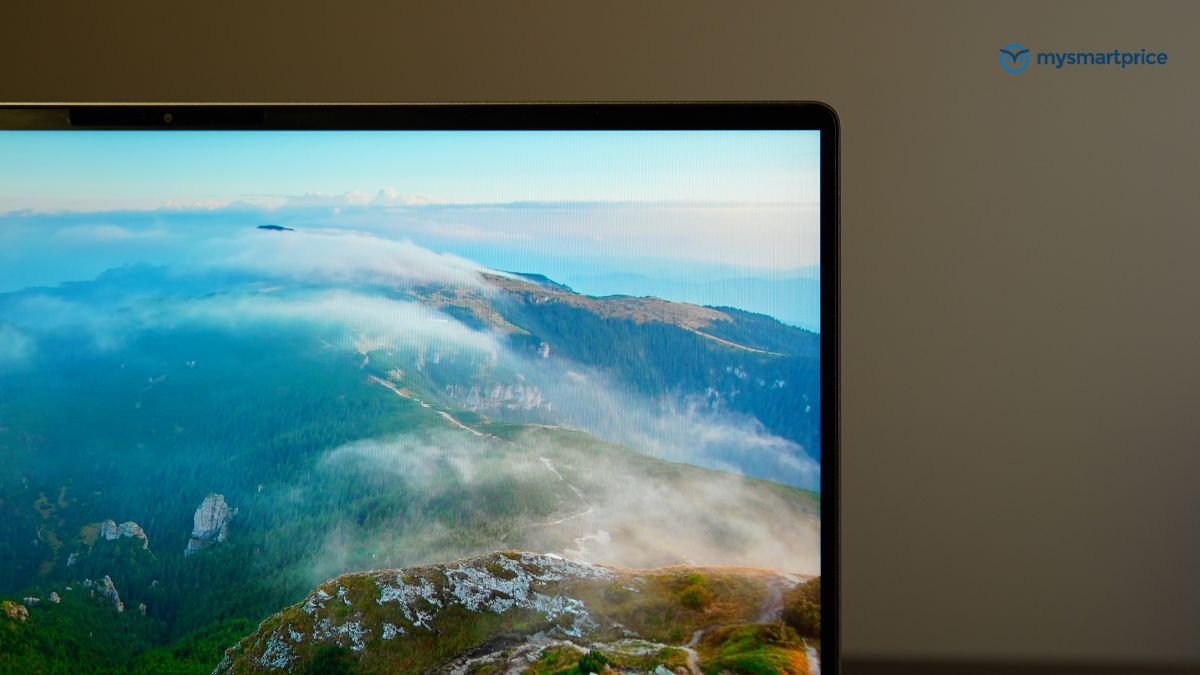
The M5 MacBook Air puts up the better fight of the two Apple laptops, matching the Dell on brightness and pixel density, offering marginally more vertical space and adding True Tone. But it is still a 60Hz glossy panel, and it is not a sub-Rs 1 lakh laptop. For a 13-inch machine at this price, the Dell’s display is about as good as the category currently offers.
Audio splits the same way but with a different winner. The Dell’s four drivers, with dedicated woofers and tweeters, comfortably outgun the Neo’s two-speaker stereo arrangement, leaving the Neo last of the three again. Against the M5 Air it is four drivers against four, which looks like a draw on the specification sheet. In practice Apple tends to tune better and extract more convincing bass from a thin body, and it has Spatial Audio, which the Dell does not. The Air takes this one.
Dell XPS 13 Battery Life
Take the closest thing the XPS 13 has to a direct rival. The Acer Aspire 5 costs Rs 76,990, roughly Rs 3,000 less, and lasted 234 minutes. The Dell lasted 545 minutes. More than twice the runtime for almost exactly the same money, and that is before anything else about the two machines is weighed up.
Those are figures from our Procyon Office Productivity battery test, the same one-hour-loop test applied to every laptop in this comparison, which models a normal office day across Excel, Word and PowerPoint. In plain terms the Dell ran for 9 hours and 5 minutes.
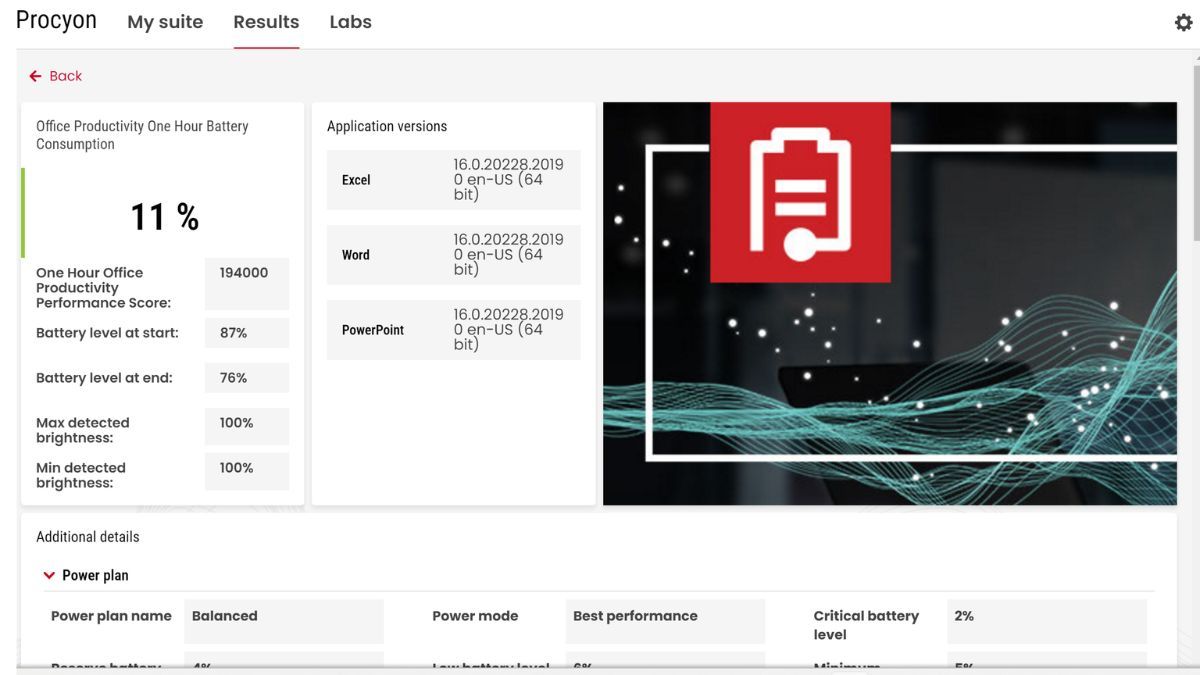
What makes the result unusual is the cell doing the work. At 52Wh it is the smallest battery in this group, and it still returns about 10.5 minutes of runtime per watt-hour. The Acer manages 4.3 and the Samsung 6.2, so the Dell is not merely lasting longer, it is extracting more from every watt-hour than either. Only the HP OmniBook 5 at 14.1 and the XPS 14 at 10.9 do better, and both cost at least twice as much. This is the clearest evidence in the review that Dell’s choice of a low-power chip was the right call.
| Laptop Model | Price (INR) | Battery Capacity | Battery Life |
|---|---|---|---|
| HP Omnibook 5 | ₹1,45,999 | 59 Wh | 13 hours 53 minutes (833 mins) |
| Dell XPS 14 | ₹2,57,890 | 69 Wh | 12 hours 29 minutes (749 mins) |
| Dell XPS 13 | ₹79,990 | 52 Wh | 9 hours 5 minutes (545 mins) |
| Samsung Galaxy Book6 Pro | ₹2,24,990 | 76 Wh | 7 hours 49 minutes (469 mins) |
| Acer Aspire 5 | ₹76,990 | 54 Wh | 3 hours 54 minutes (234 mins) |
Only two machines beat the Dell outright, and both come from a different price bracket. The HP OmniBook 5 leads on absolute endurance at 13 hours and 53 minutes from 59Wh, but asks Rs 1,45,999, close to twice the money. The Dell XPS 14 returns 12 hours and 29 minutes from 69Wh at Rs 2,57,890, more than three times. The Samsung Galaxy Book6 Pro is the cautionary entry, carrying the largest battery in the test at 76Wh, costing Rs 2,24,990, and still lasting only 7 hours and 49 minutes, comfortably less than the XPS 13.
Dell XPS 13 Performance, Benchmarks and Thermals
Twenty-two watts. That is the number behind the battery result, and everything else in this section follows from it. Sustained, the Core 5 320 draws around 22W. It will burst to 25W but falls back quickly and settles there. That is below the current Intel Panther Lake parts such as the Core Ultra X7 358H, and below the Lunar Lake Core Ultra 7 258V, the chip that finally gave Intel integrated Arc graphics capable of 60 FPS gaming at reduced settings.
None of that is accidental. An ultra-thin 13-inch machine should be built around performance per watt rather than headline benchmark scores, Dell clearly understands this, and the Intel Wildcat Lake Core 5 320 is the expression of it. Six cores in total, two of them performance cores and four Low Power Efficient-cores, with efficiency as the design brief.
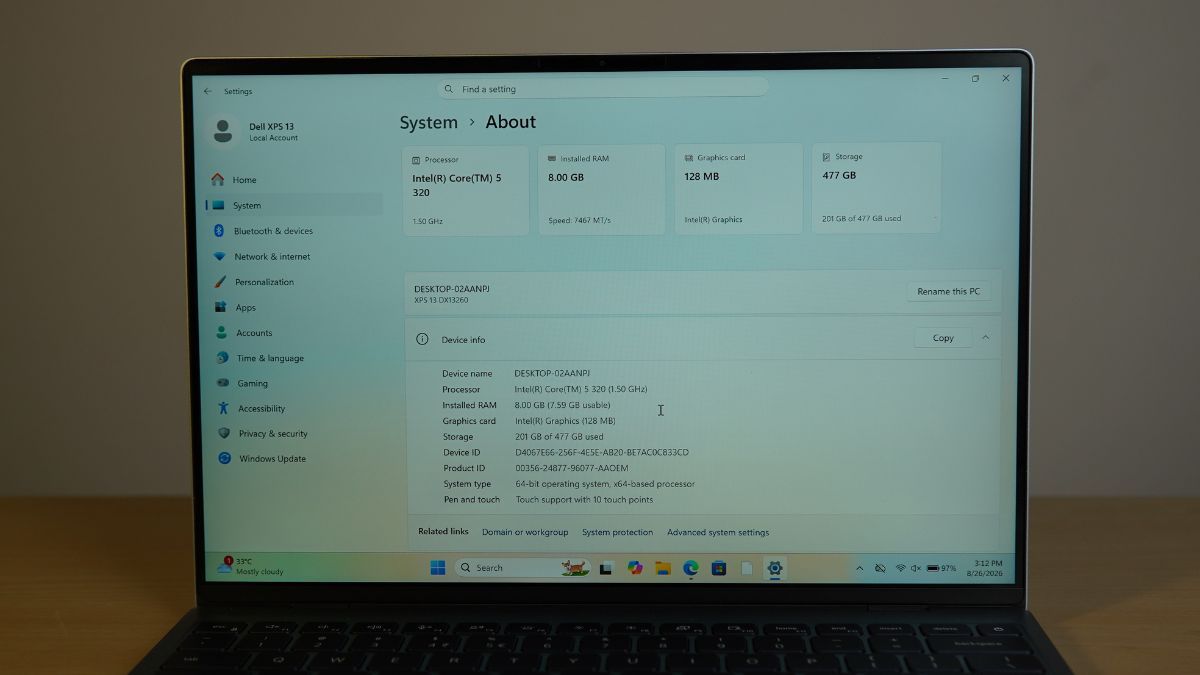
The question is what that costs you, and on CPU benchmarks the pattern is consistent. Geekbench 6 returned 2,609 single-core and 8,089 multi-core. The single-core figure sits alongside the Intel Core i7-14650HX, a previous-generation mid-range gaming chip, while the multi-core figure lands near the Intel Core Ultra 5 125H, an older efficiency-oriented part with 14 cores, more than twice as many as the Dell has. Matching a 14-core chip with six is the trade working as intended.
Two supporting components are worth noting before the tables. My review unit shipped with 8GB of LPDDR5x running at 7,467 MT/s, though a 16GB configuration is sold alongside it. The memory is soldered and cannot be upgraded later, which is the single strongest argument for the larger option, and I will come back to it.
Storage is a 512GB KIOXIA BG7 M.2 drive on PCIe Gen 4, and it performs well. CrystalDiskMark returned sequential reads of about 6,984 MB/s and writes of about 5,805 MB/s.
| Laptop Model | Processor (CPU) | Geekbench 6 (Single-Core) | Geekbench 6 (Multi-Core) |
|---|---|---|---|
| HyperX Omen 15 | Intel Core i7-14650HX | 2,684 | 12,983 |
| Acer Aspire 5 | Intel Core Ultra 5 125H | 2,267 | 8,262 |
| Dell XPS 13 | Intel Core 5 320 | 2,609 | 8,089 |
Cinebench R23 repeats it. Strong single-core, respectable multi-core, and a deficit against the Core Ultra 5 125H in the Acer Aspire 5 that comes down to physical core count rather than any weakness in the chip.
| Laptop Model | Processor (CPU) | Cinebench R23 (Single-Core) | Cinebench R23 (Multi-Core) |
|---|---|---|---|
| HP HyperX Omen 15 | Intel Core i7-14650HX | 1,989 | 20,190 |
| Acer Aspire 5 | Intel Core Ultra 5 125H | 1,698 | 7,759 |
| Dell XPS 13 | Intel Core 5 320 | 1,839 | 6,984 |
In Procyon Office Productivity the XPS 13 scored 263,000, ahead of the Acer Aspire 5 on 237,000 but behind the Dell XPS 14 on 294,000 and the Samsung Galaxy Book6 Pro on 295,000. A 31,000-point gap to the XPS 14 is a reasonable showing for a chip built around a far tighter power budget.
| Laptop Model | Processor (CPU) | Procyon Office Productivity Score |
|---|---|---|
| Samsung Galaxy Book6 Pro | Intel Core Ultra X7 358H | 295,000 |
| Dell XPS 14 | Intel Core Ultra X7 358H | 294,000 |
| Dell XPS 13 | Intel Core 5 320 | 263,000 |
| Acer Aspire 5 | Intel Core Ultra 5 125H | 237,000 |
Thermals are handled well. The CPU averages around 83°C at peak load and 45°C under ordinary use such as office applications and streaming, which puts it alongside the larger XPS 14 at 81°C peak and a near-identical 46°C idle. The comparison that flatters it more is the Samsung Galaxy Book6 Pro, which runs distinctly hotter under the same stress and tops out at 89°C.
| Laptop Model | Processor (CPU) | Peak CPU Temp (Browsing/Streaming) | Peak CPU Temp (Stress Test) |
|---|---|---|---|
| Samsung Galaxy Book6 Pro | Intel Core Ultra X7 358H | 45°C | 89°C |
| Dell XPS 13 | Intel Core 5 320 | 45°C | 83°C |
| Acer Aspire 5 | Intel Core Ultra 5 125H | 55°C | 83°C |
| Dell XPS 14 | Intel Core Ultra X7 358H | 46°C | 81°C |
Graphics is the weak point, and not marginally. Geekbench 6 GPU returned 12,848, against 24,207 from the older Core Ultra 5 125H and more than 56,000 from the Arc B390 graphics in the XPS 14 and Galaxy Book6 Pro. The Dell manages under a quarter of the latter.
What it does offer is consistency. In the 3DMark stress test it recorded a highest loop of 2,362 with 98.7% frame rate stability. The XPS 14 peaked far higher at 11,302 but throttled hard, falling to 77% stability, and even the Galaxy Book6 Pro dropped to 90.4%. The XPS 13 holds its output from the first loop to the last.
| Laptop Model | 3DMark Highest Loop | 3DMark Lowest Loop | Frame Rate Stability |
|---|---|---|---|
| HyperX Omen 15 (Gaming baseline) | 18,260 | 18,117 | 99.2% |
| Samsung Galaxy Book6 Pro | 11,536 | 10,431 | 90.4% |
| Dell XPS 14 | 11,302 | 8,787 | 77.0% |
| Acer Aspire 5 | 3,951 | 3,799 | 96.2% |
| Dell XPS 13 | 2,362 | 2,332 | 98.7% |
8GB or 16GB RAM: Which Dell XPS 13 (2026) Variant to Buy?
Back to the question I opened with, and the short answer is buy the 16GB. At the time of writing the gap between the two variants is Rs 8,000, which is the least consequential decision in this entire review and the one most likely to determine how the laptop feels in three years.
The long answer is that 8GB does work, and “work” is doing careful duty in that sentence. You can get by on 8GB with Windows 11, and “get by” is precisely the phrase. During testing, opening a spread of tabs slowed the machine noticeably, and switching between them with several windows and applications open took two to three seconds.
The line falls roughly where you would expect. Keep to one task at a time, whether that is photo editing, writing or a little 1080p video work, and 8GB copes. Ask it to do several things at once, rendering a video in the background while streaming something and taking notes, and the lag arrives.
Which brings it back to the Rs 8,000. The memory is soldered, so this is a decision you make once and live with for the life of the machine. On a laptop this well built, one you would expect to keep for years, that is money spent on longevity rather than on specification.
Dell XPS 13 Review Verdict
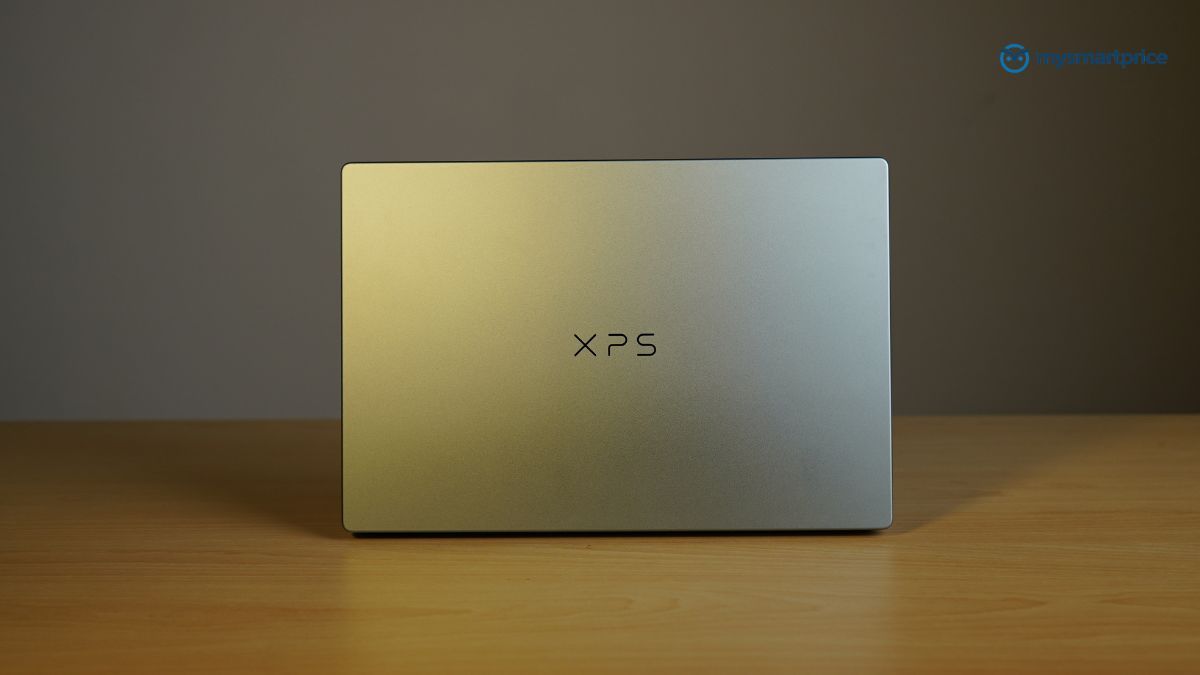
The Dell XPS 13 (2026) is the rare laptop that feels like it was priced before the component crunch and launched after it. At Rs 79,990 you are getting a 13mm aluminium chassis weighing 1kg, a 2.5K 120Hz touchscreen with 98% DCI-P3 coverage and no PWM flicker, and just over nine hours of real battery life from a modest 52Wh cell. Any one of those would be notable at this price in August 2026. Together they are close to unreasonable.
What makes it work is that Dell picked the right chip for the job. The Core 5 320 is not going to win a multi-core argument, the Core Ultra 5 125H in the Rs 76,990 Acer Aspire 5 edges past it, and the graphics performance is genuinely weak at roughly half the Aspire’s Geekbench GPU score. But it draws 22W sustained, holds 98.7% frame rate stability in the 3DMark stress loop where the XPS 14 collapses to 77%, and converts that efficiency into more than twice the Aspire’s battery runtime.
The compromises are real and worth naming. Two USB-C ports and no 3.5mm jack means a dongle is not optional, it is part of the purchase. There is no discrete graphics and no pretending otherwise, so anything beyond light photo work or the occasional older title is out. And the 8GB base configuration is the one genuine misstep, because soldered memory plus Windows 11 is not a combination that ages gracefully. Spend the extra Rs 8,000 on the 16GB variant at around Rs 87,990 and treat that as the actual price of this laptop.
So if you want a machine for writing, browsing, meetings and travel, and you want it to feel expensive while doing so, there is nothing else near this price that comes close right now.
Configured with 16GB of RAM, the XPS 13 is the easiest laptop recommendation under Rs 1 lakh I have made this year.