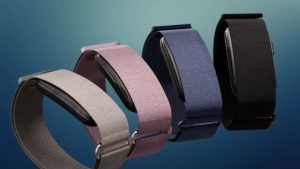
After waiting nearly five months for Google to bring the Fitbit Air to India, the company finally launched the screen-free fitness tracker on October 2, 2026. This is my first time using a screen-less fitness tracker, although I have used a Mi Band in the past, so I was curious to see how different the experience would be without a display. I have been using the Fitbit Air for the past few weeks, and I think it might have become my favourite wearable. However, my experience was not perfect from day one. The step count was irregular, but gradually the Fitbit Air won my heart and made me a fan.
Google Fitbit Air
Rs 13,999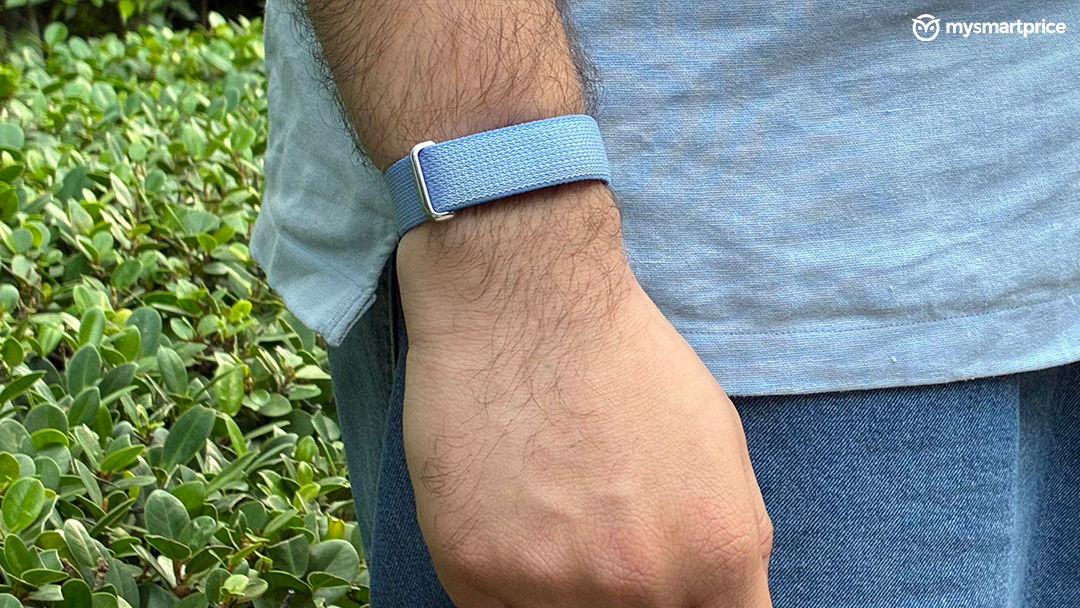
What Is Good?
- Comfortable, lightweight screen-free design
- Consistent step and sleep tracking after calibration
- Week-long battery life
- Useful vibrating alarm and Smart Wake
- AI Health Coach and wellness insights
What Is Bad?
- Step tracking is inconsistent during the first week
- Occasionally records unexpected steps at midnight
- Automatic activity detection needs improvement
- Premium AI coaching features require a subscription
The Design Is So Comfortable That I Sometimes Forget I Am Wearing It
The biggest advantage of a screen-free tracker is that it stays out of your way, and the Fitbit Air gets this right. Google says you will barely notice it once you get used to wearing it, and that has largely been my experience. There have been moments when I have actually looked at my wrist to check whether I was wearing it. I am not even joking.
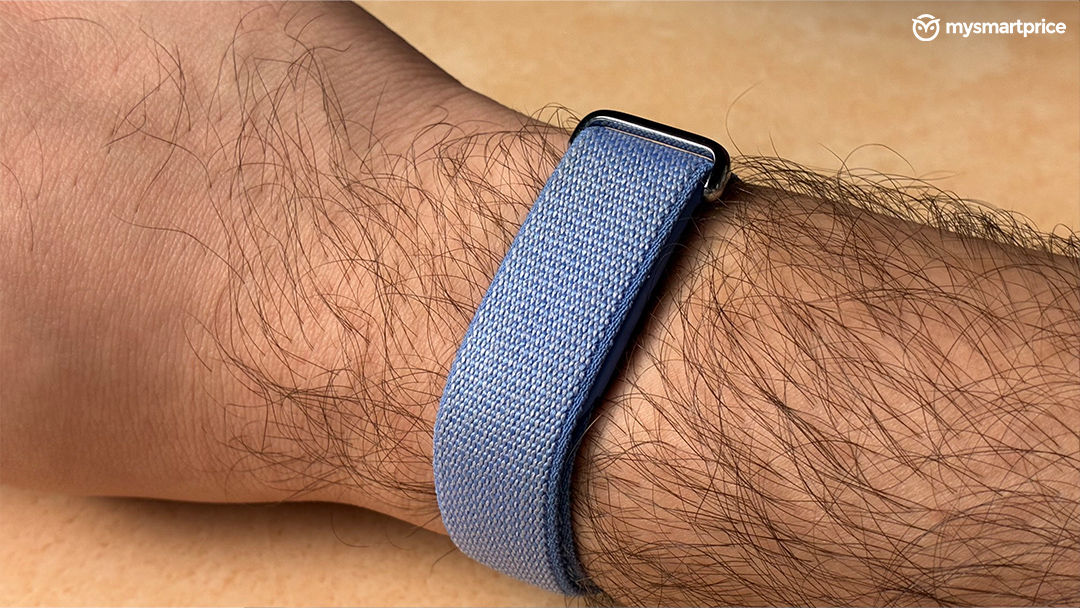
The band looks premium and stylish, and I think Google has done a good job of keeping the design understated. I love this lavender colour, and it does not look like a traditional smartwatch, nor does it draw unnecessary attention to itself. That is exactly what I want from a wearable that is supposed to stay on my wrist throughout the day. However, the strap might cause irritation for some users, particularly those with sensitive skin. I have sensitive skin myself, so I wash the band twice a week, and that routine has worked well for me so far. If the original strap does not suit you, Google offers alternative bands through its online store, and third-party marketplaces are another option. Personally, though, I am happy with the band that comes in the box. It looks premium, feels comfortable after getting used to it, and complements the overall design nicely.
The Fitbit Air is one of those devices where you appreciate the design more through everyday use than by simply looking at it.
The Tracking Was Disappointing at First, but Give It Seven Days
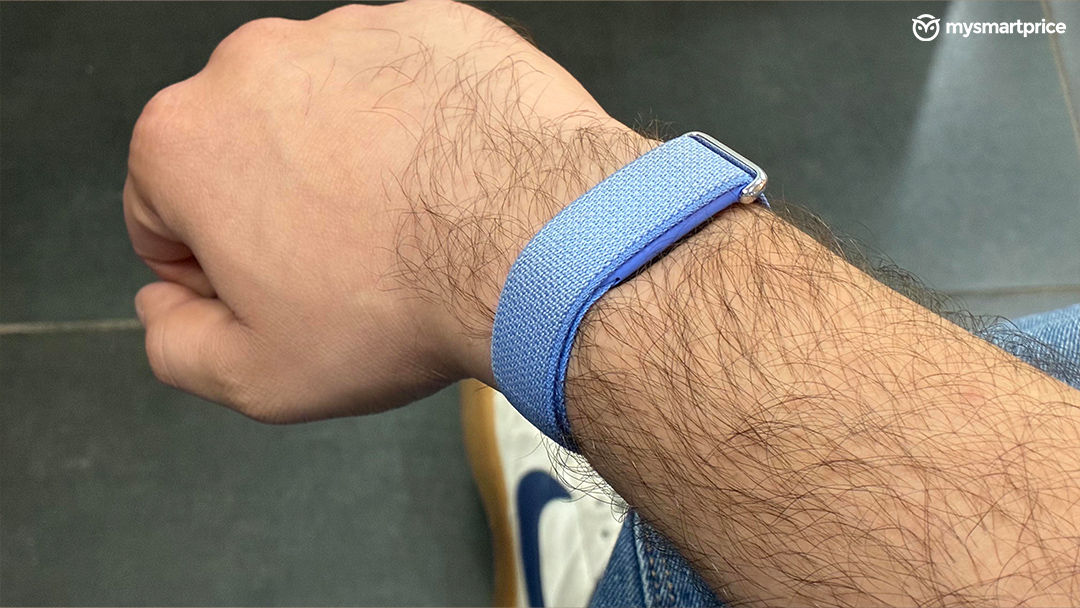
For a fitness tracker, tracking accuracy is obviously the most important thing. This is where the Fitbit Air initially disappointed me. The step count seemed irregular, and the numbers did not always make sense compared with my actual activity. I was expecting a more reliable experience straight out of the box.
Things changed after around seven days. The tracking became much more consistent, and I started trusting the numbers. I manually counted my steps to check the device, and the results were reassuring. Sleep tracking also worked well in my experience, while metrics such as heart rate, blood oxygen saturation (SpO2) and heart rate variability (HRV) gave me useful insights into my daily activity and recovery. The initial calibration period is worth keeping in mind if you buy the Fitbit Air. I would not judge its tracking based on the first couple of days alone. At the same time, users should not have to second-guess a new tracker for a week before feeling confident about its readings. These measurements are useful for general wellness tracking, but they should not be treated as medical measurements or a substitute for professional advice.
Though I just wish the Fitbit Air had delivered this level of consistency from the beginning and now after almost 2 weeks of being on the go with it, I am satisfied.
There Are Still a Few Tracking Issues Google Needs to Fix
Even though tracking improved, the Fitbit Air is not perfect. One particularly strange issue is that it sometimes adds around 10 to 12 steps around midnight, even when I am sitting on my bed. It is not a major problem in the grand scheme of things, but it is odd to see activity being recorded when I had not even lifted a finger.
Activity detection can also be confusing. When I am riding a bike, the tracker sometimes interprets the movement as running or cycling and records an activity. I would appreciate more control over when the tracker recognises or records these movements, including an option to pause tracking or disable automatic activity detection when needed. I also played pickleball for around 30 minutes, but the Fitbit Air does not have a dedicated pickleball workout mode. Instead, I selected badminton to record the session. It worked as a practical workaround, but it would be nice to see Google add more sports modes. Not having a popular activity like pickleball seemed like a big miss.
The fundamentals are good, but these little inaccuracies and missing workout modes make the experience feel less polished than it could be.
A Week of Battery Life Makes It Easy to Live With
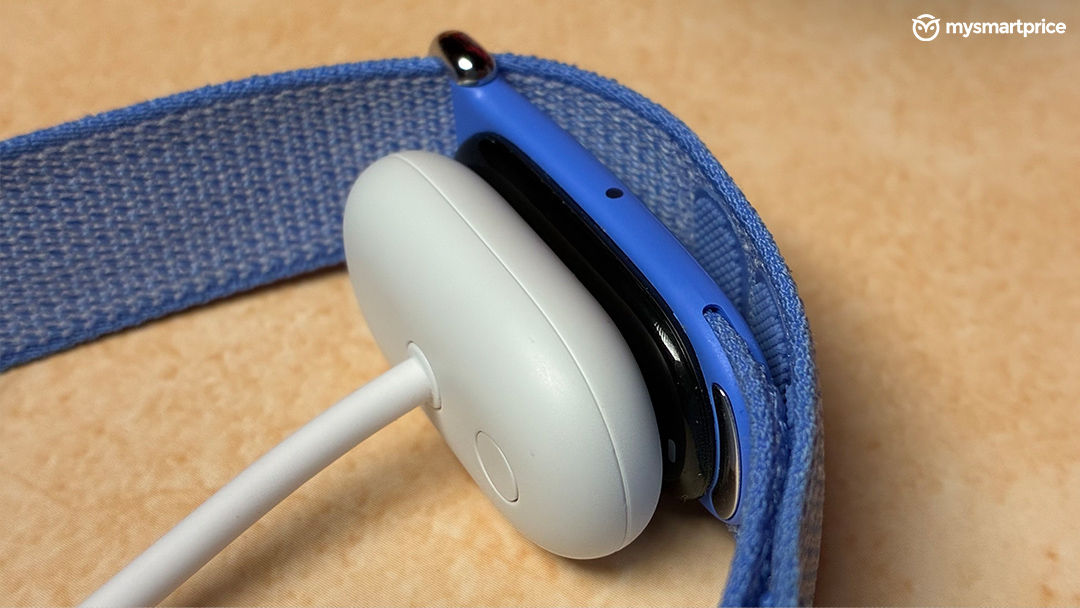
Battery life has been another pleasant surprise. I charged the Fitbit Air on a Saturday to around 90 percent, and by the following Saturday, it still had around 30 percent battery remaining. That means I got roughly a week of use without needing to charge it again, with plenty of battery left. My activity routine basically for most of the days were commuting through metro, running errands in the evening and a 15 min walk before dinner. I also went to IMC 2026 wearing it and completed around 14,000 steps that day, while the count on other days averaged around 8000.
For a wearable designed to track activity, sleep and other health metrics throughout the day, that is a convenient result. I do not have to constantly think about charging it or worry about the battery running out halfway through the day. It also makes overnight sleep tracking easier because I am not regularly taking the tracker off to charge it.
Actual battery life will depend on usage and settings, but my experience so far has been encouraging. I would rather have a wearable that quietly lasts through the week than one that constantly reminds me to charge it. It makes the Fitbit Air feel like a wearable I can simply put on and forget about.
The Vibration Alarm Is One of My Favourite Features
One feature I genuinely love about the Fitbit Air is its alarm. You can set it through the app, and instead of relying on a sound, the band vibrates on your wrist to wake you up. This might not sound like a big deal, but for someone like me who struggles to wake up to alarms, it has been genuinely useful. The vibration gets my attention without needing a loud alarm, and I have found it much more effective for my routine. Honestly, this is one of those features you might not appreciate until you actually start using it.
The Fitbit Air also has a Smart Wake feature that aims to wake you up within the 30 minutes before your scheduled alarm, when it detects a more suitable stage of sleep. The idea is to make waking up feel more natural rather than abruptly interrupting your sleep at the exact alarm time. Of course, it cannot guarantee that you will feel refreshed every morning, but having this option alongside the vibrating alarm makes the experience more thoughtful.
I would miss it if I switched to another wearable. Combined with Smart Wake, it makes the Fitbit Air useful beyond counting steps and tracking sleep and for me, this is one of its most practical everyday features.
It Is Water-Resistant, but I Still Avoid Wearing It While Bathing
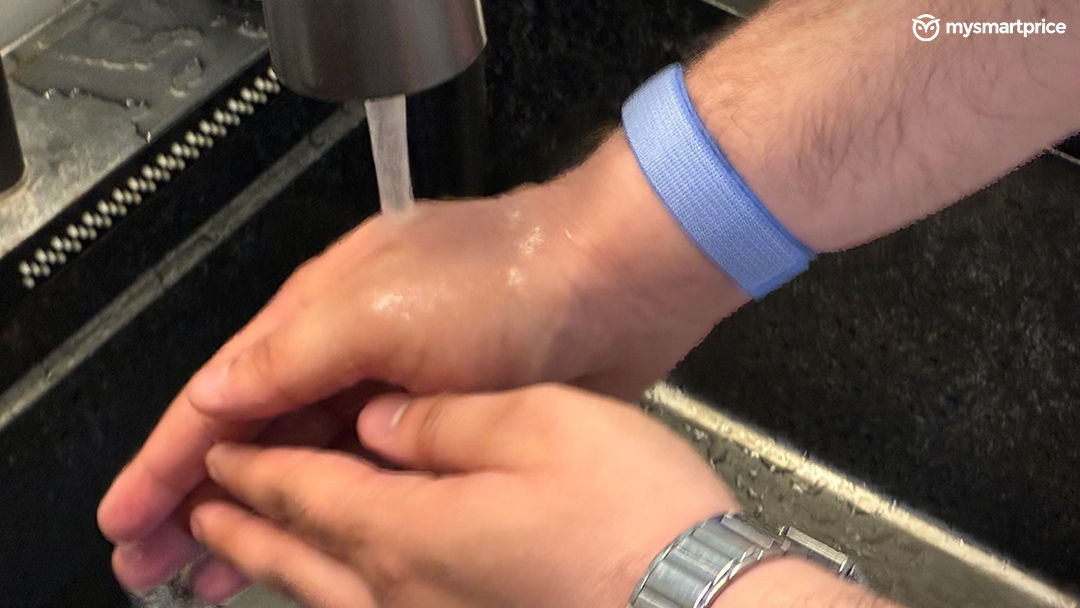
The Fitbit Air is rated IP68 for dust and water protection and 5 ATM for water resistance. The 5 ATM rating corresponds to testing under specified conditions at the equivalent of 50 metres of water pressure, but it should not be interpreted as a recommendation to use the device in every water-related situation.
Personally, I do not wear the Fitbit Air while bathing, even though it has these ratings. I do wear it while washing my hands, and that has been fine for my everyday routine. I would rather be cautious than risk damaging a device I wear so regularly. Soaps, shampoos, and other products can also affect wearable materials and water resistance over time.
The App Is Good, Even If It Glitches Sometimes
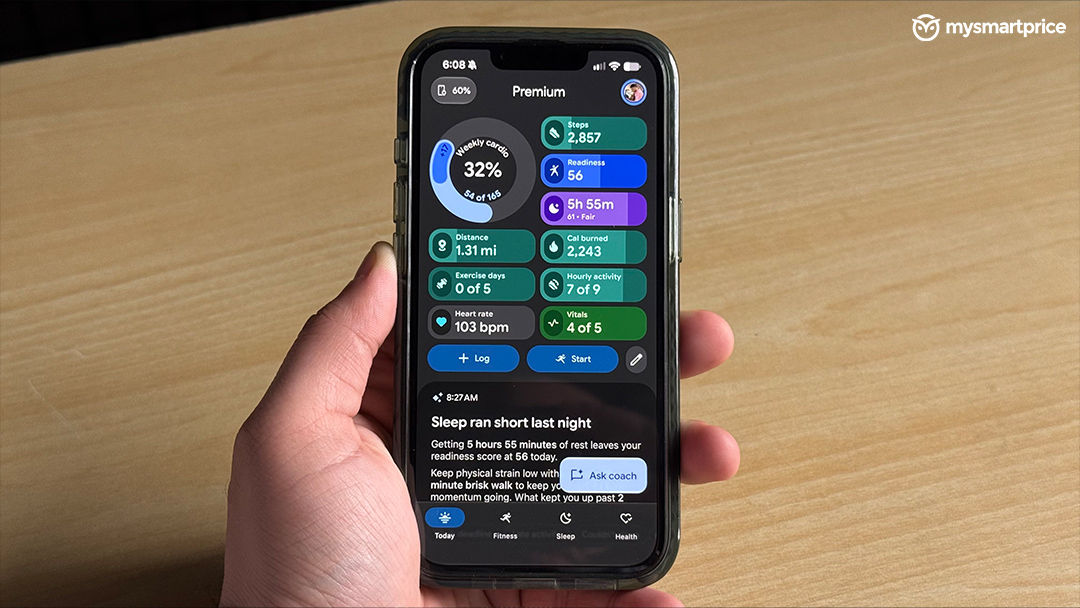
The Fitbit Air connects to the Google Health app without much hassle, and the overall experience has been straightforward. The app occasionally glitches, but I have not encountered anything that has seriously affected my day-to-day use. Once everything is connected, I can check my activity and health data without having to deal with a complicated setup.
I also tried the AI-powered Health Coach, and I found it useful. Having a coach who can help make sense of tracked data and offer guidance adds another layer to the experience. It makes the Fitbit Air feel like more than just a band that counts steps in the background.
However, the coaching experience and its availability are tied to Google’s subscription offering, so buyers should check which features are included with the device and which require a Google Health Premium subscription after any included trial. That is worth considering before making a purchase, particularly if you do not want another recurring expense. The app and AI coaching add value to the Fitbit Air, even if there is room for improvement in stability. I just wish the best software features did not come with an additional subscription consideration.
Google Fitbit Air vs Gabit Smart Ring vs Whoop vs Garmin CIRQA : Which One Makes More Sense?
At ₹13,999, the Google Fitbit Air is priced slightly below the Gabit Smart Ring, which costs around ₹14,500. Both offer a screen-free way to track your health, but the biggest difference comes down to how you wear them and how they fit into your daily routine. The Gabit ring is discreet, lightweight and comfortable for all-day wear and sleep tracking. It also offers detailed health and wellness insights, with battery life of around eight days. However, wearing a ring while lifting rods, barbells and dumbbells at the gym is not comfortable for me. It can interfere with your grip, and there is always the possibility of scratching the ring against gym equipment. You may end up taking it off during strength-training sessions, which is not ideal if you want to track your activity throughout the day.
This is where the Fitbit Air feels more practical for my routine. Since it sits on my wrist, I can wear it during weightlifting without the same discomfort. Its IP68 and 5 ATM water-resistance ratings are useful for everyday wear, although I personally avoid wearing it while bathing and keep it on only during handwashing. Battery life on the air was also impressive and made my experience better instead of worrying about charging it. Add features such as the vibrating alarm and Smart Wake, and the Fitbit Air starts to feel like more than just a device for counting steps. These are the small conveniences that have made it a part of my daily routine.
There is, however, a catch with the pricing. The Fitbit Air costs $99.99 in the US, which roughly converts to ₹10,000, while Indian buyers have to pay ₹13,999. That is a noticeable difference, and I do wish Google had priced it more aggressively here. Taxes, import duties and other costs associated with bringing a product to India help explain the gap, though. After using it for a few weeks, I can see the value in what Google offers, even if the Indian price is less attractive than the US one. Subscription costs are another factor to consider: Gabit’s core tracking does not require the same recurring subscription approach, while Fitbit’s AI coaching features are tied to Google’s premium offering after the included trial.
The conversation around screen-free fitness trackers does not end with these two devices. Many people have started calling the Fitbit Air a Whoop killer, and I can see why, particularly when you consider the difference in their pricing models. Whoop focuses heavily on sleep, recovery and strain analysis, making it appealing to serious athletes who want detailed insights into how their bodies respond to training. However, continued access to its core insights requires a paid membership, which makes the overall cost of ownership an important consideration. Garmin has also entered this category with its CIRQA Smart Band, offering detailed health and fitness tracking through Garmin Connect without a mandatory subscription. The trade-off is the price: CIRQA sits in a considerably higher bracket than the ₹13,999 Fitbit Air.
That is why I would not call the Fitbit Air a direct replacement for Whoop or Garmin CIRQA. Both offer their own advantages, particularly for users who want more specialised recovery analysis or advanced training insights. But as someone who enjoys working out and keeping an eye on health metrics without being a professional athlete, I do not necessarily need all those extra capabilities. I want to track my steps, sleep and other health metrics, get useful insights, and wear something comfortable throughout the day without worrying about charging it constantly or paying for features I might never use.
Among all these, I feel that for a casual fitness enthusiast like me, the Fitbit Air hits the sweet spot. It is comfortable during gym sessions, lasts well over a week in my usage, and offers useful everyday features such as its vibrating alarm and Smart Wake. The Gabit Smart Ring remains a good alternative if you prefer a ring and want detailed health tracking, while Whoop and Garmin CIRQA make more sense for people who need deeper training and recovery insights. For my needs, though, the Fitbit Air offers the balance of comfort, features and price that I am looking for.
Verdict: A Great Screen-Free Tracker That Gets Better With Time
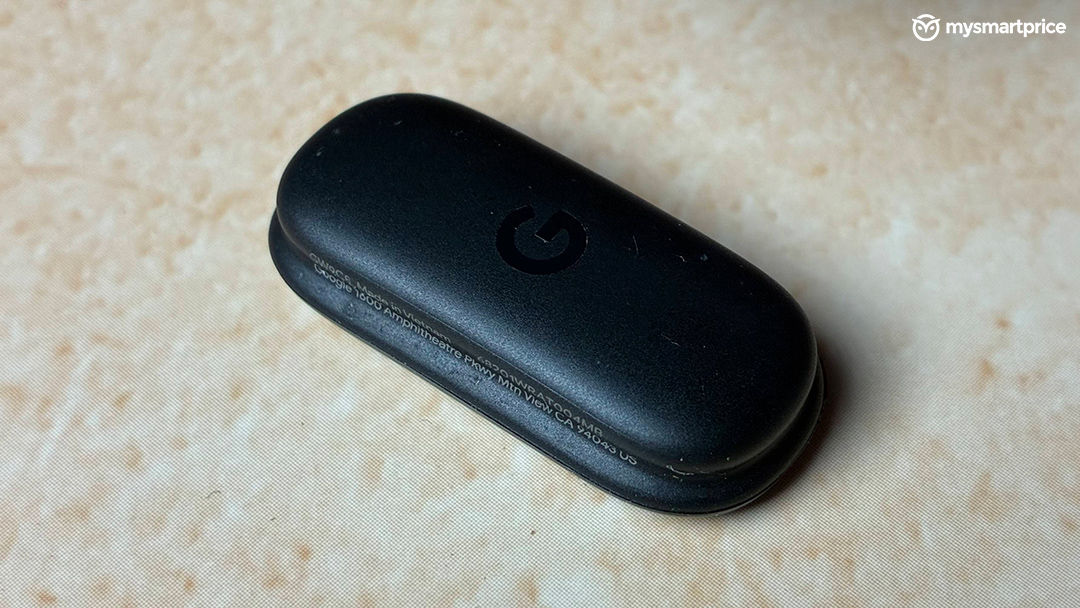
The Google Fitbit Air is a compelling option if you want a screen-free wearable that prioritises comfort, health tracking and battery life. It took around a week for its tracking to become consistent in my experience, but after that, I found it much easier to trust the data. Its stylish design, week-long battery performance and useful AI coaching make it an appealing everyday companion. The shortcomings are worth considering. The tracker can record a few unexpected steps, automatic activity detection needs refinement, and the absence of a dedicated pickleball mode shows that its sports support is not exhaustive. The Indian price is also higher than its $99 US price, even if local taxes and import costs help explain the difference. Buyers should also consider the potential cost of Google’s premium coaching features.
At Rs 13,999, I would recommend the Fitbit Air to someone who wants a comfortable, screen-free tracker and values wearing it throughout the day, including during gym sessions. If you want a display, extensive sports modes, or a wearable without subscription-dependent features, you should weigh those needs before buying.