There is a very specific kind of frustration that shows up when you are at a concert, at a birthday dinner, or just hanging out with your people, and the photo you take does not come close to what the moment felt like. Someone has their eyes half-closed, the lighting turns faces into silhouettes, or a random stranger walks straight through the frame as if they were part of the plan. You post it anyway, maybe filter it, and move on. But imagine if the phone itself handled most of that for you, not through extra apps or editing tricks, but built directly into how it captures and refines the shot.
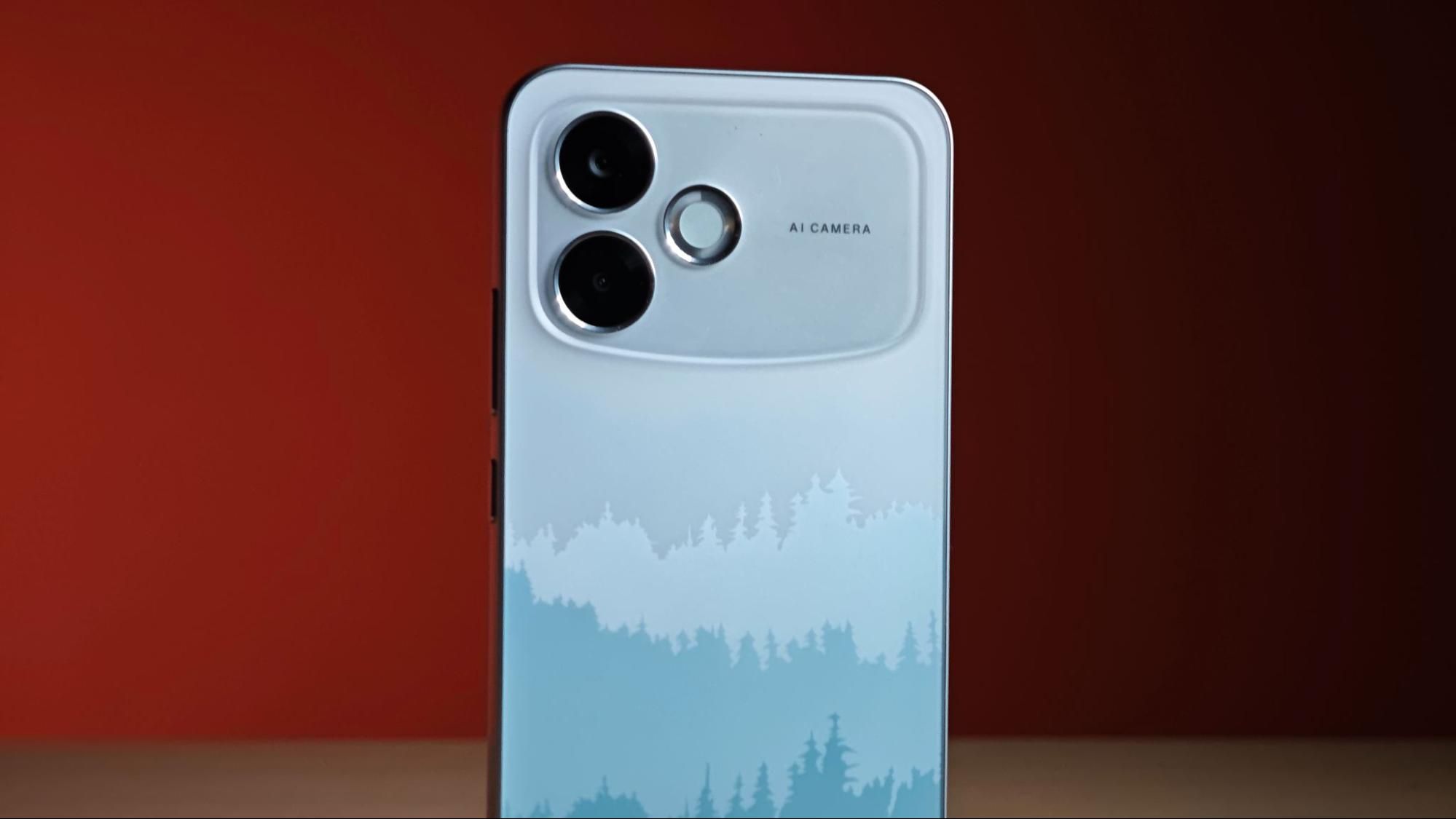
That is exactly the space the OPPO F33 Pro is aiming for. It is positioning itself as one of the more socially aware phones in its segment, built for real-world moments rather than perfect studio conditions. The OPPO F33 Pro 5G, leans on a 50MP ultra-wide front camera, AI-backed editing tools, and features designed around how people actually capture and share their day-to-day moments.
The broader feature set includes automatic wide-angle switching, dual-view video, multi-colour front flash, AI Portrait Glow, AI Perfect Shot, AI Eraser 2.0, AI Reflection Remover, AI Document Scanner, AI Recorder with transcription and so much more. The phone's pricing starts at ₹37,999, with availability across Mainline Retail Outlets, OPPO e-store, Flipkart, and Amazon, along with offers including cashback, exchange bonuses, and no-cost EMI options.
1. A selfie that doesn't play favorites
Picture this: you are out with four friends, phone raised for a quick selfie, and right as you press the shutter, the familiar chaos kicks in. Someone on the edge gets cropped out, someone else leans in too much, and suddenly the moment turns into a small exercise in repositioning rather than enjoying it.
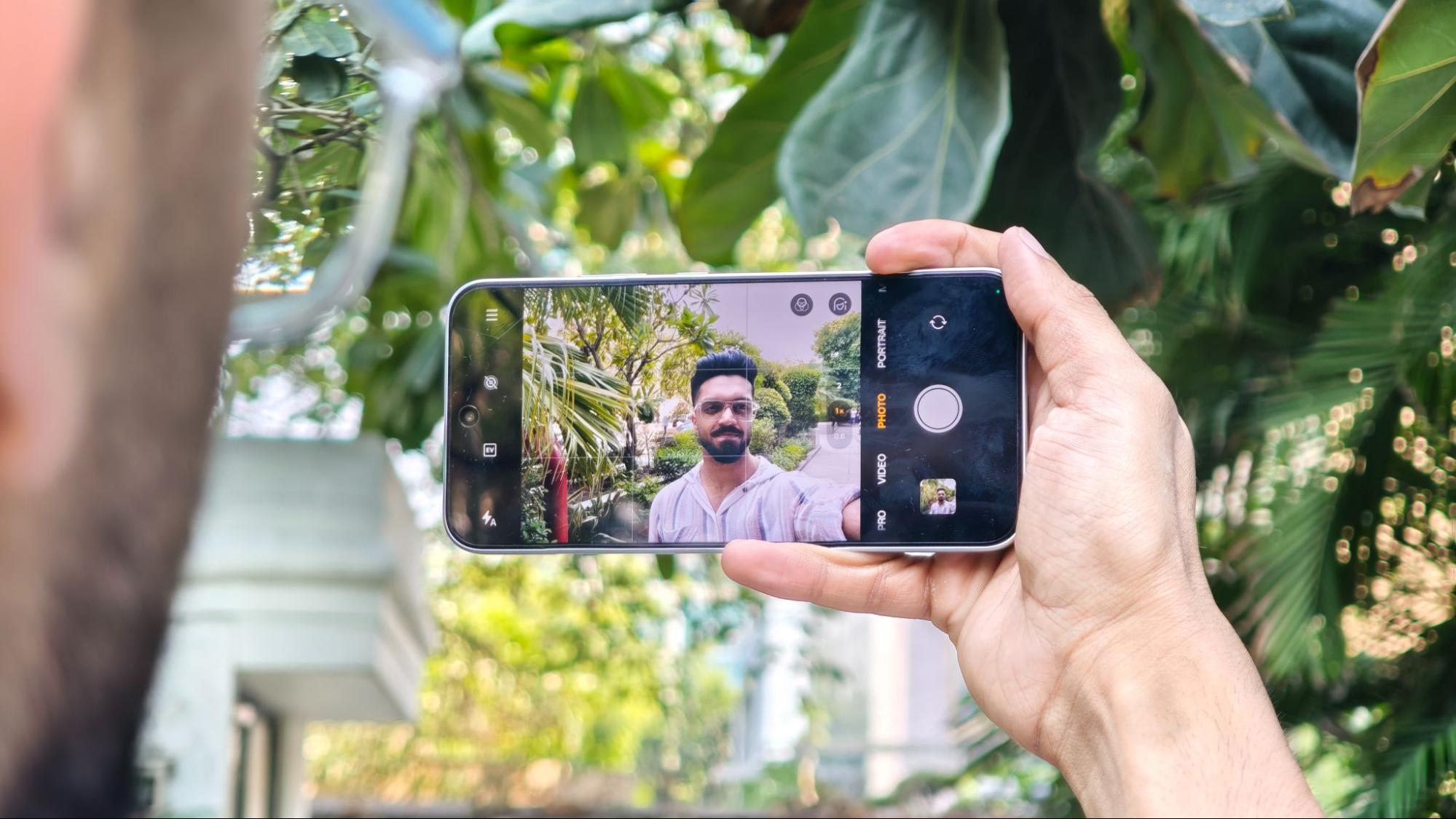
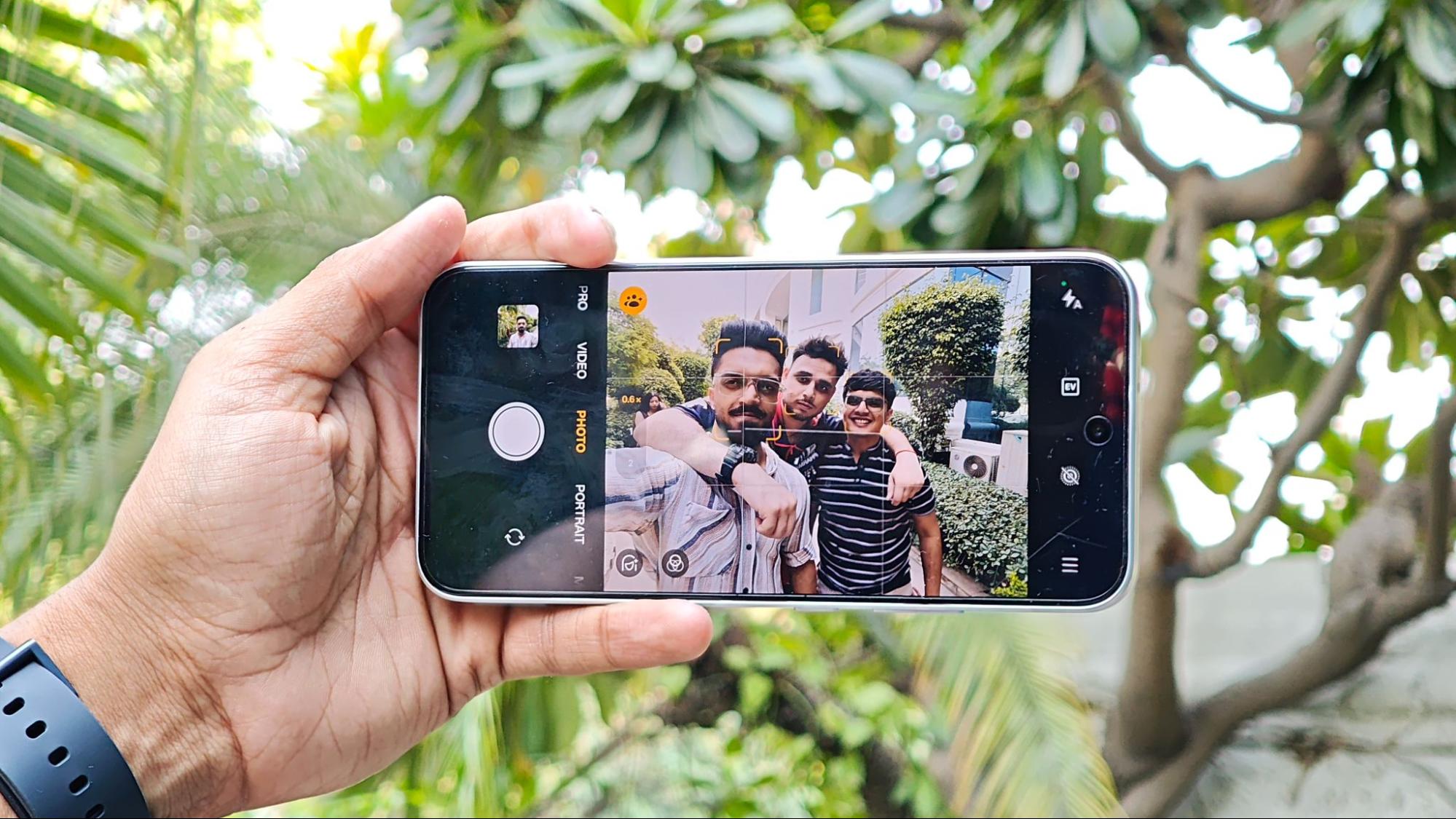
The OPPO F33 Pro is designed to reduce exactly that friction. It comes with a 50MP ultra-wide front camera with 100 degrees FOV, which adjusts intelligently in real time. When it detects more than 2 faces in the frame, it automatically switches from a standard 1x view to a wider 0.6x view, ensuring everyone fits without anyone needing to intervene.
Group selfies are actually meant to include the group. At 50MP, the wider frame does not compromise detail, so you still get a sharp, clean image even when the frame gets crowded. In this price segment, automatic wide switching is still uncommon, with most phones relying on manual toggles and precise timing.
2. Not your 2010-era collage anymore
Most phone collage tools still feel stuck in the early 2010s, like digital scrapbooks that never quite graduated. The OPPO F33 Pro aims to break that pattern with a feature called Popout, which is interesting enough to stand on its own.
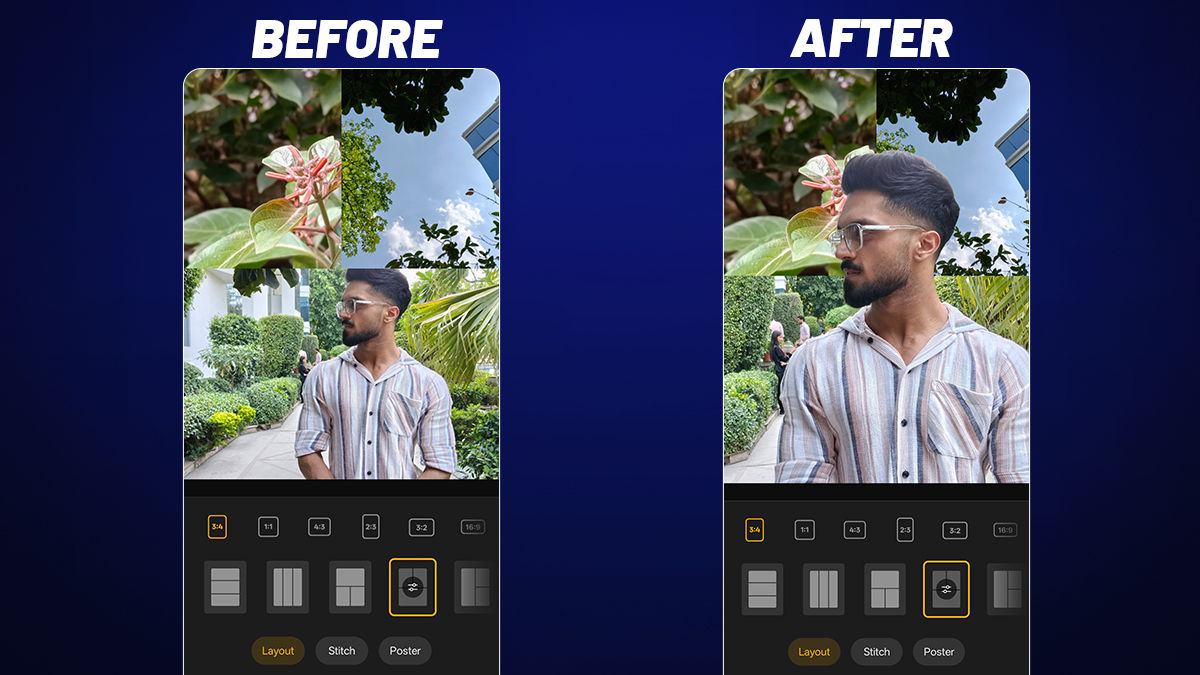
The concept is simple but surprisingly effective. You pick anywhere between 2 and 9 photos, stitch them into a single collage, and then choose one subject, such as a person, pet, or face, to visually "pop out" of the frame. That selected subject moves into the foreground, while the rest of the images stay neatly layered behind it.
The result is a slightly three-dimensional effect, where the highlighted subject feels lifted out of the collage rather than just sitting inside it. It gives travel albums, pet shots, birthday moments, or casual photo dumps a bit more personality, turning a simple grid into something that feels more intentional.
To use this, open your phone's gallery, select your photos, tap Collage at the bottom, choose a template, arrange your images, tap the photo you want to highlight, then select Popout. That is essentially it!
3. Finally, a flash that doesn't attack your face
This one is for anyone who has ever wished their phone had a ring light, or at least something better than that harsh white flash that tends to flatten everything in sight.
The OPPO F33 Pro comes with a Multi-Color Flash system for the front camera. Instead of a single burst of bright white light, you get a choice of colors, along with adjustable brightness. Even better, it can stay on continuously while you shoot, rather than firing for a split second like a traditional flash. Think of it as a small, adjustable fill light you can tune to the mood. Warm tones for a cozy, natural feel, cooler tones for something more polished, or even playful hues if you are going for that neon-night vibe.
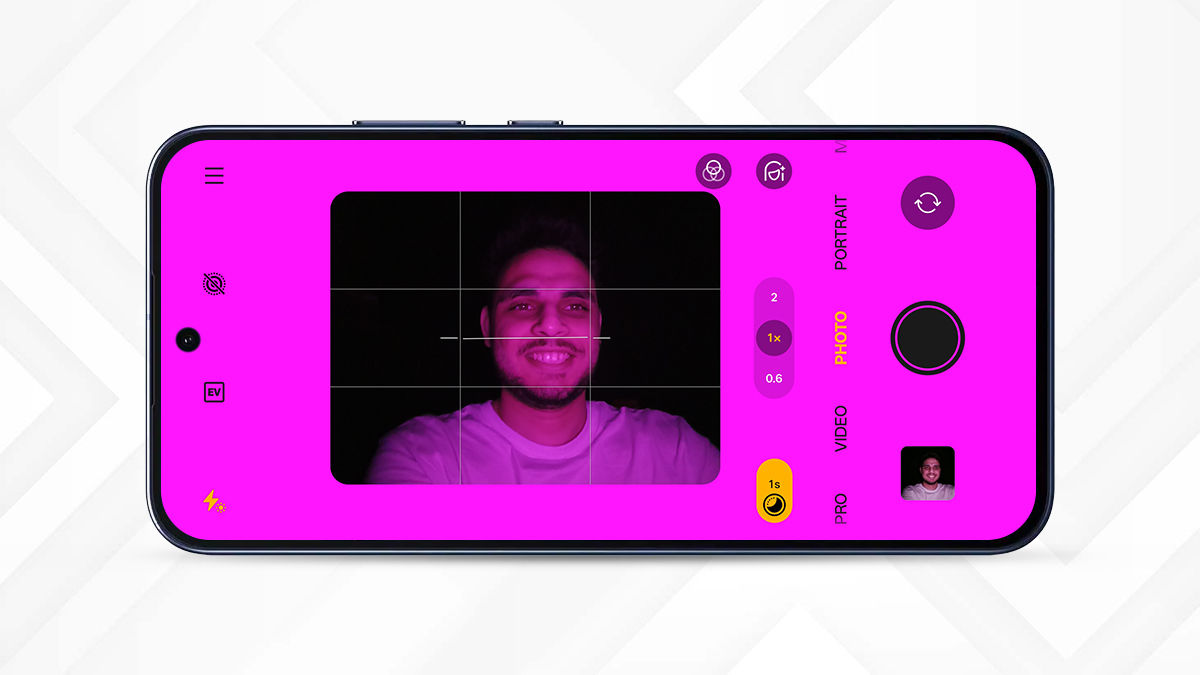
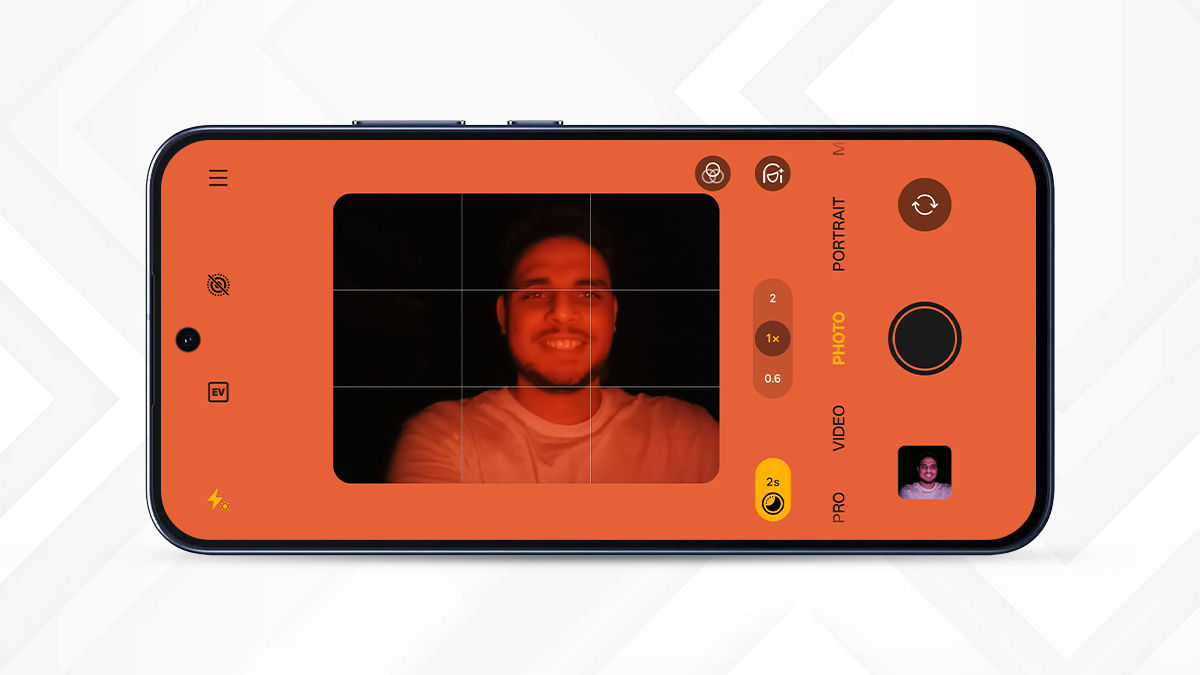
For people who regularly shoot stories, make reels, or take late-night selfies where lighting isn’t exactly on your side, this ends up being more useful than it sounds.
4. Fixing the photos you thought were ruined
This is where the OPPO F33 series starts to take AI as something that actually improves your photos in ways you notice. The Advanced AI Editor 2.0 brings together multiple tools that quietly step in when a shot isn't quite there yet.
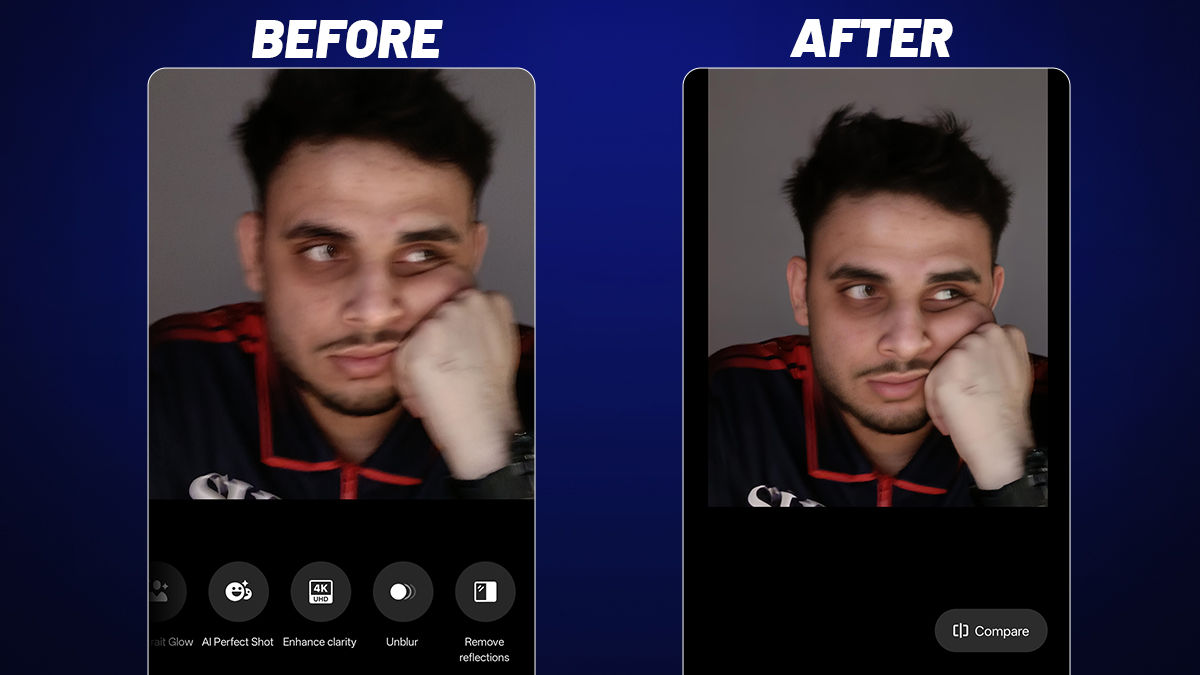
AI Recompose, AI Clarity Enhancer, and AI Unblur collectively tackle a different layer of that problem: moments that were captured, but not perfectly. Sometimes the framing is off, the subject is too far, or the shot just doesn't come out sharp enough. Instead of treating these as separate fixes, the system works like a post-capture safety net. AI Recompose adjusts framing and perspective so the shot feels more intentional. AI Clarity Enhancer steps in when you crop into a distant subject, restoring detail so the image holds up even after zooming. And AI Unblur handles motion or handshake, bringing back usable sharpness in photos that would otherwise be discarded. Together, they turn near-misses into usable shots, which is where most real-world photography actually lives.
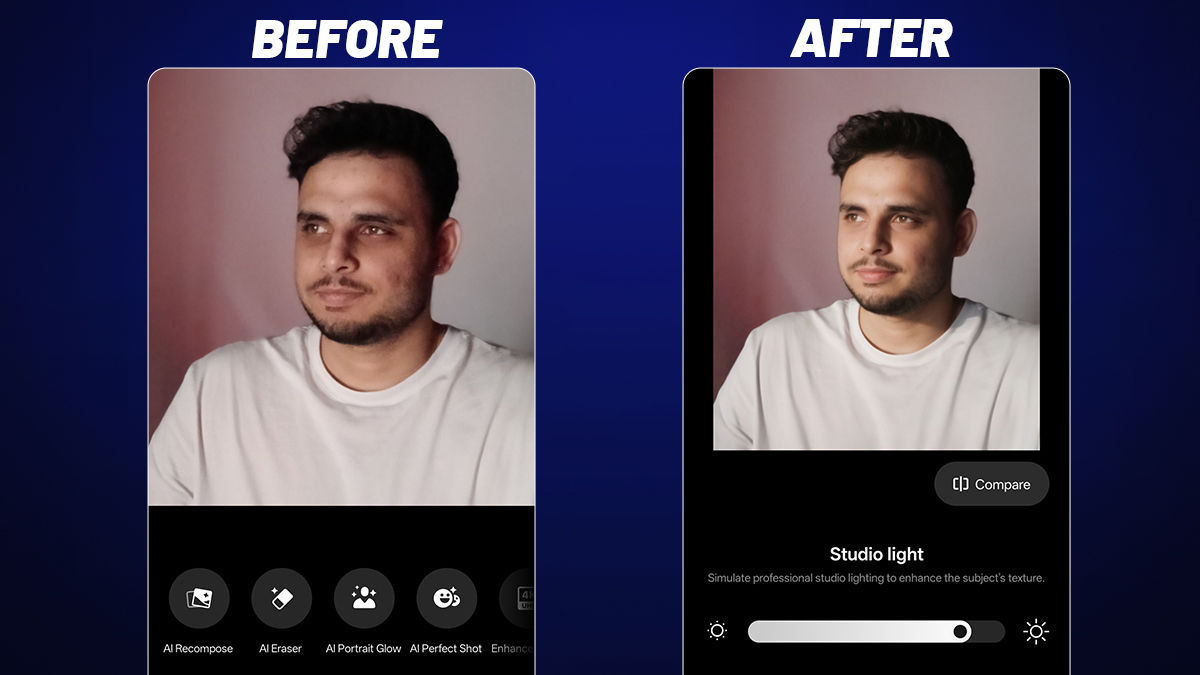
Then there are features that work even before you start thinking about edits. AI Portrait Glow, for instance. It tackles one of the most common frustrations in photography: faces that never quite look right because of tricky lighting. Maybe the sun is behind you, maybe the light overhead is too harsh, or maybe the scene is just too dim. Instead of leaving you with shadows, dull tones, or odd colors, it reads the lighting and adjusts it so faces look properly lit and natural.
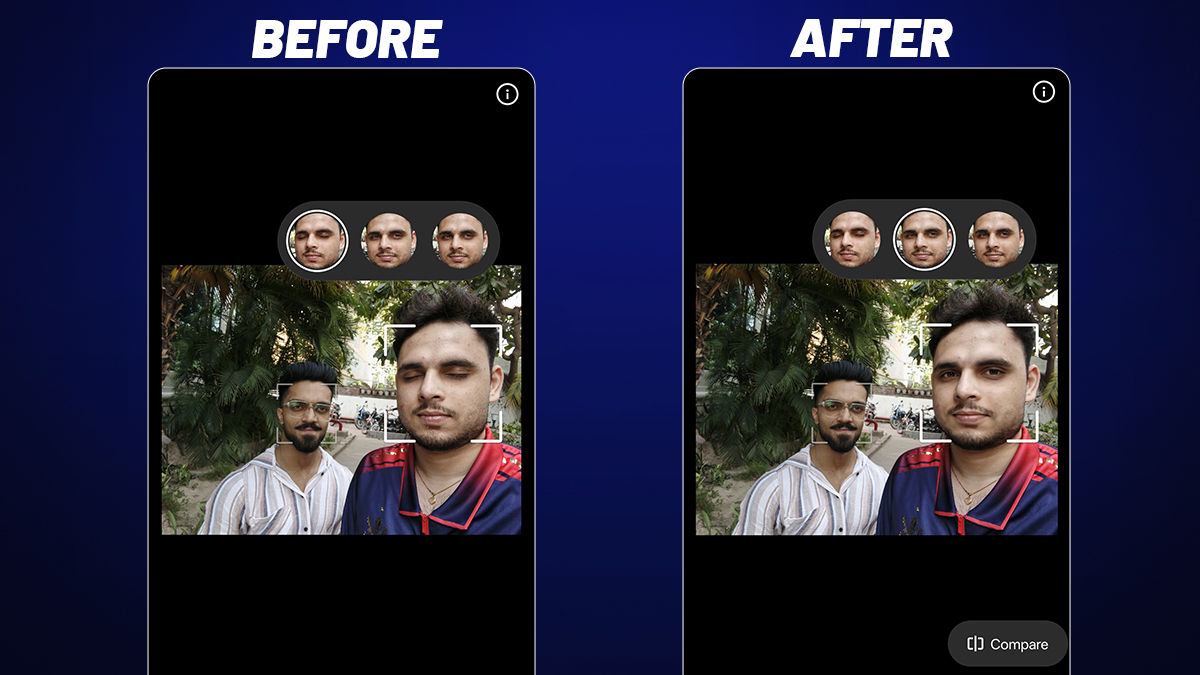
AI Perfect Shot fixes those almost-great photos where someone blinked or pulled an awkward expression. You add a clear reference photo of yourself, and the system searches for similar shots to suggest better expressions that blend naturally. It is especially helpful for group photos where one person ruins an otherwise perfect frame.
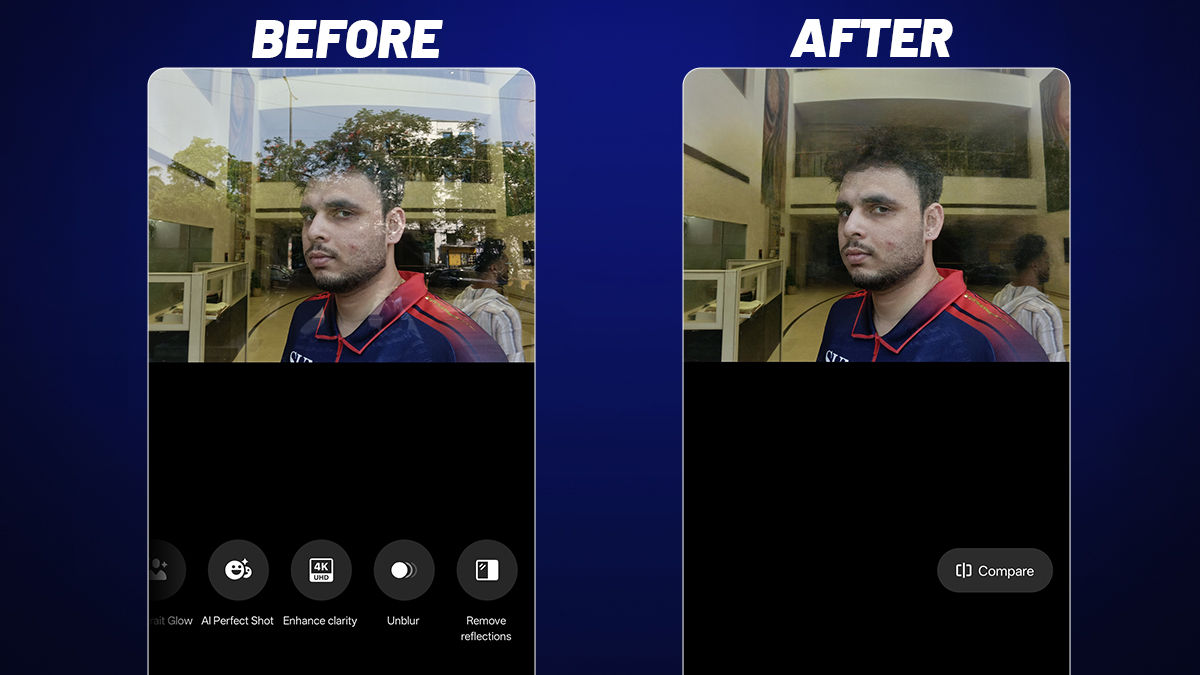
AI Reflection Remover deals with a very specific but familiar annoyance: trying to shoot through glass and ending up with your own reflection in the photo. It separates that reflection layer and cleans up the image so the subject stands out clearly.
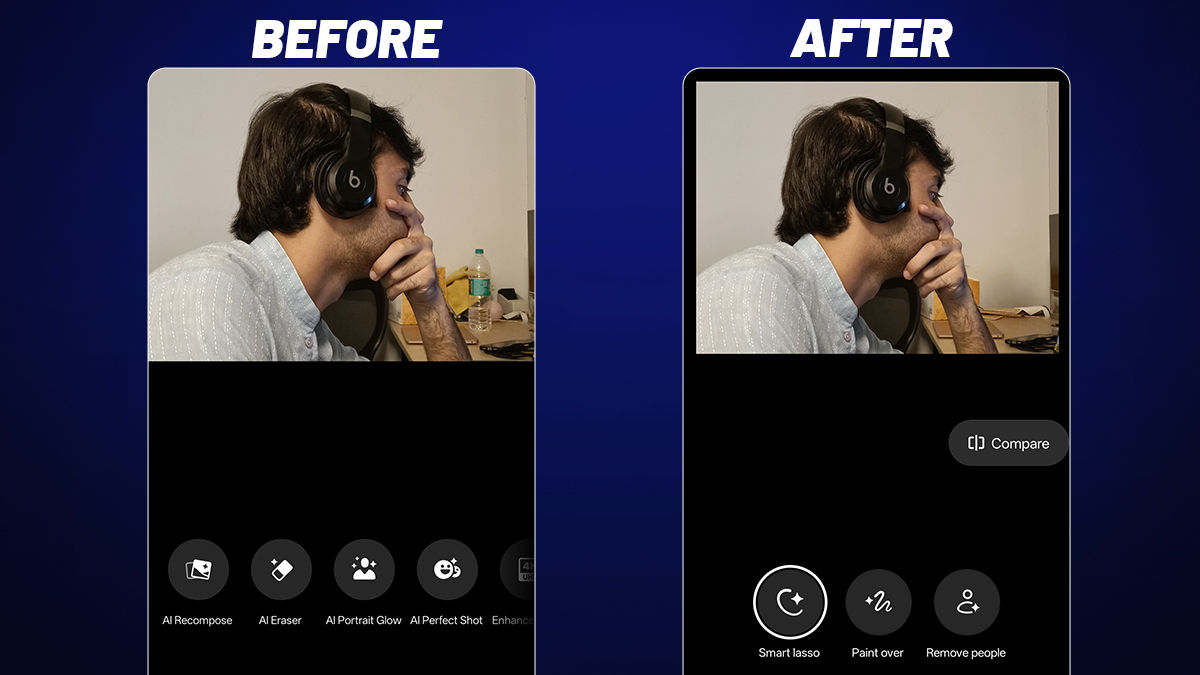
And then there is AI Eraser 2.0, which removes unwanted people or objects with a simple tap. If a stranger walks into your otherwise perfect travel shot, you can remove them and let the background fill in naturally, without leaving obvious traces behind.
Taken together, these tools feel like quiet fixes for problems you run into all the time while taking photos.
5. When the phone starts doing the small things for you
Not every interaction with your phone is about capturing or editing a moment. A large part of it is spent managing small, everyday tasks, and this is where the OPPO F33 series brings in a more quietly useful layer of AI.
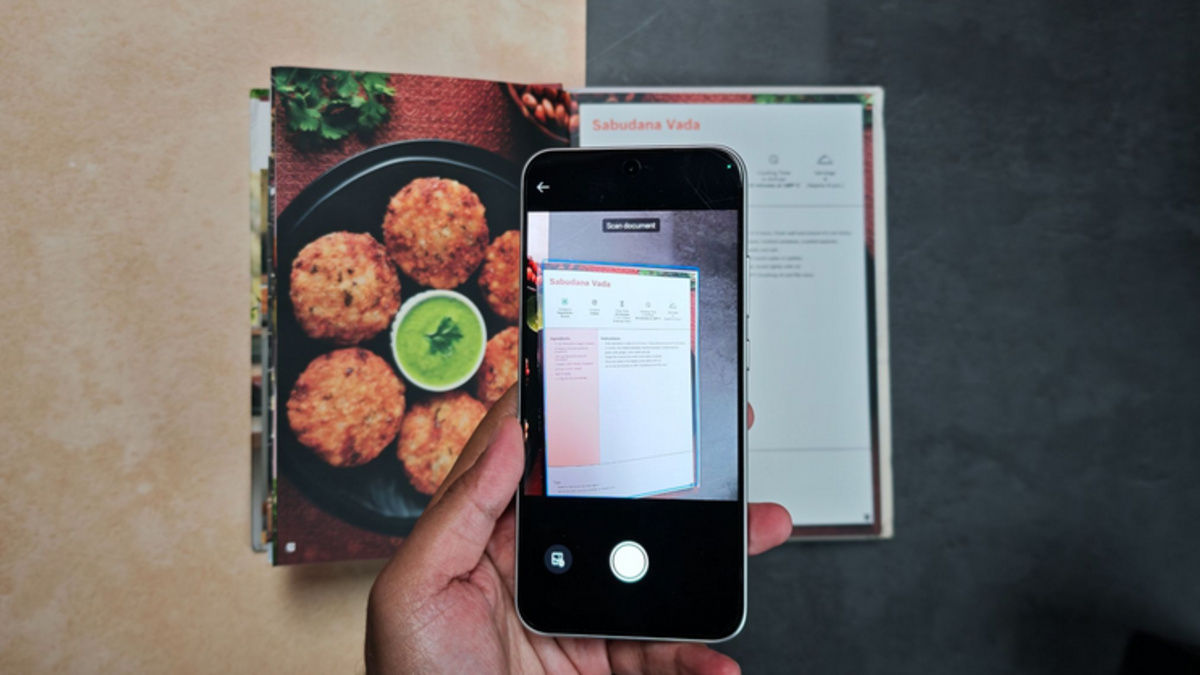
Take the AI Document Scanner. Something as simple as scanning a bill, a handwritten note, or a printed form usually ends up looking uneven, with shadows, folds, or skewed edges. Here, the system automatically cleans up the frame, sharpens the text, removes noise, and straightens the document, so what you save is actually readable and ready to use without extra edits.
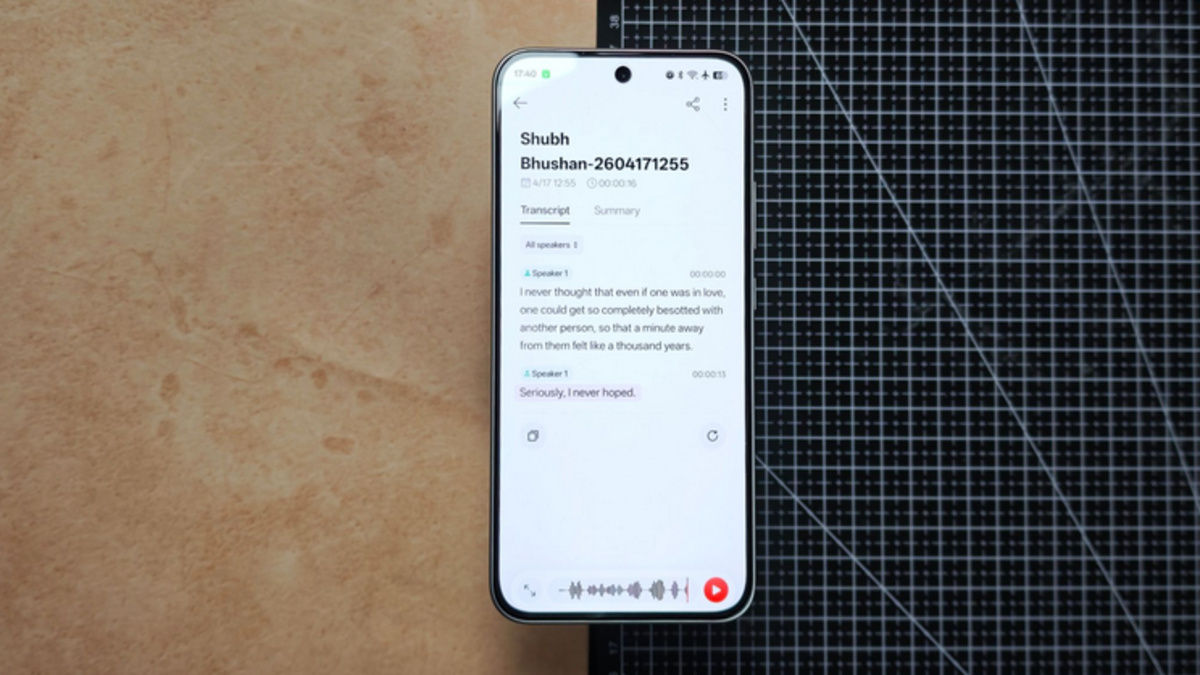
Then there are features built around conversations and information. AI Recorder and call summaries help capture and condense long discussions into something you can quickly revisit, whether it is a work call or a set of instructions you do not want to miss. Translation tools extend that further, enabling real-time interpretation across languages, which can be particularly useful in a country as linguistically diverse as India.
Even at a broader level, the integration with tools like Google Gemini allows you to interact with the phone more naturally, whether it is pulling up information, setting reminders, or navigating through everyday tasks without switching between multiple apps. It shifts the experience from tapping through menus to simply asking for what you need.
Alongside these, there are smaller but equally practical additions. Outdoor Mode with the Quick Switch Bar keeps frequently used apps within easy reach when you are on the move, reducing the need to constantly switch screens. Features like glove mode, combined with a design that prioritises grip and durability, make the phone easier to use in real-world conditions, whether you are outdoors, travelling, or simply multitasking through the day.
Put together, these are not features you will show off in a demo, but they are the ones you end up relying on the most. They sit in the background, remove small points of friction, and make the phone feel less like a device you operate and more like something that adapts to how you move through your day.
Disclaimer: This is a Promotional post. The content and opinions expressed are those of the sponsor and do not necessarily reflect the views of our editorial team.