We’ve all been there. You’re at a bustling airport café making a quick UPI payment, or a notification suddenly pops up with a sensitive OTP. Instantly, that familiar apprehension about prying eyes kicks in, and you do the awkward dance: cupping your hand over the screen and angling the phone away to block the dreaded “shoulder surfers.”
Because we constantly handle multiple transactions and sensitive work data on the go, our screens practically broadcast our private lives to anyone standing nearby. Thankfully, Samsung has finally decided to fix that.
With the new Galaxy S26 Ultra, they’ve introduced a feature called Privacy Display. It’s an incredibly clever mix of hardware and software that gives you a crystal-clear screen when you look at it head-on, but significantly dims the display for anyone trying to peek from the side. Let’s dive into how it works.
The Tech Breakthrough: Built-In, UL-Verified Privacy
Forget dark, bubbly plastic screen protectors that permanently dim your display. Samsung built privacy directly into the OLED panel using Flex Magic Pixel (FMP) technology, and UL Solutions awarded it their official “Privacy Display” verification.
Instead of scattering light everywhere like a lightbulb, the S26 Ultra acts more like a flashlight, using directional pixel control to narrow how light emits from the screen.
When activated, the display dramatically reduces off-angle brightness. Official measurements show brightness drops to around 3.5% at a 45-degree angle. To a bystander, the screen appears heavily dimmed and difficult to read. By pairing this with their LEAD 2.0 polarizer-free tech, Samsung ensures the screen remains incredibly bright and power-efficient when viewed head-on.
Smart Software for the Real World
Samsung paired this hardware with smart software designed to fit your daily routine:
- Automated Privacy: Automatically triggers the feature the second you open specific apps, like UPI, mobile banking, or work email.
- The Instant Shortcut: Need privacy right now? Reviewers and preview hands-ons report that a quick double-press of the side power button can instantly activate the privacy mode.
- Maximum Privacy Mode: For high-stakes moments, this mode ramps the tech all the way up so your phone appears heavily dimmed from side angles.
The Genius of Partial Screen Privacy
Arguably, the most sophisticated application of this tech is Partial Screen Privacy. Instead of blacking out the entire panel, it can apply privacy effects to specific areas of the display.
- Dynamic Password & PIN Masking: When you tap a PIN field, previews suggest the phone can apply privacy to sensitive input zones, making them difficult to view from off-angles while keeping the rest of the interface visible.
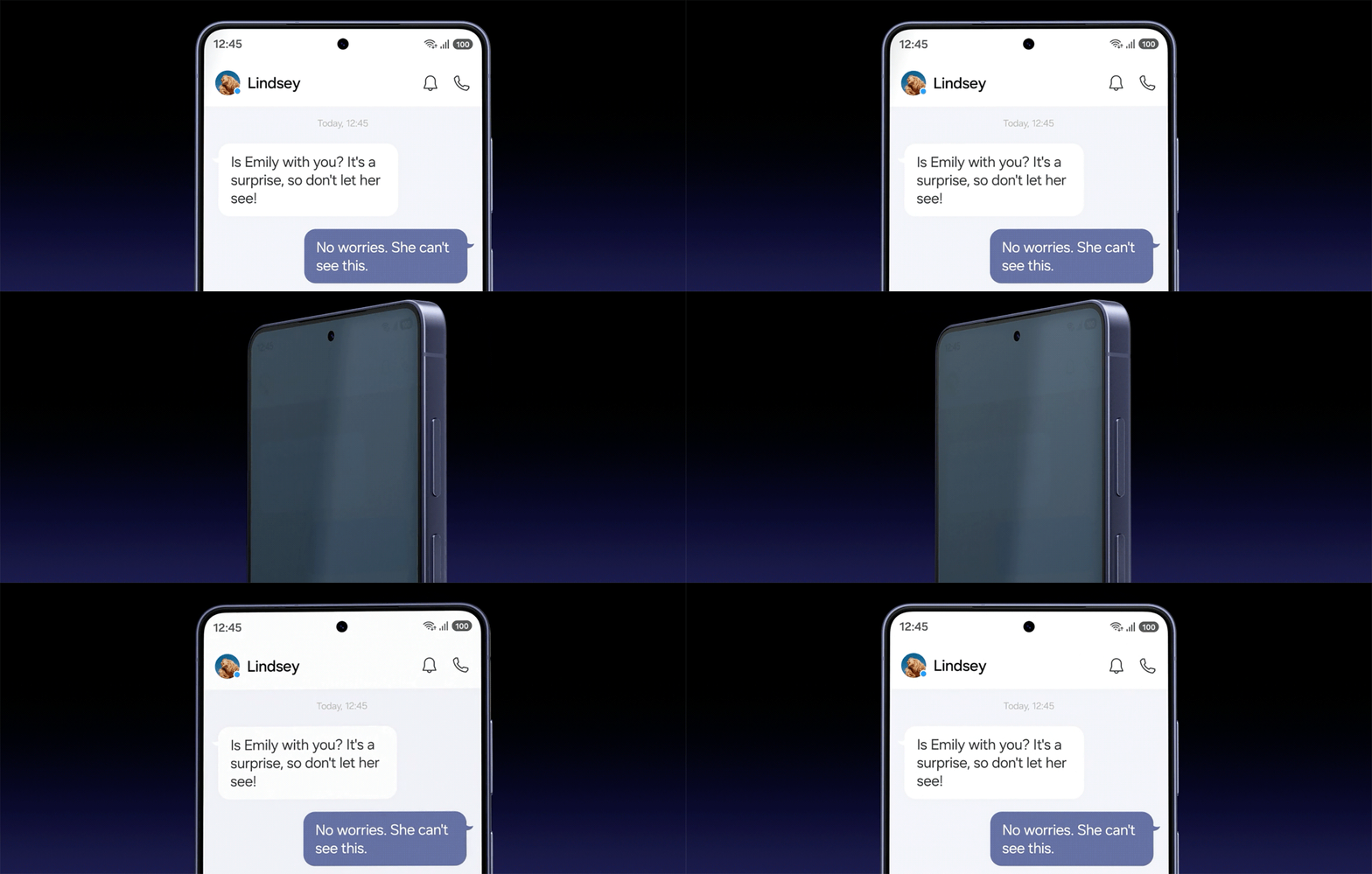
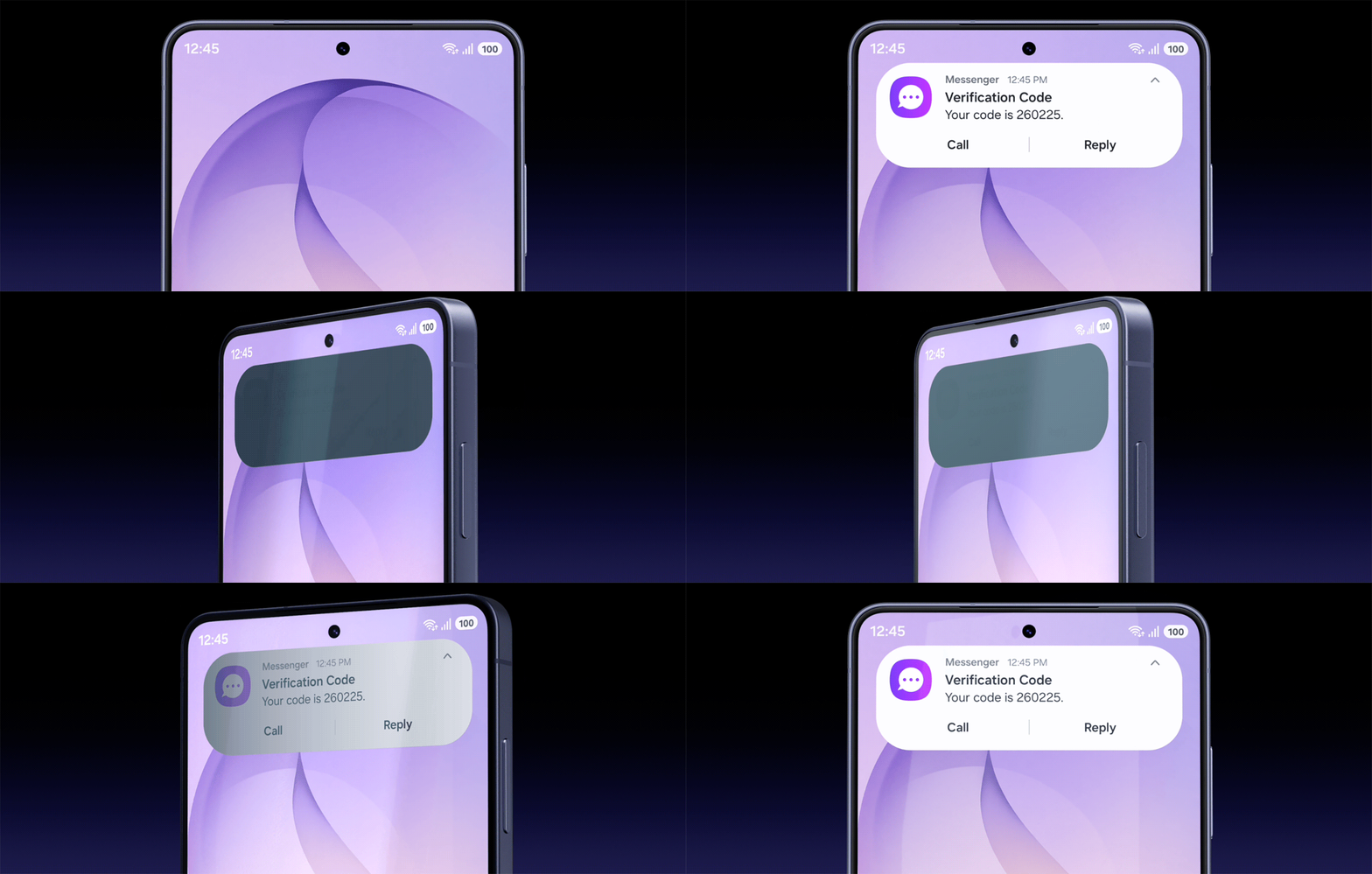
- Notification “Peep” Prevention: The privacy layer can mask incoming pop-ups, ensuring an OTP or a confidential email preview stays strictly between you and the sender, especially in public settings.
- Selective App Blurring: Through One UI, you can designate privacy zones. For example, hide just your account balance in a banking app or the body of a work email, leaving the navigation menus visible.
Samsung Display confirms the existence of partial privacy zones, though it does not detail the internal AI logic behind how specific elements are identified or masked.
Zero Compromises
Because this technology is built at the pixel level, there are no external films or permanent dimming layers involved. You get Samsung’s full OLED image quality when viewing the screen directly while benefiting from strong off-angle privacy protection.
Ultimately, the Galaxy S26 Ultra’s Privacy Display is a masterclass in ground-up tech innovation, solving a genuine, everyday problem. By building security directly into the hardware, Samsung has delivered a flagship experience that prioritizes privacy in real-world usage. Once you get used to this level of seamless, on-demand privacy, going back to a regular screen might just be impossible.