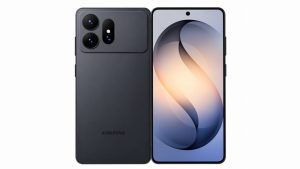
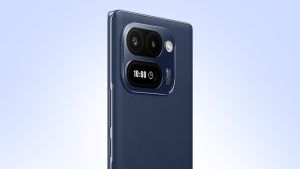
AI is now everywhere in smartphones, at least on paper. Every launch promises smarter tools, better assistance, and a more seamless experience. But once the keynote language fades, the reality is often less convincing. Many of these features still feel like isolated demos rather than something people actually return to throughout the day.
That gap is becoming harder to ignore. For all the noise around AI in smartphones, the category is still figuring out what genuinely useful looks like. The flashy part was easy. The harder part is making these tools intuitive enough to become part of daily use instead of staying buried behind curiosity.
Samsung has been at the forefront of this shift with Galaxy AI, and it has arguably done more than most to bring these capabilities into mainstream flagship devices. With the Galaxy S26 Ultra, the company is now pushing that effort further. The focus is no longer just on adding AI to the experience, but on making it feel more immediate and more practical.
That shows up in small but important ways. Editing an image faster without breaking your workflow, searching more intelligently without switching context, or letting the phone handle simple actions before you even think of them. The larger idea is straightforward. AI should not feel like a feature you go looking for. It should feel like a layer that quietly makes the phone easier to use.
Photo Assist: From “Fix It Later” to “Done in Seconds”
Photo Assist is Samsung’s take on simplifying what has traditionally been a slightly tedious part of using a smartphone camera, editing.
At a functional level, it combines generative editing with context awareness. You can straighten a frame, remove objects, extend backgrounds, or recompose a shot, all from within the gallery. The key difference is that you are not navigating tools or layers. You are making simple selections and letting the system handle the heavy lifting.
Where this starts to feel useful is in everyday, slightly imperfect shots.
In our use, this came up most often during work. Quick product shots at a desk setup rarely come out clean. There is always a cable, a reflection, or something in the background that you notice only after the photo is taken. Normally, that means either living with it or exporting the image to another app.
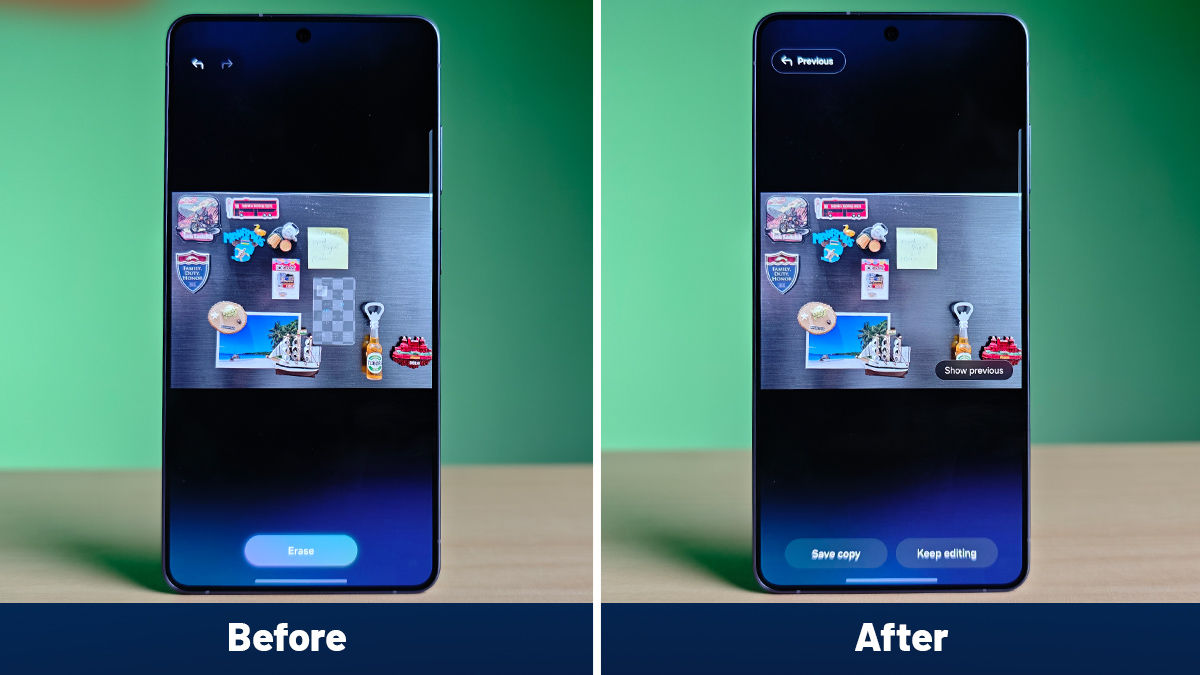
Here, the process is far more direct. You tap, select the distraction, and the phone rebuilds the frame in a way that feels natural enough to use without second-guessing it. The same applies to slightly tilted whiteboard captures or images that need a bit more breathing room. Extending the frame or straightening the composition takes a few seconds and does not interrupt the flow.
What stands out is not just the capability, but the shift in behaviour it enables. You stop thinking of editing as a separate step. It becomes something you finish in the same moment as capture, which is where this kind of AI starts to feel genuinely useful.
Now Nudge: From Intent to Action in a Single Step
Now Nudge is where Samsung’s AI starts feeling genuinely proactive rather than reactive. It reads what is happening on the screen and surfaces the next logical step based on context, instead of relying on manual navigation.
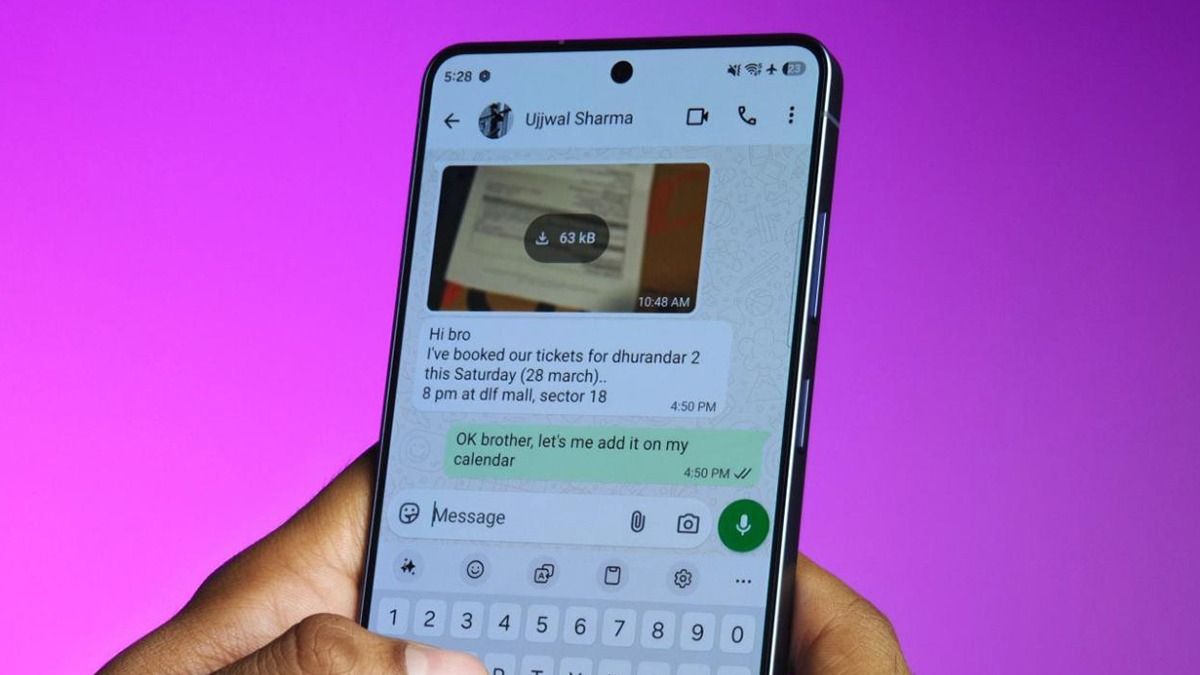
This came up most clearly while handling conversations on WhatsApp, which is where a large part of everyday coordination actually happens. During a discussion around a meeting time or a quick plan, the phone surfaces options like setting a reminder or creating a calendar entry without leaving the chat. The intent is already there in the conversation, and the phone simply closes that loop.
What works here is the timing and relevance. The suggestions appear when there is clear context and stay out of the way otherwise. That balance is critical because this sits right inside your most-used apps. Over time, it starts cutting down small but frequent steps, which is where it begins to feel genuinely useful.
Now Brief: From Scattered Updates to One Clear View
Now Brief is Samsung’s attempt at fixing something most smartphones still struggle with. The information needed through the day already exists on the phone, but it is spread across apps, notifications, and timelines.
At its core, it pulls together calendar events, reminders, messages, and ongoing activity into a single, evolving view. What makes it work is that it keeps updating based on what is happening throughout the day rather than staying static.
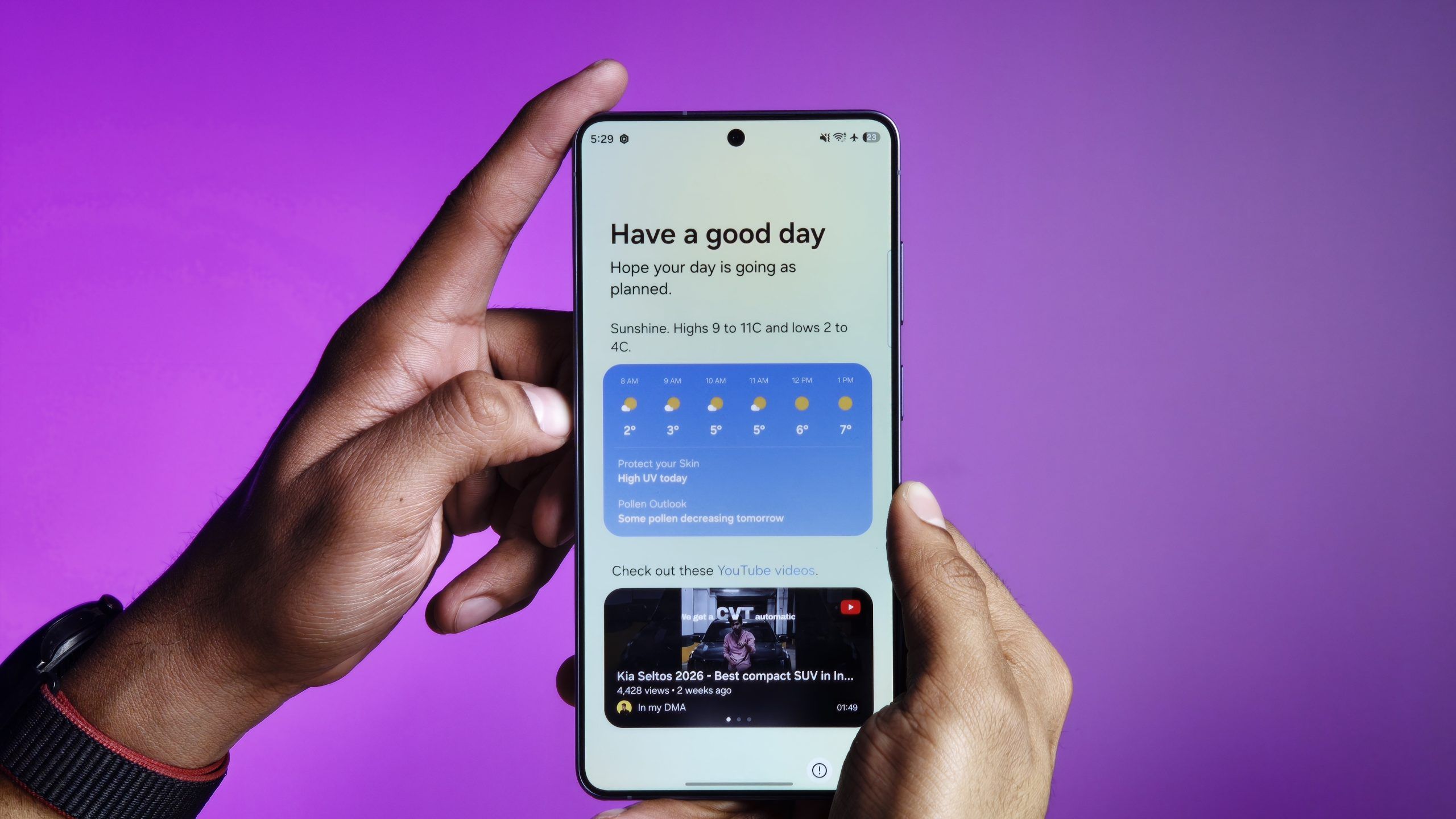
In my use, this becomes most visible at the start of the day. Instead of opening multiple apps, Now Brief surfaces meetings, reminders, and ongoing threads in one place. What adds to it is how it carries context forward. If a story is in progress and there has been movement between notes, screenshots, and links, those threads begin to surface together, making it easier to pick things up without retracing steps.
It is not trying to replace apps. It simply reduces the effort required to stay on top of everything, which is where it starts fitting naturally into daily use.
Circle to Search: From One Lookup to Understanding the Entire Frame
Circle to Search was already useful for identifying something on screen, but it worked one element at a time. Every new query meant starting over, which broke the flow. On the Galaxy S26 Ultra, that changes because it can now recognise and act on multiple elements within the same frame, making the interaction feel continuous rather than repetitive.
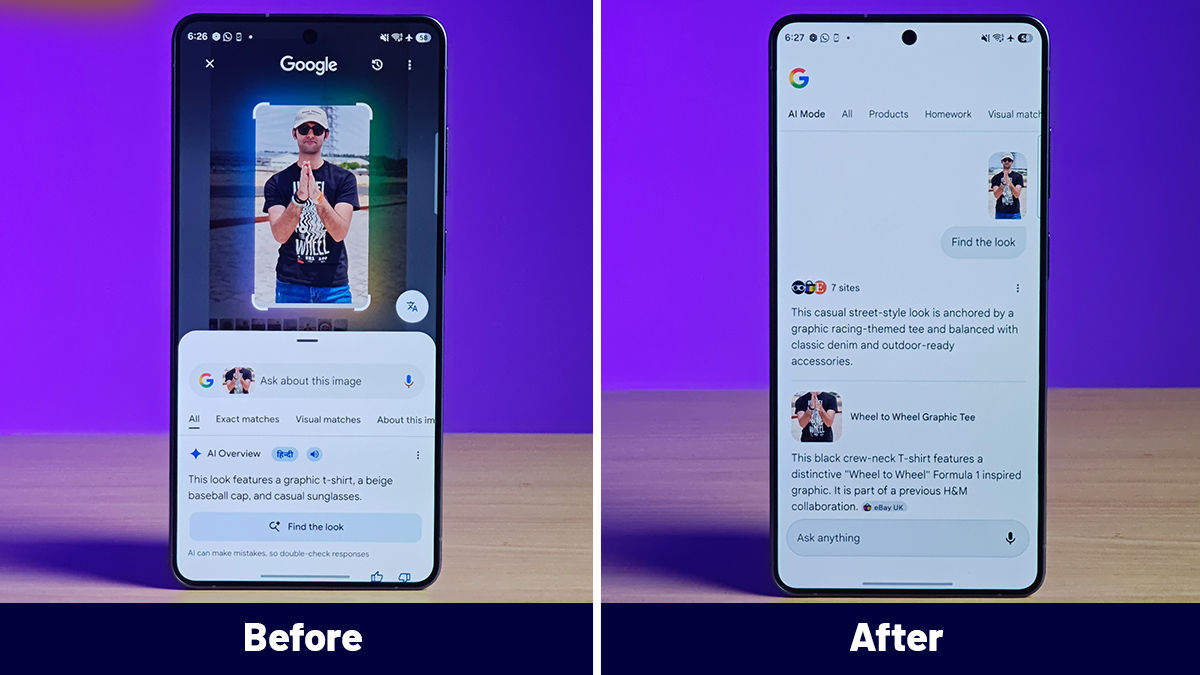
In my use, this clicked while looking at a full outfit in a single image. Say you come across a look that works, a shirt, shoes, and a watch, but you are not interested in just one piece. Earlier, you would end up taking multiple screenshots or running separate searches for each item. Here, you can circle the shirt, then the shoes, then the watch in the same frame and get relevant results across each without resetting the interaction or losing context.
That is where the upgrade starts to matter. It is not just about recognising more objects, but about removing the repetition between them. You move from doing multiple disconnected searches to exploring everything in front of you in one flow, which is what makes it far more practical in everyday use.
Automated App Actions: From Multiple Steps to a Single Flow
Automated App Actions is where Samsung moves beyond individual features and starts connecting the experience across apps. Instead of improving one app at a time, it focuses on reducing the gaps between them.
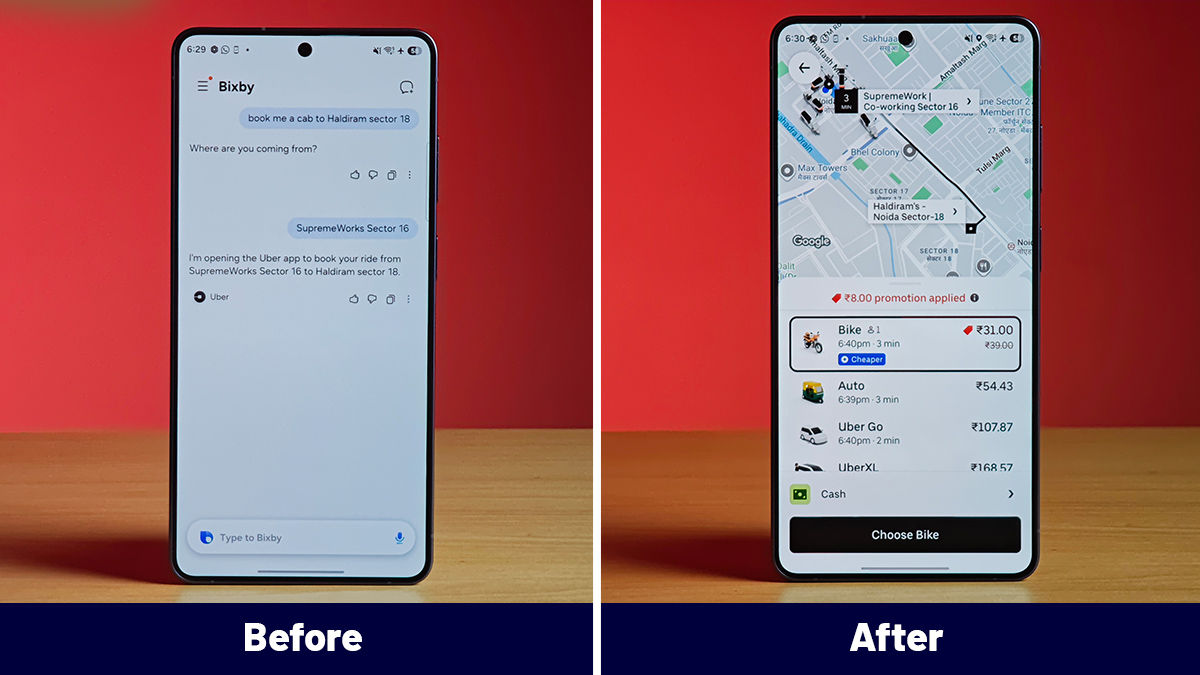
In my use, this showed up during something as simple as booking a cab while coordinating over chat. Normally, this would mean switching from a conversation to a ride-hailing app, checking the location, and then coming back to share details. Here, the phone begins to anticipate that flow, surfacing the next step and keeping the process connected instead of breaking it into separate actions.
The difference is not dramatic in isolation, but it becomes noticeable through repetition. Tasks that usually take three or four small steps start collapsing into one continuous flow, which is where this begins to feel meaningful.
Finder and Home Screen Search: From Searching Everywhere to One Starting Point
Finder on the Galaxy S26 Ultra is one of those upgrades that does not sound dramatic, but quickly becomes indispensable. Search on smartphones has traditionally been fragmented. Files sit in one place, messages in another, settings somewhere else, and you often need to remember where to look before you even begin.
Here, that layer is unified. Finder pulls results from across the phone, messages, documents, images, apps, and even settings, and surfaces them in a single, contextual view. The difference is not just in where it searches, but how it connects those results based on what you are looking for.
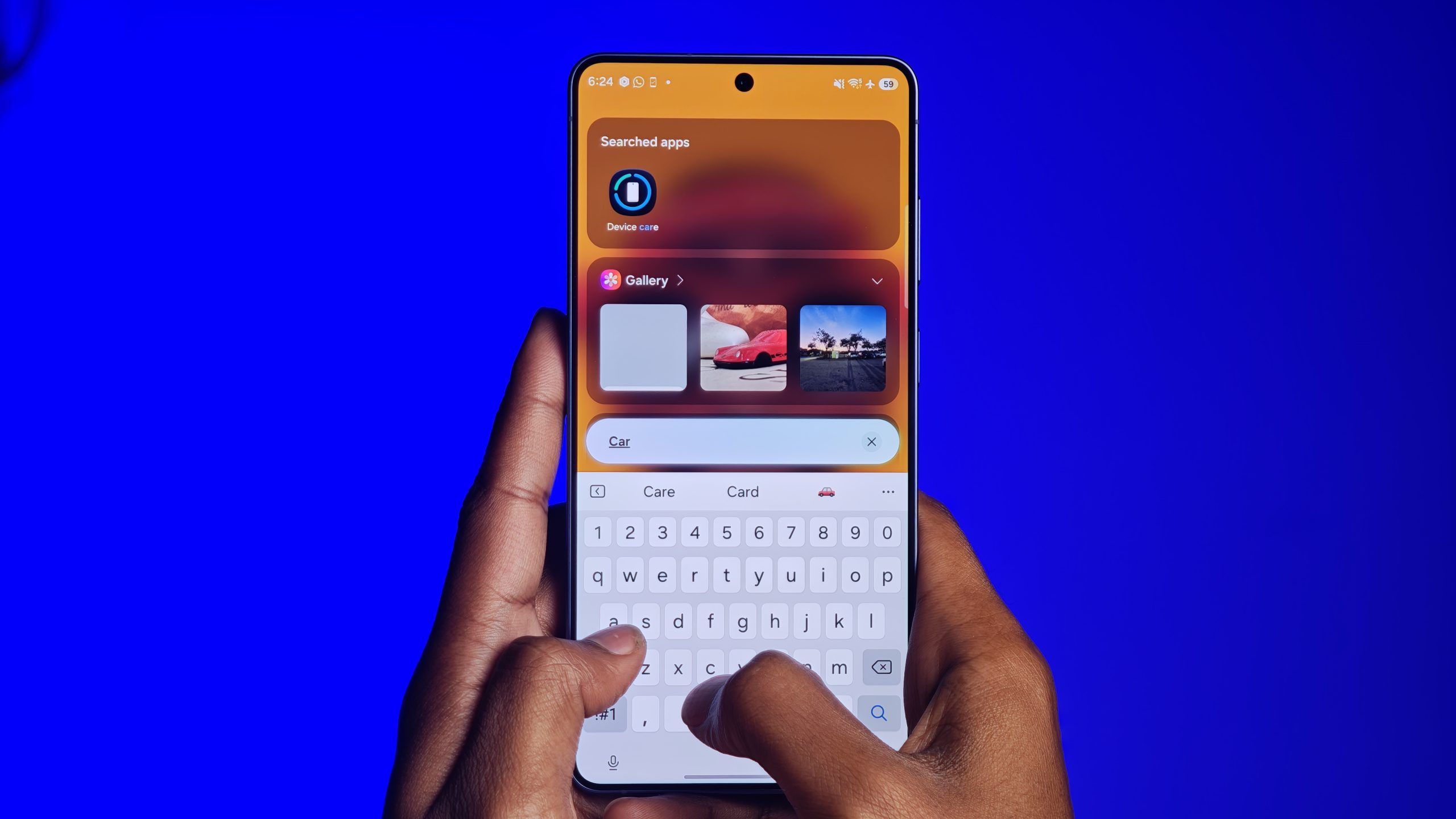
In my use, this became most useful while tracking down something mid-workflow. Searching for a single keyword from a story would not just bring up the document, but also related screenshots, message threads, and even downloads tied to the same context. Instead of remembering whether something was in notes, WhatsApp, or the gallery, everything surfaced in one place, which cuts down a surprising amount of back and forth.
That is where this starts to matter. It removes the need to think about where something is stored and shifts the interaction to simply what you are looking for. Over time, that makes the phone feel far more responsive to how you actually work, rather than how information is organised underneath.
Creative Studio: From Rough Ideas to Ready Output
Creative Studio is less about editing an image and more about turning it into something entirely new. Instead of working with traditional tools, it takes a base photo and uses prompts and styles to generate a transformed output, often with a distinctly animated or illustration-like look.
In the visual here, the process starts with a regular photo and a selected style, which is then used to generate a new version of the image. The result is not a cleaned-up photo but a stylised output that feels closer to a character, a graphic, or even a poster. The shift is visible and immediate, which is what makes the feature stand apart from standard editing tools.
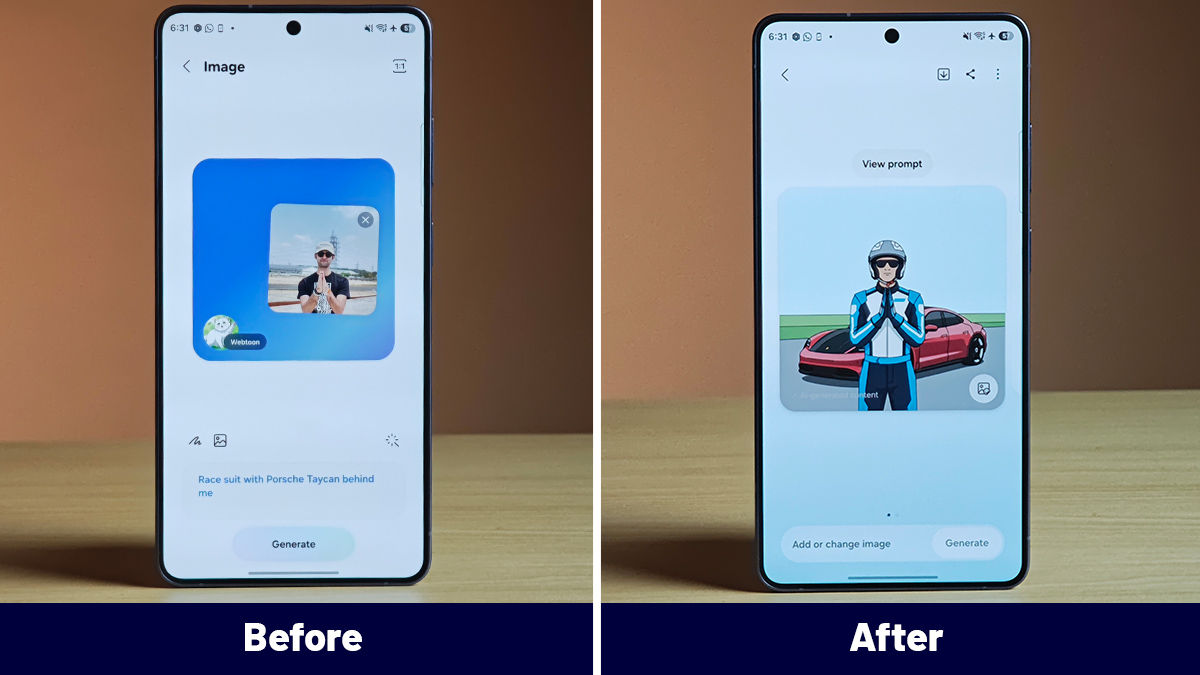
Where this becomes useful is in what you can do with that output. It allows users to generate fun invitation images, create custom stickers, or put together quick, visually distinctive posters without needing a separate app. The phone is not just refining what is already there, it is helping create something new that is ready to share.
That is where Creative Studio fits in. It moves the phone from being a tool for capturing images to something that can quickly turn them into expressive, shareable formats, which is where this layer of AI starts to feel far more creative than functional.
Making AI Feel Effortless
What stands out with the Galaxy S26 Ultra is not any one feature, but how consistently these capabilities show up across the experience. Photo Assist removes the effort from editing. Now Nudge acts on intent, Now Brief keeps track of context, Circle to Search makes exploration more fluid, Automated App Actions connect workflows, and Finder simplifies access to information.
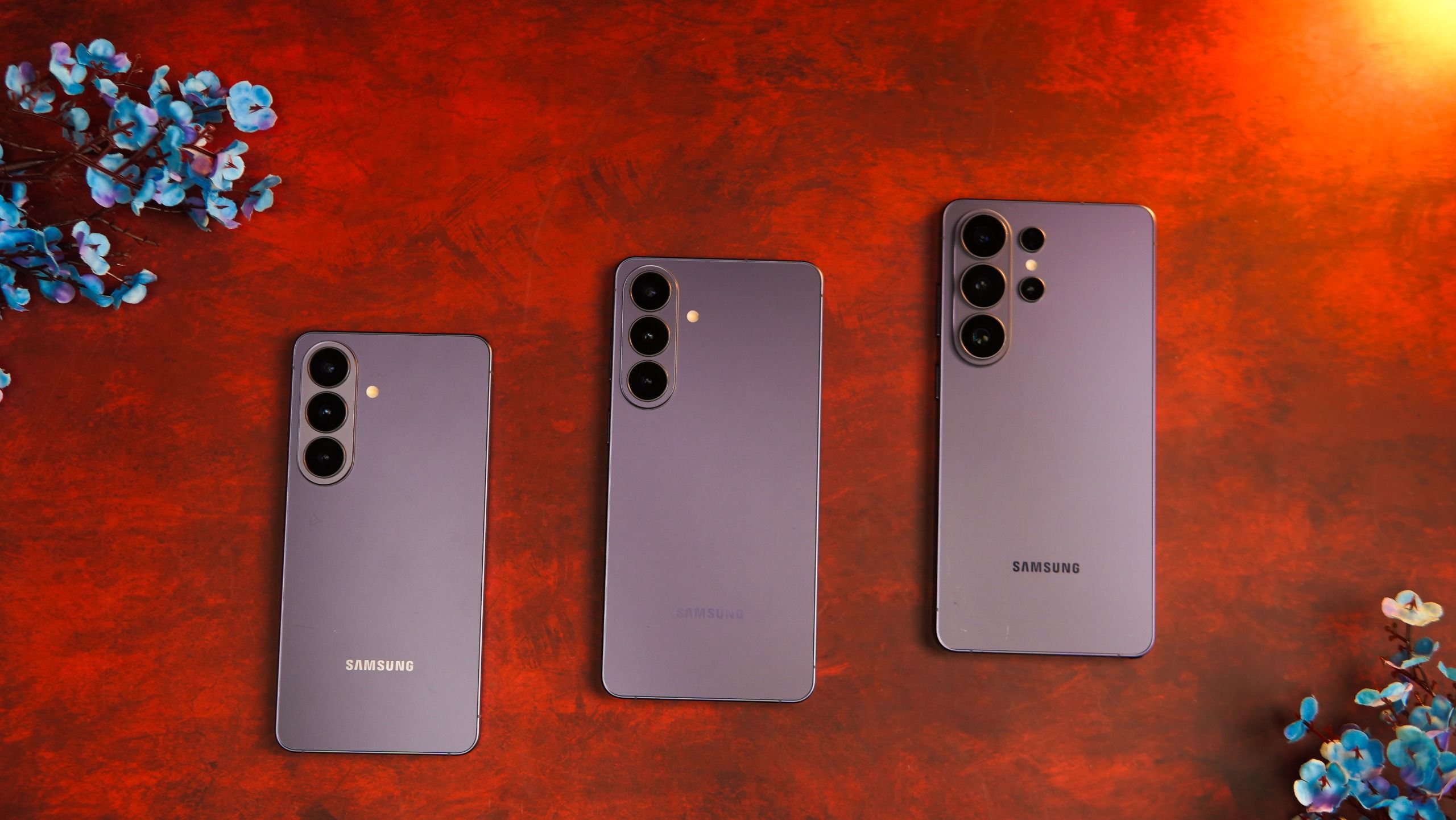
Individually, these are incremental. Together, they start changing how the phone is used.
In my time with the device, this phase of AI feels more grounded than before. It is less about discovering features and more about noticing where the phone quietly saves a step or two through the day. That shift makes the experience feel more natural and easier to rely on.
There is still more to explore, but this is the first time it feels like AI is settling into the background and doing the work without needing constant attention. That is what makes this direction interesting, and it is something I am looking forward to spending more time with.