Smart locks have grown in popularity over the past few years; the focal reason is convenience. It shrugs off the anxiety of losing your physical key and offers multiple-entry access. Looking at this, Mygate, which has become synonymous with security in large gated communities, has launched a wide range of smart locks. While its devices range from budget to premium, we’ll be looking at the entry-level Mygate Lock SE. I have been using the lock for more than two months, here’s my review.
Mygate Lock SE
Rs 8,950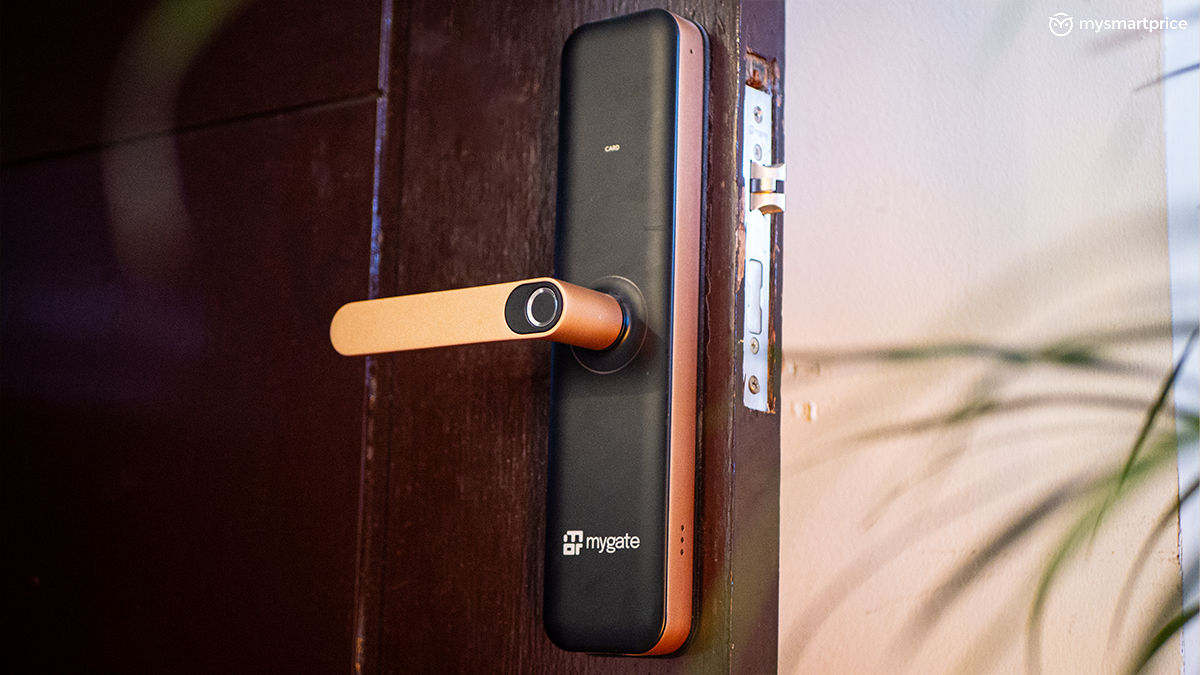
What Is Good?
- Value for money
- Great app integration
- Multiple ways of entry
- Good design, different colour options
- Easy to use
What Is Bad?
- No real-time notifications
- Access logs are not synced properly
- Fingerprint scanner area is small
Pricing, Warranty and Availability in India
While you can book free demos from Mygate’s official website, the locks can be bought from Amazon India. It comes in three different shades, all of which are priced differently. You can find the prices as of writing this review in the table below:
| Mygate Lock SE Variant | Price in India |
| Matte Black | Rs 8,950 |
| Bronze Blush | Rs 9,950 |
| Clear Champagne | Rs 9,990 |
Keep an eye out on the prices, these keep fluctuating. If you have select credit/debit cards the prices can be brought down further. As for warranty, Mygate offers a 3-year warranty that covers repairs and replacements and a 10-year service support guarantee. Mygate officials have also confirmed that support is available pan-India.
Installation and Getting Started
Now, before ordering the lock, it’s very important to check a few things for maximum compatibility. The locks can only be fitted on wooden doors with a thickness of 32mm to 65mm. If you are unsure, try measuring with a tape so that you do not face any issues later on. Another thing to note is that if you have a safety door, both your wooden and safety doors should have a good distance between them, or else the door handle will be jammed.
Once all that is in order, the installation process is aligned by the company, free of cost. This can take up to an hour to be done. The setup requires you to download the Mygate Smart Devices app, and this barely takes a minute to pair. The app uses Bluetooth connectivity, so it’s required for you to stay close to the lock during this process.
Design and Build Quality
With multiple colour variants available, you can choose the one that suits your door the best. Inside the box, you will find three different parts: the indoor unit, the outdoor unit, and the mortise lockset that needs to go inside the wooden door. I have fitted the Lock SE on my front door, which is also protected by another safety door. The lock survived the mild rainy season, but Mygate does not mention any water or dust resistance certifications. So, it’s best to keep away from doors that might come in contact with water.

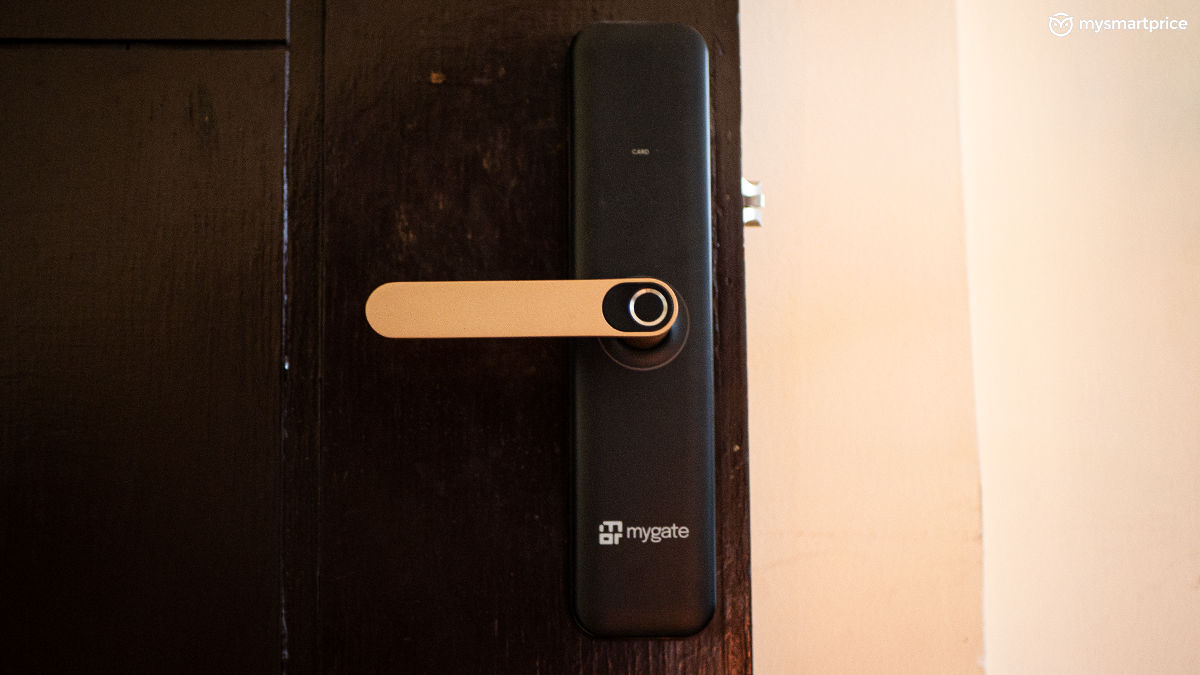
The Lock SE is taller than the conventional locks, so it’s hard to miss it. The Bronze Blush colourway that I have with me creates a good contrast between the lock, the door and the handle. Speaking of which, the handle is well-structured, keeping in mind ergonomics when opening the door. It has a rounded back with a flat front that easily fits your hand whenever you want to unlock the door.
The Lock SE is made out of plastic and metal and the build feels sturdy, so prying it off the door will not be easy. And, if someone tries that, there’s also a tamper alert mode on the app. We’ll talk more about that in the performance section.

Just above the handle of the outer unit, you can find a touch-sensitive area that displays a keypad. It also doubles up as a space for NFC cards, which come bundled with the lock. The keypad area blends in beautifully with the design, giving it a more minimalist look. You will also find a fingerprint scanner on the handle, which is smaller than what I would have liked. This caused a lot of misreadings initially until I got used to it.

What I particularly like about the Lock SE is the circular LED ring near the handle. It flashes green if your fingerprint is accepted and red if it has failed to read it. This is also followed by an audio prompt, which is also loud and clear.
App Support
To access settings and other features of the Lock SE, you will need to download the Mygate Smart Devices app. Once the pairing and setup process is complete, the traditional Mygate app also displays a section from where you can access the lock, which is a good way of making things seamless.

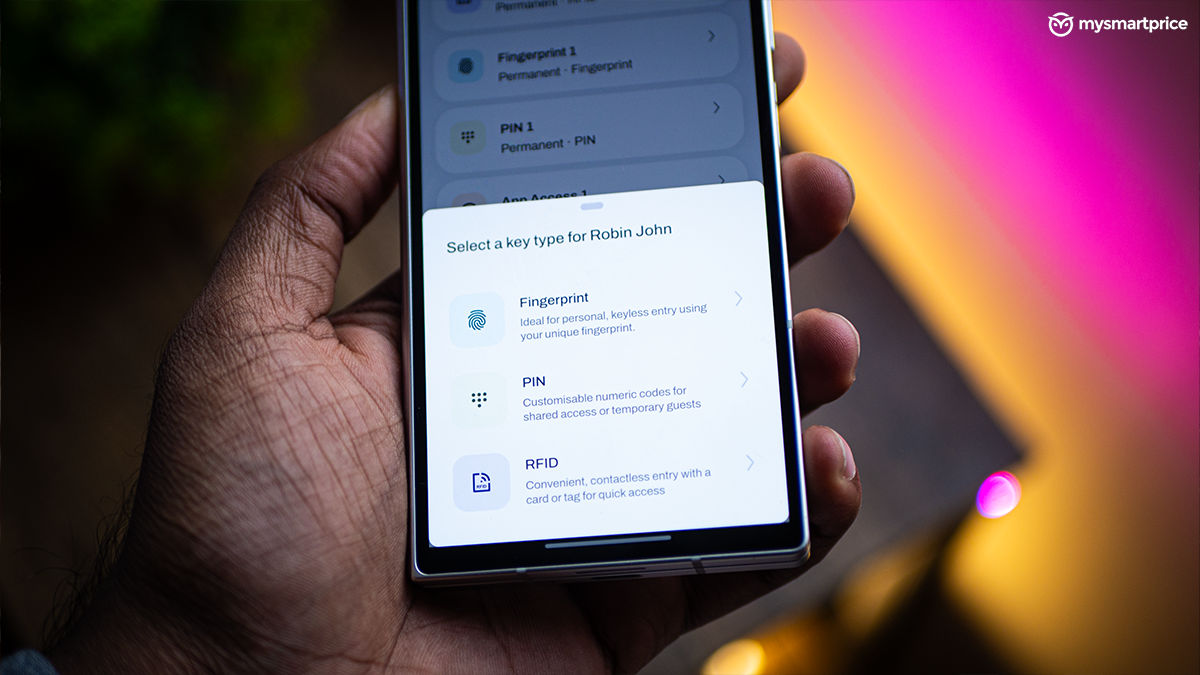
The app is straightforward. It does not overly complicate things with multiple different settings, but instead stores most of the necessary information under the “User Management” tab. Here, you can add new users, register NFC cards, passcodes, etc.

The app also lets you add validity periods for different users. So, if you have someone coming over just one time, you can create an access point for them that lasts for just six hours. Once the time runs out, they can not enter again. Then, there’s the recurring mode which can be great for house help.
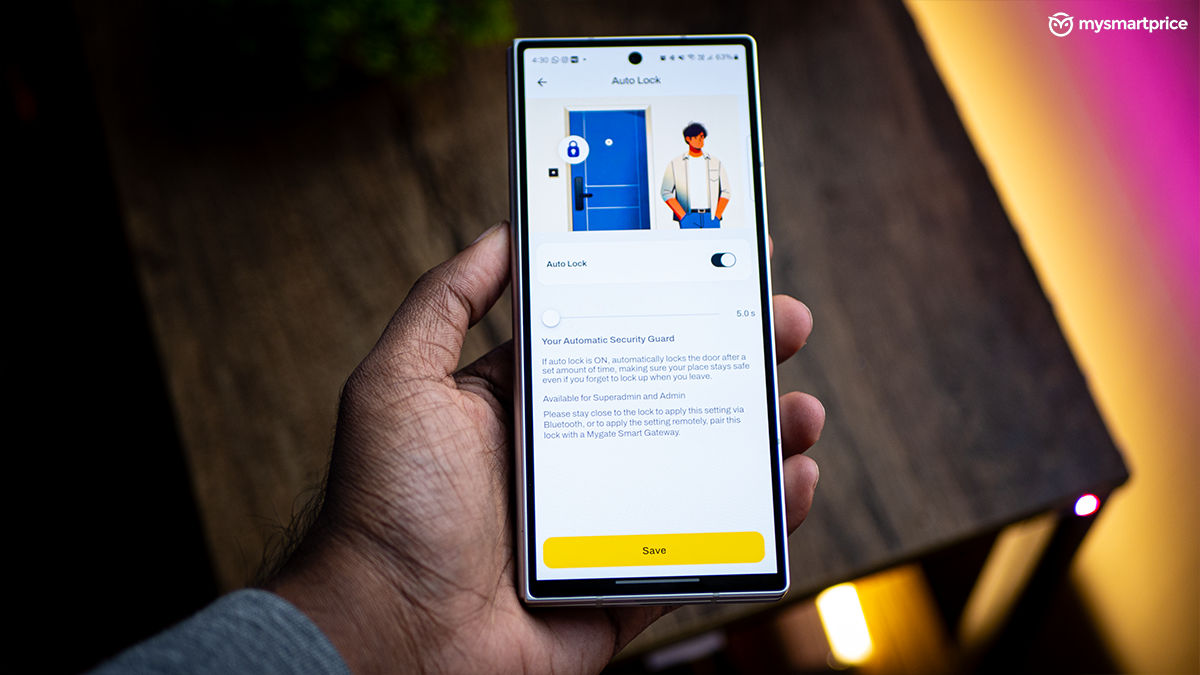
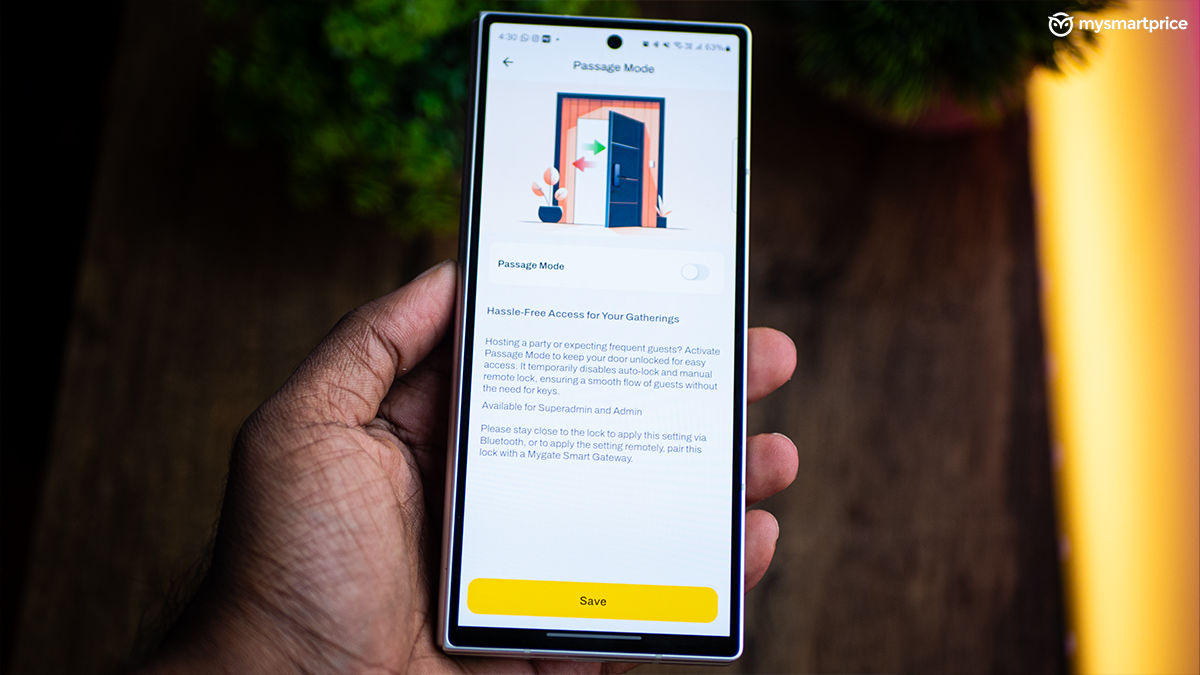
One other feature I liked on the Lock SE was auto-lock. As the name suggests, it automatically locks the door after a set amount of time. It’s set at 5 seconds by default but can go all the way up to 30 seconds. Passage mode is another feature that can come in handy if you tend to have a lot of house parties. This essentially disables all the locks so that guests can enter and exit without any hassle.
Performance
With the Lock SE, you get four different ways of entering your own house. Here’s a look at them below:
Fingerprint: The fingerprint scanner helps with a quick entry into the house. As mentioned before, the area of the scanner could have been slightly bigger to accommodate fingers of all sizes. While this caused issues initially, I found a way to angle my finger which allowed the scanner to read it flawlessly. A single person can add multiple fingerprints, so that’s good.

Passcode: Inside the app, you can create passcodes for each user. Double tapping on the area above the handle will enable the keypad. This also gives you quick access to your houses, but be careful of prying eyes.

App unlock: The app’s dashboard lets you unlock the door with a click of a button. However, it requires you to be close to the door since it uses Bluetooth. This is where the entry-level lock’s limitation starts to be a bit more evident. You cannot remotely unlock the door in case a guest shows up at the door and you are in the office. The only other way to open the door for them is by creating a one-time passcode.

RFID: You get three NFC cards inside the box. You can assign them to different users by creating a profile in the app. This method requires you to tap the card in the designated area. It’s simple and quick. If your parents or house help find it difficult to deal with fingerprint or app unlock, this can be of use.

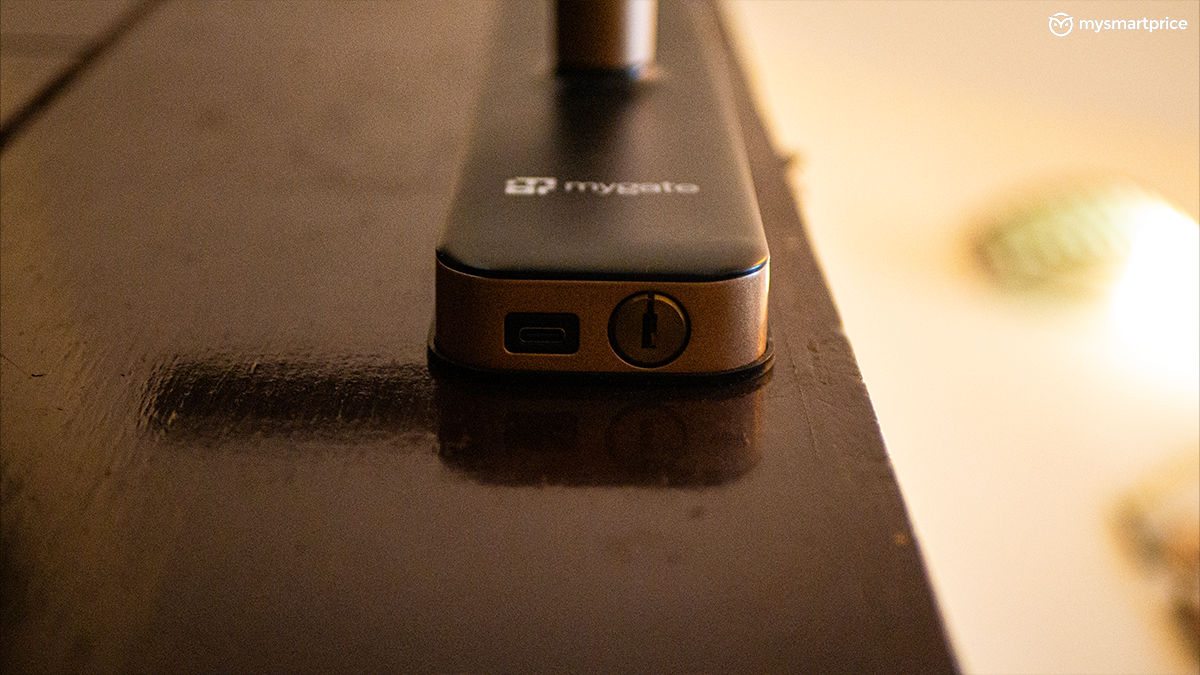
The Lock SE runs on four AA batteries, which have dropped down to 87 per cent after two months of usage. Having batteries ensures that the locks still work during power outages. The app will remind you to change the batteries as soon as they drop below 15 per cent. In case you forget and the batteries run out, you can use the physical keyhole situated at the bottom of the lock, or jumpstart using the USB-C port and a power bank.

While the Mygate app records access logs, these aren’t synced properly. Moreover, with the Lock SE, you do not get the luxury of real-time notifications, which is an important part of security. For this, you will have to invest in a Wi-Fi gateway or opt for a higher variant.
Verdict
At a starting price of Rs 8,950, the Mygate Lock SE is a decent entry point into the world of smart locks. This is a good option if you want to switch from traditional locks to smart ones, while not splurging a lot.
Despite its affordable price tag, it offers a bunch of crucial features. But, it’s worth noting that it skips out on real-time notifications. If this is of utmost priority for you, I would suggest looking at the higher variants. As for alternatives, you can find options from Yale, Qubo, Atomberg, Godrej, and more.
If you are still in double minds about switching to a smart lock, let me leave you with this. I had never considered getting one, but I don’t see myself going back to traditional locks after seeing the convenience it provides.
With the rise of connected security devices and a growing preference for keyless entry, smart locks are fast becoming mainstream in Indian homes. The Mygate Lock SE fits into this shift as a reliable, entry-level option that prioritises ease of use over fancy automation. Compared to rivals such as Yale or Qubo, it may skip Wi-Fi connectivity but wins on simplicity and pricing. The move also highlights Mygate’s effort to evolve from a community management app into a complete smart home ecosystem. For most first-time users, it strikes the right balance between price, practicality, and peace of mind.