Android 17 Beta 3 is now rolling out to supported Pixel devices, and while it may not look like a major upgrade at first glance, it marks an important stage in the update cycle. With this release, the platform reaches stability, meaning core APIs are final and the focus shifts to refining usability and performance ahead of the stable rollout.
Instead of headline-grabbing changes, this version introduces a set of practical features that improve multitasking, customisation, and everyday interactions. Here are five additions that stand out.
Bubbles Expand Into a Proper Multitasking Tool
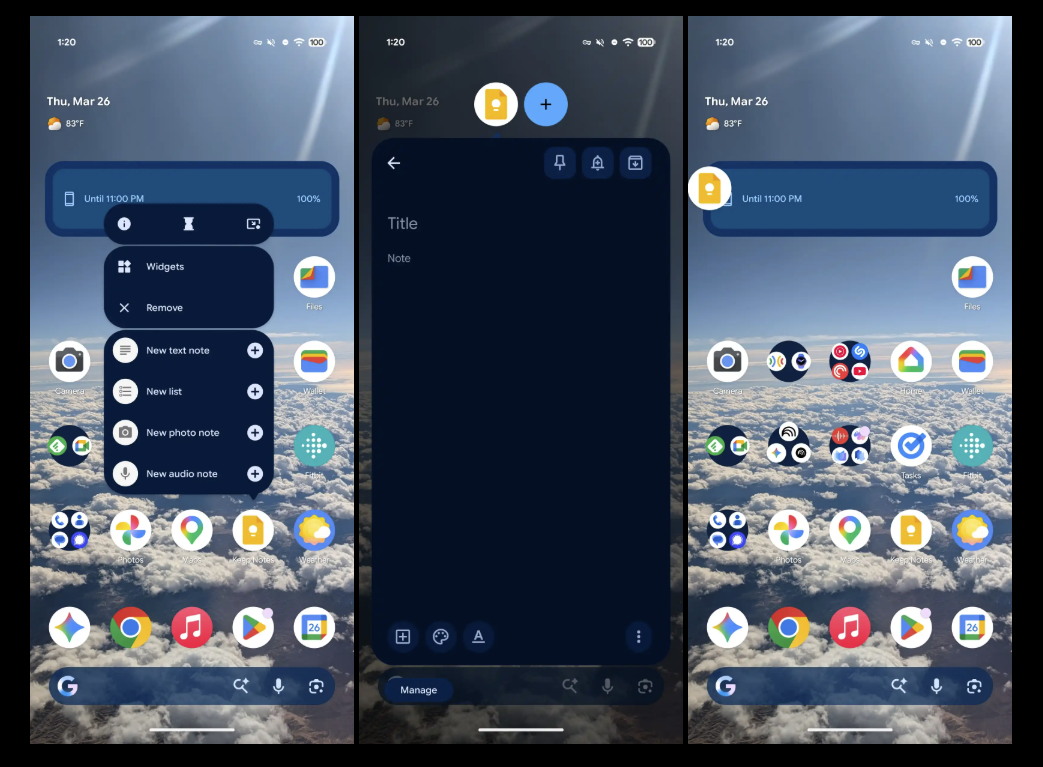
The Bubbles feature is no longer limited to messaging apps. In Android 17 Beta 3, it becomes a broader multitasking system that works across apps.
Users can now turn almost any app into a floating window by long-pressing and minimising it into a bubble. Tapping the bubble opens the app in a picture-in-picture style view, making it easier to switch between tasks without fully leaving the current screen.
This is particularly useful on foldables and large-screen devices, where managing multiple apps at once can feel restrictive. Instead of split-screen, users get a more flexible overlay-style multitasking experience.
Screen Recording Gets a More Practical Interface
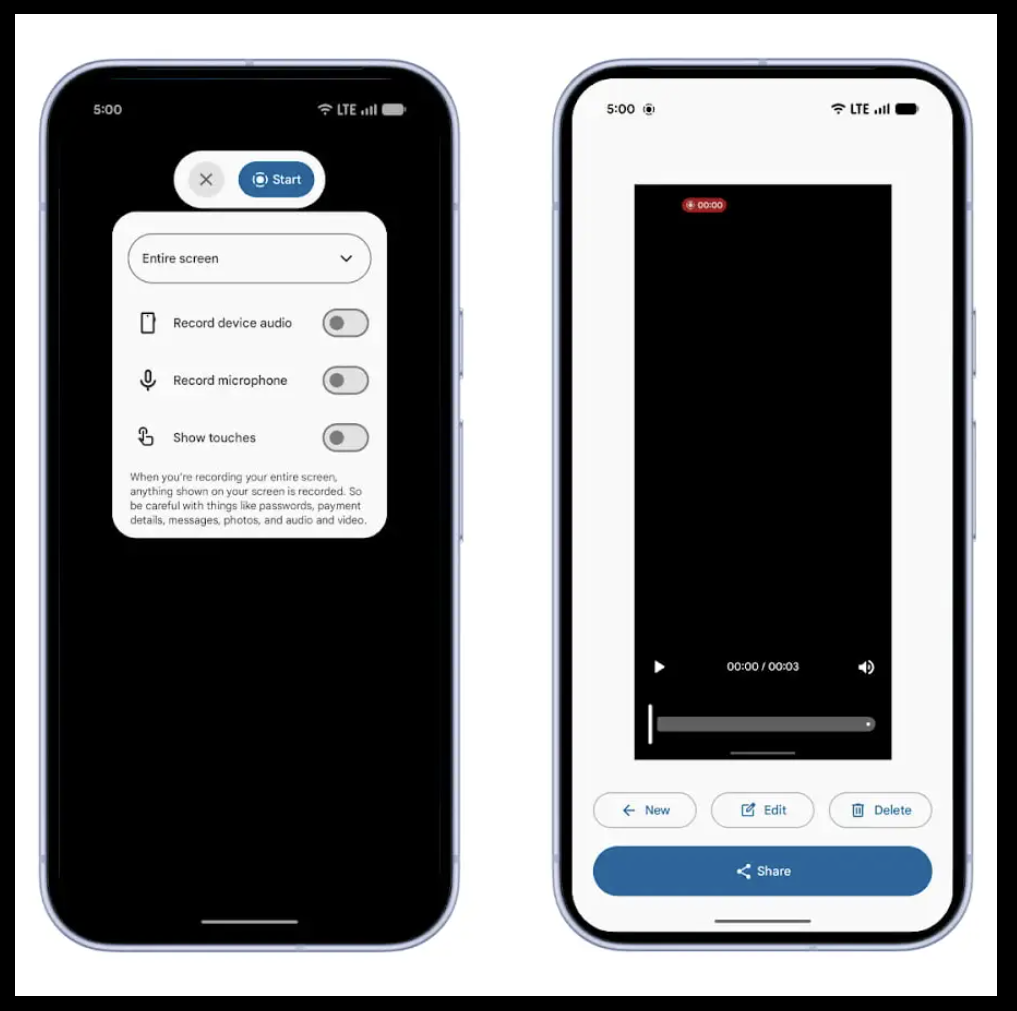
Google has redesigned the screen recording interface with a floating toolbar that sits on top of the screen. This makes it easier to control recording without navigating through menus.
The new layout simplifies access to key options and ensures that the recording controls themselves are not captured in the final video. This is a small change, but it improves usability for creators and anyone who frequently records their screen.
You Can Now Hide App Labels on the Home Screen
Android 17 Beta 3 adds a new customisation option that lets users hide app labels on the home screen. This setting is available through the system customisation menu and allows users to create a cleaner, more minimal layout.
While it does not change functionality, it reflects a shift towards more personalised home screen experiences. It also places more emphasis on recognisable app icons rather than text.
Desktop-Style Multitasking Moves Forward
Another notable addition is Desktop Interactive Picture-in-Picture (iPiP), which improves how apps behave on external displays.
Apps can now be pinned into a floating window that stays on top while remaining fully interactive. This creates a desktop-like experience when using Android with larger screens or monitors.
It shows that Google is continuing to build towards better multi-device and desktop-style workflows, especially as Android expands across form factors.
Small UI Changes That Improve Everyday Use
Alongside the bigger features, Android 17 Beta 3 includes several smaller UI tweaks that improve day-to-day usage.
Quick Settings now separates Wi-Fi and mobile data into individual tiles, making connectivity controls easier to access. There are also new options for managing dark mode behaviour on a per-app basis, along with refinements across the interface.
These changes may seem minor, but they address long-standing usability gaps in Android’s interface.