Your colleague needs the final handover note, your family wants to know when you will reach home, and your friends have changed the dinner venue again. It is the last working day before Diwali, and all three conversations are happening at once. Somewhere between them, you still need to finish packing.
For anyone considering a festive smartphone upgrade, this is where everyday convenience starts to matter. A phone that helps you respond to calls, find important documents and manage interruptions has plenty to contribute before the celebrations even begin. The Samsung Galaxy A27 5G, Galaxy A37 5G and Galaxy A57 5G bring One UI 8.5 to that experience, with festive offers making the upgrade more accessible.
A Festive Upgrade With EMIs Starting at ₹650 a Month
Samsung’s festive offers include monthly EMIs starting at ₹650 for the Galaxy A37 5G, ₹787 for the Galaxy A57 5G and ₹937 for the Galaxy A27 5G. Eligible financing plans offer up to 40 months of no-cost EMI on the Galaxy A37 5G and A57 5G. Here is how the monthly instalments and instant cashback compare across the available variants:
| Model and variant | Starting monthly EMI | Instant cashback |
| Galaxy A57 5G, 8GB + 256GB | ₹787/month | ₹8,500 |
| Galaxy A57 5G, 12GB + 256GB | ₹950/month | ₹9,500 |
| Galaxy A37 5G, 8GB + 128GB | ₹650/month | ₹4,000 |
| Galaxy A27 5G, 6GB + 128GB | ₹937/month | ₹2,500 |
The payment plans help spread the expense during a season that already involves gifts, shopping and travel. One UI adds the everyday reason to consider the Galaxy A series, with communication and productivity tools on compatible devices that help you keep track of those plans.
Keep the Details Within Reach
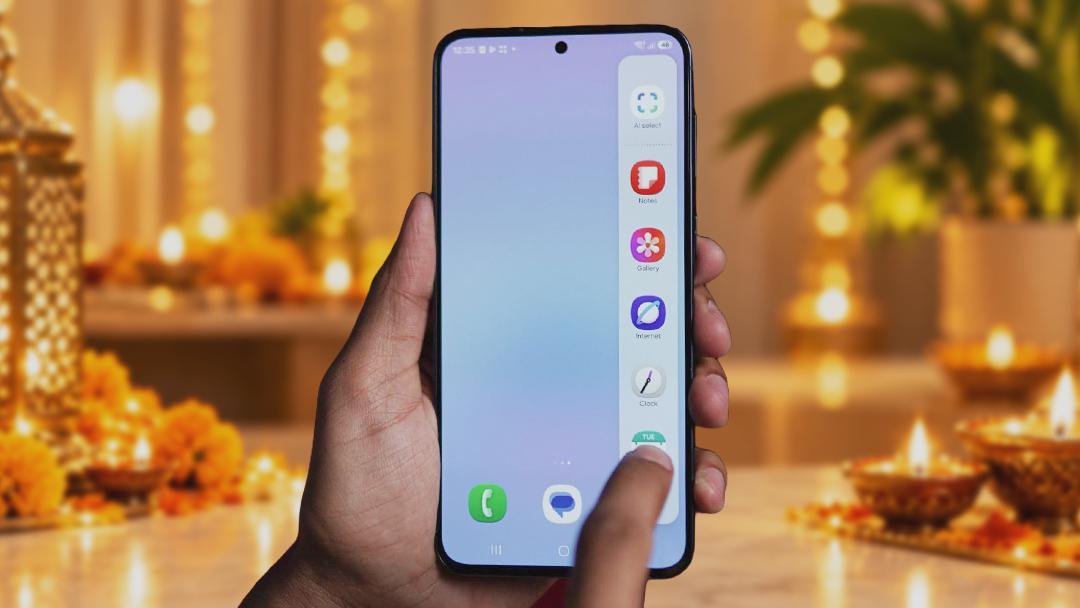
Before a trip, useful information tends to accumulate across messages, downloads and conversations. Samsung Notes gives you a place to collect the details you will need together. A festive checklist can include gifts to collect, shopping references and addresses, with text and images in the same note. As plans change, you can update that note instead of piecing everything together again from different chats.
My Files complements it by keeping the actual documents accessible. Downloaded tickets, booking confirmations and work files can be found through categories or a search by name. A clearly named travel folder means the reservation is ready when you need to check it, while a separate work folder helps you locate and send the document a colleague has requested.
Alongside saved notes and documents, Call Recording helps you keep track of details shared over the phone. You can record supported conversations (with everyone’s agreement) and revisit them later. If a handover call includes several last-minute changes, you can check what was discussed before updating your notes.
On the Way Home, Keep the Conversation Clear
Once you are on the move, finding information is only part of the job. You also need to communicate it, perhaps while coordinating a station pickup with announcements playing overhead. Voice Focus helps make your voice clearer during supported calls in noisy surroundings. Call Captions addresses the other side of the conversation by displaying speech as text, letting you read along when you are struggling to hear.
If speaking is inconvenient, Bixby Text Call offers another way to respond. On supported devices, it displays the caller’s words and reads your typed replies aloud. A delivery partner calling about a festive parcel can receive your instructions even while you are sitting in a quiet train compartment.
When you can talk but your hands are occupied with luggage, connected Galaxy Buds let you take the call without holding the phone to your ear. Caller ID & Spam Protection adds context before you answer, helping identify unknown callers and flag suspected spam among the calls you are expecting. These options let you handle a conversation according to the situation, instead of having to stop everything whenever the phone rings.
Once You Arrive, Make Room for the Celebrations
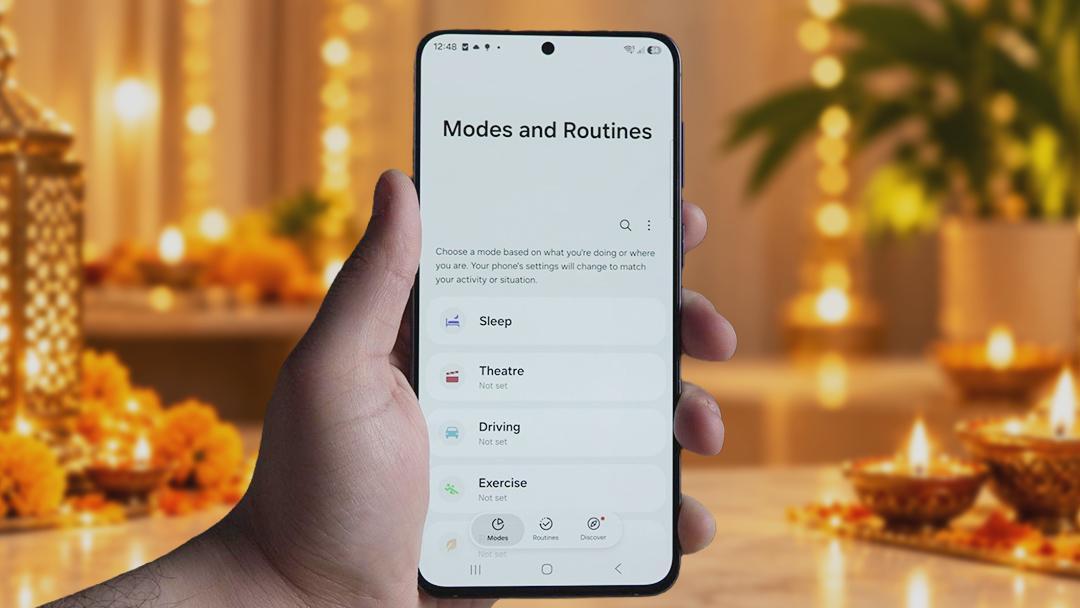
At home, you may want fewer interruptions while still being available to the people coordinating plans with you. Modes & Routines lets you tailor supported settings to different activities and automate selected changes using conditions such as time or location. You could configure a mode to reduce interruptions during the family puja, then return to your usual settings afterwards. A routine can also handle a repeated adjustment, such as changing sound settings at a chosen time.
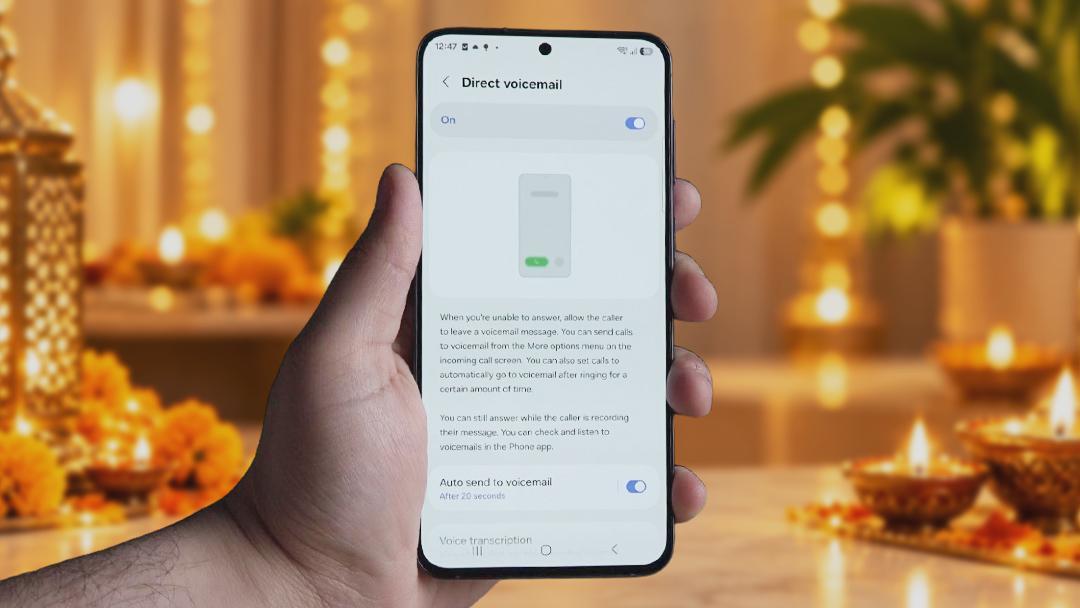
Direct Voicemail helps with calls you cannot take immediately. Callers can leave a message for you to return to after dinner or once you have finished catching up with relatives. You have a way to follow up without making every incoming call the priority.
For the things you do want to check, Now Bar keeps supported ongoing activities accessible from the lock screen. A timer set while getting ready or the music playing during the preparations can be checked or controlled without reopening the app. A connected Galaxy Watch offers another place to see selected notifications, such as the message saying your friends have reached the gate. Choosing which apps send alerts to the watch helps keep those updates relevant.
One UI gives you control over how much attention these tasks demand. You can stay informed, respond when needed and get back to the people around you.
Stay on Top of the Plans, Make Time for the People

The practical appeal of the Galaxy A experience is how these tools work across an ordinary, busy day. Information you save before leaving remains easy to find on the journey. Calling features give you different ways to respond, while routines and notification controls help you settle into the celebrations. Each serves a specific purpose, and together they make everyday coordination easier.
For buyers considering the latest Samsung Galaxy A series smartphones, the festive offers make this a timely opportunity to choose that experience. Up to six generations of OS upgrades and six years of security updates strengthen the longer-term ownership proposition behind Samsung’s “Trust Powers Awesome” and “Trusted by India” message. The value is in choosing a model and payment plan that fit your budget, with useful software that stays part of your routine long after the trip home.
Frequently Asked Questions
What are the monthly EMI offers on the Samsung Galaxy A series?
Monthly EMIs start at ₹650 for the Galaxy A37 5G 8GB + 128GB, ₹787 for the Galaxy A57 5G 8GB + 256GB and ₹937 for the Galaxy A27 5G 6GB + 128GB. The Galaxy A57 5G 12GB + 256GB is available at ₹950/month under the specified financing plan.
Can Bixby Text Call Help Me Answer Without Speaking?
Bixby Text Call displays the caller’s speech as text and reads your typed replies aloud. It lets you participate in a call when speaking would be inconvenient.
How Are Call Captions Different From Call Recording?
Call Captions displays speech as text during a supported call, helping you follow the conversation as it happens. Call Recording saves the audio so you can listen to it later.
How Can Samsung Notes and My Files Help With Festive Travel?
Samsung Notes can hold checklists, addresses and images related to your plans. My Files helps you locate and organise downloaded documents, such as tickets and booking confirmations, through categories, folders and search.
Can I Reduce Interruptions Without Switching Off My Phone?
Modes & Routines lets you configure supported settings around different activities, while notification controls help you choose which alerts you receive. Direct Voicemail gives callers a way to leave a message when you cannot answer, on compatible devices.
Disclaimer: EMI amounts are monthly and apply to the specified variants and eligible financing plans. Down payments, eligibility and financier terms apply. Instant cashback varies by variant and payment eligibility. Offers are subject to availability and may change. Feature availability varies by model, software version, language and region. Some experiences require a Samsung account, internet access or compatible connected devices. Galaxy Buds and Galaxy Watch are sold separately.
Disclaimer: This is a Promotional post. The content and opinions expressed are those of the sponsor and do not necessarily reflect the views of our editorial team.