Gaming laptops inspired by popular games often come with different colours, special logos and customised keyboards. However, these changes do not necessarily make the laptop itself any better.
HP HyperX Omen 16 Valorant Edition
Rs 2,24,999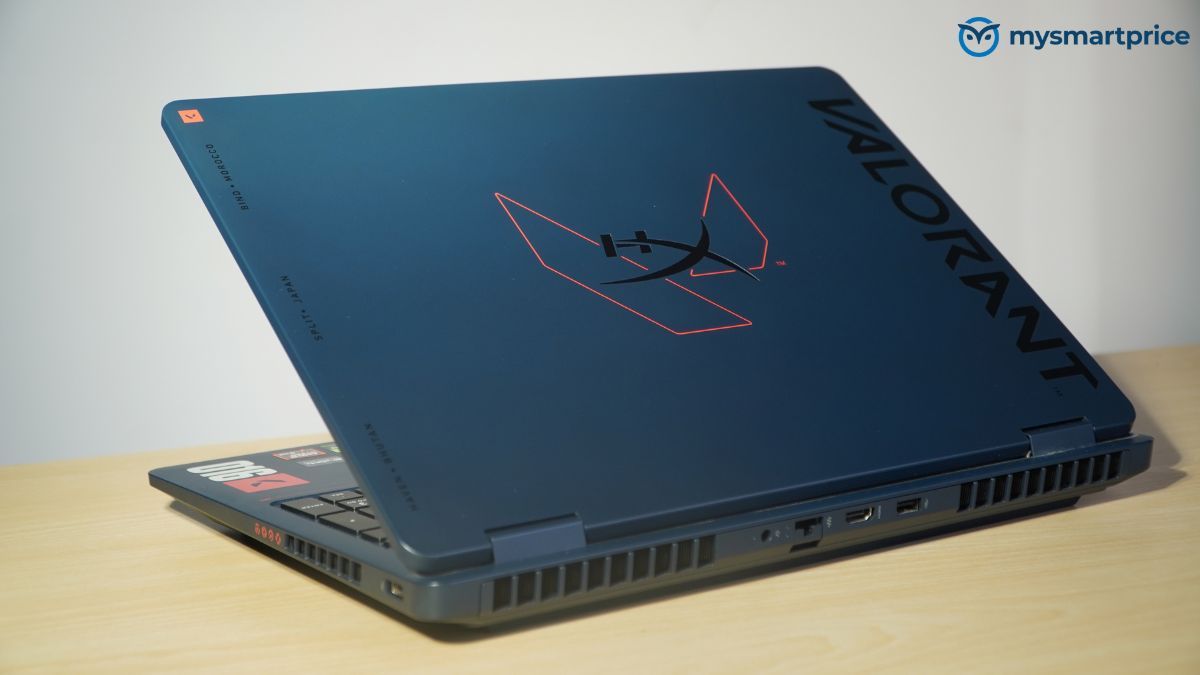
What Is Good?
- Strong Ryzen 9 and RTX 5070 performance
- Excellent sustained performance and cooling
- Sharp 1600p, 240Hz display
- Comfortable, Valorant-themed keyboard
- Dual M.2 slots and 2.5Gb Ethernet
What Is Bad?
- Only one USB-C port
- Average 1080p webcam
- IPS lacks OLED-level contrast
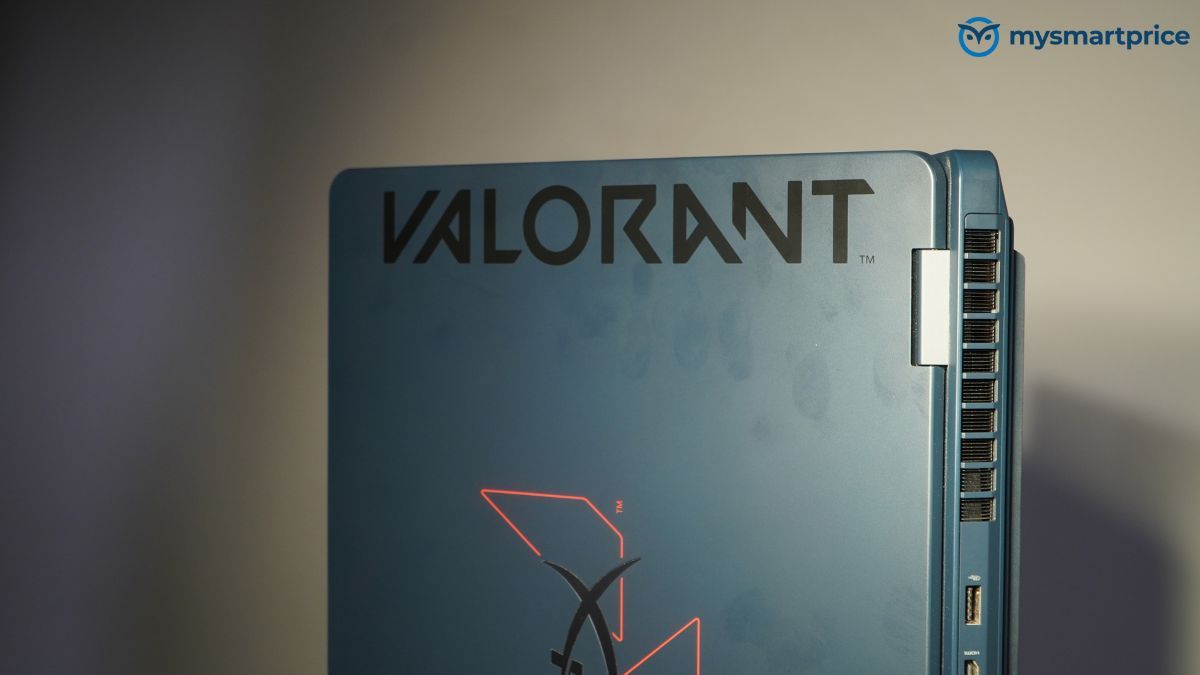
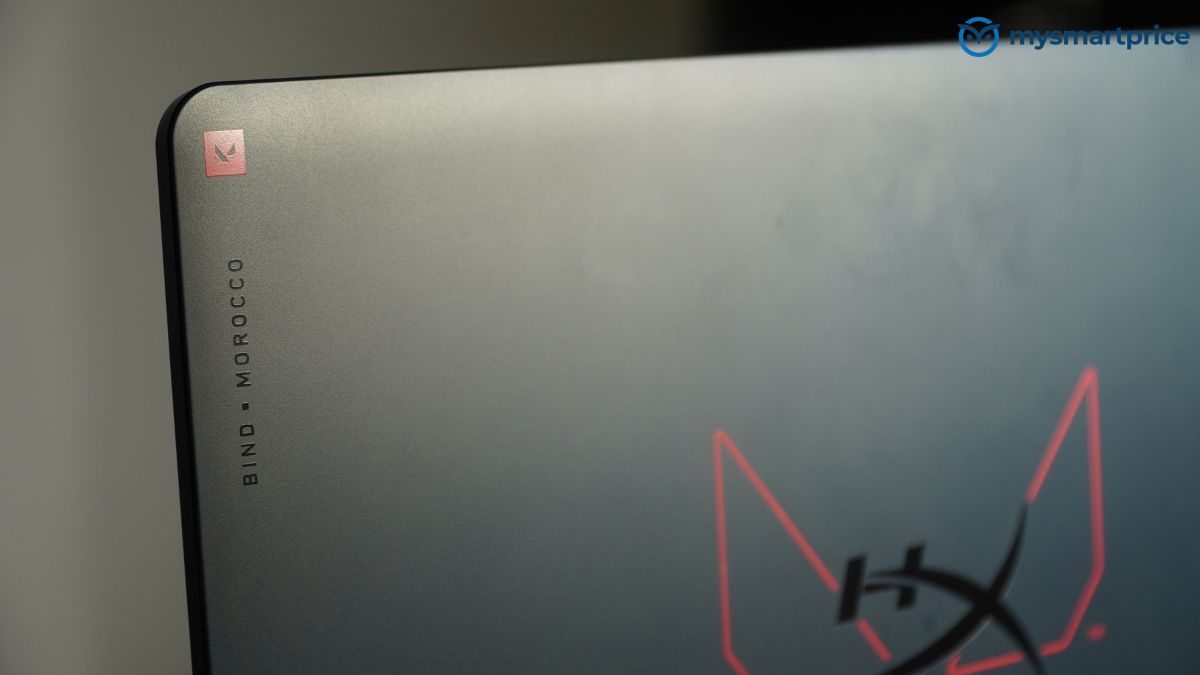
The HP HyperX Omen 16 Valorant Edition takes the design a little further. It comes in a Riot Blue finish with red Valorant accents, a customised keyboard and several other design touches inspired by the game.
Underneath, it is still a powerful gaming laptop. It uses an AMD Ryzen 9 9955HX processor, an Nvidia GeForce RTX 5070 Laptop GPU and a 16-inch display with a 240Hz refresh rate.
HP currently lists the laptop, more specifically the 16-ap1058AX, at ₹2,24,999 in India.
So, how well does the Omen 16 actually perform? More importantly, how comfortable is it to use every day, and does the larger body offer any advantages over a thinner gaming laptop?
After testing its gaming performance, cooling, battery life and everyday usability, I found that the answer depends quite a lot on where and how you plan to use it.
HP HyperX Omen 16 Valorant Edition Specifications
| Specification | HP HyperX Omen 16 Valorant Edition |
|---|---|
| Processor | AMD Ryzen 9 9955HX, 16 cores, 32 threads, up to 5.4GHz |
| Graphics | Nvidia GeForce RTX 5070 Laptop GPU, 8GB GDDR7 |
| Display | 16-inch IPS LCD, 2560 × 1600, 240Hz, 3ms, 500 nits, 100% sRGB |
| Memory | 32GB DDR5-5600 (module configuration requires confirmation) |
| Storage | 1TB PCIe Gen4 NVMe SSD |
| Battery | 83Wh |
| Dimensions | 357.5 × 269 × 27–30mm |
| Weight | 2.47kg |
| Wireless connectivity | Wi-Fi 6, Bluetooth 5.4 |
| Wired connectivity | 2.5Gb Ethernet |
| Ports | 1 × USB-C 10Gbps, 1 × USB-A 10Gbps, 2 × USB-A 5Gbps, HDMI 2.1, Ethernet and 3.5mm audio |
| Speakers | Dual speakers, HP Audio Boost, HyperX and DTS Ultra |
| Webcam | 1080p with privacy shutter |
| Keyboard | 4-zone RGB Valorant Limited Edition keyboard with numeric keypad |
| Power adapter | 280W |
| Operating system | Windows 11 Home |
| Price | ₹2,24,999 at the time of writing |
Design and Build: A Gaming Laptop That Stands Out
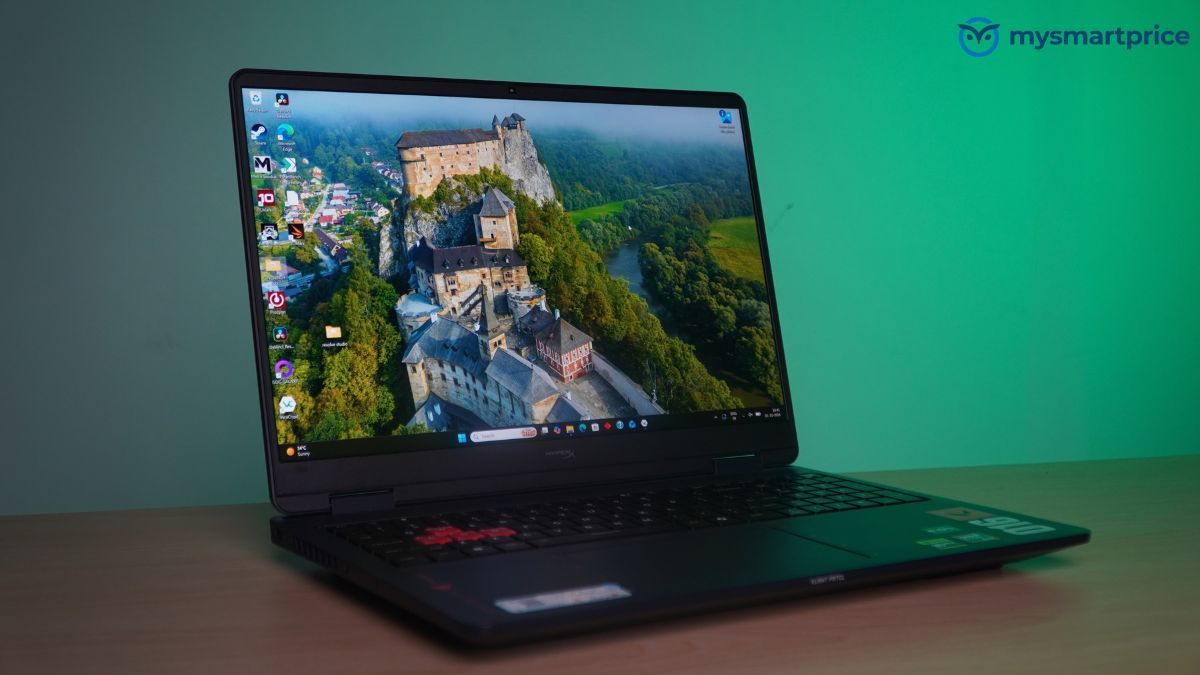
The first thing you will notice about the HyperX Omen 16 Valorant Edition is its appearance.
HP has given the laptop a Riot Blue finish, with red accents inspired by Valorant. The design continues across the chassis and keyboard rather than being limited to a logo on the lid.
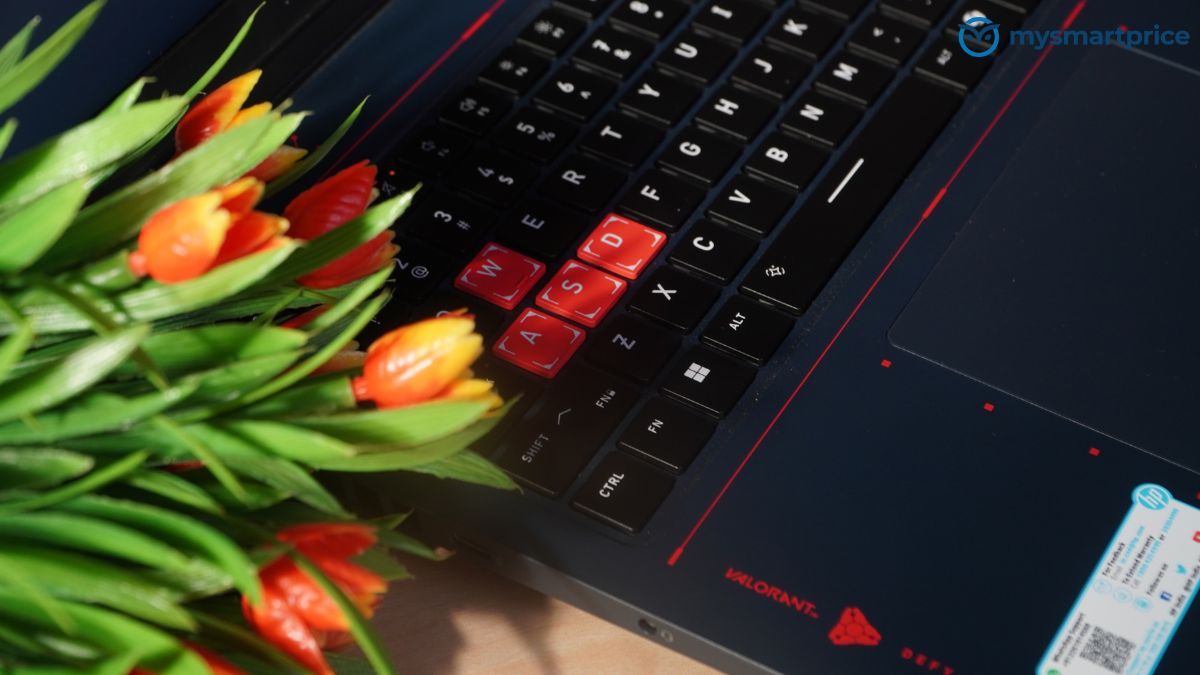
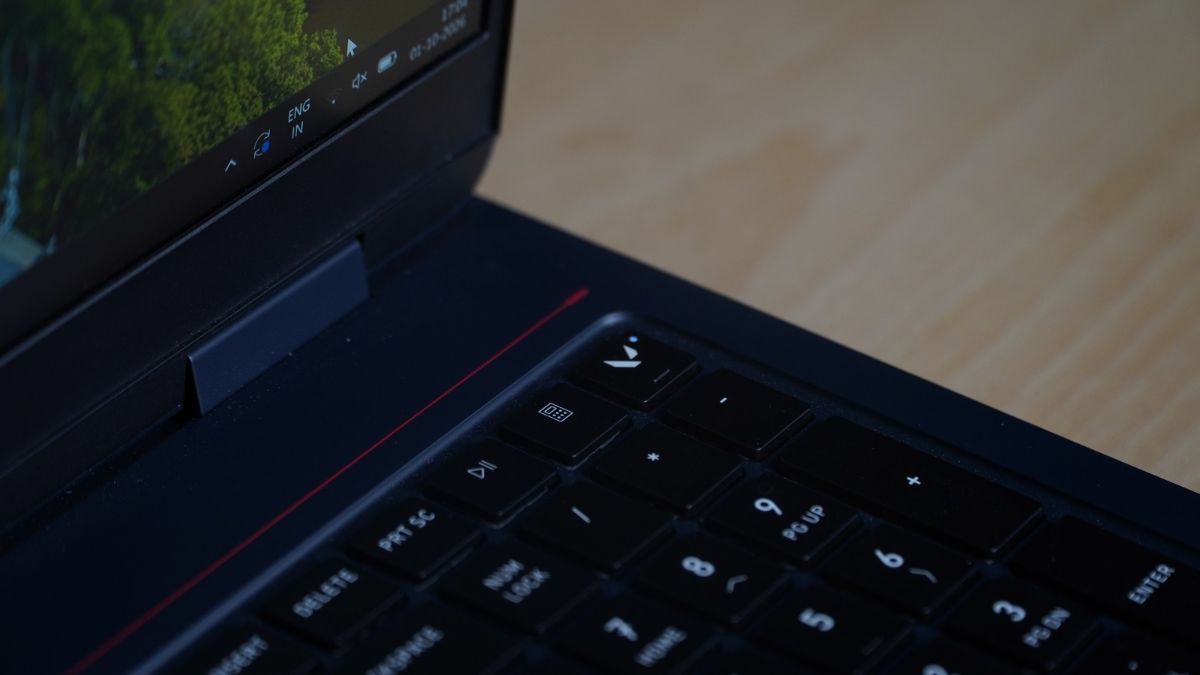
The keyboard also gets its own lighting and specially highlighted gaming keys. For someone who regularly plays Valorant, these details may make the laptop more appealing than a conventional gaming notebook.
However, there is a practical side to this design. The Omen 16 weighs 2.47kg and measures up to 30mm thick towards the rear. For comparison, the Lenovo Legion 7 I recently tested weighs approximately 2kg and has a noticeably slimmer body.
You will certainly notice the difference when carrying the Omen in a backpack, particularly once you add its large 280W power adapter. If the laptop spends most of its time on a desk, this is unlikely to cause much trouble. However, someone who travels frequently or carries their laptop to college or work every day may find the extra weight inconvenient.
As we will see later, that larger body does have an advantage when it comes to cooling and maintaining performance during longer gaming sessions.
Keyboard, Touchpad and Ports
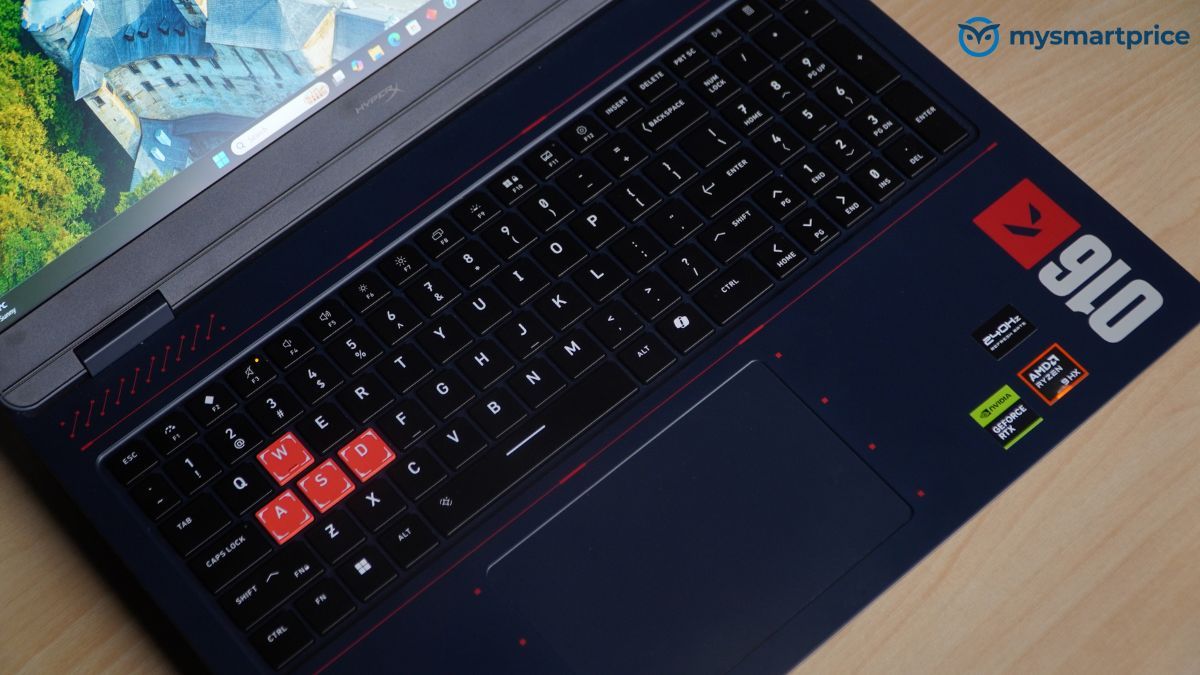
The keyboard is clearly designed with gaming in mind. HP has included four-zone RGB lighting, highlighted gaming keys and support for registering up to 26 simultaneous key presses. This means the keyboard can recognise several inputs at once, which can be useful during gaming.
The arrow keys are also full-sized, making them easier to use than the smaller keys found on some thinner gaming laptops. There is a numeric keypad on the right as well. While this may be useful for entering numbers during work, I would have preferred a more centred keyboard layout, particularly on a laptop designed around competitive gaming.
The touchpad is reasonably solid and does not rattle noticeably when pressed. However, clicking becomes slightly harder towards its upper corners, and it does not feel as refined as a glass touchpad.
This will probably matter less when gaming because most players will use an external mouse. Nevertheless, the touchpad could have been better for a laptop at this price.
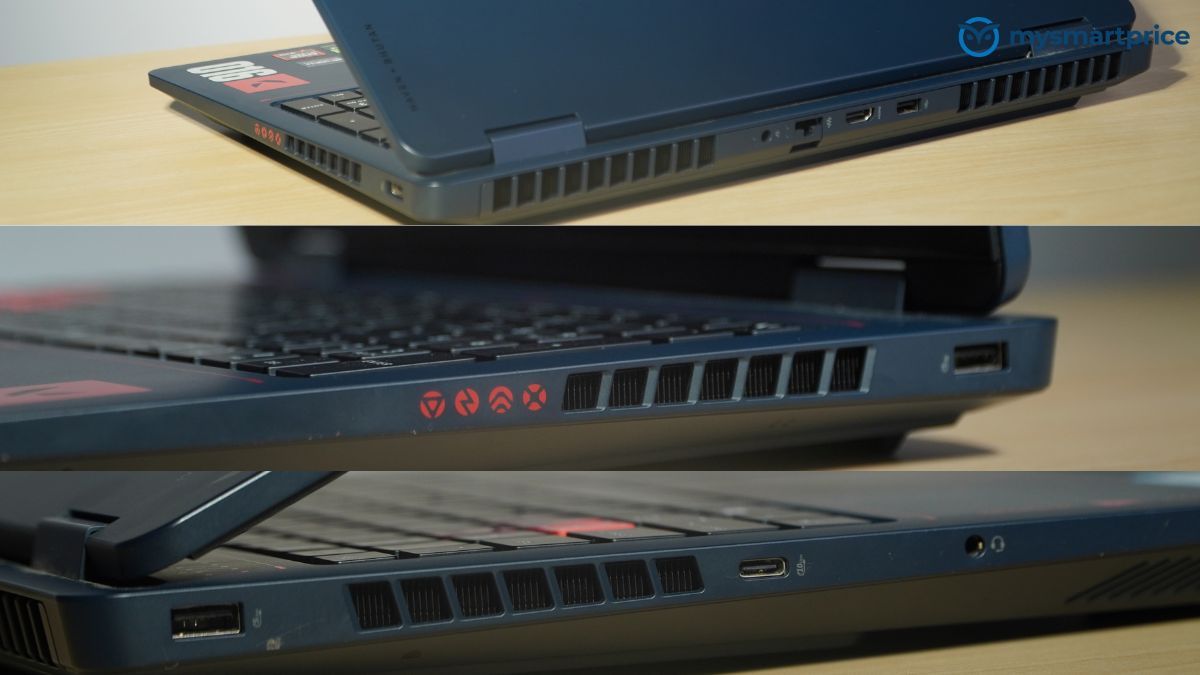
Port selection is fairly practical. You get three USB-A ports, which should be useful for connecting a gaming mouse, keyboard and other accessories without immediately needing a USB hub.
There is also HDMI 2.1 for an external monitor and a 2.5Gb Ethernet connection for wired networking. The Ethernet port is particularly useful for competitive gaming, where a wired connection can provide more consistent network performance than Wi-Fi.
HP has also placed several of the larger connections away from the main mouse area, helping keep cables out of the way. The main disappointment is the single USB-C port. Which is a severe downside for a laptop costing over ₹2 lakh, particularly for someone who regularly connects external storage or other modern accessories.
Display and Speakers: A Screen That Works Well for Gaming and Everyday Use
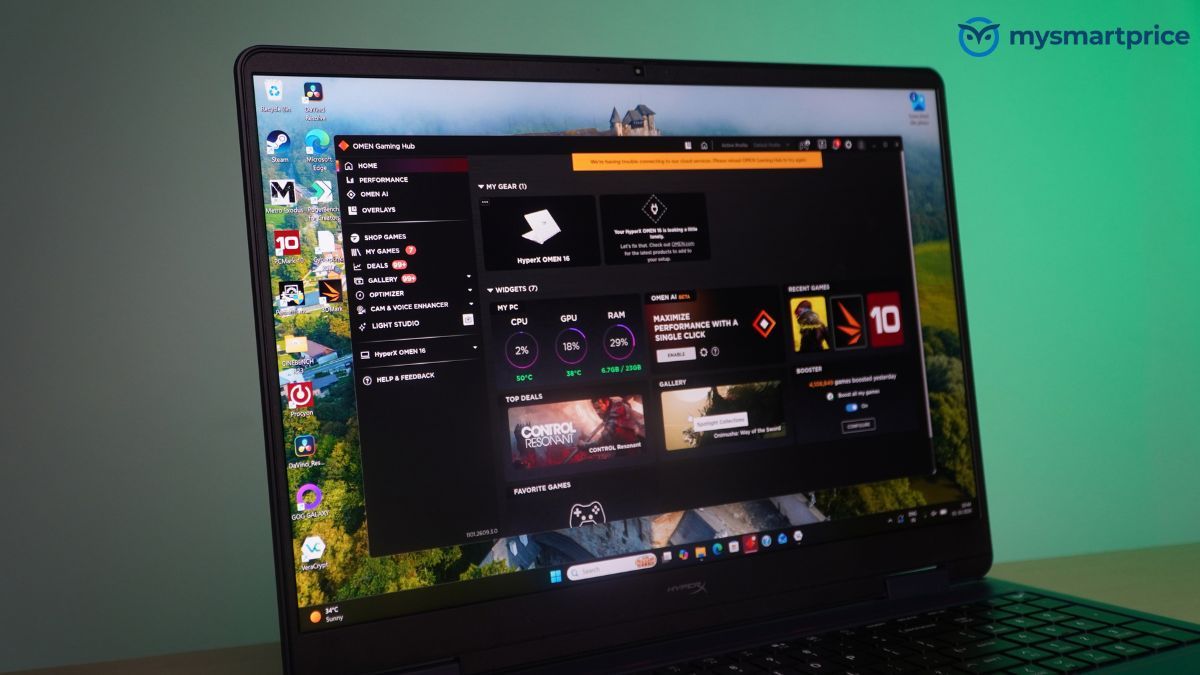
The HyperX Omen 16 comes with a 16-inch IPS LCD with a resolution of 2560 × 1600 pixels and a 16:10 aspect ratio. In simpler terms, the screen is sharp enough for modern games, while its slightly taller shape gives you more room to work with documents, websites and spreadsheets.
That extra vertical space makes a difference when browsing long web pages or working on documents because you can see more information without constantly scrolling.
HP also rates the display for a refresh rate of up to 240Hz. A higher refresh rate allows the screen to show more updates every second. During fast games such as Valorant, this can make movement appear smoother, particularly when quickly moving the camera or tracking opponents.
Of course, the laptop must also produce enough frames to make full use of the display. Fortunately, that was not a problem in our Valorant testing, which I will discuss in the performance section. The screen also has an anti-glare finish.
This is something I particularly appreciate on a laptop that may be used for long periods. Unlike glossy displays, which can show strong reflections from lights and windows, the Omen’s screen makes those reflections less distracting.
Colours appear vivid and well saturated, while text looks clear even at smaller sizes. As a result, the display is also suitable for everyday work, browsing and coding rather than being useful only for gaming.
During testing, I noticed a small amount of backlight bleed around one corner of the screen. It was mainly visible in very dark scenes and was not particularly distracting during normal use.
The biggest limitation is the display technology itself. This is an IPS LCD, which means it cannot produce the same deep blacks and strong HDR contrast as a good OLED display.
If you spend most of your time playing cinematic single-player games or watching HDR films, an OLED laptop may offer a more impressive picture.
However, for competitive gaming, I find the combination of a fast refresh rate, sharp resolution and anti-glare finish quite practical.
What About the Speakers?
HP includes two speakers with HP Audio Boost, HyperX tuning and DTS Ultra support. The laptop also provides the audio features expected from a gaming-focused machine.
However, competitive gaming often involves using a headset, particularly when playing multiplayer titles where hearing footsteps, movement and other directional sounds can be important.
The speakers are therefore unlikely to be the deciding factor for someone considering this particular laptop.
HP HyperX Omen 16 Valorant Edition Performance: How Well Does It Handle Gaming and Everyday Work?
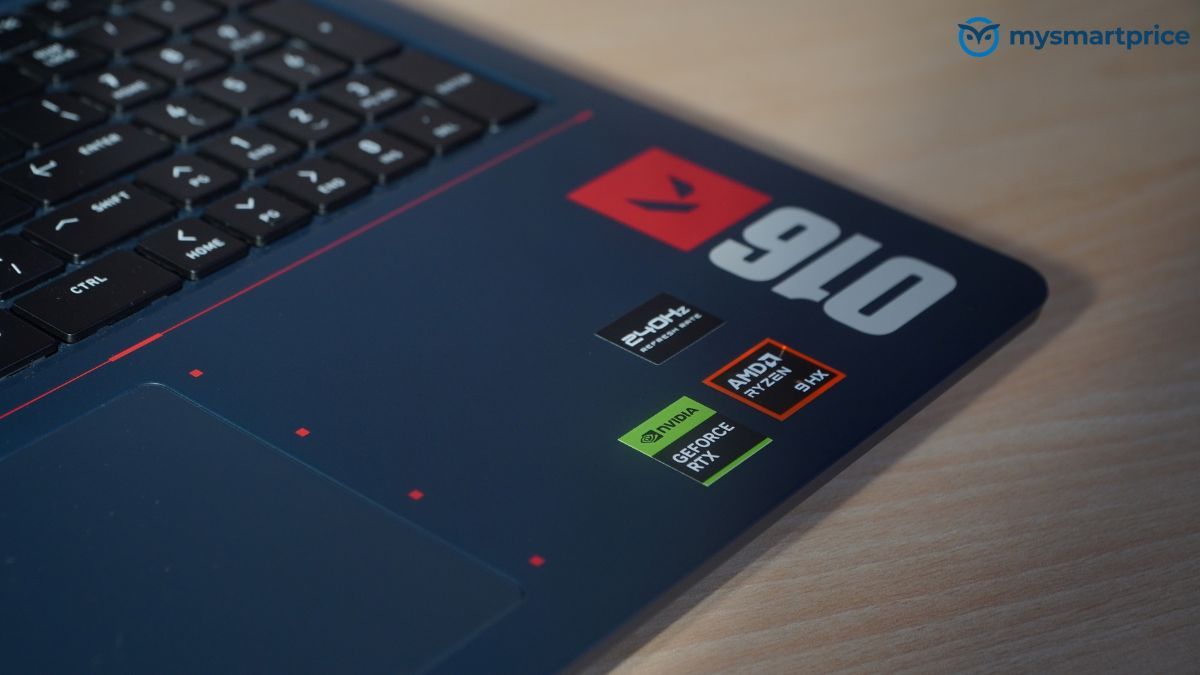
The HyperX Omen 16 comes with an AMD Ryzen 9 9955HX processor and an Nvidia RTX 5070 graphics card with 8GB of video memory.
For everyday activities such as browsing, office work, video calls and watching content, the laptop has more than enough processing power. However, its hardware becomes more useful when playing demanding games, editing videos or working with other resource-heavy applications.
To understand how well it performs, I compared it with the Lenovo Legion 7, which uses the same RTX 5070 graphics card but has an Intel Core Ultra 9 275HX processor.
I also included the RTX 5050-equipped HyperX Omen 15 to show how much performance buyers gain by choosing a more powerful graphics card.
CPU and Everyday Performance
| Benchmark | HyperX Omen 16 Valorant | Lenovo Legion 7 | HyperX Omen 15 RTX 5050 |
|---|---|---|---|
| PCMark 10 Extended | 13,054 | 13,030 | 10,561 |
| PassMark CPU Mark | 52,576.4 | 62,520.6 | 38,100.5 |
| Geekbench 7 Single-Core | 2,747 | 2,668 | 2,684 |
| Geekbench 7 Multi-Core | 18,062 | 23,532 | 12,983 |
| Cinebench R23 Single-Core | 2,154 | 2,160 | 1,989 |
| Cinebench R23 Multi-Core | 34,445 | 30,959 | 20,190 |
| Geekbench 7 GPU | 122,268 | 122,559 | 98,221 |
| Procyon Office Productivity | 315,000 | 319,000 | 275,000 |
| WinRAR | 41,115 KB/s | 37,909 KB/s | 31,507 KB/s |
| PugetBench DaVinci Resolve | 92,071 | 113,056 | 86,651 |
The Ryzen 9 9955HX performed well in our tests, although the Lenovo Legion 7 was faster in some areas.
For example, the Legion 7 was around 23% faster in Geekbench 7’s multi-core test. However, the Omen was approximately 11% faster in Cinebench R23, which tests how quickly a processor can complete demanding rendering tasks.
Interestingly, both laptops delivered almost identical results in PCMark 10, which measures performance across several common computing tasks.
What does this mean for everyday use? If you mainly use your laptop for browsing, working on documents, attending meetings or watching videos, you are unlikely to notice much difference between the two.
Both have plenty of processing power for these activities. The differences become more important when running demanding software. The Legion 7 performs better in some processor tests, while the Omen has an advantage in rendering and file compression.
For someone who regularly works with demanding applications, the better choice will depend on the software being used. However, for a gaming laptop, graphics performance is arguably more important.
Gaming Performance: How Well Does the RTX 5070 Perform?
The Omen’s RTX 5070 scored 122,268 points in Geekbench 7 GPU, compared with 122,559 for the Lenovo Legion 7.
That is a difference of just 0.2%, suggesting that both laptops offer very similar graphics performance. Our gaming results tell a similar story.
| Game | HyperX Omen 16 RTX 5070 | Lenovo Legion 7 RTX 5070 | HyperX Omen 15 RTX 5050 |
|---|---|---|---|
| Cyberpunk 2077 | 137 FPS | 135 FPS | 99 FPS |
| Borderlands 3 | 143 FPS | 141 FPS | 102 FPS |
| Shadow of the Tomb Raider | 189 FPS | 179 FPS | 125 FPS |
| Metro Exodus | 119 FPS | 115 FPS | 108 FPS |
The Omen 16 was around 1.5% faster in Cyberpunk 2077, 1.4% ahead in Borderlands 3, 5.6% faster in Shadow of the Tomb Raider and 3.5% ahead in Metro Exodus.
In actual gameplay, most people are unlikely to notice a significant difference between the two laptops at identical settings. However, the improvement becomes more noticeable when comparing the Omen 16 with the RTX 5050-equipped Omen 15.
The RTX 5070 model delivered approximately 38% higher frame rates in Cyberpunk 2077, 40% in Borderlands 3 and 51% in Shadow of the Tomb Raider. For someone upgrading from a less powerful gaming laptop, that is a meaningful improvement.
It means the Omen has more graphics performance available for demanding games, giving players more room to use higher settings or maintain smoother gameplay.
How Well Does It Run Valorant?
Since this is a Valorant-themed gaming laptop, I was particularly interested in seeing how well it could run the game.
At 1200p resolution with High graphics settings, the Omen delivered approximately 623 FPS. Even after increasing the resolution to 1400p, it managed around 395 FPS.
To put that into perspective, the laptop has a 240Hz display, which can refresh the image up to 240 times every second. Both results were comfortably above that figure, meaning the Omen has enough performance to make full use of its fast display in our tested Valorant settings.
Higher frame rates can also reduce the delay between player inputs and what appears on the screen, which is particularly useful in competitive games.
Of course, you should not expect such high frame rates in demanding games such as Cyberpunk 2077, especially at higher graphics settings. Nevertheless, the Omen has enough power to handle competitive titles at high frame rates while also delivering strong performance in modern single-player games.
Overall, its gaming performance is very similar to the thinner Lenovo Legion 7. However, the more interesting difference between these laptops becomes apparent during longer gaming sessions, where cooling and performance stability start to matter.
Cooling and Fan Noise: The Omen Stays Consistent, but Gets Very Loud
Gaming performance is about more than how fast a laptop can run a game when you first start playing. What happens after 30 minutes or an hour can be just as important.
As a laptop heats up, its processor and graphics card may reduce their operating speeds to control temperatures. This can sometimes result in lower frame rates during longer gaming sessions.
That is why I pay particular attention to sustained performance. The Omen 16 is noticeably thicker and heavier than the Legion 7, but its cooling system appears to benefit from the extra space.
Cooling and Stability Test Results
| Test | HyperX Omen 16 Valorant | Lenovo Legion 7 | HyperX Omen 15 RTX 5050 |
|---|---|---|---|
| 3DMark highest loop | 25,077 | 25,799 | 18,260 |
| 3DMark lowest loop | 24,817 | 23,897 | 18,117 |
| Performance stability | 99% | 92.6% | 99.2% |
| Peak CPU temperature | 79°C | 104°C | 72°C |
| Peak fan noise | 61.3 dB | 54.7 dB | 50.6 dB |
| Idle fan noise | 45 dB | 45 dB | 48.1 dB |
In our 3DMark stress test, the Omen’s performance score dropped from 25,077 at its highest point to 24,817 at its lowest. That works out to approximately 99% performance stability.
In simple terms, the laptop maintained almost all of its initial performance throughout the test. The Legion 7 started with a slightly higher score of 25,799 but dropped to 23,897, resulting in 92.6% stability.
This is important because both laptops perform similarly in shorter GPU tests and games. However, the Omen holds on to more of its performance when placed under continuous heavy load.
For someone who regularly plays games for several hours, that consistency is a useful advantage, although actual results will vary between games.
Temperature readings tell a similar story. During our stress test, the Omen’s Ryzen 9 9955HX reached a maximum temperature of 79°C. The Core Ultra 9 275HX inside the Legion 7 reached 104°C. That is a considerable difference.
The Omen’s processor was also drawing up to 104W during peak load, so the lower temperature was not simply the result of it running at very low power.
The cooling system was managing a demanding workload while keeping the processor considerably cooler in our test. I also found the keyboard reasonably comfortable during gaming.
Most of the noticeable heat was concentrated towards the centre and hinge area, rather than around the WASD keys commonly used for movement. That makes the laptop more comfortable to use during longer gaming sessions, especially when your hands remain on the keyboard for extended periods.
Unfortunately, there is a noticeable downside to the Omen’s cooling performance. The fans become extremely loud. During testing, fan noise reached 61.3 dB under heavy load.
For comparison, the Legion 7 peaked at 54.7 dB, while the RTX 5050 HyperX Omen 15 reached 50.6 dB. The Omen 16 was therefore 6.6 dB louder than the Legion 7 in our measurements.
While a difference of a few decibels might not sound important on paper, decibels use a logarithmic scale, so the difference in perceived loudness can be quite noticeable. Even at idle, our measurement was around 45 dB.
During demanding games, the fans are difficult to ignore. They may also become distracting for someone sitting nearby, particularly in a quieter room. A headset may make the noise less distracting for the player, but it does not make the laptop itself any quieter.
This is probably the Omen 16’s biggest compromise. The cooling system maintains impressive performance and relatively controlled CPU temperatures, but it does so with a lot of fan noise.
If you mainly game at a desk and wear headphones, this might be an acceptable compromise. If you want a quiet laptop for shared spaces, the Omen is considerably harder to recommend.
Battery Life: Better Than the Legion 7, but You Will Still Need the Charger
Battery life is another area where gaming laptops often struggle. The Omen 16 includes an 83Wh battery, but it also has a powerful processor, dedicated graphics card and high-refresh-rate display.
These components are designed for performance, and the laptop is not particularly well suited to spending an entire working day away from a power outlet.
In our mixed streaming and web-browsing test, the Omen lasted approximately 187.5 minutes, or 3 hours and 8 minutes. Here is how it compares with the other laptops.
| Laptop | Battery life, streaming and browsing |
|---|---|
| HyperX Omen 16 Valorant Edition | 187.5 minutes / 3h 8m |
| Lenovo Legion 7 | 140 minutes / 2h 20m |
| HyperX Omen 15 RTX 5050 | 210 minutes / 3h 30m |
The Omen lasted approximately 34% longer than the Legion 7. That is a useful improvement, especially considering that both laptops have powerful processors and RTX 5070 graphics.
However, the less powerful RTX 5050-equipped Omen 15 lasted around 22 minutes longer than the Valorant Edition. For everyday use, the results suggest that you could get through a few hours of browsing, watching videos or working on documents without connecting the charger.
However, you should not expect the Omen to last through a typical working day on battery power. During our lighter streaming and browsing test, the processor reached a maximum temperature of 44°C and drew approximately 11W.
Webcam and Everyday Use: Good Enough for Meetings, Less Suitable for Serious Streaming
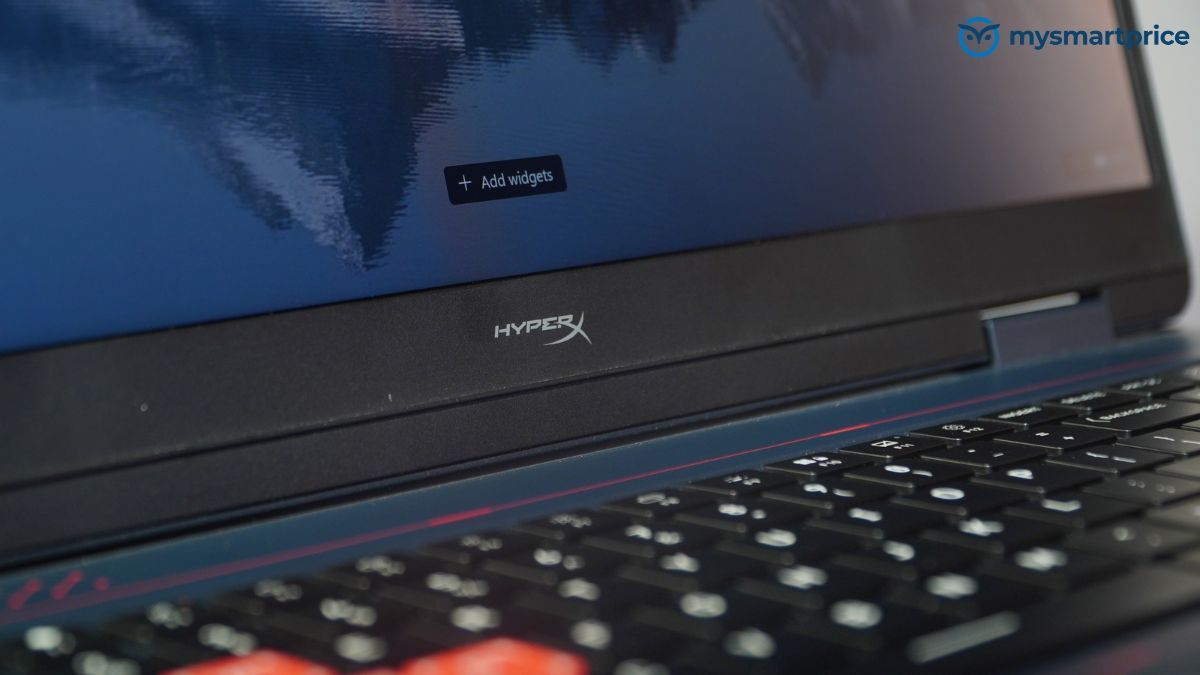
The HyperX Omen 16 comes with a 1080p webcam. HP includes automatic HDR switching, temporal noise reduction and dual-array microphones.
There is also a physical privacy shutter, which lets you cover the camera when it is not being used. In everyday use, the webcam is perfectly adequate for video calls, online classes and work meetings.
The image processing also does a reasonable job of cleaning up the picture when lighting conditions are less than ideal. However, the camera itself feels fairly ordinary for a laptop at this price. Given the HyperX and Valorant branding, I would have liked to see a stronger emphasis on streaming features.
For someone planning to regularly stream gameplay with their face visible on camera, an external webcam would still be worth considering. That is somewhat disappointing for a machine so closely associated with competitive gaming, although it will probably not affect buyers who only use their webcam occasionally.
HyperX Omen 16 Valorant Edition Review: Verdict
The HP HyperX Omen 16 Valorant Edition is a capable gaming laptop, particularly for someone who enjoys long gaming sessions. It handles demanding games comfortably and, unlike some thinner gaming laptops, manages to maintain its performance without getting excessively hot.
The display is another strong point. Fast-paced games such as Valorant feel smooth and responsive, while the sharp, anti-glare screen is equally useful for watching videos, browsing and everyday work. Battery life is also better than the Lenovo Legion 7 we tested, although you will still need to keep the charger nearby.
However, the Omen is not without its drawbacks. It is heavy, the power adapter is bulky, and the fans become significantly loud during gaming. These are worth considering if you frequently travel with your laptop or prefer a quieter gaming environment.
HP has also done a good job with the Valorant-inspired design. The colours, keyboard and chassis detailing make it feel like a proper special edition rather than a standard laptop with a few additional logos.
At ₹2,24,999, the Omen offers gaming performance comparable to the more expensive Legion 7 configuration we tested, along with better cooling and more consistent performance during longer sessions.
If you primarily game at a desk and want a laptop that can handle demanding games for extended periods, the HyperX Omen 16 Valorant Edition is worth considering. However, if you need something lightweight, quiet or suitable for frequent travel, there are more practical alternatives.