When I reviewed the ASUS TUF A15 last year, I was smitten by its display, form factor and, more importantly, battery life. At the time, it seemed like a serious MacBook Pro contender. But, a year later, the market has matured and things have streamlined a lot more after the launch of the latest processors from Intel and AMD. So, when I received the 2024-spec ASUS TUF A14, I was naturally excited to see what’s changed. In a single line, it’s far more refined than last year. To get down to the brass tacks, read this full review of the ASUS TUF A14.
ASUS TUF A14
Rs 1,69,990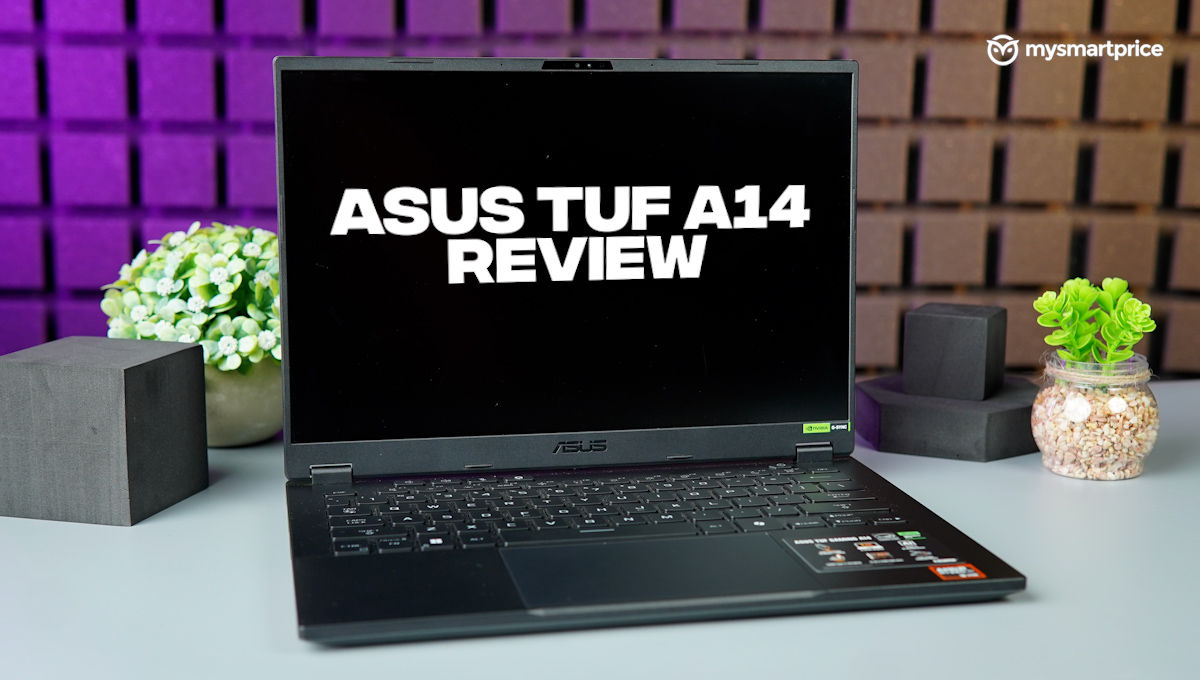
What Is Good?
- Slim, lightweight form factor
- Crisp display
- Respectable performance
- Great keyboard
What Is Bad?
- Speakers could pack more depth
- Bulky charger undoes weight savings
- Pricey
Design and I/O Ports
Like last year, ASUS has chosen to keep the TUF A14’s design down low. It strikes a perfect balance between subtlety and gaming flair, so it’s suitable for both, office and gaming environments.
If you’re a sucker for MacBook-esque metal unibody aesthetics, you may want to look elsewhere. With the TUF A14, ASUS has strategically decided where it uses metal. So, the lid and the bottom of the laptop are crafted from machine-cut aluminium, whereas the rest is plastic. However, it’s durable and can withstand the rigours of daily use. I mean, that’s the whole point of the TUF series, isn’t it?
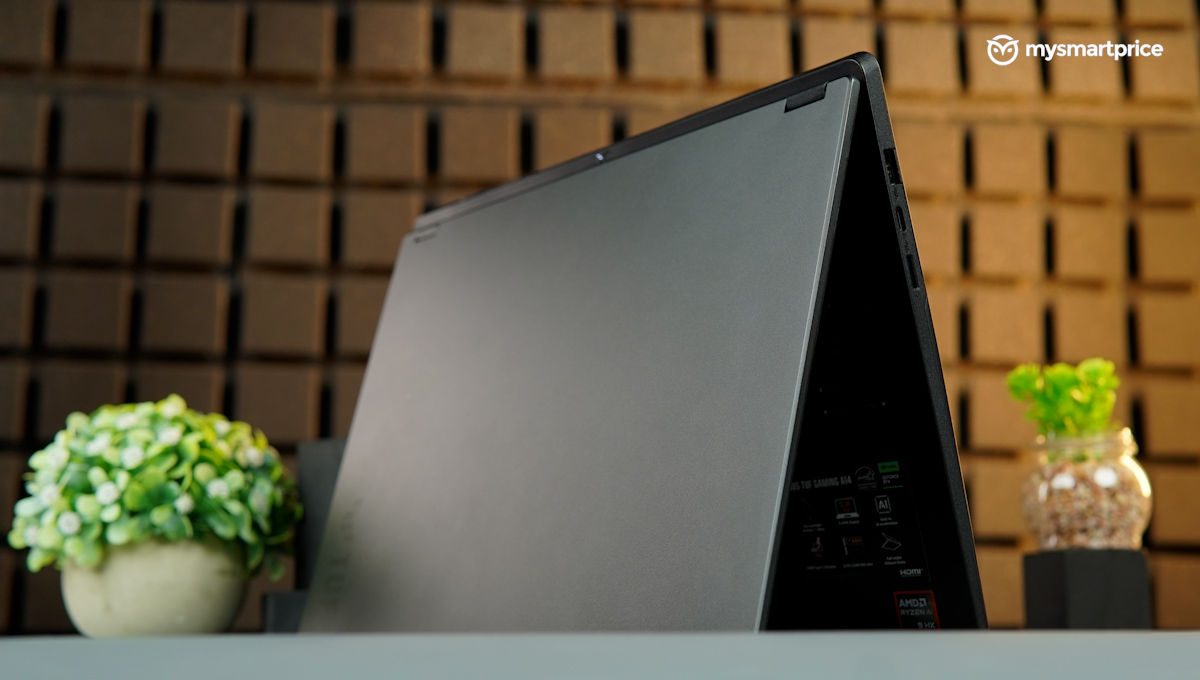
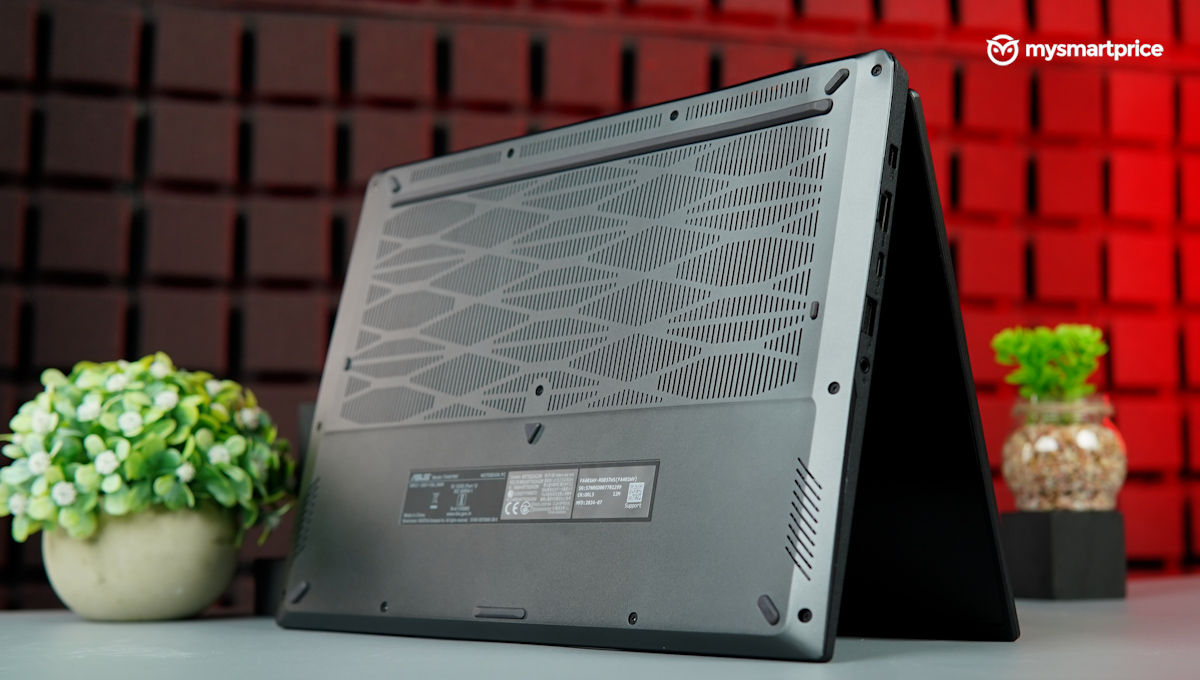
The palm rest and keyboard area effectively repel smudges, but the keyboard itself seems to have a magnetic attraction for them. However, these smudges only become noticeable under certain lighting conditions.
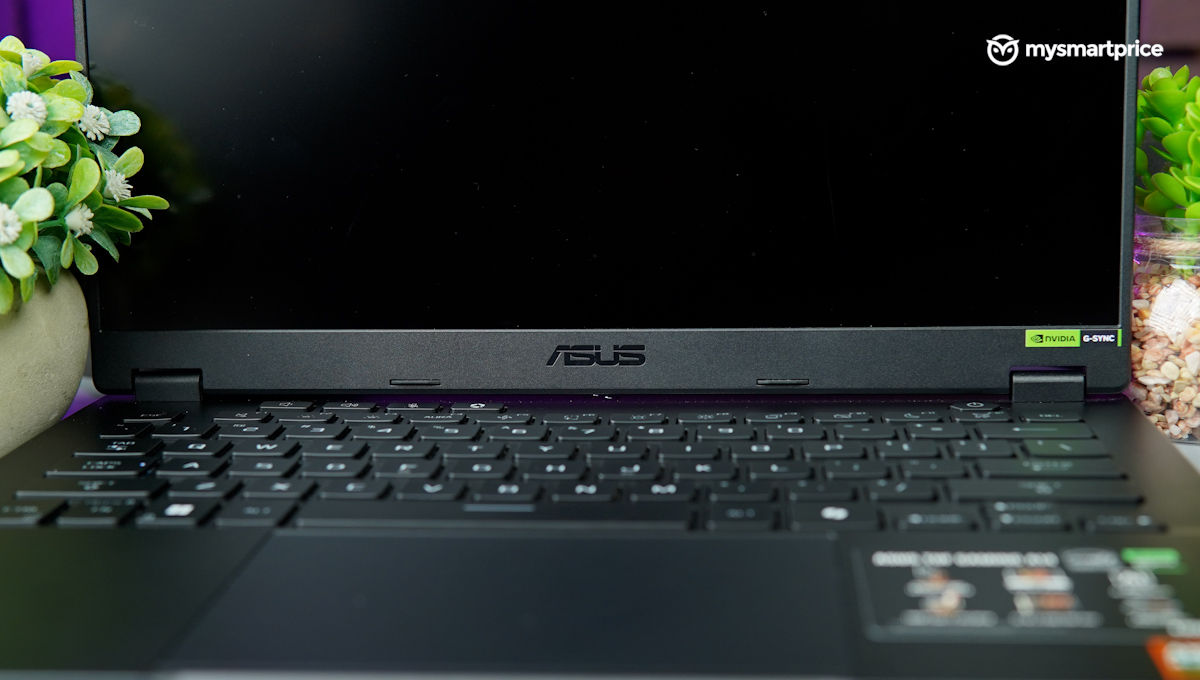
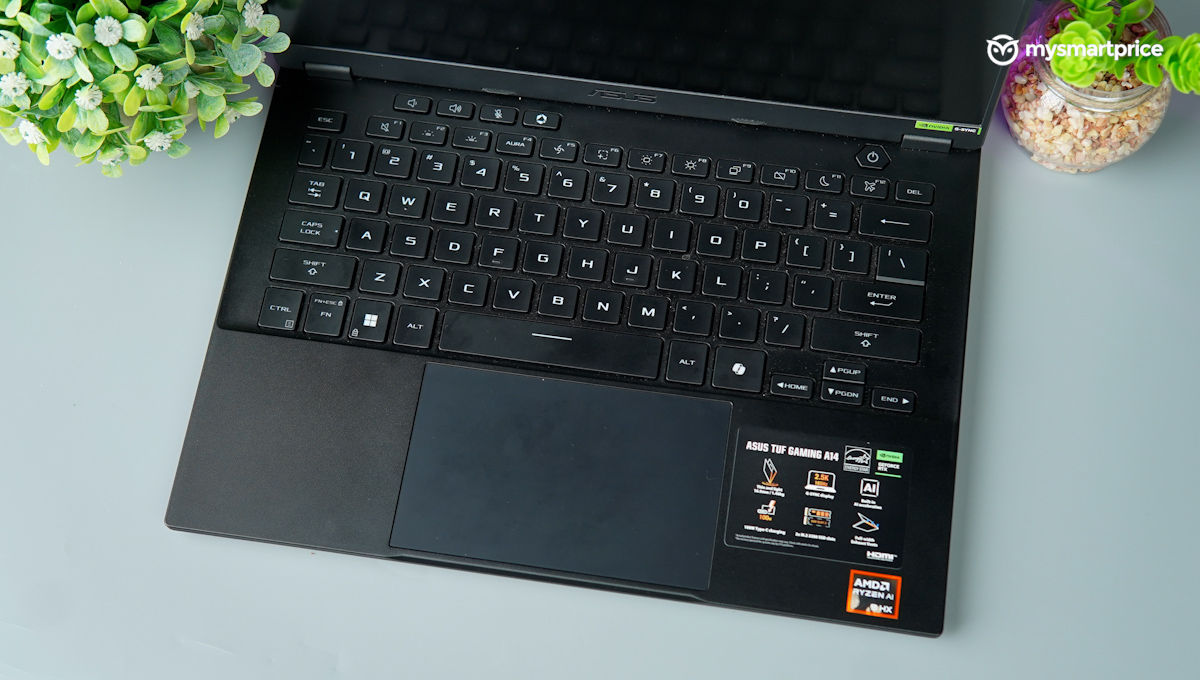
Speaking of the keyboard – it is remarkable. Its layout is similar to that of a MacBook, making the transition seamless for Mac users like me. The typing experience is pure bliss, with excellent tactile feedback and minimal noise. The key travel is just right, ensuring a comfortable and satisfying typing experience.
The trackpad is equally impressive, offering smooth cursor movement and scrolling. While it might not match the precision of a MacBook’s trackpad, it still performs admirably. The only minor gripe is the lack of three-finger gestures for resizing windows and highlighting text.
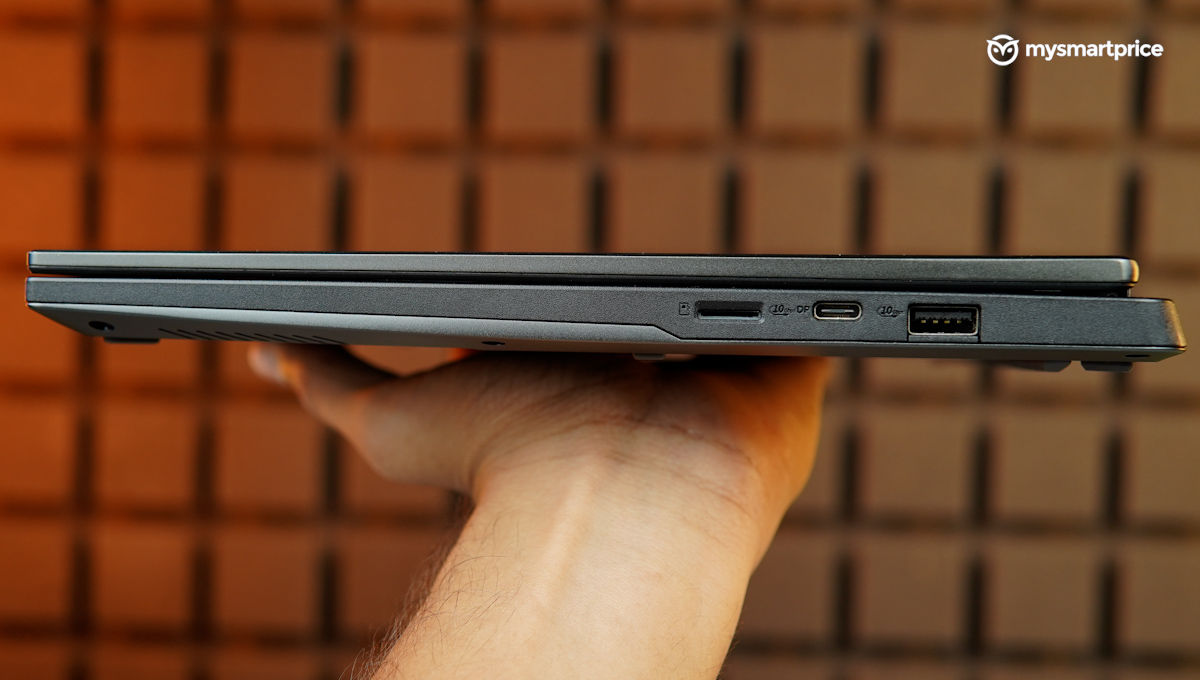
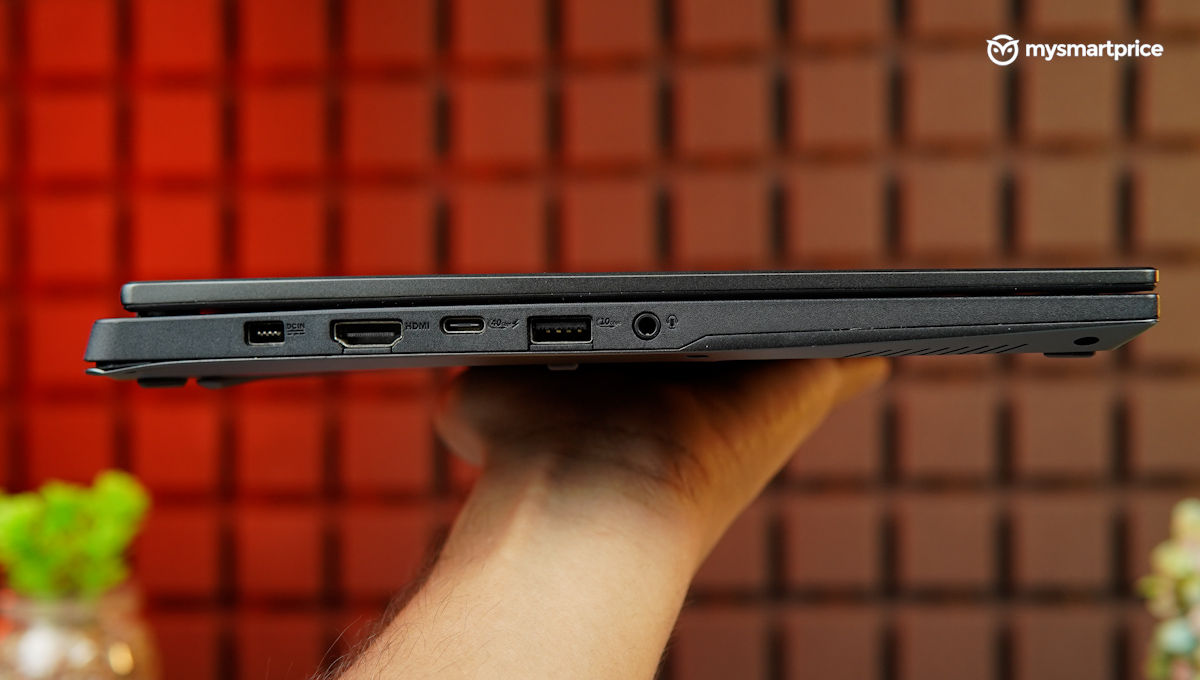
The ports and I/O options are loaded, but I wish there was a full-sized SD card slot here. I believe it is far more useful to creators, compared to a microSD card slot present here.
| Ports (Left side) | DC in, 1x HDMI 2.1, 1x USB 4 Type-C, 1x USB 3.2 Gen 2 Type-A, 3.5mm audio combo jack |
| Ports (Right side) | Micro-SD card reader, 1x USB 3.2 Gen 2 Type-A, 1x USB 3.2 Gen 2 Type-C |
| Connectivity Options | Wi-Fi 6E and Bluetooth 5.3 |
Display and Audio
The A14 is lit by an IPS LCD which pushes QHD+ resolution. It refreshes at 165Hz, which is good enough to provide a smooth experience when gaming or bouncing between app windows. The matte finish reduces glare, and the colours are vibrant and accurate. The brightness is ample for indoor use, and I rarely needed to push it beyond 50% for a comfortable experience. However, I couldn’t enable HDR for videos and gaming. 
| Display | Specifications |
| Type | IPS |
| Size | 14-inch |
| Resolution | 2560 x 1600 pixels |
| Refresh rate | 165 Hz |
| Certifications and other features | Anti-glare display, 100% sRGB coverage |
The downward-firing speakers are a bit of a letdown. While they are loud enough for casual use, they lack emphasis on the bass. For a more immersive audio experience, I preferred plugging in my headphones.
Performance
This year, we have witnessed a barrage of AI-powered mobile chipsets from Intel and AMD. While ASUS has processors from both in its line-up, the TUF A14 is powered by the top-of-the-line AMD Ryzen AI 9 HX 370 CPU married to RTX 4060 discrete graphics. Memory is taken care of by 16GB of DDR5 RAM, whereas for storage you get a terabyte of SSD storage.
| ASUS TUF A14 | Hardware Specifications |
| Chipset | AMD Ryzen AI 9 HX 370, 12C (4x Zen 5 + 8x Zen 5c), 24 threads, Zen 5 Core: 2GHz / 5.1GHz, Zen 5c core: 2GHz / 3.3GHz, 24MB L3 cache |
| RAM | 16GB of DDR5-7000MHz RAM (1 x 16GB) |
| Storage | 1TB SSD M.2 PCIe 4×4 NVMe |
| Graphics | Nvidia GeForce RTX 4060 (8GB GDDR6 dedicated) |
The A14’s forte is its slim and lightweight form factor, which packs in respectable firepower. It can get stuff done, and that includes heavy-duty video editing and, triple-A gaming.
Yes, you can buy laptops that can perform better in synthetic benchmarks in the same price range, but lugging them along in your backpack isn’t going to be that elegant. So, it’s a fair compromise.
Qualcomm-powered laptops are also starting to catch on, so we were curious to know how the A14 fares against them. Sadly, we don’t have data for the laptops with Snapdragon X Elite, as of writing this review. Nevertheless, we do have the numbers of the second-best thing from Qualcomm, so here’s a look.
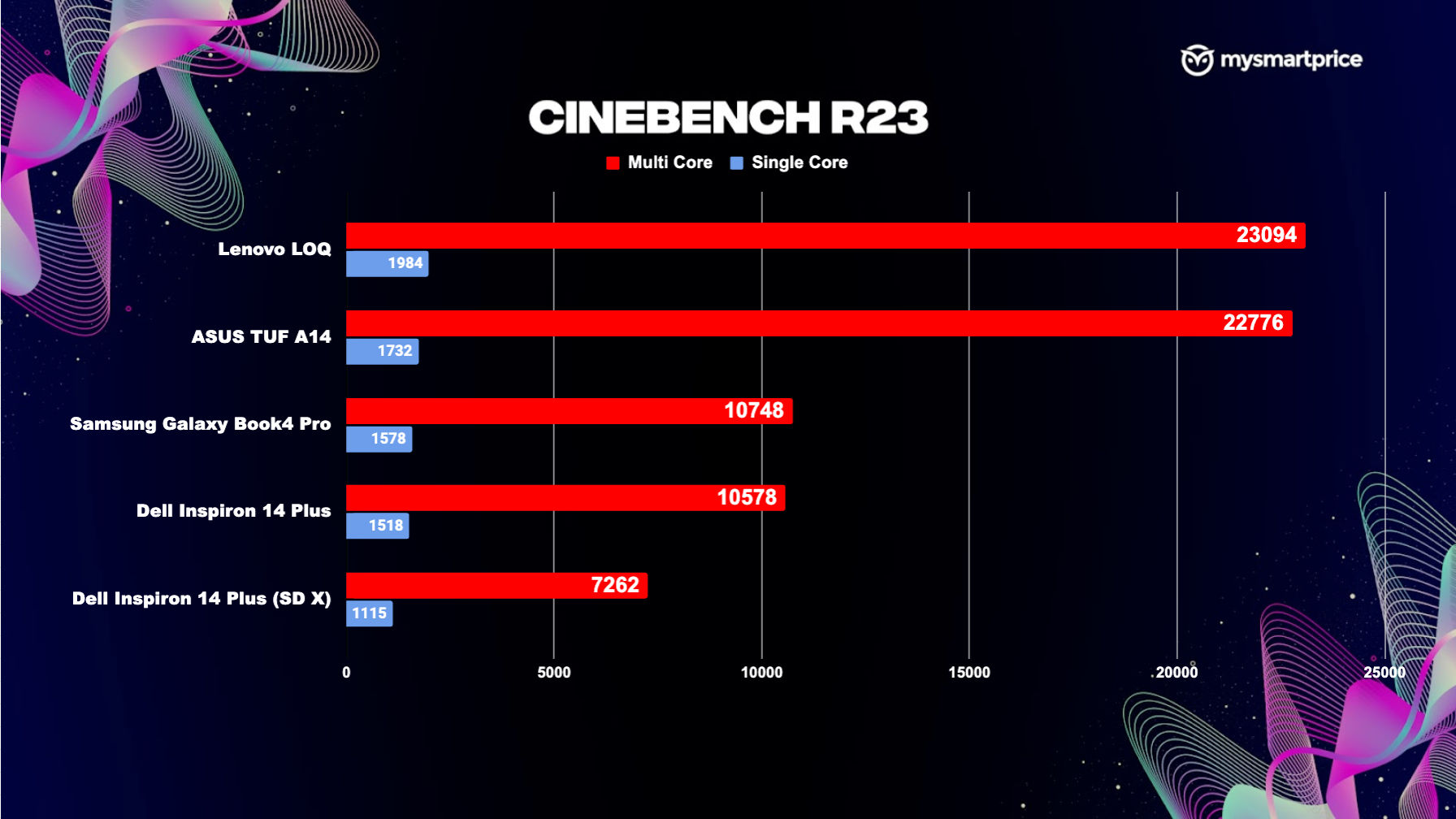
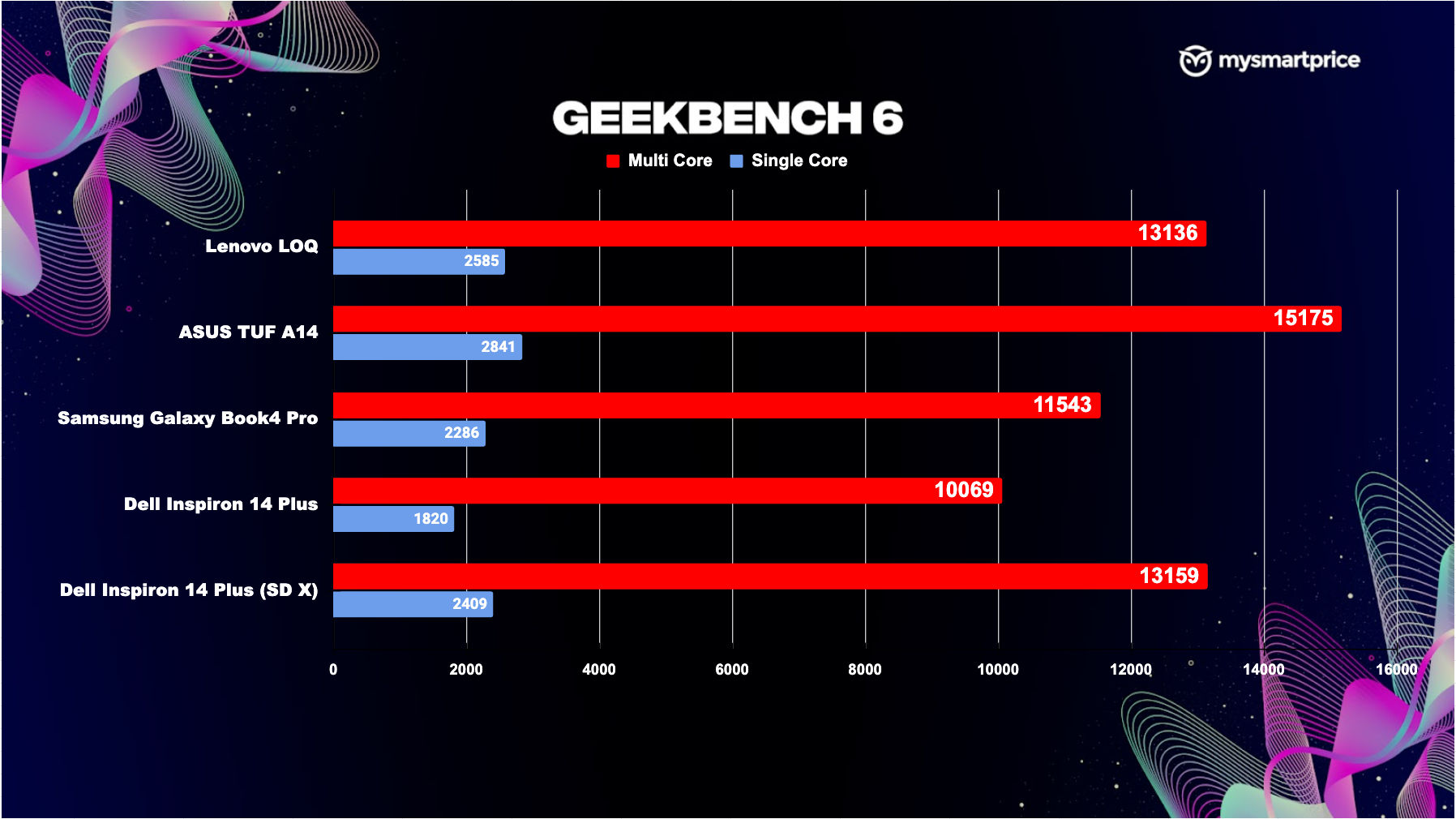
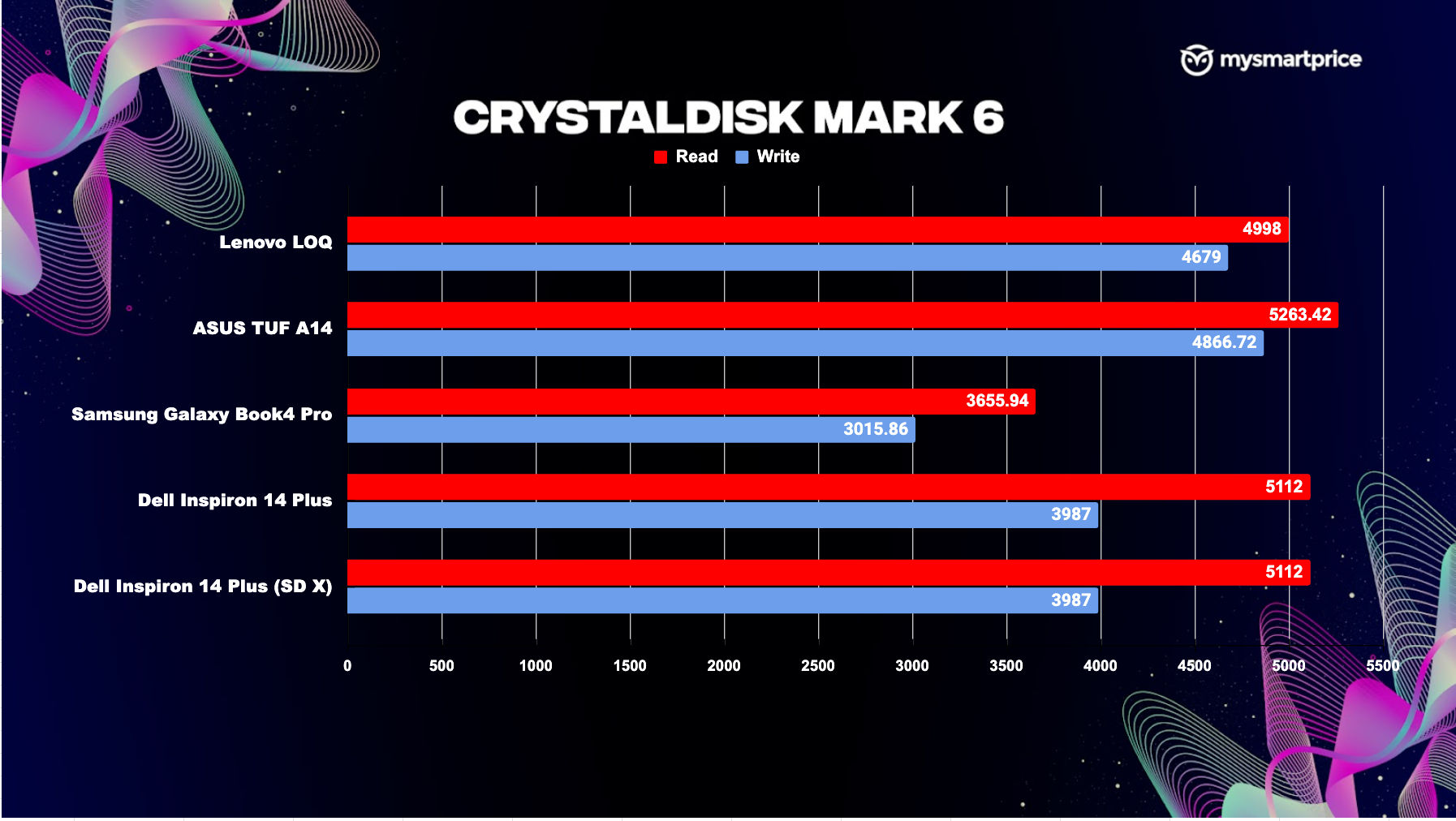
The ASUS TUF A14 delivers impressive gaming performance, capable of handling demanding titles like Shadow of the Tomb Raider and Valorant with ease. Even with ray tracing enabled, the TUF A14 can maintain smooth frame rates in Dying Light 2, which isn’t bad for a slim gaming laptop.
The A14 handles everyday tasks like a champ, be it writing documents, or watching videos. I didn’t notice the laptop heating too much during regular operation, which included web browsing, chatting on Slack and WhatsApp and co-ordinating with the team on Basecamp. The only minor hiccup I encountered was a slight lag when switching between full-screen apps and the task view in performance mode. However, this issue is resolved when the laptop is put into turbo mode using the Armoury Crate.
Battery Life and Charging
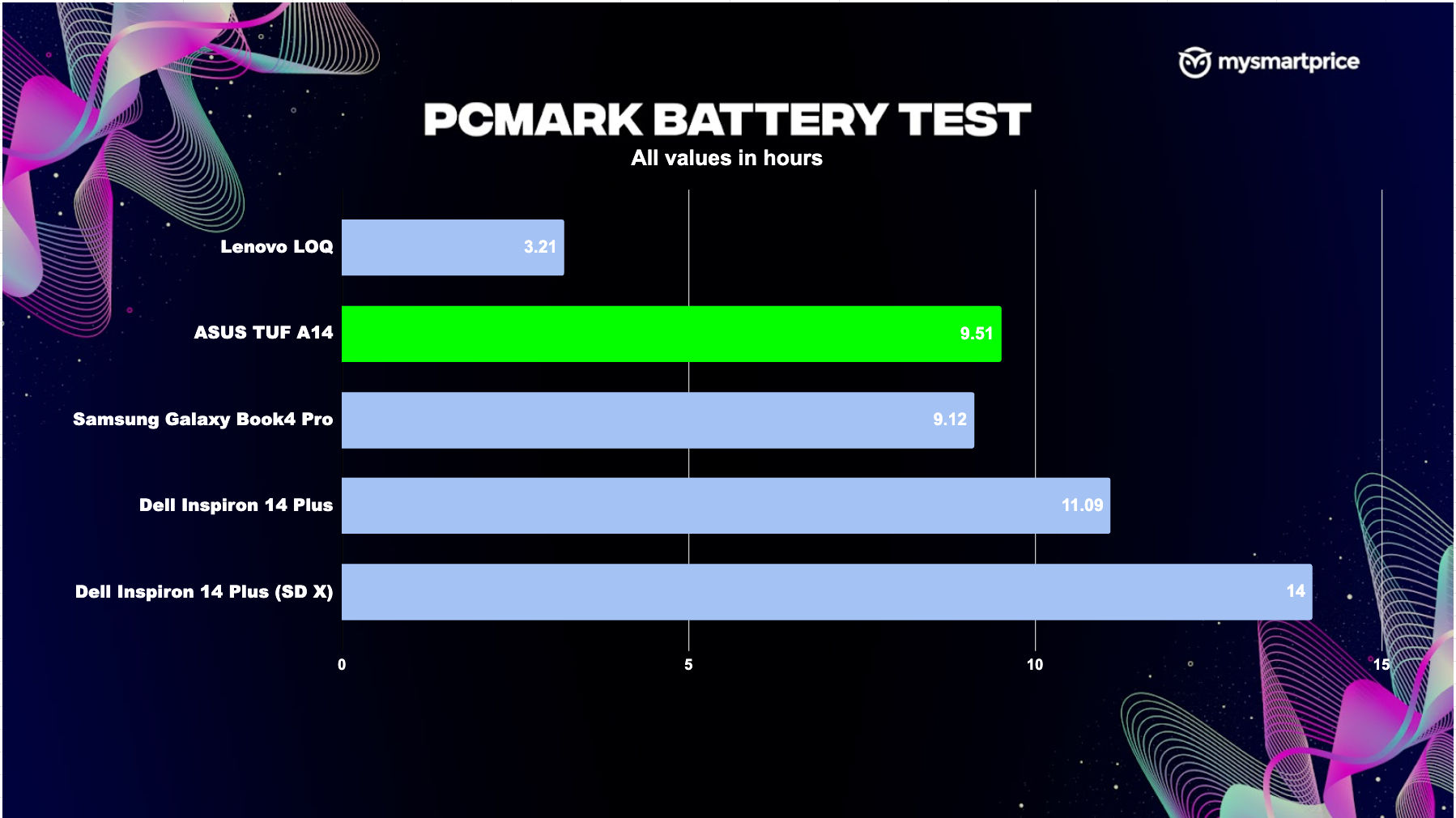
The TUF A14’s battery life is impressive. It’s an all-day laptop and its charging time is reasonable too. In our PCMark Battery Tests, the A14 returned with the best numbers for a gaming laptop, while giving productivity laptops a run for their money as well. Still, Snapdragon X Plus hails supreme in terms of battery efficiency.
Here’s what I am a bit miffed about – so far, I have been raving about how easy it is to carry the TUF A14 around. But, all that is offset by its bulky charging adapter. It is a 200W unit, which can charge the laptop in about two and a half hours to charge the laptop fully. If you want a more elegant solution, you can also use a 100W type charger to charge the A14 over Type-C.
Verdict
The ASUS TUF A14 is a well-rounded gaming laptop that offers fantastic portability. Its powerful performance, comfortable keyboard, and impressive battery life make it a compelling choice for gamers and professionals alike. While the audio could be improved, it’s a minor drawback considering its other strengths. 
I think ASUS should really work on making the charging adapter compact. All the weight saving quickly gets undone when you put that charger in the equation — and in your backpack.
However, if you are a bit tight on budget and don’t mind the heft, you may consider the Lenovo LOQ (the variant with Core i7-14700HX paired with GeForce RTX 4060), which is cheaper but equally powerful.