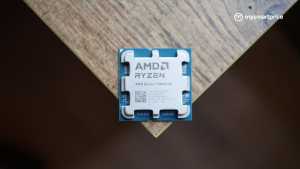
NVIDIA’s RTX Spark is an interesting piece of hardware, especially for someone who wants to run large AI models locally. We’ve already seen what the chip can do inside the ASUS ProArt P16 laptop. But what happens when you take essentially the same processor, put it inside a mini PC, and give it a cooling system designed for sustained desktop workloads? That’s exactly what the ASUS ProArt GR1X attempts to do.
And I find the idea particularly interesting because, if you’re planning to run AI models or autonomous AI agents around the clock, do you really need a laptop in the first place? A dedicated machine that sits on your desk, stays connected to your network and runs tasks in the background could be a more practical solution.
I’ve been testing the ProArt GR1X and comparing its initial benchmark results against the RTX Spark-powered ASUS ProArt P16 and Lenovo Legion 5i, which uses Intel’s Core Ultra 9 275HX and an NVIDIA GeForce RTX 5070 Laptop GPU.
The early results are interesting. The GR1X is considerably faster than the P16 in some synthetic benchmarks, which gives us hope that its AI performance will be equally impressive.
Design and Dimensions: A Lot of Hardware in a 1.1-Litre Chassis
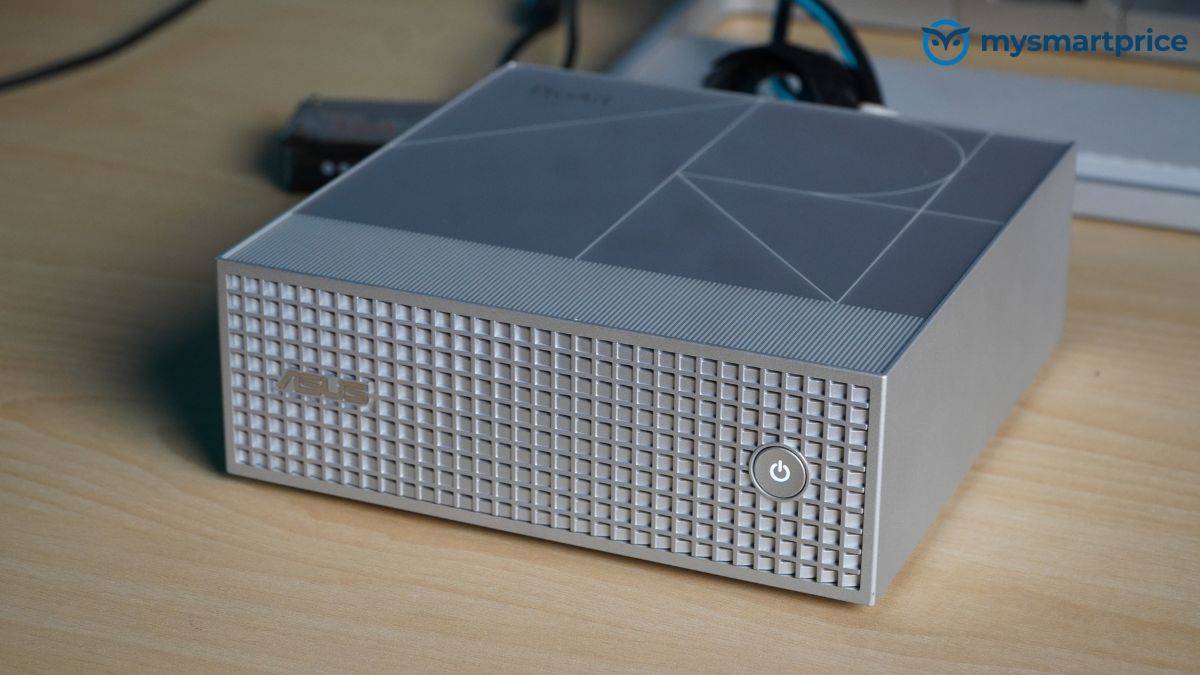
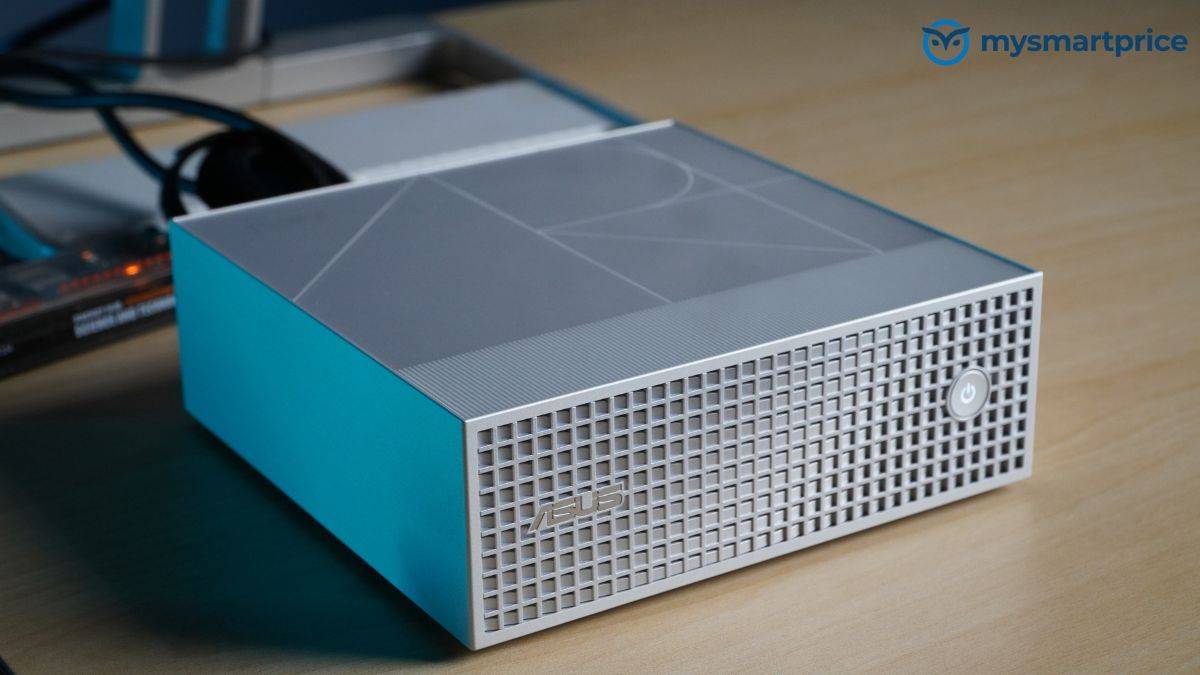
The first thing that stands out about the ProArt GR1X is just how little desk space it occupies. Measuring 150 × 150 × 51mm, the entire system has a volume of approximately 1.1 litres and weighs 1.48kg. That’s small enough to sit comfortably beside a monitor without getting in the way.
ASUS has also kept the design relatively understated. There’s a prominent angled grille for ventilation, a simple power button and a clean exterior without unnecessary RGB lighting or aggressive styling. Our review unit came in a silver finish with a sandblasted texture. ASUS also offers a black variant but I think this silver variant looks better.
Inside is NVIDIA’s RTX Spark N1X, combining a 20-core Grace CPU with a Blackwell RTX GPU featuring 6,144 CUDA cores. The processor uses a unified-memory architecture, with the CPU and GPU sharing the same memory pool.
Our review unit comes with 128GB of LPDDR5X unified memory and a 2TB NVMe SSD. ASUS also offers a 64GB memory configuration, while the platform supports up to 300GB/s of memory bandwidth. The system includes two M.2 NVMe SSD slots, supporting PCIe 5.0 and PCIe 4.0 connectivity, with up to 4TB of storage.
That 128GB memory configuration is particularly important for local AI. Unlike conventional gaming laptops, where a dedicated graphics card typically has its own fixed amount of VRAM, the GR1X can make a much larger shared-memory pool available for supported AI workloads. This could allow users to load models that would otherwise exceed the memory capacity of a conventional laptop GPU.
The other important difference is cooling. ASUS has equipped the GR1X with a dual-fan cooling system, four heat pipes and 57 cooling fins, designed around a power envelope of up to 140W.
A mini PC doesn’t have to accommodate a laptop battery, display or thin keyboard deck, giving manufacturers more freedom when designing the cooling system.
But whether that translates into better performance is something we’ll explore in the benchmark results.
Ports and Connectivity: Good Networking, but Where is USB-A?
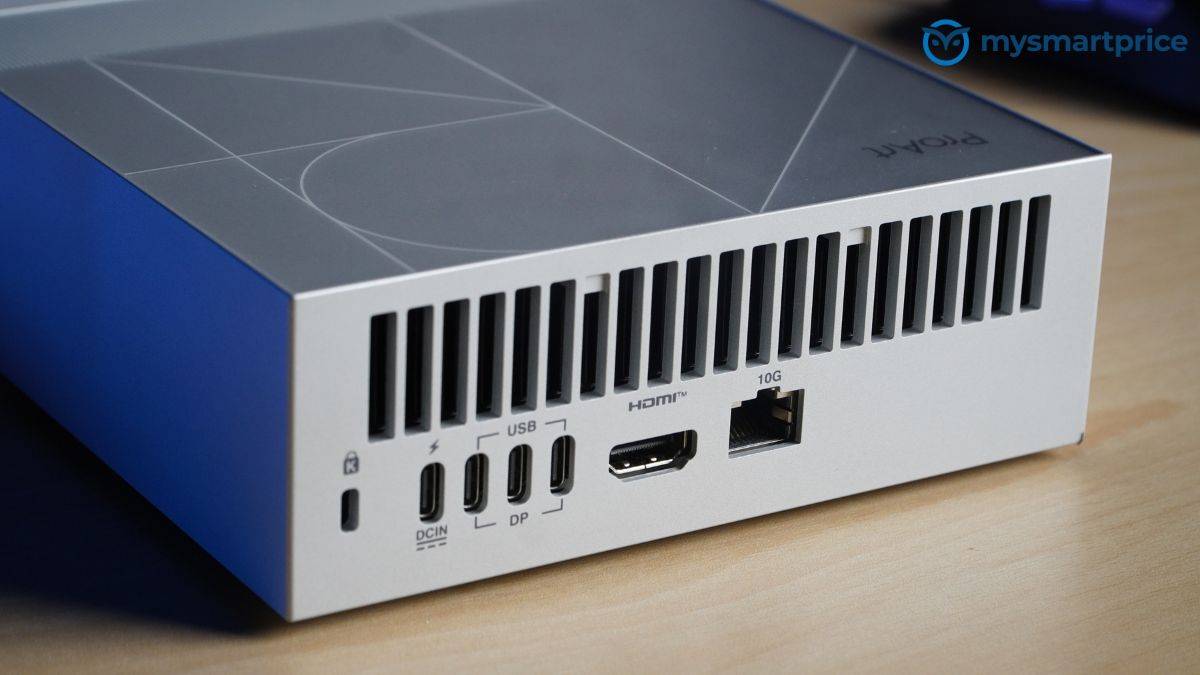
For a mini PC designed to sit permanently on a desk, I would expect connectivity to be one of its strongest qualities. The GR1X gets some important things right, although ASUS has made a few questionable decisions.
On the back, you get three USB 3.2 Gen 2×2 Type-C ports supporting up to 20Gbps data transfers and DisplayPort Alt Mode. There’s a fourth USB-C connection for power input, along with an HDMI 2.1 port, a 10Gb Ethernet connection and a Kensington lock slot.
The three display-capable USB-C ports, combined with HDMI 2.1, allow the system to drive up to four external displays. That’s useful for creators working across multiple applications, developers monitoring different processes or anyone building a workstation with several screens.
The 10Gb Ethernet connection is particularly welcome. If you’re working with large video files, AI datasets or network-attached storage, a faster wired connection can make a huge difference, provided the rest of your network supports those speeds.
There’s also Wi-Fi 7 and Bluetooth 5.4, so wireless connectivity is well covered. However, I find the USB selection rather strange. There’s not a single conventional USB-A port. That means if you have an older wired keyboard, mouse, external hard drive or another USB-A accessory, you’ll need an adapter or hub.
There’s no dedicated 3.5mm audio jack or SD card reader either, and ASUS hasn’t included USB-4 or Thunderbolt connectivity.
For a permanent desk setup with network storage and multiple monitors, the GR1X has a reasonably capable selection of ports. However, for a premium mini PC designed for running local AI, I would have liked to see at least a couple of USB-A ports and a faster USB-4 connection.
Performance: The GR1X is Getting More Out of NVIDIA N1X
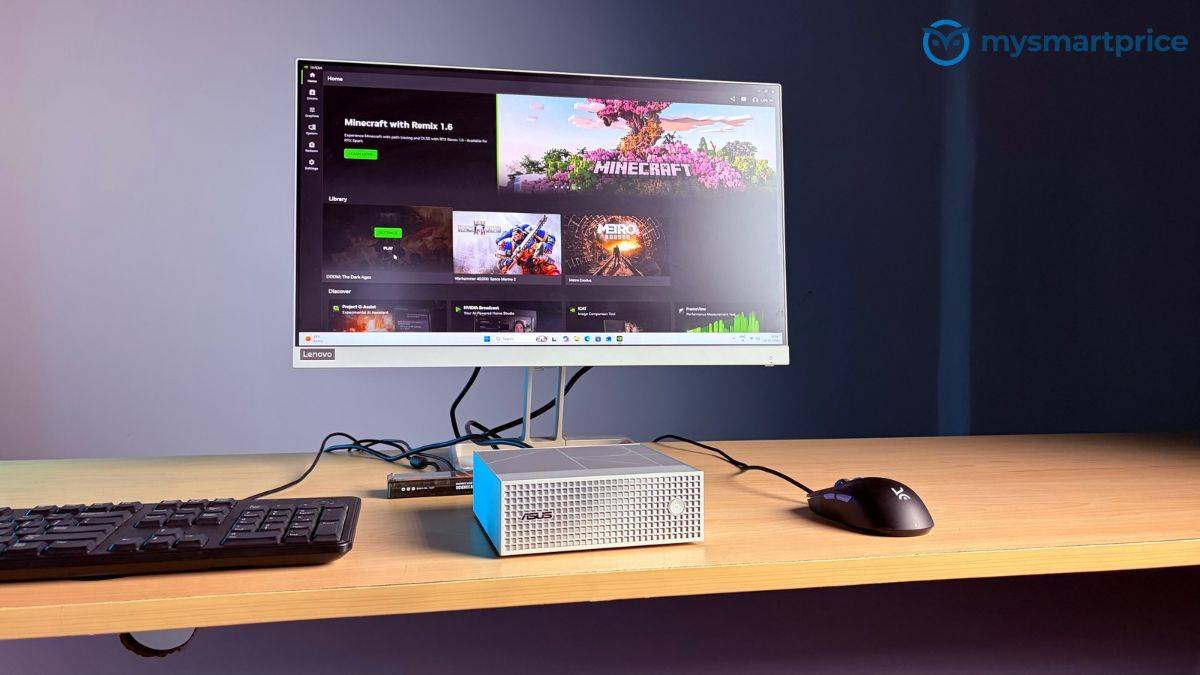
This is where the ProArt GR1X becomes particularly interesting. To understand what the desktop form factor brings to the table, I compared our preliminary results against the RTX Spark-powered ASUS ProArt P16 and Lenovo Legion 5i with an RTX 5070 Laptop GPU.
And the GR1X is delivering some substantial improvements over the P16.
Here’s how the three machines compare in our initial benchmarks:
| Benchmark | ProArt GR1X | ProArt P16 (RTX Spark) | Legion 5i (RTX 5070) |
|---|---|---|---|
| Geekbench CPU Single-Core | 2,599 | 2,147 | 2,781 |
| Geekbench CPU Multi-Core | 23,228 | 20,282 | 22,923 |
| Geekbench GPU Compute | 119,551 | 87,210 | 144,166 |
| 3DMark Highest Stress-Test Loop | 26,196 | 22,571 | 25,562 |
Starting with CPU performance, the GR1X scored 2,599 in Geekbench’s single-core test and 23,228 in multi-core. The ProArt P16, despite using the same RTX Spark platform, managed 2,147 and 20,282, respectively.
That’s approximately 21% better single-core performance and 14.5% better multi-core performance for the GR1X.
The Lenovo Legion 5i, powered by Intel’s Core Ultra 9 275HX, scored 2,781 in single-core and 22,923 in multi-core. So, while the Intel processor remains ahead in single-threaded performance, the GR1X narrowly takes the lead in multi-core.
However, the GPU results are even more interesting. The GR1X scored 119,551 in Geekbench’s GPU compute benchmark, compared with just 87,210 for the ProArt P16. That’s a 37% performance improvement for the mini PC.
Considering both machines use NVIDIA’s RTX Spark architecture, that is a substantial difference. The Legion 5i, meanwhile, scored 144,166 with its RTX 5070 Laptop GPU, putting it around 21% ahead of the GR1X in this particular compute test.
Our 3DMark stress-test results tell another interesting story. The GR1X recorded a highest loop score of 26,196, compared with 22,571 for the ProArt P16 and 25,562 for the Legion 5i. That puts the GR1X approximately 16% ahead of the P16 and around 2.5% ahead of the Lenovo.
More importantly, the GR1X recorded 99.1% frame-rate stability during the stress test. The P16 achieved the same stability figure, so both RTX Spark systems maintained relatively consistent results across repeated loops.
However, the desktop’s higher performance also comes with some interesting thermal observations. The GR1X reached a peak CPU temperature of 91.1°C during stress testing. In comparison, the P16 peaked at 82.1°C, while the Legion 5i reached 84°C.
Its recorded peak CPU power consumption was also higher, at 111.9W, compared with 103W for the P16 and 99W for the Legion 5i. This suggests that the GR1X is operating under a different power and thermal profile.
So far, the takeaway is fairly clear. The GR1X is producing considerably higher performance than the ProArt P16 in several of our initial CPU and GPU tests. The advantage is especially substantial in GPU compute.
Gaming Performance: The ProArt GR1X is Not Just an AI Machine
Although the ProArt GR1X is primarily designed for AI and professional workloads, I also wanted to see how well its Blackwell GPU handles gaming.
In Shadow of the Tomb Raider, the GR1X delivered an average of 105 FPS, slightly ahead of the RTX Spark-powered ProArt P16’s 101 FPS. However, the Lenovo Legion 5i, with its RTX 5070 Laptop GPU, performed considerably better at 184 FPS.
| Laptop / Mini PC | Shadow of the Tomb Raider (Average FPS) |
|---|---|
| ASUS ProArt GR1X (RTX Spark) | 105 |
| ASUS ProArt P16 (RTX Spark) | 101 |
| Lenovo Legion 5i (RTX 5070) | 184 |
The GR1X is only around 4% faster than the P16, despite recording a 37% higher Geekbench GPU compute score. Meanwhile, the Legion 5i delivers approximately 75% more FPS than the GR1X.
Interestingly, the GR1X slightly outperformed the Legion 5i in our 3DMark stress-test loop scores, showing why synthetic benchmarks don’t always reflect actual gaming performance.
There’s also the Windows on Arm factor to consider. Since RTX Spark uses an Arm-based CPU, game compatibility and performance can vary, particularly when running x86 titles through translation.
Based on this initial test, the RTX 5070-powered Legion 5i is clearly the better gaming machine. The GR1X can handle gaming reasonably well, but its real appeal lies in professional workloads and local AI, which we’ll explore in greater detail during our full review.
ASUS ProArt GR1X First Impressions: Does a Mini PC Make More Sense for Local AI?
Based on my initial testing, the ProArt GR1X makes an interesting case for choosing a mini PC over an RTX Spark-powered laptop, although it ultimately comes down to how you intend to use it. Our benchmarks show up to 37% higher GPU compute performance than the ProArt P16, along with an impressive 99.1% stability in the 3DMark stress test.
For someone who needs to run demanding workloads on the move, the ProArt P16’s portability, integrated OLED display and battery are valuable advantages. However, if your priority is running local AI models or AI agents continuously from a fixed workstation, the GR1X’s compact desktop form factor and 128GB of unified memory could make more sense.
Pricing will be crucial to that decision. ASUS has announced November 18 as the GR1X’s US availability date, but pricing for our 128GB RAM and 2TB SSD configuration remains unconfirmed. For comparison, the similarly equipped ProArt P16 is listed at $6,999.99 in the US, equivalent to approximately ₹6.54 lakh at current exchange rates, excluding Indian taxes and other charges. For now, the GR1X’s early benchmark results are encouraging, and we’ll investigate whether those performance advantages extend to actual local AI workloads in our full review.