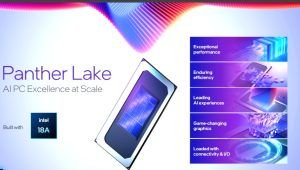
While I was at the Intel Tech Tour in Arizona earlier this month, I caught up with Daniel Rogers, Vice President and General Manager of PC Products at Intel, for a chat about the company’s upcoming Panther Lake platform. Building on the success of Lunar Lake, which set new benchmarks for efficiency and battery life on the x86 platform, Panther Lake represents Intel’s next big step in redefining performance, scalability, and flexibility across PC segments. For a broader look at how Panther Lake builds on the success of Lunar Lake and what it means for Intel’s next phase of computing, you can read our detailed deep dive on the platform.
In our conversation, Rogers shared insight into the decisions and design approach behind Panther Lake, touching on how the platform scales across markets, the role of Intel 18A, and Intel’s broader philosophy around AI and compute performance. What follows is an edited transcript of that conversation, offering a closer look at the architecture, the thinking behind it, and where Intel is headed as it gears up to launch Panther Lake early next year.
Q: How would you simply describe the Intel Panther Lake platform? How big is the jump in comparison to how Lunar Lake was from Meteor Lake?
A: In many ways, Panther Lake is like a fusion of Arrow Lake and Lunar Lake. It is actually built on the Lunar Lake platform. It is the same team executing Panther Lake, the team that built Lunar Lake. Panther Lake allows us to scale up using Intel 18A. We can scale to a high-performance design with up to 16 cores while also catering to a much broader market, given the flexibility that Panther Lake brings to the table. So that is the big difference. But yes, it is based on a Lunar Lake blueprint, and that is going to be an important part of our architecture as we move forward.
Q: Panther Lake brings in a lot of brute force with more CPU cores, more GPU cores, larger cache, and an additional SLC (Shared Level Cache). Given that it is more of everything, how big a role did Intel 18A play in bringing this all together?
A: Yes, you definitely need advanced process technology and packaging to get that many transistors. However, beyond the additional performance, Intel 18A also allows us to offer a range of options. We have the 8-core option as well, and that is part of our 18A strategy to address the broader market. Lunar Lake is a fantastic chip, but it is meant for a specific segment. The big benefit with Intel 18A is not just the advanced PPA, but also the ability to open up a full range of market opportunities for our partners.
Q: Lunar Lake saw a big jump in efficiency, specifically in battery life. Will Panther Lake continue on the same path? Can we expect the same levels of battery life, or will it get better?
A: That is the most exciting part about Panther Lake. You get the same levels of efficiency and battery life, but with the high performance of a 16-core CPU and a 12-core Xe3 GPU. It is a pretty exciting combination. Imagine a high-end gaming laptop with 12 Xe cores but with Lunar Lake-like multi-day battery life.
Q: During the presentation, we saw an interesting change. Even when it comes to gaming, the E-cores, or efficiency cores, will be the first port of call and not the P-cores or performance cores. That is a change, as normally one would expect the P-cores to spring into action for demanding tasks like gaming. What does this tell us?
A: Yes, that is a change. When we started with the low-power island on Meteor Lake, it offered fairly low compute power, and we were very focused on efficiency and running at low voltage. But starting with Lunar Lake and now with Panther Lake, the E-cores can handle a wider variety of use cases. They are very capable cores that can manage much heavier workloads while still being efficient in terms of power consumption, unlike Meteor Lake, which was built purely for ultra-low-power scenarios catering to lighter tasks.
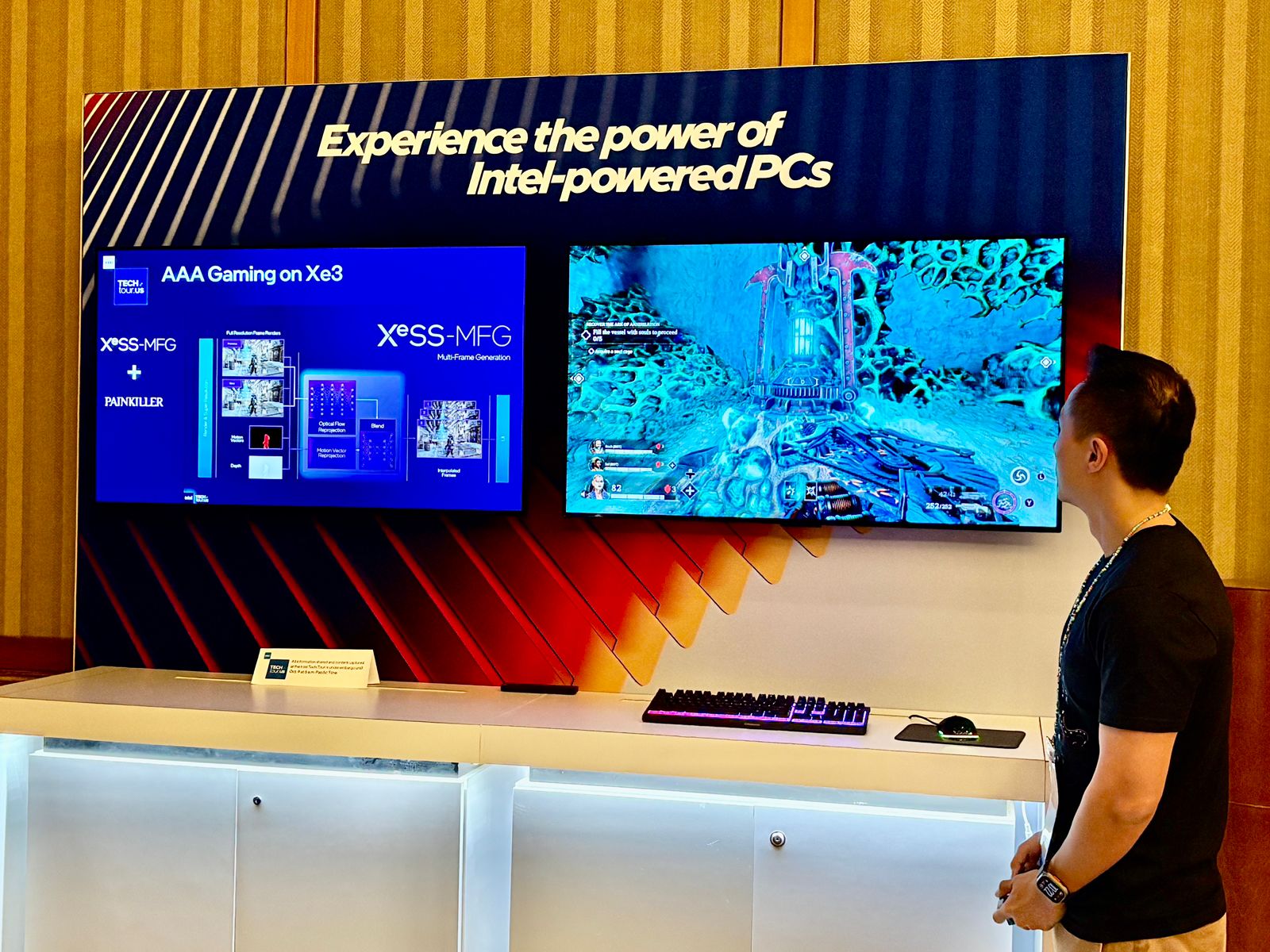
Q: The Xe3 is arguably the hero of the show as far as Intel Panther Lake goes. And we saw the excitement around Xe3 during the presentation. It does look very impressive. But it also seems to be inching closer to dedicated entry-level GPU territory. How close are we to entry-level dedicated GPUs in terms of gaming performance?
A: You are right about the performance, but even before we get to that, we have to start with the feature set. Our graphics team has done a fantastic job over the last several years to upgrade the feature set to be fully modern and full discrete class. All the features you expect from modern discrete-class graphics are now available with Panther Lake. On the performance side, you need hardware capable of delivering the right frame rates, and I would say it is certainly a discrete-class IP. Of course, there are power and memory differences between integrated and discrete setups, but keeping that in mind, the Xe3 12 Xe is certainly much closer to entry-level discrete-class graphics performance than we have seen before in a laptop.
Q: Talking about memory, with Lunar Lake we saw Intel take the MoP (Memory on Package) route, but with Panther Lake we are back to module-based memory configurations. Why the change? And with more cores and a beefier GPU, will the recommended memory configuration for laptops go higher? We have seen 16 GB become the norm, but can we expect that number to increase to do justice to Panther Lake’s capabilities?
A: The decision to go with module-based memory was primarily taken to allow higher flexibility for OEMs to offer different configurations. Given the flexibility of the Panther Lake platform, OEMs can now choose to offer much higher memory configurations depending on the class of Panther Lake CPU in use. As for recommended configurations, we are suggesting 24 GB and 32 GB pairings with the Xe3 12 Xe so that you are not paging out to storage and impacting gameplay.
Q: As far as the NPU goes, last year with Lunar Lake we saw Intel emphasize system TOPS rather than just NPU TOPS as the key measure of AI capability. With Panther Lake, overall platform performance moves from 120 TOPS in Lunar Lake to 180 TOPS. So are we saying that when it comes to on-device AI, it is not just the NPU or GPU but overall system performance that matters? And where does power consumption fit into that equation? Is TOPS per watt a metric we will soon see emerge in the mix?
A: What is unique about our approach to AI is that all the engines matter, the CPU, GPU, and NPU. The GPU will always be the horsepower machine for AI, that is your AI muscle, where you have the maximum TOPS. Many high-performance AI compute cases reside on the GPU. The NPU is unique. It is not just about total compute capability, it is also about efficiency. We use TOPS per watt as a critical metric to define NPU characteristics. Panther Lake’s NPU is similar to Lunar Lake’s, although it is being offered more broadly across our portfolio. It is really designed to ensure we deliver the best power efficiency for always-on AI cases. For example, in Microsoft Teams, we are working on some interesting new security features for commercial environments. As a developer, it is worth spending that extra effort to unlock the power efficiency advantage because there is a programmability difference between the GPU and NPU.